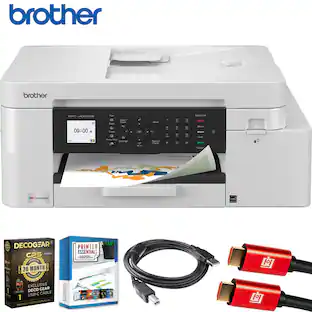
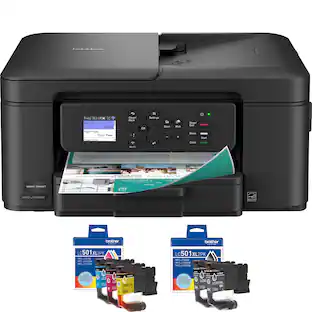
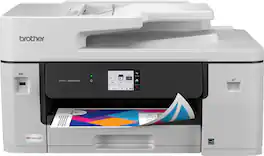
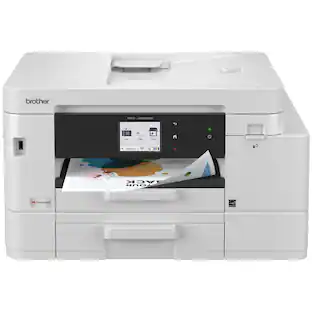
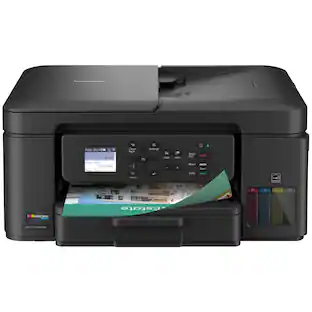
Brother - Print & Cut MFC-J1800DW Wireless Color All-in-One Inkjet Printer with Automatic Paper Cutter - Black
About this product
Offering a revolutionary combination of printing, copying, scanning, faxing, and cutting functionalities, the Brother MFC-J1800DW Print & Cut All-in-One Color Inkjet Printer is perfect for home, arts & crafts, and business uses. With the convenience of an automatic paper cutter this efficient, space-saving, multi-function printer eliminates the need to maintain and accommodate multiple pieces of equipment. Innovative Brother Blade Sensor Technology (BST) is an eco-friendly, time-saving feature that reduces paper waste and cuts down on manual paper cutting. Helping you be more productive, it can automatically cut letter size paper (8.5” x 11”) to half letter size (8.5” x 5.5”) and is deal for creating seasonal menu inserts, coordinated event invitations and RSVPs, shipping labels, event agendas, and so much more. Reaching print speeds up to 17 ISO pages per minute (ppm)(1) and scan speeds up to 17/7 ISO images per minute (ipm)(2) (black/color), its additional features include automatic duplex printing, wireless connectivity(3), and remote printing, copying, scanning, and cutting through the Brother Mobile Connect app(4). For outstanding print quality and reassuring compatibility, be sure to use this full-featured color inkjet printer with Brother Genuine Ink.
Be sure you have the right cartridge
Enter your printer's model number into our Ink and Toner Finder to find compatible cartridges.
Ensure optimal performance
Choose Brother Genuine LC401 Standard or LC401XL High-Yield replacement cartridges. And with Refresh EZ Print Subscription Service you’ll never worry about running out of ink and you’ll enjoy savings up to 50% (5). Get started with a Free Trial(6).
Five-in-one functionality
The exceptional print quality of a full-featured Brother color inkjet printer with the versatility of copy, scan, fax, and the ability to automatically cut full letter size paper in half.
Innovative versatility increases productivity
Now you can stop wasting time on manual cutting! With the anytime convenience of automatic half letter size cutting, there are many ways to print and cut documents depending on your need, application, file type and format.
Compact footprint
A space-saving ace that combines business-level functionalities with revolutionary automatic paper cutting. Eliminates the need for bulky, manual paper cutters and frees up valuable room in any home or smalls business workspace.
Print, copy, scan, and CUT remotely
Use the Brother Mobile Connect app and a mobile device for the freedom of printing, copying, scanning, and CUTTING from virtually anywhere. This powerful yet easy-to-use app includes the useful Page Gauge feature that helps you monitor ink levels(4).
Flexible connection options
Easily connect to the Print & Cut using built-in wireless or local connection to a single computer via USB interface. Print and scan wirelessly(3) from your desktop, laptop, smartphone, and tablet via Brother Mobile Connect App(4), AirPrint or Mopria.
Easy-to-use 2.7” touchscreen
The integrated LCD color touchscreen makes it easy to copy and cut, or print-from and scan-to popular Cloud services, including Google Drive‚ Dropbox, Box, One Drive and more(7) – all directly from the printer.
Versatile paper handling
Boasts a generous 150-sheet paper tray capacity for up to legal-size paper. Complemented by the ease and convenience of automatic duplex printing and a 20-page auto document feeder that quickly copies and scans multi-page documents in a variety of sizes(8).
Clean edges, precise performance
Enjoy the added efficiency and savings of precise paper cutting – the neatly cut, unused half sheets can be placed right back into the paper tray for printing. It’s a cutting-edge solution to help minimize waste and maximize efficiency!
Print with purpose
Designed to be environmentally conscious with innovative eco-friendly printer features. Save paper with automatic duplex printing and the ability to reuse your unprinted half letter pages. Eco Mode helps reduce power consumption. ENERGY STAR certified.
Brother at your side support
Backed by Brother with a 1-year limited warranty and free online, call, or live chat support for the life of your printer.
(1) Based on one-sided printing. Change from default setting required.
(2) Color and monochrome scan speed with all advanced features turned off, Letter at 300dpi.
(3) Requires connection to a wireless network.
(4) Free app download and wireless connection required. Compatibility may vary based on device and operating system.
(5) Based on monthly subscription cost in U.S. for Color Laser High Plan vs. average cost per page of eligible like standard capacity cartridges. Savings will vary based on Refresh EZ Print Subscription plan selected.
(6) Requires enrollment in monthly billed Brother Refresh EZ Print Subscription Service plan based on monthly printed page allotments. Unused pages roll over, limitations apply.
Additional page set charges and taxes apply during trial. Plan, options offer and pricing subject to change. Open to new subscribers located in the contiguous United States only.
After the free trial period your credit card will be charged on a monthly basis for the Plan Fee, Overages, and Taxes in accordance with the Terms of Service. Your service will continue on a month-to-month basis until you cancel it.
May be canceled at any time. Upon cancellation, cartridge will be deactivated and must be replaced at users’ expense in order to continue printing.
(7) Requires an Internet connection and an account with desired service.
(8) Maximum capacity based on using 20 lb. paper.
ENERGY STAR and the ENERGY STAR mark are registered trademarks owned by the U.S. Environmental Protection Agency. Images are for illustrative purposes only. Specifications subject to change.
- NetworkingWireless, WiredENERGY STAR CertifiedYesPrinter TypeAll In One, Printer, Copier, ScannerISO Color Print Speed16.5 pages per minuteTouch ScreenYes
Reviews
Rating 4.5 out of 5 stars with 11 reviews
Top Mentions
- Overall Performance (4)
- Print Quality (4)
The vast majority of our reviews come from verified purchases. Reviews from customers may include My Best Buy members, employees, and Tech Insider Network members (as tagged). Select reviewers may receive discounted products, promotional considerations or entries into drawings for honest, helpful reviews.




Compare similar products
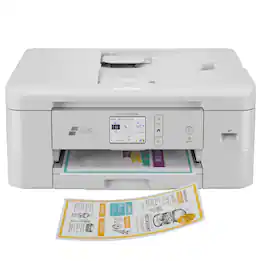
Offering a revolutionary combination of printing, copying, scanning, faxing, and cutting functionalities, the Brother MFC-J1800DW Print & Cut All-in-One Color Inkjet Printer is perfect for home, arts & crafts, and business uses. With the convenience of an automatic paper cutter this efficient, space-saving, multi-function printer eliminates the need to maintain and accommodate multiple pieces of equipment. Innovative Brother Blade Sensor Technology (BST) is an eco-friendly, time-saving feature that reduces paper waste and cuts down on manual paper cutting. Helping you be more productive, it can automatically cut letter size paper (8.5” x 11”) to half letter size (8.5” x 5.5”) and is deal for creating seasonal menu inserts, coordinated event invitations and RSVPs, shipping labels, event agendas, and so much more. Reaching print speeds up to 17 ISO pages per minute (ppm)(1) and scan speeds up to 17/7 ISO images per minute (ipm)(2) (black/color), its additional features include automatic duplex printing, wireless connectivity(3), and remote printing, copying, scanning, and cutting through the Brother Mobile Connect app(4). For outstanding print quality and reassuring compatibility, be sure to use this full-featured color inkjet printer with Brother Genuine Ink.

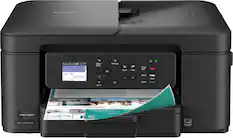
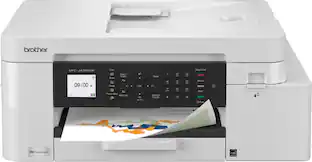
The INKvestment 4355 Wireless Color Inkjet All-in-One Printer takes productivity to the next level. An easy-to-use 1.8” color display provides streamlined functionality, with the ability to connect directly to popular Cloud apps(1). Enhance your workflow with the included 150-sheet paper tray(2), 20-sheet single-sided automatic document feeder (ADF) (2), one-sheet manual feed slot(2), and automatic duplex (2-sided) printing. Get things done efficiently with advanced print speeds, Wi-Fi Direct, and multiple connectivity options. Plus, the convenience to complete your work wherever you go – you can print directly from your mobile device from virtually anywhere with the Brother Mobile Connect app(3). Produce beautiful prints in vibrant color and bold blacks at fast print speeds with LC506 Brother Genuine Ink cartridges – the only brand we recommend for your Brother printer.

Designed with next-level innovation, the INKvestment 4555 Wireless Color Inkjet All-in-One Printer is easy-to-use with a 2.7” color touchscreen that provides enhanced functionality, with the ability to connect directly to popular Cloud apps(1), and a front USB Port(2). An included 400-sheet paper capacity between 2 trays(3), 20-sheet single-sided automatic document feeder (ADF)(3), and automatic duplex (2-sided) printing, plus 1-sheet manual feed slot(3) provides flexibility and convenient media handling. Get things done quickly with advanced print speeds, Wi-Fi Direct, and multiple connectivity options including ethernet and wireless(4). What’s more, you’ll enjoy the convenience of completing your work wherever you go – print directly from your mobile device from virtually anywhere(5) with the Brother Mobile Connect app(5). Produce beautiful prints in vibrant color and bold blacks at fast print speeds with Brother Genuine LC506 Ink cartridges – the only brand we recommend for your Brother printer.
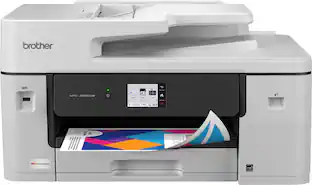
With advanced features designed to improve your productivity, the INKvestment 6560 Wireless Color Inkjet All-in-One Printer means business. Handle your toughest tasks with print, copy, scan, and fax capabilities up to 11” x 17”, automatic duplex (2-sided) printing on standard or ledger/tabloid sized paper, a 250-sheet paper tray, 1-sheet manual feed slot, and a 50-page single-sided automatic document feeder(1). Convenient dual band wireless(2) and Cloud connectivity options(3) are available on the generously sized 2.7” color touchscreen. Maintain superior productivity from day one with fast print speeds and the right amount of ink in-box. This color inkjet printer reliably outputs vibrant colors and bold, rich blacks, and Page Gauge(4) monitors your ink usage so you know when you’re running low. When paired with the Brother Mobile Connect app, setup is quick and easy – plus, you’ll gain the ability to print from virtually anywhere on your mobile device(5). Engineered with MAXIDRIVE Technology with impressive print speeds of up to 31 pages per minute (ppm) in black and up to 30 ppm in color(7), you can produce beautiful prints in vibrant color and bold blacks with Brother Genuine LC506 Ink cartridges – the only brand we recommend for your Brother printer.
| Pros for Brother - Print & Cut MFC-J1800DW Wireless Color All-in-One Inkjet Printer with Automatic Paper Cutter - Black | |||
|---|---|---|---|
| Overall Performance, Print Quality | Print Quality, Connectivity, Setup Ease, Size | Print Quality, Ease of Setup | Connectivity, Overall Performance, Printing Speed |
| Cons for Brother - Print & Cut MFC-J1800DW Wireless Color All-in-One Inkjet Printer with Automatic Paper Cutter - Black | |||
| There were no cons for this product— | Noise Level | There were no cons for this product— | Size |
Specs
Can it still print in black if the color cartridges are empty?
Answered by BrotherThe Brother MFCJ1800DW is designed to stop ALL printing operations when any of the ink cartridges have reached their end-of-life. This is to ensure the life of the printhead and to maintain premium print quality. Some ink from all the ink cartridges is used in periodic cleaning cycles. This helps to prevent issues such as printhead clogs and poor print quality. There is no way to bypass this feature. If one or more color ink cartridges are low but not at the end of their usable life and you want to minimize the use of color ink, change the settings in the Brother software to print with black ink only (grayscale). If you print with black ink only, the other ink cartridges must have ink for the printer to print. When an ink cartridge is depleted, you must replace it before you can print. If you print with black ink only, the printer may still use small amounts of ink from all the ink cartridges for occasional servicing tasks. Brother recommends that you replace any low ink cartridges to avoid any interruptions in printing. Below is a link with more information on black and white Print Only. Answer Link: https://help.brother-usa.com/AgentWeb/api/contextmanager/v.32404120002/workspaceContext/workspace/processedPrint/Answer/184969

Does this printer print double sided ? Auto 2 sided?
Answered by BrotherYes the Brother MFCJ1800DW does support 2-sided printing.
does this print on card stock
Answered by BrotherNo, the Brother MFCJ1800DW is not compatible with card stock. The Brother MFCJ1800DW is compatible with index card. Below is a link the Recommended paper for the Brother MFCJ1800DW. Answer Link: https://help.brother-usa.com/AgentWeb/api/contextmanager/v.32403150003/workspaceContext/workspace/processedPrint/Answer/185058
Does this printer have auto 2 sided, double sided copying, 2 different pages of copying? Auto not manual?
Answered by BrotherThe Brother MFCJ1800DW does not support auto duplex copying.
Does this printer offer duplex printing?
Yes, this printer offers automatic duplex printing.
This question and answer was generated by AI based on customer and product data.
Customers often buy these together
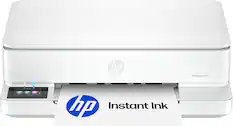
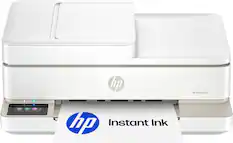
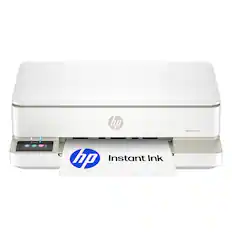
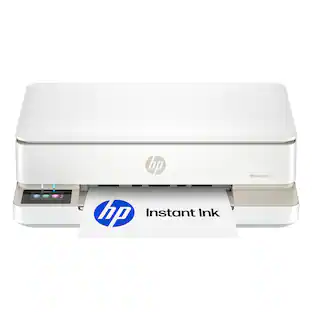
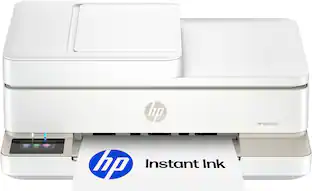
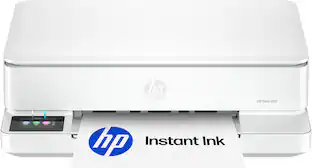
HP - Envy 6165 Wireless AI-Enabled All-in-One Inkjet Printer with 6 months of Instant Ink - White
$79.99The price was $159.99
Customers ultimately bought
 Our 365-day lowest price$229.99The price was $329.99
 $89.99The price was $159.99

Explore tech essentials Sponsored
 Top Deal$349.99The price was $479.99
 $79.99The price was $159.99

Discover related products
 $12.99The price was $13.99







Keep exploring
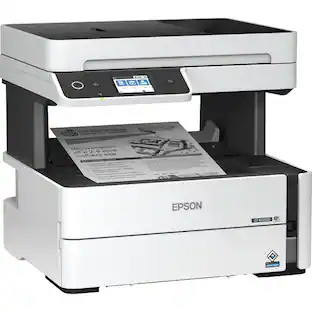
Epson - WorkForce ST-M3000 Multifunction Supertank Printer. Cartridge Free MFP with ADF & Fax Inkjet
$380.63The price was $421.31