Black Friday is hereNew Doorbusters added. Ends 11/29.Shop now

Main Content
In Photo Printers

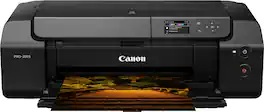
Canon - PIXMA PRO-200S Professional Wireless Inkjet Photo Printer - Black

Model: 6875C002
SKU: 6614999
$429.00
Save $218
Comp. Value: $647.00
or
$35.75/mo.
suggested payments with12-Month Financing
Show me how
Finance OptionsView your offers
Standard Geek Squad Protection
Availability
Fulfillment Options
Available for pickup today at a nearby store
Order now for pickup on Tue, Dec 2 at
Act fast - Only 1 left at nearby store!
Sold by Best Buy

More Buying Options

Specifications
  • Networking
    Wired, Wireless
    ENERGY STAR Certified
    Yes
    Printer Type
    Printer
    ISO Color Print Speed
    1.13 pages per minute
    ISO Mono Print Speed
    1.13 pages per minute
    Touch Screen
    No
  • Key Specs
    • Networking: Wired, Wireless
    • ENERGY STAR Certified: true (Devices carrying the ENERGY STAR service mark, such as computer products and peripherals, kitchen appliances, and other products, generally use 20% to 30% less energy than required by federal standards.)
    • Printer Type: Printer
    • ISO Color Print Speed: 1.13 pages per minute (The number of color pages able to be printed per minute in the device's default single-side mode, as tested by the International Standards Organization (ISO).)
    • ISO Mono Print Speed: 1.13 pages per minute (The number of black ink (grayscale) pages able to be printed per minute in the device's default single-side mode, as tested by the International Standards Organization (ISO).)
    • Touch Screen: false (Touch-screen devices make navigating more intuitive. Using a touch-screen display, you can do things such as tap to select, hold and drag to move items, swipe to scroll, and pinch to zoom.)
  • General
    • Brand: Canon
    • Model Number: 6875C002
    • Product Name: PIXMA PRO-200S Professional Wireless Inkjet Photo Printer
    • Color: Black
    • Display Screen: true
    • Display Screen Size: 3 inches
  • Dimensions
    • Product Height: 16.4 inches (The out of box height of the item. Height is measured as the vertical distance from the bottom of the item to the top as it would be primarily used or placed.)
    • Product Width: 33 inches (The out of box width of the item. Width is measured as the horizontal distance from one side of the item to the other as it would be primarily used or placed.)
    • Product Depth: 25.2 inches (The out of box depth of the item. Depth is measured as the distance from the front of the item to the back as it would be primarily used or placed.)
    • Product Weight: 32 pounds (The out of box weight of the item.)
  • Features
    • Automatic Document Feeder: false
    • Photo Printing: true
    • Wide Format Printing: true (Machines with this function support printing on media with widths between 18 and 100 inches, such as posters, banners, canvases, and more.)
    • Wide Format Scanning: false
    • Monochromatic/Color: Color
    • Automatic Reduction/Enlargement: false
    • Automatic Two-Sided Printing: false
    • Tray Capacity: 100
    • Duty Cycle: Unknown (The maximum number of pages per month that the device can produce without failing, as specified by the manufacturer.)
  • Connectivity
    • Wired Connectivity: Ethernet, USB-A
    • Wireless Connectivity: Wi-Fi (The manner in which a device sends data to another device over a short distance without the use of wires or cables.)
    • Minimum System Requirements: Windows: Windows 11, Windows 10, Windows 8.1, Windows 7; Mac: Mac OS v14 - macOS v11.7.10; Mobile Operating Systems: iOS, Android, Windows 10 Mobile
  • Certifications Listings & Approvals
    • EPEAT Qualified: true (The Electronic Product Environmental Assessment Tool (EPEAT) was designed to provide an environmental assessment tool for purchasers. In order to qualify for EPEAT, a product must meet all 23 required criteria.)
    • EPEAT Level: Silver (The Electronic Product Environmental Assessment Tool (EPEAT) was designed to provide an environmental assessment tool for purchasers. In order to qualify for EPEAT, a product must meet all 23 required criteria. Products are rated Bronze, Silver or Gold based on how many of 28 optional criteria they meet (below 50%, 50%, 75%).)
  • Ink
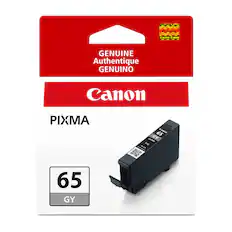
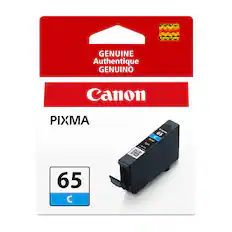
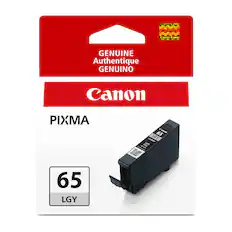
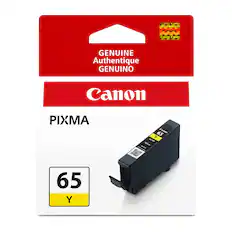
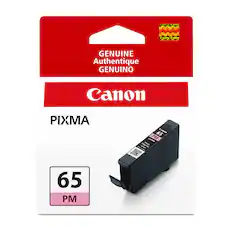
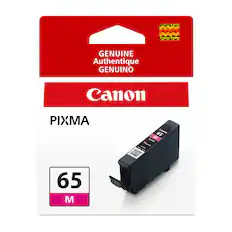
    • Compatible Cartridges: Canon CLI-65, Canon CLI-65, Canon CLI-65, Canon CLI-65, Canon CLI-65, Canon CLI-65, Canon CLI-65, Canon CLI-65
    • Ink Subscription Service Available: false (The printer monitors ink usage and alerts the subscription provider when levels are low. A purchased subscription provides refills of ink based on usage.)
    • Ink Cartridges Required: 1 x Black, 1 x Gray, 1 x Light gray, 1 x Cyan, 1 x Photo cyan, 1 x Magenta, 1 x Photo magenta, 1 x Yellow (The quantity and color of ink cartridges required for the printer to operate.)
    • Ink Cartridges Included: 1 x Black, 1 x Gray, 1 x Light gray, 1 x Cyan, 1 x Photo cyan, 1 x Magenta, 1 x Photo magenta, 1 x Yellow (The quantity and color of ink cartridges included.)
    • Ink Bags/Bottles Required: None (The quantity and color of ink bags/bottles required for the printer to operate.)
    • Ink Bags/Bottles Included: None (The quantity and color of ink bags/bottles included.)
  • Memory
    • Memory Card Slot: false
  • Paper Info
    • Maximum Document Length: 13 inches
    • Maximum Document Width: 39 inches
    • Supported Paper Sizes: 3.5” x 3.5” (Square), 3.5” x 5”, 4” x 6”, 5” x 5” (Square), 5” x 7”, 7” x 10”, 8” x 10”, Letter (8.5” x 11”), Legal (8.5” x 14”), 10” x 12”, 11” x 17” (Ledger), 12” x 12” (Square), 13” x 19” (A3+), 210×594mm (Panorama Size), Custom (up to 13” x 39”)
    • Paper Feeder: Top loader
    • Paper Handling: Top Feed, Manual Feed Slot & CD/DVD Printing Tray
    • Media Weight (Minimum): 64 grams per square meter
    • Media Weight (Maximum): 380 grams per square meter
    • Compatible Media Types: Plain: Plain Paper Super High Gloss: Photo Paper Pro Platinum; Glossy: Photo Paper Plus Glossy II, Photo Paper Glossy; Semi-Gloss: Photo Paper Plus Semi-Gloss, Photo Paper Pro Luster; Matte: Matte Photo Paper, Photo Paper Premium Matte; Fine Art: Premium Fine Art Rough; Other: Printable Nail Stickers, Light Fabric Iron Transfers; Non-Canon: Inkjet Greeting Cards, Photo Stickers, Cardstock, Printable CD / DVD / Blu-ray Discs, Recycled paper and chlorine-free paper can be used.
  • Performance
    • First Page Out Time: 53 seconds (The time it takes the printer to print and deliver the first page in the output tray. May depend on the complexity of the copy being printed.)
    • Printer Resolution (Black): Up to 4800 x 2400 (Refers to the number of pixels/dots, both horizontally and vertically, of the image produced by the printer in black ink. Generally, the higher the resolution, the sharper and cleaner the produced image.)
    • Printer Resolution (Color): Up to 4800 x 2400 (Refers to the number of pixels/dots, both horizontally and vertically, of the image produced by the printer in colored ink. Generally, the higher the resolution, the sharper and cleaner the produced image.)
    • Approximate Page Yield (Black): 0
  • Warranty
    • Warranty - Parts: 1 year
    • Warranty - Labor: 1 year
  • Other
    • UPC: 013803381122

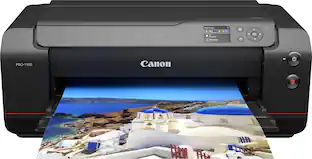
Bring your photos and designs to life with the PIXMA PRO-200 S Professional 13" Wireless Inkjet Photo Printer. With an 8-color dye-based ink system, this 13" wide printer is designed to meet the demands of photographers and graphic artists alike. Versatile and easy to use, print borderless up to 13" x 19" on a variety of media types and sizes . The PIXMA PRO-200S offers beautiful and vibrant print quality, high-speed printing, and outstanding productivity in a compact footprint, allowing you to consistently deliver the results your artistic work deserves.

  • Compatible with CLI-65 Ink Cartridges: Enhance color gamut: ChromaLife100+ CLI-65 ink is specially formulated for enhanced color gamut in magenta and reds, deeper black expression, and improvement of dark color reproduction in red and blues.
  • Vibrant prints, fast speeds: With an enhanced 8-color dye-based ink system, you’ll enjoy rich, vibrant professional printing, every time. The PIXMA PRO-200S is also fast and efficient, delivering high-quality bordered A3+ prints in just 90 seconds ¹⁰. Compatible with a wide range of media and sizes, you can print borderless up to 13” x 19” or a custom size up to 13” x 39”.
  • Easy to use with professional results: The built-in 3-inch LCD display lets you check ink levels at-a-glance and perform printer maintenance — for excellent results with ease. You can also use Canon’s Professional Print & Layout (PPL)² software to easily make great prints. PPL’s intuitive interface takes the hassle out of finding the correct print settings, so you spend more time on your art and not on settings.
  • Compact and connected: Easily connect wirelessly ¹ or via Ethernet or USB. Along with its compact size, it’s never been easier to fit the PIXMA PRO-200S into your studio or home workspace and get printing.
  • High-speed printing ¹⁰: An 11" X 14" Bordered Color Photo (A3 +) prints in 1 minute 30 seconds. A 8" X 10" Bordered Color Photo (A4) prints in approximately 53 seconds.
  • Borderless photo printing: Borderless phoo printing from 3.5" X 3.5" up to 13" X 19".
  • Panorama printing: With panorama printing print up to a custom size of 13" X 39".
  • Professional print & layout: Enjoy a seamless printing workflow with professional print & layout software. ²
  • Paper capacity: Top feed paper capacity for plain paper (letter size) is 100 sheets. Top feeder capacity for photo paper is 20 sheets of 4" X 6"; 10 sheets of 8.5" X 11" or 8" X 10" photo paper; and 1 sheet of 13" X 19" photo paper.
  • Page yield: Page yield may vary depending on texts/photos printed, applications software used, print mode, a combination of the ink tank /ink cartridge size and type of paper used. When you use the Canon printer for the first time right after you install the provided ink tanks, the Canon printer consumes ink in the amount to enable printing by filling the nozzles of the Print Head with ink.
  • Compatible with CLI-65 Ink Cartridges: Enhance color gamut: ChromaLife100+ CLI-65 ink is specially formulated for enhanced color gamut in magenta and reds, deeper black expression, and improvement of dark color reproduction in red and blues.
  • Vibrant prints, fast speeds: With an enhanced 8-color dye-based ink system, you’ll enjoy rich, vibrant professional printing, every time. The PIXMA PRO-200S is also fast and efficient, delivering high-quality bordered A3+ prints in just 90 seconds ¹⁰. Compatible with a wide range of media and sizes, you can print borderless up to 13” x 19” or a custom size up to 13” x 39”.
  • Easy to use with professional results: The built-in 3-inch LCD display lets you check ink levels at-a-glance and perform printer maintenance — for excellent results with ease. You can also use Canon’s Professional Print & Layout (PPL)² software to easily make great prints. PPL’s intuitive interface takes the hassle out of finding the correct print settings, so you spend more time on your art and not on settings.
  • Compact and connected: Easily connect wirelessly ¹ or via Ethernet or USB. Along with its compact size, it’s never been easier to fit the PIXMA PRO-200S into your studio or home workspace and get printing.
  • High-speed printing ¹⁰: An 11" X 14" Bordered Color Photo (A3 +) prints in 1 minute 30 seconds. A 8" X 10" Bordered Color Photo (A4) prints in approximately 53 seconds.
  • Borderless photo printing: Borderless phoo printing from 3.5" X 3.5" up to 13" X 19".
  • Panorama printing: With panorama printing print up to a custom size of 13" X 39".
  • Professional print & layout: Enjoy a seamless printing workflow with professional print & layout software. ²
  • Paper capacity: Top feed paper capacity for plain paper (letter size) is 100 sheets. Top feeder capacity for photo paper is 20 sheets of 4" X 6"; 10 sheets of 8.5" X 11" or 8" X 10" photo paper; and 1 sheet of 13" X 19" photo paper.
  • Page yield: Page yield may vary depending on texts/photos printed, applications software used, print mode, a combination of the ink tank /ink cartridge size and type of paper used. When you use the Canon printer for the first time right after you install the provided ink tanks, the Canon printer consumes ink in the amount to enable printing by filling the nozzles of the Print Head with ink.
Whats Included
  • PIXMA Pro-200S Professional 13" Wireless Inkjet Photo Printer
  • Printer Setup Sheet, Manual, Warranty Card and Other Documentation
  • 8.5” x 11” Photo Paper Pro Luster (5 Sheets LU-101)
  • CD/DVD Printing Tray
  • Set of 8 Ink Tanks Set of Ink Tanks (CLI-65; BK, C, M, Y, PC, PM, GY, LGY)
  • Print Head
  • Power Cord
  • PIXMA Pro-200S Professional 13" Wireless Inkjet Photo Printer
  • Printer Setup Sheet, Manual, Warranty Card and Other Documentation
  • 8.5” x 11” Photo Paper Pro Luster (5 Sheets LU-101)
  • CD/DVD Printing Tray
  • Set of 8 Ink Tanks Set of Ink Tanks (CLI-65; BK, C, M, Y, PC, PM, GY, LGY)
  • Print Head
  • Power Cord
Disclaimers
  • 1. Wireless printing and scanning requires a working network with wireless 802.11b/g/n/a/ac capability, operating at 2.4GHz or 5.0GHz. Wireless performance may vary based on terrain and distance between the printer and wireless network clients.
  • 2. Professional Print & Layout ver.1.0 software is compatible with Adobe Photoshop CC2015.5, CC2017, CC2018, CC2019, 2020, 2021, 2022, 2023, 2024, Adobe Photoshop Elements PSE15, PSE2018, PSE2019, PSE2020, PSE2021, 2022, 2023, 2024, Adobe Photoshop Lightroom V6.x, CC2015, Classic CC and Canon Digital Photo Professional Ver.4.9.20 or later.
  • 3. Requires an Internet connection and a compatible smartphone or tablet.
  • 4. AirPrint functionality requires a compatible iPad, iPhone, or iPod Touch device running iOS 7.0 or later, and an AirPrint-enabled printer connected to the same network as your iOS device.
  • 5. Paper types NOT supported for borderless printing are as follows: Envelope, High Resolution Paper, T-Shirt Transfer, Photo Stickers.
  • 6. Compatible with iPad and iPhone running iOS 16.0 or later, and Android mobile devices running Android 7.0 or later. Your device must be connected to the same working network with wireless 802.11 b/g/n/ac/ad capability as your printer.
  • 7. Requires Android mobile device with Android 5.0 operating system or later with the Mopria Print Service pre-loaded with that device and the compatible PIXMA printer on the same wireless network.
  • Print-ing with Mopria is also available on mobile devices with Android 5.0 operating system or later with a download of the Mopria Print Service from Google Play.
  • 8. The Easy-PhotoPrint Editor software requires an Internet connection and is compatible with the following operating systems; Microsoft Windows 11 (64-bit), Microsoft Windows 10 (64-bit/32-bit), Microsoft Windows 8.1 (64-bit/32-bit), Microsoft Windows 7 (64-bit/32-bit), macOS 11.7.10 ~ macOS 14. Minimum Windows and macOS/Mac OS X require-ments are: 2GB of RAM and a monitor with 1024x768 resolution.
  • The Easy-PhotoPrint Editor mobile application requires an Internet connection and the Easy-PhotoPrint Editor app v1.1.0, available for free on the App Store and at Google Play. Compatible with iPad Air2 (2nd Generation), iPad Mini 4 and iPhone 6s or later devices running iOS 11 or later, and Android mobile devices running Android 5.x or later. Certain exceptions may apply.
  • The following file formats are supported: JPEG, PNG, HEIF (devices running iOS 11 and mac OS v10.13 or later), DLP save data, Poster Artist export data, EasyPhoto+ export data, Easy-PhotoPrint Editor export data.
  • 9. Ink droplets can be placed with a pitch of 1/4800 inch at minimum. Results may vary depending on printer driver settings.
  • 10. Operation can only be guaranteed on a PC with pre-installed Windows 11, Windows 10, Windows 8.1, Windows 7.
  • 11. Internet Connection required during software installation.
  • 12. Some functions may not be available with these Operating Systems. Please refer to the printer manual or website for details.
  • 13. When printing ISO/JIS-SCID N2 pattern on A4 size Photo Paper Pro Platinum (PT-101) using default settings with USB connection to computer.
  • 14. Acoustic Noise is measured based on ISO7779 standard. When printing ISO/JIS-SCID N2 pattern on Photo Paper Pro Platinum (PT-101) using default settings.
  • 15. For the temperature and humidity conditions of papers such as photo paper, refer to the paper’s packaging or the supplied instructions.
  • 16. Warranty programs are subject to certain conditions and restrictions. See www.usa.canon.com/support for details.
  • *Requires a high-speed Internet connection.
  • 1. Wireless printing and scanning requires a working network with wireless 802.11b/g/n/a/ac capability, operating at 2.4GHz or 5.0GHz. Wireless performance may vary based on terrain and distance between the printer and wireless network clients.
  • 2. Professional Print & Layout ver.1.0 software is compatible with Adobe Photoshop CC2015.5, CC2017, CC2018, CC2019, 2020, 2021, 2022, 2023, 2024, Adobe Photoshop Elements PSE15, PSE2018, PSE2019, PSE2020, PSE2021, 2022, 2023, 2024, Adobe Photoshop Lightroom V6.x, CC2015, Classic CC and Canon Digital Photo Professional Ver.4.9.20 or later.
  • 3. Requires an Internet connection and a compatible smartphone or tablet.
  • 4. AirPrint functionality requires a compatible iPad, iPhone, or iPod Touch device running iOS 7.0 or later, and an AirPrint-enabled printer connected to the same network as your iOS device.
  • 5. Paper types NOT supported for borderless printing are as follows: Envelope, High Resolution Paper, T-Shirt Transfer, Photo Stickers.
  • 6. Compatible with iPad and iPhone running iOS 16.0 or later, and Android mobile devices running Android 7.0 or later. Your device must be connected to the same working network with wireless 802.11 b/g/n/ac/ad capability as your printer.
  • 7. Requires Android mobile device with Android 5.0 operating system or later with the Mopria Print Service pre-loaded with that device and the compatible PIXMA printer on the same wireless network.
  • Print-ing with Mopria is also available on mobile devices with Android 5.0 operating system or later with a download of the Mopria Print Service from Google Play.
  • 8. The Easy-PhotoPrint Editor software requires an Internet connection and is compatible with the following operating systems; Microsoft Windows 11 (64-bit), Microsoft Windows 10 (64-bit/32-bit), Microsoft Windows 8.1 (64-bit/32-bit), Microsoft Windows 7 (64-bit/32-bit), macOS 11.7.10 ~ macOS 14. Minimum Windows and macOS/Mac OS X require-ments are: 2GB of RAM and a monitor with 1024x768 resolution.
  • The Easy-PhotoPrint Editor mobile application requires an Internet connection and the Easy-PhotoPrint Editor app v1.1.0, available for free on the App Store and at Google Play. Compatible with iPad Air2 (2nd Generation), iPad Mini 4 and iPhone 6s or later devices running iOS 11 or later, and Android mobile devices running Android 5.x or later. Certain exceptions may apply.
  • The following file formats are supported: JPEG, PNG, HEIF (devices running iOS 11 and mac OS v10.13 or later), DLP save data, Poster Artist export data, EasyPhoto+ export data, Easy-PhotoPrint Editor export data.
  • 9. Ink droplets can be placed with a pitch of 1/4800 inch at minimum. Results may vary depending on printer driver settings.
  • 10. Operation can only be guaranteed on a PC with pre-installed Windows 11, Windows 10, Windows 8.1, Windows 7.
  • 11. Internet Connection required during software installation.
  • 12. Some functions may not be available with these Operating Systems. Please refer to the printer manual or website for details.
  • 13. When printing ISO/JIS-SCID N2 pattern on A4 size Photo Paper Pro Platinum (PT-101) using default settings with USB connection to computer.
  • 14. Acoustic Noise is measured based on ISO7779 standard. When printing ISO/JIS-SCID N2 pattern on Photo Paper Pro Platinum (PT-101) using default settings.
  • 15. For the temperature and humidity conditions of papers such as photo paper, refer to the paper’s packaging or the supplied instructions.
  • 16. Warranty programs are subject to certain conditions and restrictions. See www.usa.canon.com/support for details.
  • *Requires a high-speed Internet connection.

Q: Does the PIXMA PRO-200S printer support automatic two-sided printing?

A: No, the printer does not support automatic two-sided printing.

Q: What is the size of the LCD display on the printer?

A: The built-in LCD display is 3 inches.

Q: Does this Canon printer offer borderless printing?

A: Yes, the printer offers borderless photo printing from sizes 3.5" X 3.5" up to 13" X 19".

Q: What is the paper capacity of this printer?

A: The printer has a top feed paper capacity of 100 sheets for plain paper (letter size) and varying capacities for photo paper.

Q: How can I connect this printer to my computer?

A: You can connect the printer wirelessly, via Ethernet, or through a USB connection.

Q: I'm interested in the Canon Pro 200S wide format photo printer. Stores near me are in Citrus Heights and Folsom, CA. Is the Geek Squad available for help with delivery and installation at extra cost?

A: Yes ! A six person geek squad will set up all devices and connections and fully explain to you all operations same day at no additional cost. Satisfaction guaranteed or full refund with additional $200.00 dollar gift card .

Sponsored

Compare similar products

Canon - PIXMA PRO-200S Professional Wireless Inkjet Photo Printer - Black
4.3(23)

Bring your photos and designs to life with the PIXMA PRO-200 S Professional 13" Wireless Inkjet Photo Printer. With an 8-color dye-based ink system, this 13" wide printer is designed to meet the demands of photographers and graphic artists alike. Versatile and easy to use, print borderless up to 13" x 19" on a variety of media types and sizes . The PIXMA PRO-200S offers beautiful and vibrant print quality, high-speed printing, and outstanding productivity in a compact footprint, allowing you to consistently deliver the results your artistic work deserves.

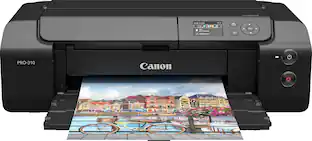
Canon - imagePROGRAF PRO-310 Professional Wireless Inkjet Photo Printer - Black
5.0(5)

Take complete creative control of your images with the imagePROGRAF PRO-310 professional photo and fine art printer. Produce gallery quality color and black-and-white prints with detailed gradations, a wide color gamut, and deeper blacks on fine art paper thanks to the Matte Black ink. With a 9-color plus Chroma Optimizer ink system, this 13” wide photo printer is designed to meet the demands of every photographer, from advanced amateurs to professionals. The imagePROGRAF PRO-310 offers professional image quality, productivity, and outstanding workflow with a smaller footprint, allowing you to consistently deliver the results your images deserve.

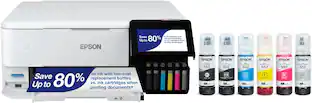
Epson - EcoTank Photo ET-8550 All-in-One Wide-format Supertank Printer - White

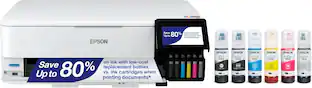
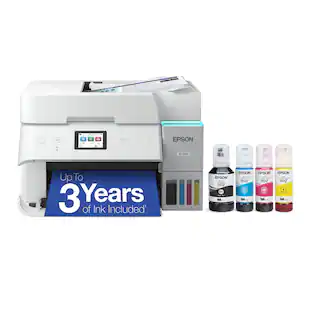
The EcoTank Photo ET-8550 wireless all-in-one prints lab-quality, wide-format color photos, graphics and everyday documents — all at an incredible value. Epson’s cartridge-free, 6-color Claria ET Premium Ink system delivers vibrant colors and sharp text for all your creative projects. With low-cost replacement ink bottles, print 4" x 6" photos for about 4 cents each compared to 40 cents with cartridges (1). Print everything from borderless 13" x 19" photos to customized CDs/DVDs. You can even print on cardstock and other media up to 1.3 mm thick. For added convenience, each set of bottles lets you print for up to 2 years (2). Plus, save up to 80 percent with replacement ink bottles vs. ink cartridges (3) — that’s about $2,000 on each set (3). The EcoTank Photo lets you do it all with affordable in-house printing.

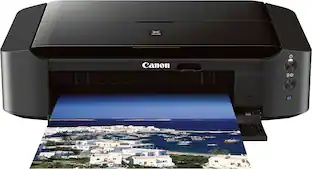
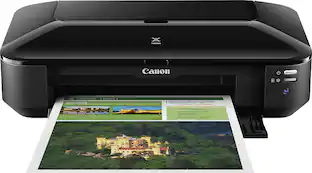
Canon - PIXMA iX6820 Wireless Inkjet Printer - Black

Generate high-quality photos and documents with this Canon Pixma iX6820 8747B002 printer, which features up to 9600 x 2400 optimized dpi resolution for crisp, detailed prints. Built-in wireless and Ethernet networking offer flexible connectivity options.

Pros for Canon - PIXMA PRO-200S Professional Wireless Inkjet Photo Printer - Black
Print Quality, Overall PerformanceThere were no pros for this productPrint Quality, Overall Performance, Ease of use, SetupThere were no pros for this product
Cons for Canon - PIXMA PRO-200S Professional Wireless Inkjet Photo Printer - Black
There were no cons for this productThere were no cons for this productPaper Jam, Price, Output TrayThere were no cons for this product

Specs

Reviews

Customers are saying

Customers frequently mention the exceptional print quality of the PIXMA PRO-200S Professional Wireless Inkjet Photo Printer. Many are thrilled with the ability to produce high-quality prints, praising the sharpness and vibrancy of the images. Users consistently report being impressed with the results, from smaller photos to larger prints. There were no negative comments reported regarding this product.

This summary was generated by AI based on customer reviews.

Customer Images

The vast majority of our reviews come from verified purchases. Reviews from customers may include My Best Buy members, employees, and Tech Insider Network members (as tagged). Select reviewers may receive discounted products, promotional considerations or entries into drawings for honest, helpful reviews.

  • Rated 5 out of 5 stars

    Beyond Impressed!

    Simply blown away by the quality of prints. Printed quite bit in the first weekend on Pro Glossy II and 13x19 Pro Platinum Canon paper and the results are impressive to say the least. Canon's software is not difficult to learn and is simple to get started. I did not like the integration with Lightroom printing (Adobe to blame there), but Canon's own Professional Print and Layout software (download on their website) is extremely well made. Cost breakdown on ink is roughly 30 cents for a 4x6, 50 cents for a 5x7, and $1.39 for 13"x19"... which the detail and color gamut are simply out of this world. For those wondering, this model is essentially the same as the Canon Pixma Pro 200, with very minor changes to WiFi security and connection, more Eco-Friendly packaging, and the little S on the printer. This model uses the same ink as its discontinued predecessor.

    Posted by Anonymouse

  • Rated 5 out of 5 stars

    Professional print at amateur prices

    We have printed 8x12 and 13x19 glossy photos and are thrilled. Easy to setup and start printing in minutes. If you wish to share prints with friends or even for sale, you can’t go wrong.

    Posted by Mohnscot

  • Rated 5 out of 5 stars

    Awesome printer!

    I really like this printer, I currently have an hp printer at home and it does not compare to this one. This printer easily connects to my laptop WIRELESSLY, and prints out the moment I send it out. It was super easy to set up, and I also like how the design looks.

    Posted by Omii

No content
Sponsored

Similar products from outside of Best Buy

sponsored

Finance Options

My Best Buy® Credit Card
Choose a benefit:
$35.75/mo.suggested payments with 12-Month Financing
Or
10% back in rewardson your first day of purchases when approved for the My Best Buy® Credit Card.
Buy Now, Pay Later
8 payments starting at $53.62
Lease to own
Apply today with no credit needed and enjoy flexible payment options.