- General
- Brand: Dynex™
- Model Number: DX-PS05CC
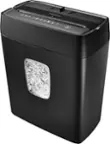
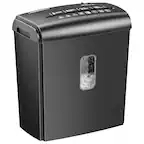
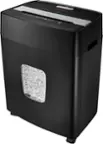
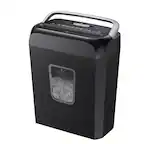
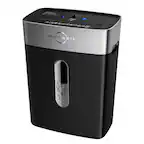
- Product Name: 5-sheet Cross-Cut Paper Shredder
- Color: Black/Silver
- Warranty
- Warranty - Parts: 1 year
- Warranty - Labor: 1 year
- Other
- Product Weight: 7 pounds (The out of box weight of the item.)
- UPC: 600603117084
Shred unnecessary papers or old credit cards with this cross-cut shredder that can shred up to 5 sheets of paper at a time.
Whats Included
- 5-sheet Cross-Cut Paper Shredder
- 5-sheet Cross-Cut Paper Shredder
A: Yes. After about 8 months, mine would do nothing when I placed a piece of paper into it. Then, 20 seconds later it would realize "oh hey, I need to shred this!" and it would eat it up. Now, about a year later it is totally dead. Right when the warranty expired.
Q: What is the approximate size of the paper shreds?
A: they are small strips roughly 1.5 - 2 inches long. Definitely not strips as long as the page but also not as small as a micro-shred shredder. (which is basically confetti when it comes out). I've added a pic for you to see the size. In the top left corner is a AA Battery so you can size it up.
Q: Should I put a shredder lubricant sheet in the shredder?
A: undefined
Q: How too replace micro switch in the center of shredder head
A: We don't have pictures of how to install the switch. It's not designed to pop out at all. If you can't push it back in, then I would recommend taking it to the Geeksquad to have them look at it and see if they can get it back on for you.
Q: Dynex ps05cc micro switch location
A: The switch is likely for detecting that the shredder units is securely placed on the paper bin. It keeps the shredder from being turned on when it is not placed on the waste bin.
Q: how to use my crosscut paper?
A: undefined
Q: how do i clear a paper jam model# dx-pso5cc
A: Slide the Power button to Reverse (rev) position: Rev(R): Clears the cutters of paper that has not passed through in the unlikely event of a paper jam. Never attempt to clear a jam by using the reverse function until you have emptied the wastebasket.