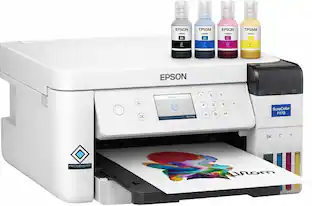
Epson - EcoTank ET-2850 All-in-One Supertank Inkjet Printer - White
Customers are saying
Customers love the exceptional print quality and the user-friendly nature of this printer. Many users also appreciate its compact size, straightforward setup process, and overall reliable performance. While the vast majority of feedback is positive, some users have noted occasional issues with paper jams, wireless connectivity, and operational noise. Overall, it is considered a great value for the price.
Features
Innovative Cartridge-Free Printing
No more tiny, expensive ink cartridges; each ink bottle set is equivalent to about 80 individual cartridges (2)
Dramatic Savings on Replacement Ink
Save up to 90% with replacement ink bottles vs. ink cartridges (1) – that’s enough to print up to 7,500 pages black/6,000 color (3)
Stress-Free Printing
Up to 2 years of ink in the box (4) – and with every replacement ink set – for fewer out of ink frustrations
High-Capacity Ink Tanks
Epson’s exclusive EcoFit ink bottles make filling easy and worry-free
Zero Cartridge Waste
By using an EcoTank printer, you can help reduce the amount of cartridge waste ending up in landfills
Impressive Print Quality
Unique Micro Piezo Heat Free technology and pigment black ink produce extremely sharp text – plus impressive color photos and graphics – on virtually any paper type
Built-In Scanner & Copier, Plus Auto 2-sided Printing
High-resolution flatbed scanner and a color display for easy document copying and navigation; paper-saving auto 2-sided printing
Modern Connectivity
Features wireless, plus hands-free voice-activated printing (5). Easily print from your smart device (6) with the intuitive Epson Smart Panel app (7)
Use Genuine Epson Ink
For optimal print quality and performance. Non-genuine ink could cause damage not covered by the printer’s limited warranty
Specifications
- NetworkingWireless, WiredENERGY STAR CertifiedYesPrinter TypeAll In One, Copier, PrinterTouch ScreenNo
Reviews
Rating 4.5 out of 5 stars with 2660 reviews
- Print Quality (1124)
- Ease of use (652)
- Overall Performance (174)
- Setup (98)
- Size (65)
- Paper Jam (42)
- Connectivity (27)
- Noise Level (15)
Customer Images
The vast majority of our reviews come from verified purchases. Reviews from customers may include My Best Buy members, employees, and Tech Insider Network members (as tagged). Select reviewers may receive discounted products, promotional considerations or entries into drawings for honest, helpful reviews.



Compare similar products

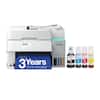
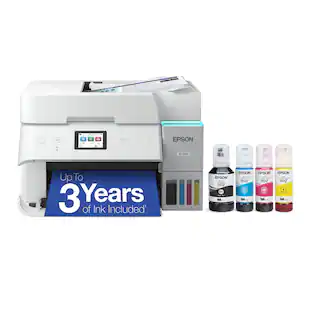
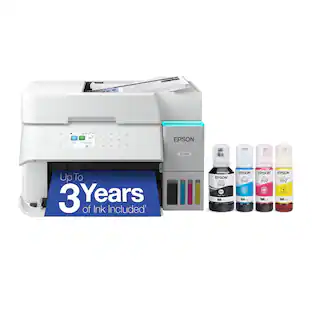
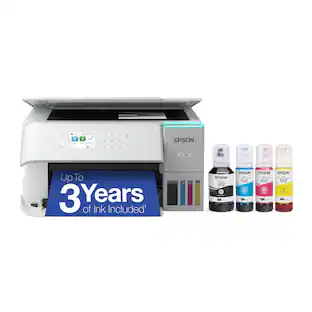
Your home needs a printer that’s fast, affordable, easy to use, and has great features. That’s why we developed the EcoTank ET-2850 – an innovative cartridge-free solution that uses high-capacity, easily refillable ink tanks. So you’ll worry less about running out of ink, and save a lot on replacement ink (1). The ET-2850 features outstanding print quality, auto-duplex printing, a high-resolution flatbed scanner, and convenient color display – making it the perfect family printer.

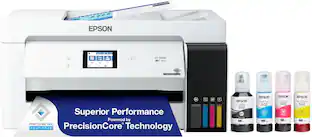
Employ high-quality printing with this Epson EcoTank Pro all-in-one printer. The 550-sheet paper tray capacity handles a large volume of work without interruption, while Wi-Fi, Ethernet and Bluetooth connectivity lets you print from various devices. This Epson EcoTank Pro all-in-one printer has a 4.3-inch touch screen for easy menu navigation, and the print speed of up to 25 ISO ppm produces documents quickly.
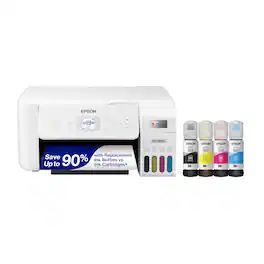
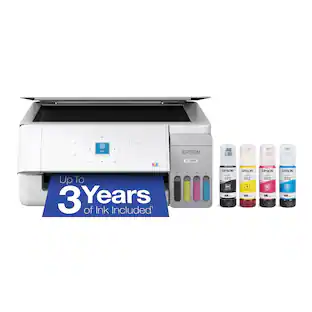
Your family needs a printer that’s fast, affordable, and easy to use. That’s why we developed the EcoTank ET-2800 – an innovative cartridge-free solution that uses high-capacity, easily refillable ink tanks. So you’ll worry less about running out of ink, and save a lot on replacement ink (1). The ET-2800 features genuine Epson print quality, a high-resolution flatbed scanner, and convenient color display – making it the ideal basic home printer.
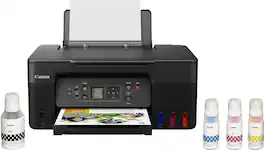
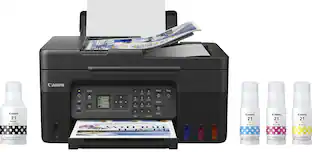
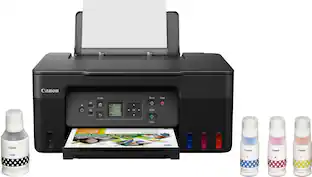
Designed for home and home offices, the Canon PIXMA G3270 MegaTank All-in-One inkjet printer delivers high-quality, low-cost printing, and outstanding wireless connectivity in a compact size. Get serious print productivity with a high page yield of up to 6,000 Black / 7,700 Color pages per full ink bottle1 set and a low cost per print - MegaTank means Mega Savings. The PIXMA G3270 comes with a full set of ink, so you can print with confidence. The PIXMA G3270 is easy to set up and maintain and offers great media versatility to print on a variety of media types and sizes, including photo paper, envelopes, banners and more. Use Poster Artist Online to create professional-posters, banners and signage. Print both documents and photos on a variety of paper types using a hybrid ink system with pigment black for sharp black text and dye-based colors for vivid borderless2 photos up to 8.5” x 11”. Produce crisp, colorful documents quickly and cost-effectively with fast print speeds and a high quality 4-color pigment-based ink system. Keep printing with a plain paper capacity of up to 100 sheets or 20 photo sheets (4”x6”). Easily connect and print through high-speed USB or wirelessly2 from computers or mobile devices. This comes with a 1-year limited warranty3 and is backed by Canon's Service and Support network.
| Pros for Epson - EcoTank ET-2850 All-in-One Supertank Inkjet Printer - White | |||
|---|---|---|---|
| Print Quality, Ease of use, Overall Performance, Setup, Size | There were no pros for this product— | Print Quality, Ease of use, Overall Performance, Setup, Size | Print Quality, Ease of use, Overall Performance, Setup, Connectivity |
| Cons for Epson - EcoTank ET-2850 All-in-One Supertank Inkjet Printer - White | |||
| Noise Level, Paper Jam, Connectivity | There were no cons for this product— | Paper Tray, Noise Level | Noise Level, Paper Tray |
Specs
Questions & Answers
How many pages do you get just using black ink, and is this one of the printers that needs all color ink in order to print B&W?
Answered by EpsonHi Bobg26, Using the Epson T502 refill bottles, the EcoTank ET-2850 is designed for, you can expect an average of 7,500 black pages and 6,000 color pages. You do not need the other colors to print using black, but if one of more colors is expended, we recommend refilling them as soon as possible to avoid having ink dry around the print nozzles. This could potentially cause clogs. Regards, Mark - The Epson Team.

Where do you load the paper? Sticking out the back or ?
Answered by EpsonHi Rebel, The EcoTank ET-2850 has a rear feed tray that holds 100 sheets of plain paper. Regards, Mark - The Epson Team.
I noticed the printer comes with a CD for configuring the printer. My computer doesn’t have a CD slot. Is it possible to load the printer over WiFi?
Answered by EpsonHello. Yes, the ET-2850 does not require a CD to complete the setup. You can download the latest print driver software from our official Epson Support page to set up and install your printer. Regards, Kevin - The Epson Team.
Does the printer print double sided pages?
Answered by EpsonHello Lookingfor. Yes, the ET-2850 includes automatic 2-sided printing functionality for paper up to 8.5" x 11" in size. Regards, Kevin - The Epson Team.
Will this printer work right off my computer without any internet or wifi?
Answered by EpsonHi, You can use a USB cable to connect the EcoTank ET-2850 to your computer. In order to load the drivers, you must either use the CD that comes in the box, or connect to the Internet to download them from the Epson support site. Regards, Mark - The Epson Team.

More to consider
 $364.99The price was $384.99
 $149.99The price was $169.99
 $262.49The price was $283.99
 $249.00The price was $323.00
 Top Deal$599.99The price was $699.99

Explore tech essentials Sponsored

Discover related products
 $247.00The price was $275.00
 $12.99The price was $13.99










Keep exploring
- $149.99The price was $169.99
 $1,750.00The price was $1,950.00
 $99.99The price was $199.99