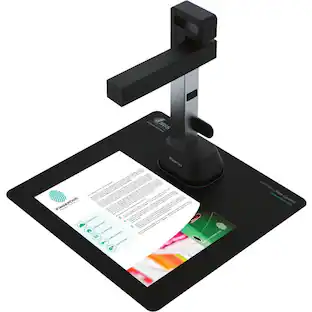
Epson - FastFoto FF-680W Wireless High-speed Photo Scanning System - Black


Specifications
- NetworkingWirelessScan (Color) Speed80 copies per minuteScan MethodSingle passDuplex Scan FunctionYes
- Key Specs
- Networking: Wireless
- Scan (Color) Speed: 80 copies per minute (The number of color pages able to be scanned per minute.)
- Scan Method: Single pass
- Duplex Scan Function: true
- General
- Brand: Epson
- Model Number: B11B237201
- Product Name: FastFoto FF-680W Wireless High-speed Photo Scanning System
- Color: Black
- Connectivity
- Scanner Connectivity: USB 3.0, Wi-Fi
- Minimum System Requirements: Microsoft Windows 7 / 8 / 8.1 / 10 (32/64 bits), Apple MacOS X 10.11.x - 10.13.x
- Dimensions
- Product Height: 6.9 inches (The out of box height of the item. Height is measured as the vertical distance from the bottom of the item to the top as it would be primarily used or placed.)
- Product Width: 11.7 inches (The out of box width of the item. Width is measured as the horizontal distance from one side of the item to the other as it would be primarily used or placed.)
- Maximum Document Length: 240 inches
- Maximum Document Width: 8.5 inches
- Product Weight: 8.2 pounds (The out of box weight of the item.)
- Features
- Automatic Document Feeder Capacity: 100 sheets
- Automatic Document Feeder Included: true
- Scanner Type: Document, Photo
- Scanner Resolution: Up to 600 x 600 (Refers to the number of pixels/dots, both horizontally and vertically, of the image produced by the scanner. Generally, the higher the resolution, the sharper and cleaner the produced image.)
- Document Size: Legal
- Image Scanner Type: Contact Image Sensor (CIS)
- Grayscale Depth: 10-bit gray (Refers to the number of bits used to define each pixel in the captured image, which determines the number of tones, or levels, that can be represented. Generally, the greater the bit depth, the better the image quality.)
- Scanner Info
- Scan (Monochromatic) Speed: 80 copies per minute (The number of monochromatic grayscale pages able to be scanned per minute.)
- Included
- Included Software: EPSON ScanSmart, EPSON FastFoto
- Certifications Listings & Approvals
- ENERGY STAR Certified: true (Devices carrying the ENERGY STAR service mark, such as computer products and peripherals, kitchen appliances, and other products, generally use 20% to 30% less energy than required by federal standards.)
- TWAIN Compliant: true (Products with this label are compliant with standards set by the TWAIN Working Group for regulating communication between software and digital imaging devices. Devices that are TWAIN compliant are compatible for use with each other without requiring additional software, even if they have different capabilities.)
- Warranty
- Warranty - Parts: 1 year
- Warranty - Labor: 1 year
- Other
- UPC: 010343943568
Preserve what’s priceless with the Epson FastFoto FF-680W — the World’s Fastest Personal Photo Scanner. Scan thousands of photos — as fast as 1 photo per second. Easily restore, save, organize and share photos, postcards, panoramas, documents and more. The convenient mobile app enables you to capture the voice of loved ones and create slideshows, so you can easily share stories about your photos right from your smartphone, from a firsthand perspective, for generations to come. Plus, FastFoto brings old photos to life with auto enhancement, color restoration and more. Offering the ultimate in versatility, it includes a variety of format options for quick sharing, archiving and enlargements
- World’s Fastest Personal Photo Scanner: Scan thousands of photos as fast as 1 photo per second at 300 dpi; batch-scan up to 36 photos at a time
- Preserve Your Priceless Photos: Restore, organize, protect and share photos; scan Polaroid photos, panoramas, postcards and photos up to 8" x 10"
- Share Stories for Future Generations: Use the Epson FastFoto app to add voice and text over your photos or create slideshows, right from your smartphone
- Perfect Picture Imaging System: Bring new life to old photos with auto enhancement, color restoration, red-eye reduction, de-skew, crop and rotate
- Single-step Technology: Capture both the image and any handwritten notes on the back of a photo in a single scan
- Flexible Scanning: Offers a variety of format options for easy sharing (300 dpi), archiving (600 dpi TIFF) and enlarging (1200 dpi); handles multiple sizes in one batch; mobile (up to 600 dpi JPEG)
- Powerful Document Scanning: Includes Epson ScanSmart software with optical character recognition (OCR), which converts scanned images into readable text; scan documents up to 240"; scan speeds up to 45 ppm/90 ipm
- Easy Auto-upload and Backup: Instantly share your memories as you scan via Dropbox and Google Drive
- Easy to Connect: Includes both USB and wireless connectivity for flexible placement; easy Wi-Fi setup with the Epson FastFoto app
- SafeTouch Technology: For worry-free scanning of delicate photos; carrier sheet included, plus microfiber cloth to lightly dust photos
Whats Included
- Epson FastFoto FF-680W
- SuperSpeed USB cable
- Cleaning cloth, carrier sheet
- EPSON ScanSmart, EPSON FastFoto
Q: Can I connect this scanner to my computer wirelessly?
A: Yes, the Epson FastFoto FF-680W offers both USB and wireless connectivity options for flexible placement.
Q: How fast can this scanner scan photos?
A: The Epson FastFoto FF-680W can scan photos as fast as 1 photo per second.
Q: Does this scanner come with software for optical character recognition?
A: Yes, the Epson FastFoto FF-680W includes Epson ScanSmart software with optical character recognition (OCR).
Q: Can this scanner scan old photos?
A: Yes, the Epson FastFoto FF-680W can help restore old photos with its Perfect Picture Imaging System, which includes auto enhancement and color restoration.
Q: Does the Epson FastFoto FF-680W have a document feeder?
A: Yes, this scanner has an automatic document feeder that can hold up to 100 sheets.
Q: What is the maximum size document this scanner can handle?
A: The Epson FastFoto FF-680W can scan documents up to 240 inches in length.
A: My very FIRST scan after unboxing was ridiculously noisy in black areas. (So it's NOT dust). It was a clean, colour 6x4 print in good condition, about 15 years old. The black areas were a pure black cardigan worn by someone standing on a beach in front of a patch of dark green seaweed. Both the cardigan and the seaweed had unusable levels of chromatic noise. Tweaking the settings made very little difference. For comparison, I then scanned it on an old cheap flat bed scanner (Canon MX320) and the difference was stark. The flatbed had some noise, but perhaps only 20% of the levels of the Epson. Another problem is that the rollers leave visible impression tracks on old B&W photos. i.e. the FF-680W damages valuable old photos so my advice is to NOT put them through without putting them in the plastic sleeve first. Ironically, because this adds time to your workflow it basically negates the only reason to buy this unit - speed! Feedback for Epson: there's no point being FAST if your results are RUBBISH. PS: I worked in the R&D division of a camera manufacturer for 5 years, so I know something about image quality.
A: I have the same issue, and I find Epson's reply here to be a cop out. I can change the permissions on a file by file basic, but I can not change the permissions on the folder to apply the new settings to all of my previously scanned images. I can not even view a rotated photo using the Windows Photo Viewer, let alone edit or save the files. within the FastFoto software, I can only change the data and filename by right-clicking on the photo and changing the description. The rest of the "edit" menu buttons are greyed out. The folder that FastFoto created to store the scans in is set as Read Only, and the permissions can not be changed using the Properties>Security settings on the folder level. The scans themselves only have permissions to Allow Read & Execute, but not Modify or Full Control. This is annoying.
Compare similar products

Preserve what’s priceless with the Epson FastFoto FF-680W — the World’s Fastest Personal Photo Scanner. Scan thousands of photos — as fast as 1 photo per second. Easily restore, save, organize and share photos, postcards, panoramas, documents and more. The convenient mobile app enables you to capture the voice of loved ones and create slideshows, so you can easily share stories about your photos right from your smartphone, from a firsthand perspective, for generations to come. Plus, FastFoto brings old photos to life with auto enhancement, color restoration and more. Offering the ultimate in versatility, it includes a variety of format options for quick sharing, archiving and enlargements
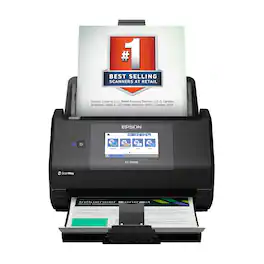
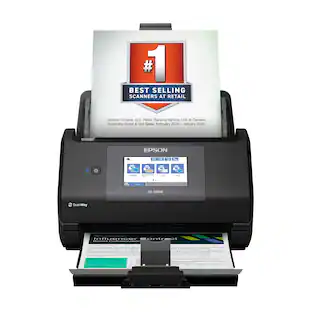
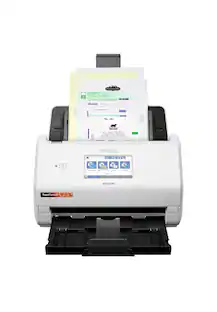
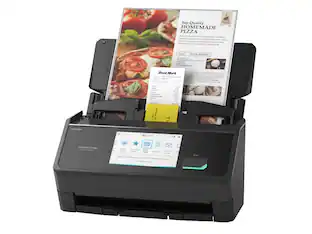
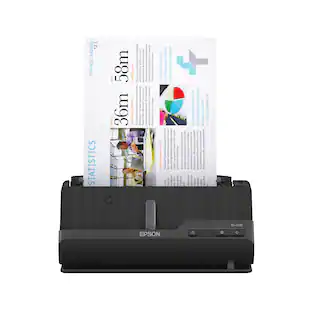
The Epson WorkForce ES-590W makes scanning simple, smart and seamless in virtually any workspace. With a sleek, wireless design, it’s built to handle everything from daily paperwork to important business and personal documents with speed and simplicity. Powered by Epson ScanSmart¹ AI technology, your scans instantly become smart, searchable digital files that are ready to use across the latest AI applications². With ScanWay technology, the intuitive, large 4.3" color touchscreen makes scanning, reviewing and sending documents simple, with no computer or complicated steps required. The high-capacity Auto Document Feeder holds up to 100 sheets and scans both sides in a single pass—up to 12 times faster³—delivering speeds of up to 45 ppm⁴ to make even large jobs feel effortless. And thanks to intelligent features such as paper and staple protection and blank page deletion, the WorkForce ES-590W is engineered for reliability from start to finish. With built-in Wi-Fi connectivity, you can place the scanner anywhere that’s convenient and wirelessly scan documents directly to your computer, mobile device⁵, email account⁶, USB flash drive⁷ or cloud storage⁵. Plus, with the Epson Smart Panel app⁸ for iOS and Android devices, you can scan, organize and share files directly from your smartphone or tablet. And with ARM-based Windows support, you’re fully prepared for the next wave of AI-powered Windows devices. From a leader in digital imaging innovation, the WorkForce ES-590W wireless desktop color document scanner is built for reliability and delivers the speed and simplicity you need to stay productive.
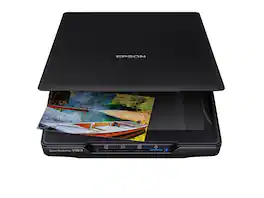
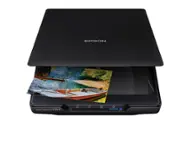
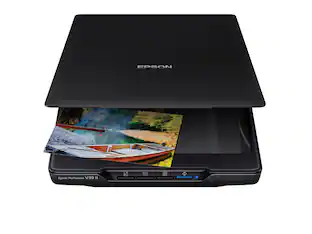
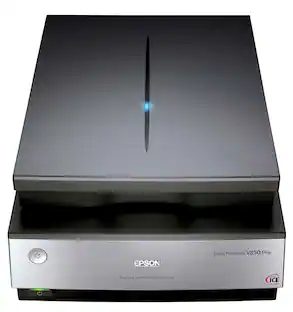
Make scanning simple with the affordable, compact and lightweight Epson Perfection V39 II. Featuring an optical resolution of 4800 dpi, this easy-to-use photo scanner delivers amazing clarity and detail at a great value. With the included Epson ScanSmart software, you can scan photos, artwork, illustrations, books, documents and more to cloud storage services as well as stitch together oversized images. Moreover, if your photos have faded, you can bring back the color in one click with Easy Photo Fix technology. The V39 II delivers high-quality letter-sized scans in as fast as 10 seconds. It also includes convenient one-touch scanning with easy-to-use buttons, so you can scan directly to PDF or email with just the touch of a button. In addition, you can create editable Microsoft Word, Excel and PowerPoint files using optical character recognition (OCR) software. The V39 II is USB powered for portability, includes a built-in kickstand for space-saving vertical placement and storage, and features a high-rise, removable lid to accommodate bulky items such as books and photo albums. Meet the nexus of stunning image quality and great value with the Epson Perfection V39 II.
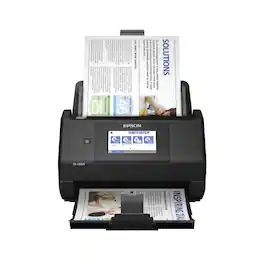
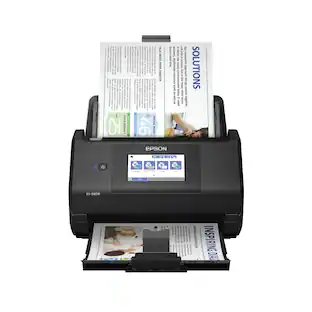
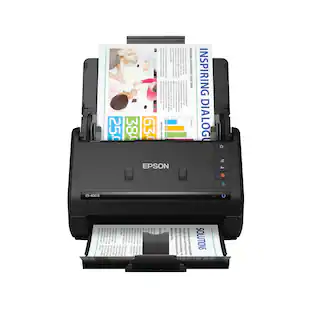
Get organized — quickly and easily — with the WorkForce ES-580W wireless duplex desktop document scanner. This reliable performer makes it easy to scan to your smartphone, tablet or online storage account1 from your desktop or your mobile device. You can even scan directly to a USB memory drive without using a computer. A 4.3" touchscreen enables quick, effortless navigation, while a 100-sheet Auto Document Feeder allows you to breeze through stacks of documents. Scan pages at up to 35 ppm/70 ipm2, capturing both sides in one pass. Intuitive Epson ScanSmart Software1 means you can easily preview, email and upload your scans. The included TWAIN driver ensures compatibility with most document management software. Wirelessly scan to cloud storage accounts1, create searchable PDFs, and get remarkable image quality with Epson Image Processing Technology.
| Pros for Epson - FastFoto FF-680W Wireless High-speed Photo Scanning System - Black | |||
|---|---|---|---|
| Ease of use, Size, Scanning Speed, Image Quality, Software | There were no pros for this product— | Ease of use, Overall Performance, Size, Scan Quality, Resolution | Ease of use, Overall Performance, Size, Scan Speed, Touchscreen |
| Cons for Epson - FastFoto FF-680W Wireless High-speed Photo Scanning System - Black | |||
| Price, Connectivity, Jamming, Compatibility | There were no cons for this product— | Connectivity, Compatibility, Noise Level, Kickstand, USB | Price, Jamming, Paper Handling |
Specs
Reviews
Rating 4.7 out of 5 stars with 1146 reviews
- Scanning Speed (741)
- Ease of use (302)
- Image Quality (156)
- Software (43)
- Size (32)
- Price (34)
- Connectivity (14)
- Jamming (13)
- Compatibility (7)
Customer Images
The vast majority of our reviews come from verified purchases. Reviews from customers may include My Best Buy members, employees, and Tech Insider Network members (as tagged). Select reviewers may receive discounted products, promotional considerations or entries into drawings for honest, helpful reviews.
Customers often buy these together


More to consider
 $389.99The price was $449.99
 $379.99The price was $449.99
 $379.99The price was $529.99


Discover lifestyle innovations Sponsored


Discover related products
 Tech Fest Deal$94.99The price was $169.99










Keep exploring
 $7,506.41The price was $8,475.00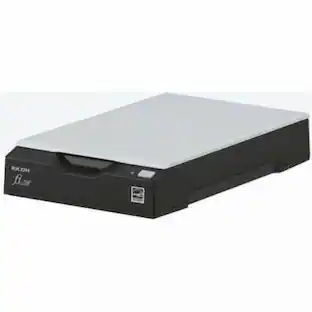
Fujitsu - Ricoh ImageScanner fi-70F Flatbed Scanner - 600 dpi Optical - 24-bit 8-bit Grayscale - USB
$259.00The price was $279.00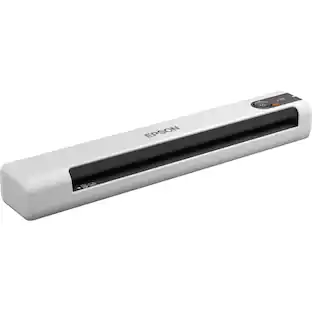 $165.85The price was $175.67