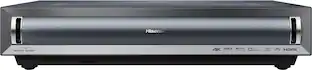
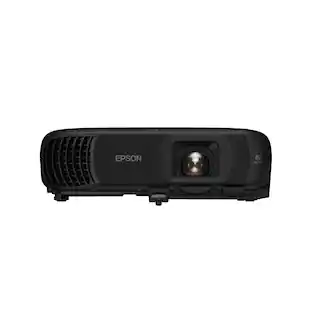
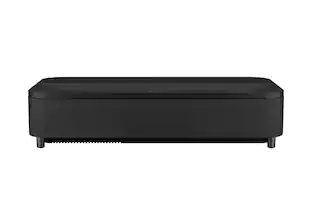
Epson - Lifestudio Grand Plus 4K UST Laser Projector, 4,000 Lumens of Color and White Brightness, Sound by Bose, 3LCD, HDR - Black

Key Accessories:
- Epson - SilverFlex Ultra Ambient Light Rejecting Screen, 100-inch Ultra High-Definition for Ultra-Short Throw Projectors - Black$2,499.99

Related Item

Specifications
- Product Weight27.6 poundsLight SourceLaserResolution4K (2160p)Color Brightness (IDMS)4000 lumensWhite Brightness (ISO)4000 lumensContrast Ratio5,000,000:1
- Key Specs
- Product Weight: 27.6 pounds (The out of box weight of the item.)
- Light Source: Laser
- Resolution: 4K (2160p) (Refers to the number of pixels, both horizontally and vertically, used to capture video/images. The higher the resolution the finer the detail that can be seen.)
- Color Brightness (IDMS): 4000 lumens (Measurement of the device's color light output measured accordance with standards established by the Information Display Measurements Standard (IDMS). The more lumens, the brighter the output. In large and/or well-lit environments, such as auditoriums or rooms with plenty of natural light, a higher brightness improves the color quality of the projected image.)
- White Brightness (ISO): 4000 lumens (Measurement of the device's white light output measured in accordance with standards established by the International Organization for Standardization (ISO). The more lumens, the brighter the output. In large and/or well-lit environments, such as auditoriums or rooms with plenty of natural light, a higher brightness improves the quality of the projected image.)
- Contrast Ratio: 5,000,000:1 (Measured difference between a displayed image's brightest whites and darkest blacks. The larger the first number, the more detail and color that can be displayed.)
- Projector Use: Home Theater, Gaming
- Projector Throw Type: Ultra Short Throw (The distance from the screen that the projector can be placed to project images. Standard throw projectors typically need to be at least 6 feet away while short throw and ultra short throw projectors can be placed closer to the screen for use in smaller rooms.)
- Portability: Fixed (Fixed projectors are ideal when creating an authentic theater atmosphere in your home. Often designed to stay in one place they may require significant recalibration if moved. Portable projectors, weighing around 5 pounds, are easy to move, but will still require set-up calibration and often have technology to reduce the complexity. Ultra-portable projectors are very light, often battery-powered, and ideal for on-the-go use.)
- Smart Capable: true (Smart, or smart-capable devices are able to connect directly to your home network in order to stream content from the Internet, run Internet-based apps, or connect to other smart devices.)
- Smart Platform: Google TV (Just like a computer, a smart TV needs an operating system (also called a smart platform) in order to access the Internet, connect with entertainment apps, and play streaming content. Some common TV smart platforms are; Roku TV, Android TV, and Chromecast.)
- Wireless Connectivity: Wi-Fi (The manner in which a device sends data to another device over a short distance without the use of wires or cables.)
- Display Connector(s): 3 x HDMI (The number and type of connectors used to connect to an external display.)
- Power Source: Plug-in
- General
- Brand: Epson
- Model Number: V11HB83120
- Product Name: Lifestudio Grand Plus 4K UST Laser Projector, 4,000 Lumens of Color and White Brightness, Sound by Bose, 3LCD, HDR
- Color: Black
- Dimensions
- Product Height: 6.2 inches (The out of box height of the item. Height is measured as the vertical distance from the bottom of the item to the top as it would be primarily used or placed.)
- Product Width: 27.4 inches (The out of box width of the item. Width is measured as the horizontal distance from one side of the item to the other as it would be primarily used or placed.)
- Product Depth: 13.4 inches (The out of box depth of the item. Depth is measured as the distance from the front of the item to the back as it would be primarily used or placed.)
- Product Weight: 27.6 pounds (The out of box weight of the item.)
- Display
- Light Source: Laser
- Display Technology: 3LCD (Denotes the product’s visual process, sometimes manufacturer specific, used to display an image.)
- Resolution: 4K (2160p) (Refers to the number of pixels, both horizontally and vertically, used to capture video/images. The higher the resolution the finer the detail that can be seen.)
- Resolution (Native): 3840 x 2160 (4K) (Native resolution of a screen refers to its single, fixed resolution. Sometimes screens must scale an image up or down in order to fit the native resolution. This can cause a loss of resolution or detail.)
- 3-Chip Technology: true (Projectors with this technology are able to display images with optimal brightness, color, and detail. Because of their high-performance design, these projectors are primarily used in large venues and digital cinemas.)
- Color Brightness (IDMS): 4000 lumens (Measurement of the device's color light output measured accordance with standards established by the Information Display Measurements Standard (IDMS). The more lumens, the brighter the output. In large and/or well-lit environments, such as auditoriums or rooms with plenty of natural light, a higher brightness improves the color quality of the projected image.)
- White Brightness (ISO): 4000 lumens (Measurement of the device's white light output measured in accordance with standards established by the International Organization for Standardization (ISO). The more lumens, the brighter the output. In large and/or well-lit environments, such as auditoriums or rooms with plenty of natural light, a higher brightness improves the quality of the projected image.)
- High Dynamic Range (HDR): true (An HDR-compatible 4K TV or other HDR-compatible product displays HDR video content when it's available from sources like 4K Ultra HD Blu-ray Discs and 4K streaming services.)
- High Dynamic Range Format: HDR 10, Hybrid Log-Gamma (HLG) (There are a few HDR formats that tell the TV or other HDR-compatible product how to best utilize its capabilities to display HDR content. HDR technology can support one or multiple formats, each with various benefits to picture quality.)
- Light Source Life (Economy Mode): 20000 hours (The light source's estimated length of operating time when economy mode is enabled.)
- Light Source Life (Normal Mode): 20000 hours (The light source's estimated length of operating time when normal operating mode is enabled.)
- Contrast Ratio: 5,000,000:1 (Measured difference between a displayed image's brightest whites and darkest blacks. The larger the first number, the more detail and color that can be displayed.)
- Aspect Ratio: 16:9 (The measurement of the width of a screen compared to the height of a screen, expressed as a ratio.)
- Throw Ratio Range: 0.16 - 0.40 (This measurement indicates what size of projected image can be produced from a certain distance. The smaller the ratio, the closer the projector can be to the screen while still producing a large image.)
- 3D Technology: false
- Viewing
- Screen Included: false
- Minimum Viewable Screen Size: 60 inches
- Maximum Viewable Screen Size: 150 inches
- Features
- Projector Use: Home Theater, Gaming
- Projector Throw Type: Ultra Short Throw (The distance from the screen that the projector can be placed to project images. Standard throw projectors typically need to be at least 6 feet away while short throw and ultra short throw projectors can be placed closer to the screen for use in smaller rooms.)
- Portability: Fixed (Fixed projectors are ideal when creating an authentic theater atmosphere in your home. Often designed to stay in one place they may require significant recalibration if moved. Portable projectors, weighing around 5 pounds, are easy to move, but will still require set-up calibration and often have technology to reduce the complexity. Ultra-portable projectors are very light, often battery-powered, and ideal for on-the-go use.)
- Smart Capable: true (Smart, or smart-capable devices are able to connect directly to your home network in order to stream content from the Internet, run Internet-based apps, or connect to other smart devices.)
- Smart Platform: Google TV (Just like a computer, a smart TV needs an operating system (also called a smart platform) in order to access the Internet, connect with entertainment apps, and play streaming content. Some common TV smart platforms are; Roku TV, Android TV, and Chromecast.)
- Remote Control Included: true
- Maximum Noise Level: 32 decibels
- Minimum Noise Level: 23 decibels
- Exposure Control
- Focus Adjustment: Manual (The method used to focus the device in order to view or display a sharper image.)
- Digital Zoom Capability: true (Projectors with this feature allow for digital adjustment to the projected image size without changing the location of the projector.)
- Connectivity
- Number of HDMI Inputs (Total): 3
- Wireless Connectivity: Wi-Fi (The manner in which a device sends data to another device over a short distance without the use of wires or cables.)
- Display Connector(s): 3 x HDMI (The number and type of connectors used to connect to an external display.)
- Network Connector(s): No network connectors
- Audio Only Outputs: 1 x Optical digital audio, 1 x 3.5mm audio
- Number of USB Port(s): 2
- Audio
- Integrated Speaker(s): true
- Speaker(s) Included: true
- Compatibility
- Voice Assistant Built-in: Google Assistant (A digital assistant built into the device that uses voice commands to answer questions and control smart devices.)
- Power
- Power Source: Plug-in
- Warranty
- Warranty - Parts: 2-Year Limited Warranty
- Warranty - Labor: 2-Year Limited Warranty
- Other
- UPC: 198390011680
Transform virtually any room into a true cinematic experience with the Lifestudio Grand Plus ultra short throw laser projector from Epson. With ultra short throw laser technology, you can place the Lifestudio Grand Plus projector just inches from the wall and enjoy a stunning 4K HDR experience up to 150''. And the picture quality is exceptional—especially with HDR content. You may never go to the theater again, it’s that good. Powered by unique Epson 3-chip 3LCD technology, the Lifestudio Grand Plus projector produces an impressive 4,000 Lumens of Color Brightness (IDMS Rated) and 4,000 Lumens of White Brightness (ISO Rated)¹, creating a bright, vivid picture, in nearly any lighting condition. Featuring built-in Sound by Bose technology, the custom-designed 2.1 stereo system creates audio you can feel, delivering rich, balanced sound with deep bass, pulling you—and everyone around you—right into the action. We can’t wait for you to hear it. And finding something to watch has never been easier. Just power on your Lifestudio Grand Plus projector and the built-in Google TV² puts over 10,000 streaming apps at your fingertips³, including Netflix, Disney+, and Hulu. With Google Assistant you can use the included voice remote to search across all apps, including live TV and even YouTube to find exactly what you’re looking for. Whether you’re watching live sports, gaming on the latest generation of consoles, or creating an amazing cinematic home theater, the Epson Lifestudio Grand Plus projector delivers an epic big screen experience that will simply amaze you.
- Immersive picture: With ultra short throw technology, you can place the projector close to the wall and enjoy a theater-like picture up to 150"
- 4K HDR: Without sacrificing picture brightness, unique Epson 4K Display Technology⁴ produces a full 8.29 million pixels on-screen with HDR10⁵ color
- Impressively bright: 3-chip 3LCD technology delivers 4,000 Lumens Color Brightness (IDMS Rated) and 4,000 Lumens White Brightness (ISO Rated)¹
- Sound by Bose Technology: Enjoy crystal-clear, room-filling audio with deep bass bringing every moment to life
- Next-gen ready: Three HDMI ports, ALLM, and high-frame-rate support for smooth gameplay and easy connection to consoles and audio gear
- Built-in Google TV²: Over 10,000 streaming apps at your fingertips³, including Netflix, Disney+, and Hulu. Even watch live TV with YouTube TV
- Hassle-free setup: Use the Epson Setting Assistant app⁶ on iOS or Android to quickly set up your projector and adjust the display size in seconds
- A whole new way to play: Create and share personalized videos on the big screen with the Epson Projection Studio app⁷
- Epson SilverFlex ALR screen: Sold separately in 100" and 120" sizes, absorbs up to 90% of ambient light for enhanced color and contrast
- Outstanding service and support: 2-year limited warranty with lifetime technical phone support and 2-business-day replacement with free shipping⁸
Whats Included
- Projector
- Power Supply
- Remote Control
- quick setup guide
Disclaimers
- 1. Color brightness (color light output) and white brightness (white light output) will vary depending on usage conditions. Color light output measured in accordance with IDMS 15.4; white light output measured in accordance with ISO 21118.
- 2. To access Google TV and its features, a Google account and an Internet connection of 5 Mbps or faster for HD or 25 Mbps or faster for 4K is required. Third-party app compatibility subject to change without notice.
- 3. Some apps and/or content may not be available in your region.
- 4. 4K Resolution Enhancement Technology shifts each pixel to produce an image on screen, up to the stated specification.
- 5. HDR performance available with select third-party devices. For more information, see epson.com/hdrcompatibility
- 6. Compatible device and Internet connection required for download.
- 7. Compatible device and Internet connection required for both download and use with the projector. Data usage fees may apply.
- 8. Expedited shipping not available in all areas. Road Service orders must be placed and processed by 3 p.m. Eastern Time for Two-Business-Day shipping.
Q: Does this projector have wireless connectivity?
A: Yes, this projector has Wi-Fi wireless connectivity.
Q: Is a remote control included with this projector?
A: Yes, a remote control is included with this projector.
Q: How many HDMI ports does the projector have?
A: The projector has a total of three HDMI inputs.
Q: What is the rated white brightness of this projector?
A: The projector has a white brightness of 4000 lumens (ISO rated).
Q: What is the native resolution of this projector?
A: The native resolution of this projector is 3840 x 2160 (4K).
Q: Can the projector display HDR content?
A: Yes, this projector supports High Dynamic Range (HDR).
Q: Does this projector have built-in speakers?
A: Yes, this projector has integrated speakers included.
Q: Can it connect to Bluetooth speaker?
A: Hello. Yes, you can connect a Bluetooth speaker to the projector. As another option, the Lifestudio Grand Plus has a built-in Bluetooth speaker that you can use with your devices. Regards, Kevin - The Epson Team.
Compare similar products
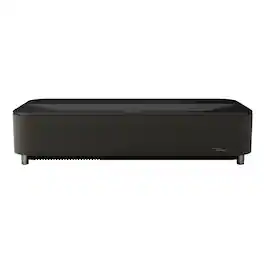
Transform virtually any room into a true cinematic experience with the Lifestudio Grand Plus ultra short throw laser projector from Epson. With ultra short throw laser technology, you can place the Lifestudio Grand Plus projector just inches from the wall and enjoy a stunning 4K HDR experience up to 150''. And the picture quality is exceptional—especially with HDR content. You may never go to the theater again, it’s that good. Powered by unique Epson 3-chip 3LCD technology, the Lifestudio Grand Plus projector produces an impressive 4,000 Lumens of Color Brightness (IDMS Rated) and 4,000 Lumens of White Brightness (ISO Rated)¹, creating a bright, vivid picture, in nearly any lighting condition. Featuring built-in Sound by Bose technology, the custom-designed 2.1 stereo system creates audio you can feel, delivering rich, balanced sound with deep bass, pulling you—and everyone around you—right into the action. We can’t wait for you to hear it. And finding something to watch has never been easier. Just power on your Lifestudio Grand Plus projector and the built-in Google TV² puts over 10,000 streaming apps at your fingertips³, including Netflix, Disney+, and Hulu. With Google Assistant you can use the included voice remote to search across all apps, including live TV and even YouTube to find exactly what you’re looking for. Whether you’re watching live sports, gaming on the latest generation of consoles, or creating an amazing cinematic home theater, the Epson Lifestudio Grand Plus projector delivers an epic big screen experience that will simply amaze you.

Go Epic with a Courtside View! The best way to watch sports, the Epson EpiqVision Ultra LS800 3-Chip 3LCD Smart Streaming Laser Projector produces a larger-than-life picture up to 150" for an astounding 4K HDR1 experience. Equipped with proprietary 4K PRO-UHD2, 3-chip 3LCD technology and an incredible 4,000 lumens of color and white brightness3, the LS800 Laser Projector combines an advanced ultra short-throw lens with a laser-array light source—along with an optional Epson SilverFlex high-resolution ambient light rejecting screen4—to produce vivid colors and deep blacks for an exceptionally bright, colorful and sharp picture in virtually any viewing environment—even in brightly lit rooms. Featuring a sleek, modern design, the LS800 Laser Projector seamlessly fits within a variety of décor styles and complements the full range of audio/video furniture to create an amazing-looking system. Plus, with its unique ultra short-throw lens, the LS800 Laser Projector can be placed mere inches from the wall for easy, obstruction-free viewing. Whether you’re watching a live sporting event, streaming your favorite series, gaming on the latest generation of consoles or watching a blockbuster movie, the Epson EpiqVision Ultra LS800 Smart Streaming Laser Projector will simply amaze you.
The world's first UST projector designed for Xbox, PX3-PRO Laser Cinema, brings the silver screen home with advanced TriChroma triple-laser projection technology. With an expansive 80-150" screen size range, 110% of the BT.2020 color gamut, and a Delta-E score of 0.9 color accuracy, the PX3-PRO delivers vivid, lifelike images and exceptional color, making every scene a masterpiece of depth and subtlety. Embrace the future of home cinema with a viewing experience that captures the magic of big-screen storytelling, all within the comfort of your home.

Enjoy an immersive entertainment experience with this Epson Home Cinema 4K projector. The three-chip design with 3LCD technology delivers high-quality visuals, while the built-in dual 10W speakers produce crisp sound. This Epson Home Cinema 4K projector has HDMI and USB ports for connecting a wide variety of devices, and Bluetooth connectivity lets you play media files from your mobile device.
| Pros for Epson - Lifestudio Grand Plus 4K UST Laser Projector, 4,000 Lumens of Color and White Brightness, Sound by Bose, 3LCD, HDR - Black | |||
|---|---|---|---|
| Brightness, Sound Quality, Connectivity | Picture Quality, Brightness, Ease of use, Design, Throw Distance | Picture Quality, Brightness, Design, Setup, Keystone Correction | Picture Quality, Brightness, Ease of use, Noise Level, HDR |
| Cons for Epson - Lifestudio Grand Plus 4K UST Laser Projector, 4,000 Lumens of Color and White Brightness, Sound by Bose, 3LCD, HDR - Black | |||
| There were no cons for this product— | Black Levels, Focus, Price, Fan Noise, Input Lag | Black Levels | Focus, Size, Weight, Speakers |
Specs
Reviews
Customers are saying
Customers value the Lifestudio Grand Plus 4K UST Laser Projector for its sound quality, brightness, and connectivity. The projector delivers impressive brightness and offers great connectivity options. Many users appreciate the powerful tools available to adjust the image. Overall, the sound quality is a standout feature for many customers.
- Sound Quality (7)
- Brightness (4)
- Connectivity (3)
Customer Images
The vast majority of our reviews come from verified purchases. Reviews from customers may include My Best Buy members, employees, and Tech Insider Network members (as tagged). Select reviewers may receive discounted products, promotional considerations or entries into drawings for honest, helpful reviews.
- Rated 5 out of 5 stars
The perfect high-end projector
Verdict: This short-throw 4K projector has it all: big picture at high resolution, built-in streaming, great built-in sound, easy buttons on the remote (including Netflix, thank you!!), easy setup with a Google account, and powerful tools to fix the image. We no longer need a large TV and TV stand, giving us more space and an exquisite movie experience. We LOVE it! First impressions. This projector is quite larger… certainly bigger than any other type we have seen before, and almost virtually the same size as the previous iteration of this model. It’s also pretty heavy. The front face of the projector are all speakers, essentially providing a soundbar experience. In the box was the projector, the remote control, the power cable, and quick start guide. The projector has 3 x HDMI port, 1x optical audio, 1x 3.5mm connector, and 2x USB ports. It also has WiFi connectivity for streaming. Setup. We set this up where we previously had a large TV. This allowed us to use a small table to place the projector close to the wall, and allowing us to gain back a lot of space in that room. Setting up the projector with a google account was straightforward once signed in. It takes a bit of time to sign into all the apps, but that is expected. Because we have a large wall on that side of the room, I used the EpsonSettingAssistant to calibrate the projector and get the screen as large and clear as possible. The instructions were simple and the app uses the camera on your smart phone to automatically calibrate everything. We are currently projecting directly on the wall and it looks amazing. You can also use the EpsonStudio app to control the projector with a digital remote. That app also allows you to load your own content (photos, videos, etc.), but I only use this app for the digital remote control. Image. With 4K resolution and 4000 lumens, the image quality and brightness is really fantastic. At a size of 120”, the image is perfect… Amazing resolution, vivid colors (HDR10), brightness, etc… could not ask for more. In our case, we are pushing the size to about 150” (probably a bit more), which shows a bit of distortion on the edges of the screen. The mild blurriness is only noticeable when using menus and letters/font is involved. When watching a movie, distortion or blurriness at the edges is not really noticeable, maybe because of the immersive experience, or maybe because it’s not noticeable without having to read anything at the edges. When using the projector during the day, the image is slightly washed out from daylight, but the experience is still worthwhile, and it helps that the room we are using is a bit dark in general. You will definitely want to close blinds or curtains if using during the day in a bright room, or purchase the Epson screens, which absorb 90% of ambient light. Sound. The integrated sound system from Bose exceeded our expectations. While we have a nice sound system setup in that room, we no longer bother to turn it on because the integrated sound system rises to the challenge. I would say that it performs as well, or better, than most soundbars on the market, with lows, mids, and highs balanced and immersive. Features. The built-in Google TV works very well. Thank you so so so much for including easy buttons on the remote to access content, including Netflix (finally!!). The remote also includes voice recognition for easy search. Mobility. While we love where the projector is currently setup, we plan to move it to the family room (where there is no TV currently) during Thanksgiving and Christmas so that we can enjoy a large screen while we do puzzles by the fireplace. While heavy, it’s easy to relocate and fast to setup for display on any large wall. Things I love. - Up to 150” screen! - Very bright at 4000 lumens - 4K resolution and great colors - Ultra short-throw so you can set it up anywhere - Integrated Bose sound system - Google TV and Google ecosystem for fast sign-in and setup - Tons of apps to download - Whisper quiet… no fan sound or anything - 2-year warranty, lifetime technical phone support, and two-business-day replacement with free shipping! Things I don’t love. - It’s pricey… but worth it if you are willing to pay for it Overall, this is the perfect projector for us, and the best projector we have ever used. We literally have no complaints and no issues. I had several issues with the previous iteration of this projector several years ago, but they have all been fixed, and this truly is a better-than-TV replacement. 5 stars all the way. We most highly recommend it.
AllAboutTech Posted
- Rated 5 out of 5 stars
Bright, Rich Colors, Great Sound, and Features
The LifeStudio Grand Pro is a bright Ultra Short Throw projector with Google TV, accurate, vivid colors, fluid motion, great connectivity, and impressive sound! Design The Epson LifeStudio Grand Pro is a large, sleek looking, projector with rounded corners and a black mesh covering the front and wrapping around the corners on either side covering the speakers. The "Sound by Bose" logo in the bottom right corner of the front is not prominent, being black on black. There's one foot in the rear center that's height adjustable, though I haven't needed to use it to adjust the height. There's a reflective metallic looking Epson logo on top as well as a "3LCD" logo but when sitting down and watching a movie I never see them. I mentioned that it's large. It's roughly 27.25" x 13.25" x 6", which to me is large for a projector. There's a panel that comes off the rear of the right side. There's a release mechanism for it at the bottom which I had a hard time finding at first, but it's easy to get once you know it's there. Behind that panel there are three HDMI inputs, one supports HDMI ARC/eARC, an optical audio out, and two USB A ports. I tested the USB port by charging devices and connecting a video game controllers to them. They work for both purposes and I'm sure many more. An app is including for accessing media on a flash drive. There's also a 1/8" stereo output (headphone jack). The power cord connects in there too. There's a manual focus in the same compartment. I like the remote, but for some reason I feel like the volume should be on the left. Instead, there's a control for the brightness there. I'm not sure why the brightness control has to very so accessible. To me, that's a set it and forget it kind of thing. I'm getting used to the volume being on the right side with other remotes I use so I keep hitting the brightness by accident, though I'm getting used to it. It's running Android 14 (after updates, may not have come with that). Features Having three HDMI inputs on a projector is great! So is having one of them support HDMI ARC/eARC...though I've never used a projector with better built-in audio than this! I'll talk about sound later. It has a "Wi-Fi Display Sink" app that's pre-installed. It let's you connect Miracast devices to it - which also means it supports Windows display casting. I tested that and it worked well. As I've found with Miracast display casting on different devices, it's not always reliable for video playback, but it's great for showing pictures, or maybe demoing an application, or showing a short video clip. It only supports 1080p, but that also seems pretty common with Miracast devices. It also has a Bluetooth Speaker Mode. What a great way to use that excellent Bose audio! It does support Netflix. I only mentioned this because I know of at least one Epson Smart TV projector that did not support the NetFlix app. There are two apps you'll want to install. "Epson Projection Studio" gives you a remote on your phone as well as watch party hosting features and quick access to content. "Epson Settings Assistant" lets you use the camera on you phone to auto adjust the display. It worked pretty well for my wall that was much less flat than I thought it was. After I auto adjust, sometimes I still need to do a quick manual keystone, but it did an amazing job of accounting for my wall not being flat. This project does allow ceiling mount and reversing the image too. Image Quality This projector is bright enough that it's bright and clear with great color on my very off-white, coffee colored, wall. I took some pictures of what the images looked like on my wall and on a screen. There's also a picture with a white sheet of paper on my wall, so you can get an idea of what I'm really projecting on. I have also been impressed at how well it handles motion. I don't notice any blurring or ghosting. I've watched different movies and video on it as well as played video games and I never think about the motion because it's just so smooth. It's rated for a 120 Hz refresh rate and it shows. 4K video looks sharp and beautiful. Skin tones, flowers, mountains, trees...all the colors look vibrant, accurate, and natural - you would never guess I have a coffee colored wall! Even with the lights on it's bright enough to work very well. I connected a laptop and did native 4k display (no Desktop scaling) to it and that works great too. You can read application menus and text without a problem. And of course it's amazing for movies, shows, NetFlix, YouTube, and video games! Even one of my old driving games where you go through dark tunnels, the brightness and the contrast ratio are excellent, I can see very clearly the whole way through. I do use it with the "Light Output" (dedicated up/down control on remote) at 100% and the "Brightness" (separate setting) set to 75%. By default the brightness is at 50. I like giving it that boost which gives a very good picture on my wall that most projectors could not handle well. I was impressed that increasing the brightness to 75% didn't wash anything out at all that I can notice! Colors stay rich and true. I think that suggests that the contrast ratio is very good. There's an Epson Settings app that you may want to install. The wall I project on is not flat. I was very impressed at how it corrected the image for my non-flat wall, making curvy sides straight. Just press the quick settings button, between the "Light Output" and "Volume" buttons on the remote, select "Keystone", then choose "App". Open the app on your phone and choose the "EH Series" for auto connection, choose "Correct shape and unevenness", follow the prompts using your phone camera to take pictures automatically, then "Proceed to correct unevenness", and after one more pictures the sides are straight! I thought it was impressive. Audio The LifeStudio Grand Pro is not just about, a great picture, it has excellent built-in Bose audio too. The speakers produce natural sounding voices, music, nature sounds, and whatever else you're listening too. Bass is strong and highs are crisp, well balanced, for a strong, room filling, sound. The sound modes make a difference so be sure you use the best one. "Music" for listening to music and "Movie" for watching shows, obviously. There's also a "Dialog" setting that really makes the vocals stand out as well as one called "Standard". The speakers let you hear everything going on, subtle background noises from a stream or rustling leaves as well as the vocals that are key to what's going on. Bass is deep and strong. But, like I mentioned above, that's not your only option. There's a headphone jack, optical audio out, as well as HDMI ARC/eARC support. So they have you covered to get a great audio experience using whatever equipment you have - and if all you have is the built-in speaker, most of the time, you might not care. I used the built-in audio a lot and I'm very impressed by it, but I love that it also has HDMI ARC/eARC. I tested it with that and had not issues, great sound. It automatically used my external speakers when connected via HDMI eARC. Also, don't forget the Bluetooth speaker mode. Just press the quick settings button, between the "Light Output" and "Volume" buttons on the remote, then select the "Bluetooth Speaker Mode", and connect your device to it. The sound is excellent, as you would expect from a fairly large Bose Bluetooth Speaker. The music plays, the screen goes off, and it reproduces the sound faithfully. I should also mention, there's very little fan noise, making this a very quiet projector. You might hear it, but if you're watching anything, you probably will not hear, or notice it at all. That makes the built-in Sound by Bose audio even better! Connectivity In addition to what I already said about connectivity, I wanted to add a few notes. There is no RJ45 Ethernet port. I thought it would have that, but the WiFi works very well, and I've had no issues with the networking. Besides the built-in audio, I also used it with an HDMI eARC attached SoundBar that has a Sub connected. The projector detected it automatically and it works without issue. I also tested it with game controllers. Both USB ports work with USB attached game controllers. I use it with Bluetooth game controllers too. I was glad to see all of that worked! One nice bonus is that the area where you plug in cords and USB devices is very large, so you can plug in USB dongles for game controllers or USB flash drives and there's plenty of room to put the cover back on, hiding them completely. It's great that you don't need to reach around the back, but you can access everything from the side, and even close the panel with all types of things plugged in. General Use The projector starts up pretty quickly to full brightness in around 5 seconds, which I think is fast for a projector. The remote has a good feel and works very well. It doesn't need to be pointed at the projector to use it. The user interface is very responsive as you press buttons. It loads apps quickly. It's definitely one of the fastest, if not the fastest Google TVs that I've used. I use Google TV in Apps Only mode, so that probably helps performance too, but I was still impressed. It also has 64 GB of storage, which is a ton of room for apps on a Google TV. Summary The LifeStudio Grand Pro is a feature rich, bright projector, with smooth motion and great color and image quality. It's tough to come up with negatives. If you need an ethernet port, it doesn't have that, but again, the WiFi is excellent. I was surprised it doesn't have auto focus or auto keystone correction, but the app does correction of non-flat surfaces which I never even heard of, so that's impressive and may make up for the lacking auto focus and auto keystone - it had to do a lot more than keystone correction for my wall.
hotice Posted
- Rated 5 out of 5 stars
Epson has a hit with this 4k UST projector
The Epson Lifestudio Grand 4K PRO-UHD ultra short throw projector is a 3-chip 3LCD smart projector featuring a 0.16 ratio ultra short throw lens. It can display an 80 inch screen from just 0.9 inch and an impressive 150-inch image from just 11.2 inches away from the projection surface. The digital zoom gives you more placement flexibility if you need to move it further away from the wall when using smaller screen sizes. It uses a laser light source that Epson rates at 20,000 hours in normal mode. The projector features a 2.5x zoom capability and delivers a bright 4,000 ISO lumens of brightness with an amazing contrast ratio of 5,000,000:1 with its Laser diode light source. The native resolution is 1920 1080 x 3 separate 0.62” LCDs achieving 8,294,400 pixels to produce 4K (3840 x 2160) with pixel shifting technology (3LCD). I was blown away by the clarity and brightness even in a moderately lighted room. In my opinion I could replace my traditional projector or even my conventional flat panel tv for most of my video media viewing. For those Gamers considering this it includes ALLM (Auto Low Latency Mode) with low input lag (under 20 ms). The setup was easy, first you pair the remote by holding down the home button. Follow the on screen prompts to set up wireless connections and connect to your google account. Agree to the Epson license terms. You can also update the projector to the latest firmware with the Epson updater app that will be installed on the initial setup, this will make sure you have the latest features and bug fixes. with the Epson Setting Assistant on your phone or tablet. You power on the projector, launch the App, Select "Home" as the projector type in the app. You Connect the app to the projector by selecting "Installation" then "Geometry Correction Wizard" in the projector's menu, scan the QR code with the app, then follow prompts to take a photo of the projected screen to automatically align. You can manually set up the projector if you want but the app is the easiest way. This projector has an AI processing engine that improves the image in real time. The projector has a few settings that you may want to experiment with are: Dynamic contrast to improve the image contrast based on the brightness of the content. This is available in the setting under display and sound, display, advanced settings, dynamic contrast. Others that you might want to turn on are DNR to reduce flicker, Mpeg NR to reduce noise or artifacts in MPEG video, Adaptive Light output that adjust brightness based on the surroundings, Adaptive Gamma that adjust color according to the scene to make it more vivid, Others are Local contrast control, Dynamic color booster. The settings all boil down to personal preference. The projector comes equipped with a 2.1 channel sound system engineered by Bose. Even though this is a 2.1 stereo system, it sounds incredible and delivers very deep bass. Physically, there are two 45 mm speakers in a sealed enclosure alongside an 80 mm woofer in a ported enclosure. The built-in system produces fantastic audio that was much better than I expected. At first, I actually thought it had connected to my soundbar via Bluetooth, but that was not the case! Bose and Epson really tuned this system well. With that said, you can still connect to an external soundbar or audio system using Bluetooth or HDMI eARC if you prefer. Google TV is built right in, and the app works flawlessly. It picked up all my previous subscriptions immediately, and I had no problems with any of the streaming apps. The remote is quite good and allows you to control all the settings easily. Because Google TV is fully integrated, you also get the voice-controlled Google Assistant. With the voice remote, you can even control your Google Home-connected devices, get doorbell notifications, and view your Google Home security cameras in full screen. There is a fun app the Epson also provides for parties participants can pair their phones to the projector and create slide shows with custom frames and music. The projector has great connectivity options: 3 HDMI ports with support for AAC, LPCM (Max 192 kHz/24-bit), Dolby Digital, Dolby Atmos, and DTS audio. Wi-Fi 6E and Bluetooth 5.2 (even supporting aptX). Video processing support for HDR10 and HLG. Optical digital and 3.5 mm audio outputs 3 USB-A ports. The projector has a clean design, weighing 16.6 lbs and measuring 18.4 inches wide by 15.7 inches deep and 6.2 inches high. The native aspect ratio is 16:9. Depending on your space, it can be used anywhere from 0.7 inches to 15.6 inches away from the projection surface to create a massive diagonal image ranging from 60 inches all the way up to 120 inches. Finally, for added peace of mind, this model includes a 2-year global warranty. I am thoroughly impressed by this projector and highly recommend it if you are looking for a high end 4k UST projector. There may be a few with slightly better specs but at a much higher price point. Epson has hit my sweet spot with this unit!
Idoc Posted
Elevate your entertainment Sponsored
 $2,499.99The price was $3,799.99
 $1,399.99The price was $1,499.99
 $599.99The price was $649.99
 $2,299.99The price was $2,699.99