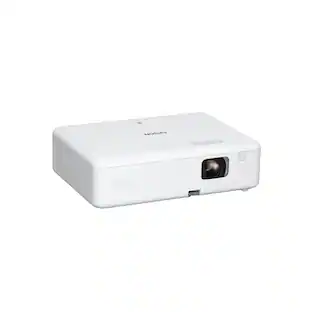
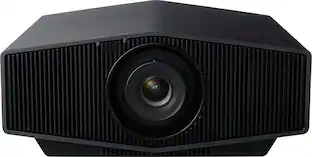
Epson - Pro EX9270 Projector, 4,600 Lumens of Color and White Brightness, 3LCD, Full HD 1080p, Wireless - Black
Key Accessories:
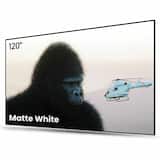
- AWOL Vision - 120" Fixed Frame Projector Screen, 4K/8K UHD Active 3D Compatible with Standard, Short Throw and UST Projectors - Matte White$349.00

More Buying Options
Related Item

Specifications
- Product Weight6.8 poundsLight SourceLampResolutionFull HD (1080p)Color Brightness (IDMS)4100 lumensWhite Brightness (ISO)4100 lumensContrast Ratio16,000:1
- Key Specs
- Product Weight: 6.8 pounds (The out of box weight of the item.)
- Light Source: Lamp
- Resolution: Full HD (1080p) (Refers to the number of pixels, both horizontally and vertically, used to capture video/images. The higher the resolution the finer the detail that can be seen.)
- Color Brightness (IDMS): 4100 lumens (Measurement of the device's color light output measured accordance with standards established by the Information Display Measurements Standard (IDMS). The more lumens, the brighter the output. In large and/or well-lit environments, such as auditoriums or rooms with plenty of natural light, a higher brightness improves the color quality of the projected image.)
- White Brightness (ISO): 4100 lumens (Measurement of the device's white light output measured in accordance with standards established by the International Organization for Standardization (ISO). The more lumens, the brighter the output. In large and/or well-lit environments, such as auditoriums or rooms with plenty of natural light, a higher brightness improves the quality of the projected image.)
- Contrast Ratio: 16,000:1 (Measured difference between a displayed image's brightest whites and darkest blacks. The larger the first number, the more detail and color that can be displayed.)
- Projector Use: Business, Educational (Classroom)
- Projector Throw Type: Standard Throw (The distance from the screen that the projector can be placed to project images. Standard throw projectors typically need to be at least 6 feet away while short throw and ultra short throw projectors can be placed closer to the screen for use in smaller rooms.)
- Portability: Portable (Fixed projectors are ideal when creating an authentic theater atmosphere in your home. Often designed to stay in one place they may require significant recalibration if moved. Portable projectors, weighing around 5 pounds, are easy to move, but will still require set-up calibration and often have technology to reduce the complexity. Ultra-portable projectors are very light, often battery-powered, and ideal for on-the-go use.)
- Smart Capable: false (Smart, or smart-capable devices are able to connect directly to your home network in order to stream content from the Internet, run Internet-based apps, or connect to other smart devices.)
- Wireless Connectivity: Wi-Fi (The manner in which a device sends data to another device over a short distance without the use of wires or cables.)
- Display Connector(s): 2 x HDMI (The number and type of connectors used to connect to an external display.)
- Power Source: Plug-in
- General
- Brand: Epson
- Model Number: V11HB59120
- Product Name: Pro EX9270 Projector, 4,600 Lumens of Color and White Brightness, 3LCD, Full HD 1080p, Wireless
- Color: Black
- Dimensions
- Product Height: 4.1 inches (The out of box height of the item. Height is measured as the vertical distance from the bottom of the item to the top as it would be primarily used or placed.)
- Product Width: 12.2 inches (The out of box width of the item. Width is measured as the horizontal distance from one side of the item to the other as it would be primarily used or placed.)
- Product Depth: 11.5 inches (The out of box depth of the item. Depth is measured as the distance from the front of the item to the back as it would be primarily used or placed.)
- Product Weight: 6.8 pounds (The out of box weight of the item.)
- Display
- Light Source: Lamp
- Display Technology: 3LCD (Denotes the product’s visual process, sometimes manufacturer specific, used to display an image.)
- Resolution: Full HD (1080p) (Refers to the number of pixels, both horizontally and vertically, used to capture video/images. The higher the resolution the finer the detail that can be seen.)
- Resolution (Native): 1920 x 1080 (Native resolution of a screen refers to its single, fixed resolution. Sometimes screens must scale an image up or down in order to fit the native resolution. This can cause a loss of resolution or detail.)
- 3-Chip Technology: true (Projectors with this technology are able to display images with optimal brightness, color, and detail. Because of their high-performance design, these projectors are primarily used in large venues and digital cinemas.)
- Color Brightness (IDMS): 4100 lumens (Measurement of the device's color light output measured accordance with standards established by the Information Display Measurements Standard (IDMS). The more lumens, the brighter the output. In large and/or well-lit environments, such as auditoriums or rooms with plenty of natural light, a higher brightness improves the color quality of the projected image.)
- White Brightness (ISO): 4100 lumens (Measurement of the device's white light output measured in accordance with standards established by the International Organization for Standardization (ISO). The more lumens, the brighter the output. In large and/or well-lit environments, such as auditoriums or rooms with plenty of natural light, a higher brightness improves the quality of the projected image.)
- High Dynamic Range (HDR): false (An HDR-compatible 4K TV or other HDR-compatible product displays HDR video content when it's available from sources like 4K Ultra HD Blu-ray Discs and 4K streaming services.)
- Light Source Life (Economy Mode): 12000 hours (The light source's estimated length of operating time when economy mode is enabled.)
- Light Source Life (Normal Mode): 5500 hours (The light source's estimated length of operating time when normal operating mode is enabled.)
- Contrast Ratio: 16,000:1 (Measured difference between a displayed image's brightest whites and darkest blacks. The larger the first number, the more detail and color that can be displayed.)
- Aspect Ratio: 16:9 (The measurement of the width of a screen compared to the height of a screen, expressed as a ratio.)
- Throw Ratio Range: 1.30 - 2.09 (This measurement indicates what size of projected image can be produced from a certain distance. The smaller the ratio, the closer the projector can be to the screen while still producing a large image.)
- Digital Keystone Correction: true ("Keystone effect" refers to the distortion of an image when it is projected on an angled surface or when the projector is positioned too high or too low from the center of the display. Projectors with a digital keystone correction feature are able to scale the image as needed before it is projected, resulting in the correct image orientation no matter where it is displayed.)
- 3D Technology: false
- Viewing
- Screen Included: false
- Minimum Viewable Screen Size: 31 inches
- Maximum Viewable Screen Size: 304 inches
- Features
- Projector Use: Business, Educational (Classroom)
- Projector Throw Type: Standard Throw (The distance from the screen that the projector can be placed to project images. Standard throw projectors typically need to be at least 6 feet away while short throw and ultra short throw projectors can be placed closer to the screen for use in smaller rooms.)
- Portability: Portable (Fixed projectors are ideal when creating an authentic theater atmosphere in your home. Often designed to stay in one place they may require significant recalibration if moved. Portable projectors, weighing around 5 pounds, are easy to move, but will still require set-up calibration and often have technology to reduce the complexity. Ultra-portable projectors are very light, often battery-powered, and ideal for on-the-go use.)
- Smart Capable: false (Smart, or smart-capable devices are able to connect directly to your home network in order to stream content from the Internet, run Internet-based apps, or connect to other smart devices.)
- Remote Control Included: true
- Screen Mirroring: Mobile to screen (Casts the screen of one device onto another wirelessly, using a common protocol (typically Bluetooth).)
- Maximum Noise Level: 37 decibels
- Screen Mirroring Technology: Apple AirPlay
- Exposure Control
- Focus Adjustment: Manual (The method used to focus the device in order to view or display a sharper image.)
- Connectivity
- Number of HDMI Inputs (Total): 2
- Wireless Connectivity: Wi-Fi (The manner in which a device sends data to another device over a short distance without the use of wires or cables.)
- Display Connector(s): 2 x HDMI (The number and type of connectors used to connect to an external display.)
- Network Connector(s): No network connectors
- Audio Only Outputs: No audio only outputs
- Number of USB Port(s): 2
- Audio
- Integrated Speaker(s): true
- Speaker(s) Included: true
- Certifications Listings & Approvals
- ENERGY STAR Certified: false (Devices carrying the ENERGY STAR service mark, such as computer products and peripherals, kitchen appliances, and other products, generally use 20% to 30% less energy than required by federal standards.)
- Power
- Power Source: Plug-in
- Warranty
- Warranty - Parts: 1 year limited
- Warranty - Labor: 1 year limited
- Other
- UPC: 198390001919
Designed for modern hybrid workspaces, the Pro EX9270 offers a bright, dynamic display that elevates visibility and cultivates collaboration. See and be seen with images up to 300''—4x the size of a 75'' flat panel—perfect for maximizing productivity. The Pro EX9270 offers 4,100 lumens of color brightness (IDMS rated) and 4,100 lumens of white brightness (ISO Rated)¹ for bright images—even in well-lit spaces. Stunning Full HD 1080p resolution, combined with real-time adaptive scene-by-scene color processing, helps ensure vibrant colors and sharp contrast, every time you display. With Apple AirPlay, wirelessly stream videos, music, photos and presentations to your projector right from your iPhone, iPad, or Mac for hassle-free content sharing². Plus, easily mirror your screen and stream directly from your Windows PC using Miracast³. With a wide range of connectivity options and a built-in speaker, you can connect devices such as Amazon Fire, Apple TV, Roku and Chromecast for streaming⁴, right out of the box. In addition, you can connect laptops for seamless video conferencing, Zoom meetings and more. And enjoy easy installation in nearly any space with 1.6x optical zoom, keystone correction and four-corner adjustment for accurate alignment.
- Outstanding Image Size: Up to 300''—4x the size of a 75'' flat panel; elevate your Zoom video conferencing experience with stunning Full HD 1080p resolution
- Amazing Brightness: 4,100 lumens of color brightness (IDMS rated) and 4,100 lumens of white brightness (ISO Rated)¹ —ideal for displaying group presentations, spreadsheets and videos, even in well-lit rooms
- Exceptional Image Quality: Advanced 3-Chip 3LCD technology displays 100% of the RGB color signal for every frame, providing outstanding color accuracy while maintaining excellent color brightness, without any distracting “rainbowing” or “color brightness” issues seen with other projection technologies
- Works with Apple Airplay: Wirelessly stream videos, music, photos and presentations to your projector right from your iPhone, iPad, or Mac², plus screen mirroring with Miracast to stream from your Windows PC³
- Versatile Connectivity: Features two HDMI ports and a USB port that functions as a power source for streaming devices⁴; easily connect laptops and devices including Fire TV, Apple TV, Roku, and Chromecast; connect laptops for seamless video conferencing and more
- Hassle-Free Setup: With easy image adjustments and convenient control such as 1.6x optical zoom, horizontal slider and auto vertical correction
- Immersive Sound: Built-in 16 W speaker for astounding audiovisual experience and exceptional sound quality right out of the box
- Built-In Picture Skew Sensor: Automatically analyzes the picture and corrects the vertical keystone to help square the image
- Dynamic Contrast Ratio Up to 16,000:1: Provides crisp, rich detail for graphs, images and videos
- Award-Winning Service and Support: Standard 1-year limited projector warranty⁵, full-unit replacement along with free technical phone support for the life of the product
Whats Included
- Projector
- Power Cable
- Remote Control
- Quick Start Guide
Disclaimers
- 1. Color brightness (color light output) and white brightness (white light output) will vary depending on usage conditions. Color light output measured in accordance with IDMS 15.4; white light output measured in accordance with ISO 21118.
- 2. Recommended wireless network connection of 25 Mbps or faster. Some apps require paid subscriptions.
- 3. The projector supports direct peer-to-peer wireless casting of local content from Miracast-enabled devices or via the Epson iProjection™ app. For best performance when using Epson iProjection, it is recommended that the projector and connecting devices be configured on a network, either through the Ethernet port on the projector or via a wireless connection. The Epson iProjection App does not support all files and formats. See www.epson.com/iprojection for details.
- 4. Requires wireless network connection of 5 Mbps or faster. Some apps require paid subscriptions.
- 5. 90-day limited lamp warranty.
Q: Does this projector support screen mirroring?
A: Yes, this projector supports screen mirroring to mobile devices.
Q: Does this projector have built in speakers?
A: Yes, this projector has integrated speakers included.
Q: Can I stream from my Apple devices to this projector?
A: Yes, you can wirelessly stream from your Apple devices to the projector using Apple AirPlay.
Q: What is the maximum image size I can get with this projector?
A: You can get an outstanding image size of up to 300 inches with this projector.
Q: How many HDMI ports does this projector have?
A: This projector has two HDMI ports for connectivity.
Q: What is the lamp life in economy mode for this projector?
A: The lamp can last up to 12000 hours in economy mode.
Q: What is the native resolution of this projector?
A: The native resolution of this projector is 1920 x 1080.
Q: What is the maximum distance this will project to?
A: Hello Dani. The EX9270 supports a maximum projection distance of 46.89 feet. At that distance, the projector would work best with a 300" screen. Regards, Kevin - The Epson team.
Compare similar products

Designed for modern hybrid workspaces, the Pro EX9270 offers a bright, dynamic display that elevates visibility and cultivates collaboration. See and be seen with images up to 300''—4x the size of a 75'' flat panel—perfect for maximizing productivity. The Pro EX9270 offers 4,100 lumens of color brightness (IDMS rated) and 4,100 lumens of white brightness (ISO Rated)¹ for bright images—even in well-lit spaces. Stunning Full HD 1080p resolution, combined with real-time adaptive scene-by-scene color processing, helps ensure vibrant colors and sharp contrast, every time you display. With Apple AirPlay, wirelessly stream videos, music, photos and presentations to your projector right from your iPhone, iPad, or Mac for hassle-free content sharing². Plus, easily mirror your screen and stream directly from your Windows PC using Miracast³. With a wide range of connectivity options and a built-in speaker, you can connect devices such as Amazon Fire, Apple TV, Roku and Chromecast for streaming⁴, right out of the box. In addition, you can connect laptops for seamless video conferencing, Zoom meetings and more. And enjoy easy installation in nearly any space with 1.6x optical zoom, keystone correction and four-corner adjustment for accurate alignment.

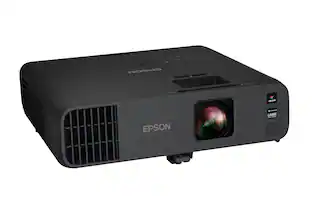
The perfect solution for the evolving workplace, the Pro EX11000 Full HD 1080p laser projector produces a bright and vibrant display designed to maximize visibility and engagement. Cultivate collaboration during Zoom meetings and video conferences with vivid, immersive images up to 300"—all while keeping the lights on. Experience amazing clarity with 4,600 lumens of color and white brightness (1) plus, with the 20,000-hour laser light source (2) there are no lamps to replace, ever. With Best-in-Class Color Brightness (3) and a built-in 16 W speaker, the Pro EX11000 helps ensure that you won’t miss any of the important details. Offering a multitude of connectivity options, including two HDMI ports and a USB port to power popular streaming devices like Fire TV, Apple TV, Roku, and Chromecast (4), the Pro EX11000 redefines versatility. With 3-chip 3LCD technology, experience remarkable color accuracy while maintaining color brightness. Featuring easy-to-use image adjustments, 1 – 1.6x optical zoom, auto vertical correction and more, you will be up and running in no time. Work better together with the Pro EX11000.
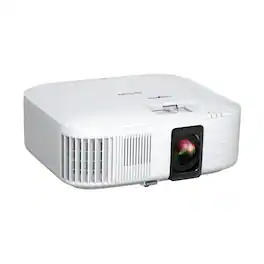
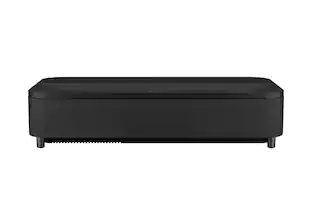
Enjoy an immersive, big screen home theater experience with the Home Cinema 2350 Smart Streaming Projector. Featuring Epson’s innovative 4K PRO-UHD1 technology and phenomenal HDR102 brilliance—the Home Cinema 2350 delivers a truly epic 4K experience.. True 3-chip 3LCD technology offers outstanding brightness and color accuracy without disturbing the overall contrast, ensuring deep blacks and remarkably vivid colors. And with Android TV3 included, the Home Cinema 2350 Smart Streaming Projector also makes it easy to stream your favorite Twitch and YouTube channels—or watch the latest movies and TV shows on Netflix, Amazon Prime Video, Hulu, Disney+, HBO Max and more4. Allowing for multiple audio options, the Home Cinema 2350 features an integrated 10 W bass-reflex speaker, plus Bluetooth wireless audio device support5 for connecting soundbars or headphones. And, with a sleek, compact design and vertical lens shift, you can place the projector nearly anywhere—including tables and bookshelves—for flexible setup and easy viewing.

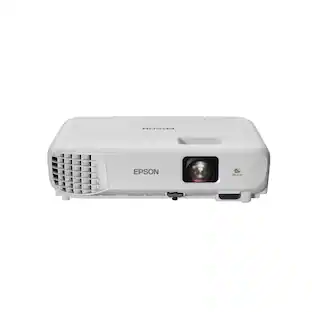
Impress your audience and own the room with the ultra bright EX3290 projector. See and be seen with images up to 300''—4x the size of a 75'' flat panel—perfect for maximizing productivity. Offering 4,000 lumens of color brightness (IDMS rated) and 4,000 lumens of white brightness (ISO rated)¹, the EX3290 delivers vivid, professional-quality presentations, spreadsheets and videos—even in well-lit spaces. This sleek, compact projector makes it easy to display captivating images using advanced 3-chip 3LCD technology, stunning widescreen WXGA resolution and real-time, scene-by-scene adaptive correction technology for vibrant color and sharp contrast, every time you display. Ideal for creating dynamic, engaging presentations, the EX3290 conveniently connects to streaming devices², such as Amazon Fire, Apple TV, Roku, and Chromecast. In addition, easily connect laptops so you can video conference and share a variety of rich content, including movies, TV shows and more². And with a built-in speaker, you can enjoy hassle-free setup for video and audio—right out of the box.
| Pros for Epson - Pro EX9270 Projector, 4,600 Lumens of Color and White Brightness, 3LCD, Full HD 1080p, Wireless - Black | |||
|---|---|---|---|
| Brightness, Connectivity | Picture Quality, Brightness, Ease of use, Connectivity, Zoom | Picture Quality, Brightness, Ease of use, Setup, Size | There were no pros for this product— |
| Cons for Epson - Pro EX9270 Projector, 4,600 Lumens of Color and White Brightness, 3LCD, Full HD 1080p, Wireless - Black | |||
| Noise Level | Fan Noise | Fan Noise, HDMI Ports, Black Levels, Remote Control, Price | There were no cons for this product— |
Specs
Reviews
Rating 4.4 out of 5 stars with 10 reviews
- Brightness (7)
- Connectivity (3)
- Noise Level (4)
Customer Images
The vast majority of our reviews come from verified purchases. Reviews from customers may include My Best Buy members, employees, and Tech Insider Network members (as tagged). Select reviewers may receive discounted products, promotional considerations or entries into drawings for honest, helpful reviews.
Elevate your entertainment Sponsored
 $1,399.99The price was $1,499.99
 $599.99The price was $649.99
 $2,499.99The price was $3,799.99