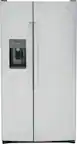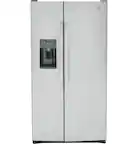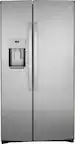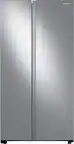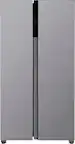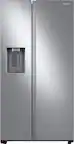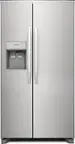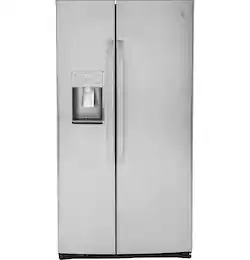
GE Profile - 25.3 Cu. Ft. Side-by-Side Refrigerator with LED Lighting - Stainless Steel
- Key Specs
- Color Finish: Stainless steel
- Product Height: 69 1/4 inches (The out of box height of the item. Height is measured as the vertical distance from the bottom of the item to the top as it would be primarily used or placed.)
- Product Width: 35 3/4 inches (The out of box width of the item. Width is measured as the horizontal distance from one side of the item to the other as it would be primarily used or placed.)
- Height To Top Of Refrigerator (Without Hinges): 68 3/4 inches (Height from bottom of refrigerator to top of the door, without the top hinges.)
- Height To Top Of Door Hinge: 69 1/4 inches (Height from bottom of refrigerator to top of the door, including the top hinge.)
- Depth Without Handle: 32 3/4 inches (Measurement from the back of the product to its front (with door closed), not including handle.)
- Depth With Handle: 35 1/4 inches (Measurement from the back of the product to its front (with door closed), including the handle.)
- Total Capacity: 25.3 cubic feet
- Refrigerator Style: Side-by-Side
- Lighting Type: LED
- Ice Maker: Yes
- App Compatible: false (The product can be connected to a program or software application on a mobile device, which then receives collected data from the product.)
- Voice Assistant Built-in: No (A digital assistant built into the device that uses voice commands to answer questions and control smart devices.)
- General
- Brand: GE Profile
- Model Number: PSE25KYHFS
- Product Name: 25.3 Cu. Ft. Side-by-Side Refrigerator with LED Lighting
- Color: Stainless Steel
- Color Finish: Stainless steel
- Dimensions
- Product Height: 69 1/4 inches (The out of box height of the item. Height is measured as the vertical distance from the bottom of the item to the top as it would be primarily used or placed.)
- Product Width: 35 3/4 inches (The out of box width of the item. Width is measured as the horizontal distance from one side of the item to the other as it would be primarily used or placed.)
- Product Depth: 35 1/4 inches (The out of box depth of the item. Depth is measured as the distance from the front of the item to the back as it would be primarily used or placed.)
- Height To Top Of Refrigerator (Without Hinges): 68 3/4 inches (Height from bottom of refrigerator to top of the door, without the top hinges.)
- Height To Top Of Door Hinge: 69 1/4 inches (Height from bottom of refrigerator to top of the door, including the top hinge.)
- Standardized Width: 36 inches (An approximated measurement (exact width may differ slightly) determined by the manufacturer in accordance with industry standards. Standardized sizes are intended to assist consumers when purchasing appliances and planning for installation.)
- Counter Depth: false (The product case installs flush with the depth of standard kitchen counters to provide a built-in appearance.)
- Depth Without Handle: 32 3/4 inches (Measurement from the back of the product to its front (with door closed), not including handle.)
- Depth With Handle: 35 1/4 inches (Measurement from the back of the product to its front (with door closed), including the handle.)
- Depth Without Door: 28 1/2 inches (Measurement from the back of the product to its front, not including the door.)
- Depth With Door 90 Degrees Open: 50 1/2 inches (Measurement from the back of the product to its front, with the door open at a 90-degree angle.)
- Product Weight: 360 pounds (The out of box weight of the item.)
- Cut-Out Dimensions
- Cut-Out Height: 72 1/4 inches (Minimum required height of the installation location for a standard installation of the product. This measurement will help you determine if the appliance will fit into the desired space and have the clearance necessary for proper operational use. Please refer to the manufacturer’s installation documentation for detailed measurement requirements.)
- Cut-Out Width: 36 inches (Minimum required width of the installation location for a standard installation of the product. This measurement will help you determine if the appliance will fit into the desired space and have the clearance necessary for proper operational use. Please refer to the manufacturer’s installation documentation for detailed measurement requirements.)
- Cut-Out Depth: 24 inches (Minimum required depth of the installation location for a standard installation of the product. This measurement will help you determine if the appliance will fit into the desired space and have the clearance necessary for proper operational use. Please refer to the manufacturer’s installation documentation for detailed measurement requirements.)
- Capacity
- Total Capacity: 25.3 cubic feet
- Refrigerator Capacity: 16.23 cubic feet (Total amount of space within the refrigerator compartment. Usable space may be reduced by shelves, cabinets, or other storage features.)
- Freezer Capacity: 9.03 cubic feet (Total amount of space within the freezer compartment. Usable space may be reduced by shelves, cabinets, or other storage features.)
- Performance
- Minimum Operating Temperature: 60 degrees fahrenheit (The lowest recommended ambient (surrounding) temperature in which the product can ideally operate stated by the manufacturer. Generally long-term exposure of the product to temperatures less than the minimum can result in ineffective operation.)
- Maximum Operating Temperature: 100 degrees fahrenheit (The highest recommended ambient (surrounding) temperature in which the product can ideally operate stated by the manufacturer. Generally long-term exposure of the product to temperatures more than the maximum can result in ineffective operation.)
- Features
- Configuration: Freestanding (The size, arrangement, and physical configuration of the product.)
- Panel Ready: false (Product is ready to be fit with a customized front panel that integrates with existing cabinetry and décor.)
- Refrigerator Style: Side-by-Side
- Fingerprint Resistant: true
- Convertible Temperature Zone: false (Refrigerators with this feature include a separate compartment with independent temperature controls from the main product. These compartments offer a flexible space that allows you to change the temperature based on your additional storage needs. Whether it’s a place to chill beverages for an evening with friends, keep snacks cool, or even provide extra freezer space.)
- Garage Ready: false (Garage Ready appliances have been tested by the manufacturer to operate within a wider range of external temperatures than the average home environment, such as a garage which can fall below freezing or heat above 100 degrees Fahrenheit. Please refer to the manufacturer's documentation for detailed external operating temperature requirements.)
- Dual Evaporation: false (A cooling system that works to create a stable climate for the refrigerator and freezer separately. This ensures that each compartment is able to maintain a separate humidity and temperature level ideal for the respective stored items. Freezers tend to require lower humidity while refrigerators require higher humidity to keep foods fresher for longer.)
- Door-Open Alarm: true
- Sabbath Mode: true (This mode complies with the rules of Halakha and allows Shabbat-observant people to use the appliance on the Shabbat and other Jewish holidays.)
- Temperature Control Type: Electronic
- Display Type: LED
- Defrost Type: Adaptive (Ice build-up can reduce the appliance’s cooling capacity, making it work harder and consume more energy. Defrosting is necessary to maintain its efficiency and each type has its own advantages depending on user needs and preferences. Manual defrost appliances require unplugging to melt ice naturally, but offer more space, lower energy consumption, and lower cost without the internal heating element. Frost-free appliances regulate temperature to prevent ice build-up automatically. Automatic defrost systems use a timer to circulate heat and prevent ice accumulation, while adaptive defrost systems use sensors to determine the optimal times for heat circulation.)
- Hinge Setting: Fixed left, Fixed right
- Lighting Type: LED
- Wireless Connectivity: None (The manner in which a device sends data to another device over a short distance without the use of wires or cables.)
- Ice & Water
- Ice Maker: Yes
- Secondary Ice Maker: No (This feature, often located within a pull-out freezer drawer, produces and stores ice in addition to the primary ice maker.)
- Ice Maker Location(s): Freezer
- Ice Dispenser Ice Form: Cubed, Crushed
- Ice Maker Ice Form: Cubed
- Ice and Water Dispenser: Ice and water
- Ice and Water Dispenser Location: External
- Dispensed Water Type: Cold Water
- Dispenser Features: Dispenser light, Dispenser control lock-out
- Storage
- Number of External Doors/Drawers: 2
- Number of Refrigerator Shelves: 4
- Refrigerator Shelf Style: Adjustable, Spill proof, Slide-In
- Quick Access Door: false (A door-within-door that provides convenient access to your favorite food and drink items without opening the main door.)
- Dairy Center: true (Designated storage with closure for dairy items such as butter, yogurt, and cream cheese, helps keep these items accessible and may reduce the risk of cross-contamination.)
- Gallon Door Storage: true (Designated storage space for gallon-sized containers, such as milk, juice, and water.)
- Humidity-Controlled Crisper: true
- Refrigerator Shelf Material: Glass,Plastic
- Freezer Info
- Freezer Compartment: true
- Freezer Location: Left
- Freezer Door Type: Swing Door
- Freezer Shelf Material: Glass,Plastic
- Freezer Interior Light: true
- Quick Freeze: true (Feature that allows you to quickly reduce the temperature when needed, perfect for chilling drinks or freezing large quantities of fresh food. Fast freezing may help maintain food quality.)
- Filter Info
- Water Filtration: true
- Water Filter Model Number: XWFE (The water filter model(s) recommended for use with the product.)
- Air Filter: false (A filter that works to remove odors and contaminants from the air within the appliance.)
- Electrical
- Amperage: 15 amperes (Strength of electrical current.)
- Voltage: 120 volts (Amount of power needed to support an electrical current.)
- Estimated Annual Electricity Use: 643 kilowatt hours (Predicted amount of electricity needed to operate the product under average conditions for one year.)
- Estimated Annual Operating Cost: 77 United States dollars (Predicted cost of operating the product under average conditions for one year.)
- Certifications Listings & Approvals
- ENERGY STAR Certified: true (Devices carrying the ENERGY STAR service mark, such as computer products and peripherals, kitchen appliances, and other products, generally use 20% to 30% less energy than required by federal standards.)
- ADA Compliant: false (Meets standards set by the Disabilities Act (ADA) Standards for Accessible Design)
- Consortium for Energy Efficiency (CEE) Rating: Not Available
- Chemical Disclosures: Consumers may visit https://www.geappliances.com/chemical-reports to learn more about chemicals in certain GE Appliances products. Los consumidores pueden visitar https://www.geappliances.com/chemical-reports para obtener más información sobre los productos químicos en ciertos electrodomésticos de GE Appliances. (The disclosure of Per- and Polyfluorinated Substances (PFAS) and/or other chemicals.)
- Warranty
- Warranty - Parts: Limited 5-year sealed refrigerating system; Limited 1-year entire appliance
- Warranty - Labor: Limited 5-year sealed refrigerating system; Limited 1-year entire appliance
- Compatibility
- App Compatible: false (The product can be connected to a program or software application on a mobile device, which then receives collected data from the product.)
- Voice Assistant Built-in: No (A digital assistant built into the device that uses voice commands to answer questions and control smart devices.)
- Other
- UPC: 084691853848
Built on the belief that modern life needs modern solutions, GE Profile Appliances are designed to make daily life simpler by incorporating Smart Home technology and cutting-edge features in every appliance. GE Profile’s sleek design and quality engineering will give your kitchen the most up-to-date look and the best innovative performance you’ve been looking for. This GE Profile Refrigerator come equipped with LED lighting, adjustable slide-out spill proof shelves, advanced water filtration, and multiple level freezer baskets.
- Angled ALL LED lighting in fresh food and freezer: Illuminates every inch of the fresh food and freezer compartments
- Adjustable slide-out, spill proof glass shelves: Raised edges help contain spills and make clean up quick and easy
- Fresh food multi-level drawers: Provide the ideal environment for storing your fruits and vegetables
- Adjustable Clear Look door bins: Offers ideal space for large containers in the door and frees up valuable shelf space
- Glass freezer shelves: Enjoy a high-end appearance with secure storage for a variety of items
- Arctica icemaker: Holds up to 10 lbs. of ice, so there’s enough for all occasions
- Advanced water filtration: Reduces trace pharmaceuticals from water and ice* (* Removes 98% of ibuprofen, atenolol, fluoxetine, progesterone and trimethoprim. These pharmaceuticals are not necessarily in all users’ water)
- Multi-level freezer baskets: Provide plenty of easy-access storage for frozen foods
- Quick Ice setting: Create ice up to 50% faster than normal settings
- Turbo Cool setting: Drops interior temperature to maintain freshness after frequent openings
- Angled ALL LED lighting in fresh food and freezer: Illuminates every inch of the fresh food and freezer compartments
- Adjustable slide-out, spill proof glass shelves: Raised edges help contain spills and make clean up quick and easy
- Fresh food multi-level drawers: Provide the ideal environment for storing your fruits and vegetables
- Adjustable Clear Look door bins: Offers ideal space for large containers in the door and frees up valuable shelf space
- Glass freezer shelves: Enjoy a high-end appearance with secure storage for a variety of items
- Arctica icemaker: Holds up to 10 lbs. of ice, so there’s enough for all occasions
- Advanced water filtration: Reduces trace pharmaceuticals from water and ice* (* Removes 98% of ibuprofen, atenolol, fluoxetine, progesterone and trimethoprim. These pharmaceuticals are not necessarily in all users’ water)
- Multi-level freezer baskets: Provide plenty of easy-access storage for frozen foods
- Quick Ice setting: Create ice up to 50% faster than normal settings
- Turbo Cool setting: Drops interior temperature to maintain freshness after frequent openings
Whats Included
- GE Profile 25.3 Cu. Ft. Side-by-Side Refrigerator with LED Lighting
- Water Filter XWFE
- GE Profile 25.3 Cu. Ft. Side-by-Side Refrigerator with LED Lighting
- Water Filter XWFE
Product Manuals
Documents
- Energy_Guide_PDF
- Energy_Guide_PDF
Q: Is this refrigerator fingerprint resistant?
A: Yes, this model has a fingerprint resistant finish.
Q: Does this GE Profile refrigerator have adjustable shelves?
A: Yes, it has adjustable slide-out, spill proof glass shelves in the refrigerator compartment.
Q: How much ice can the ice maker hold?
A: The Arctica icemaker can hold up to 10 lbs of ice.
Q: What is the freezer capacity?
A: The freezer capacity is 9.03 cubic feet.
Q: What is the capacity of this refrigerator?
A: The total capacity of this refrigerator is 25.3 cubic feet.
Q: What type of lighting is used in the refrigerator?
A: This refrigerator uses angled ALL LED lighting in both the fresh food and freezer compartments.
Q: How quickly can this refrigerator make ice?
A: This refrigerator has a Quick Ice setting that creates ice up to 50% faster than normal settings.
Q: How to replace water filter.
A: Hi - Thank you for reaching out to us as we are happy to assist you. For your Profile side-by-side model you will need the XWFE filter. 1) Line up the arrow on the filter cartridge with the arrow on the filter cartridge holder. Gently push the top of the new filter up inside the holder. -- 2) Slowly turn the filter to the right until it stops - do not overtighten. As you turn the filter, it will automatically raise itself into position. The filter will move about a 1/4 of a turn or 90°. -- 3) Run water from the dispenser for approximately 5 minutes or 2 gallons of water. Water may spurt and air bubbles may be visible during this process. -- 4) Press and hold the Water Filter pad on the dispenser for a full 3 seconds to reset the filter indicator. -- We hope this provides the information you need. Please contact us again if you have additional questions or concerns. Kind regards - Vikki@GEA