Skip to contentGo to Product Search
Main Content

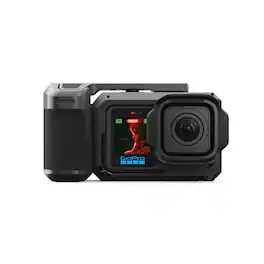
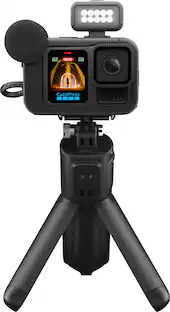
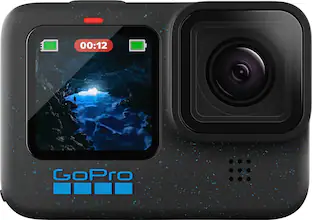
GoPro - Mission 1 Pro Grip Edition Camera - Black

Model: CHDRW-011-MY/CHDRW-011-RW
SKU: 6677758
Sold byBest Buy

Customers are saying

Customers recognize the premium build quality and excellent portability as standout features of this camera, making it a great choice for personal use. Users also frequently praise its impressive battery life, high-resolution 8K video capabilities, and reliable water resistance. Additionally, the device is noted for its effective performance in low-light environments.

Generated by AI based on customer reviews.

Features

  • 1” Sensor + Advanced Low-Light Performance

    MISSION 1 PRO utilizes a 1” sensor (1.0-type sensor) that is larger than sensors found in most mobile phones and some compact cameras. The use of this larger sensor results in better low-light performance with less noise than the smaller sensors—making it ideal for capturing cinematic footage in all conditions including dusk, indoor and night shots

  • Next Generation GP3 Processor

    With 2x the power of our previous GP2 chip, the revolutionary GP3 SoC (system on chip) delivers higher resolutions at extremely high frame rates for smoother motion and slow-motion playback. It also powers dual AI engines that run advanced denoising algorithms for amazing low-light capture.

  • Best-in-Class Video With 8K Open Gate

    8K video delivers breathtaking image quality with 300% more resolution than 4K. MISSION 1 PRO takes it even further with Open Gate capture that uses the full image sensor for maximum height and width for the most post-production flexibility.

  • Over 3 Hours of 4K Runtime + Faster Charging

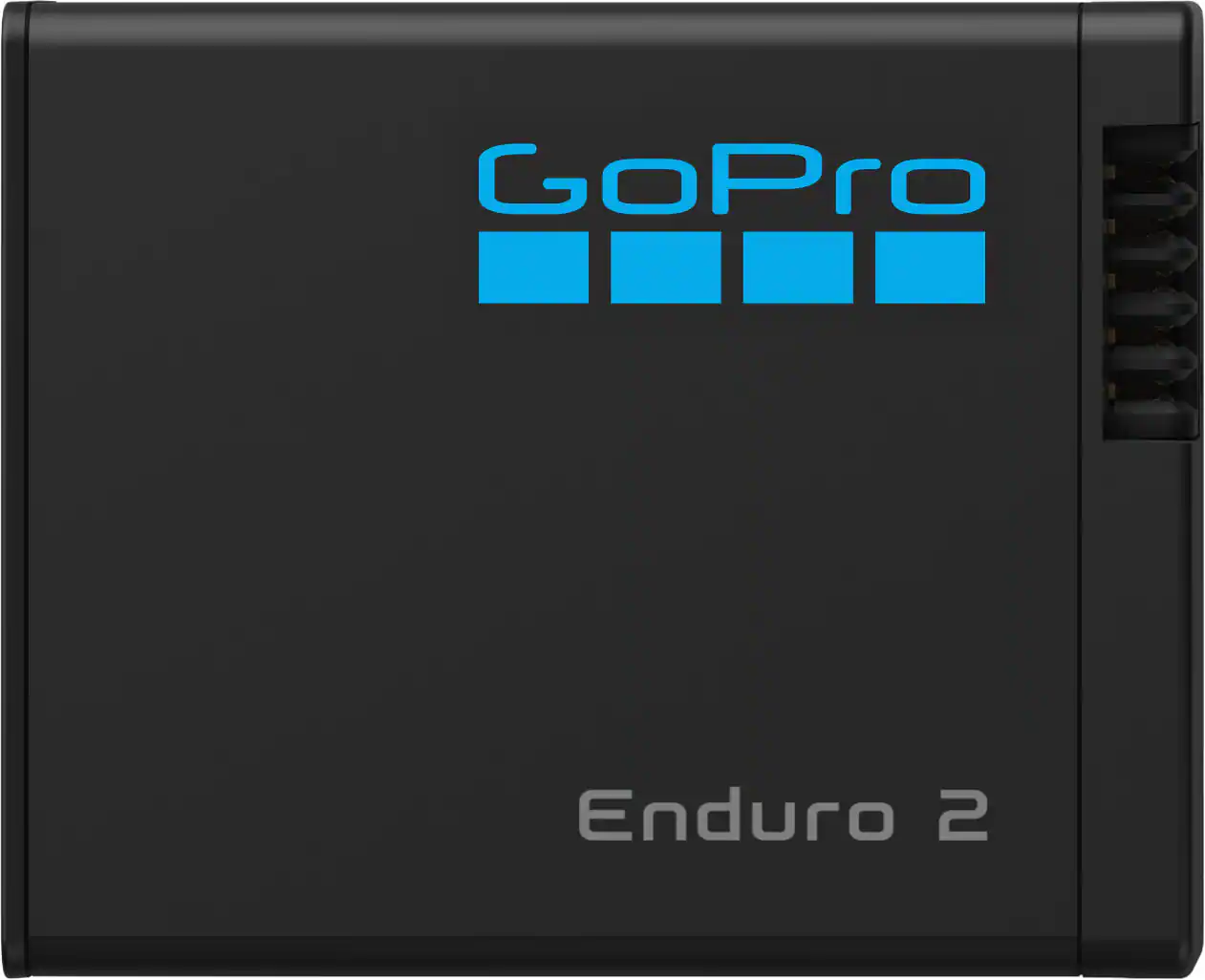
    You’ll get over 3 hours of continuous 4K30 recording and over 5 hours of 1080p30 recording on a single charge while improved heat management helps prevent thermal shutdown.1 It’s also capable of rapid charging so there’s less downtime and more production time. It’s also capable of rapid charging so there’s less downtime and more production time. You can also use Enduro for HERO13 Black batteries as spares

  • Intelligent Image Tuning

    MISSION 1 PRO features new capture modes that can intelligently adjust for motion, lighting, environmental conditions and the presence of people in your shot.

  • Our Slowest Slo-Mo Ever

    MISSION 1 PRO can capture 4K video at an incredible 240 frames per second that lets you slow down the action and catch every detail of your footage in 8x slow motion. Slow it down even more with 1080p footage at 480 fps for 16x slow-mo. Switch to Burst Slo-Mo for our slowest slo-mo ever and record 10-second 1080p video clips at 960 fps for 32x slo-mo.

  • Built-in 360° Horizon Lock

    MISSION 1 PRO’s Linear lens with Horizon Lock automatically gives your footage a steady, straight, smooth horizon, even if your camera rotates a full 360° during capture.3 Combined with HyperSmooth video stabilization, Horizon Lock delivers the super-smooth polished look of a high-end production.

  • HLG HDR Video

    MISSION 1 PRO lets you enhance its best-in-class image quality with Hybrid Log Gamma (HLG), a standard HDR format that captures video in the 10-bit and Rec. 2100 color space for playback with compatible displays and media player

  • 4K Zoom

    Zoom in to 2x to get the shot while maintaining the quality and precision of 4K video resolution. 4 Or get even closer to the action without repositioning yourself or your gear with 4x digital zoom.

  • Mounts for Every Shot

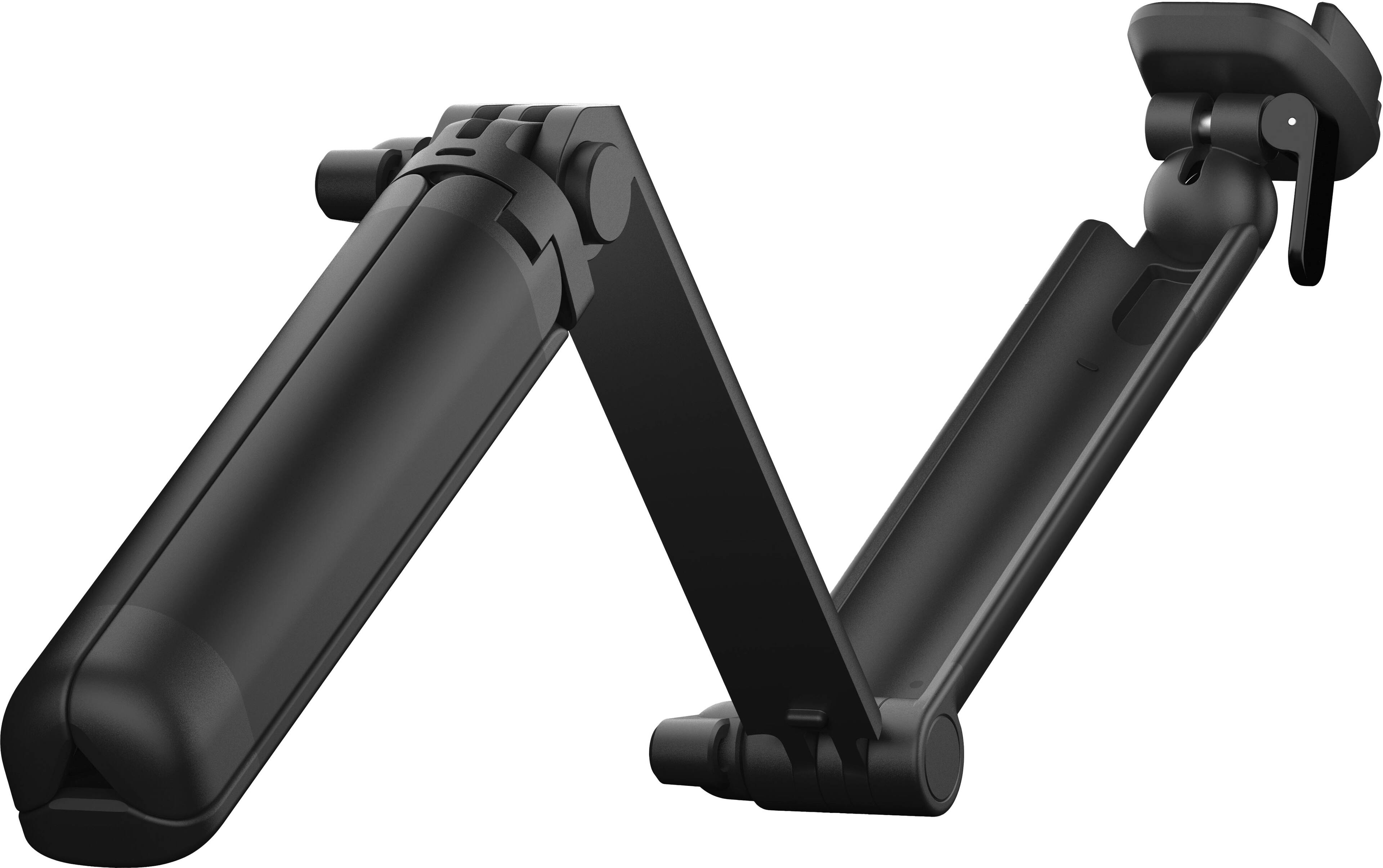
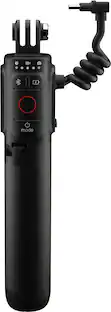
    GoPro has a wide variety professional mounts to help you get the shot. Grab an extension pole, body mount or gear mount, or create your own custom capture rigs using our premium high-performance mounts and accessories. Or try the Point-and-Shoot Grip6 for MISSION 1 Series cameras to transform your MISSION 1 into a classic handheld camera.

  • GPS + Performance Stickers

    GPS automatically captures telemetry data that tags your footage with its geolocation and other metadata. This allows you to add overlays as animated graphics on your video using the GoPro Quik app. It’s a visually engaging way to show the speed, path, terrain, altitude and g-forces in your footage.

  • Live Streaming

    Use MISSION 1 to live stream your next activity as you vlog with buttery-smooth HyperSmooth video stabilization and sharp resolution.

Specifications

  • Effective Pixels
    50 megapixels
    Standardized Video Resolution
    4K (2160p)
Sponsored

Reviews

Rating 4.7 out of 5 stars with 46 reviews

98% would recommend to a friend
Customers are sayingCustomers recognize the premium build quality and excellent portability as standout features of this camera, making it a great choice for personal use. Users also frequently praise its impressive battery life, high-resolution 8K video capabilities, and reliable water resistance. Additionally, the device is noted for its effective performance in low-light environments.
This summary was generated by AI based on customer reviews.
  • Build Quality (34)
  • Portability (12)
  • Water Resistance (7)
  • Battery Life (6)
  • Video Resolution (6)

Customer Images

The vast majority of our reviews come from verified purchases. Reviews from customers may include My Best Buy members, employees, and Tech Insider Network members (as tagged). Select reviewers may receive discounted products, promotional considerations or entries into drawings for honest, helpful reviews.

  • Rated 5 out of 5 stars

    Worked great in Jamaica

    Very easy to you use. You are able to pull pictures from videos. Very clean picture while snorkeling in the ocean.

    Posted by TAMMYS

  • Rated 5 out of 5 stars

    Paradigm Shift.

    I said I’ve always been a big fan of the idea of GoPro’s and being able to video record your activities in a wild. But I always felt like the picture called was just OK. Mission one changes that with the 8K quality and 30 frames per second. Mission one captures unbelievable video. Highly recommended.

    Posted by RYANR

  • Rated 5 out of 5 stars

    GoPro goes point-and-shoot

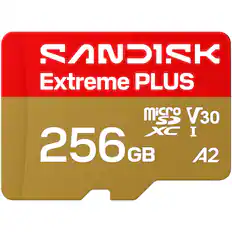
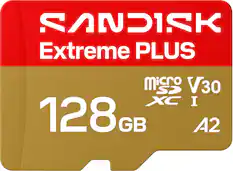
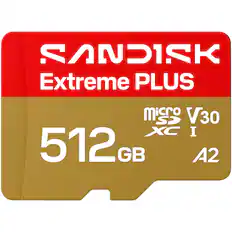
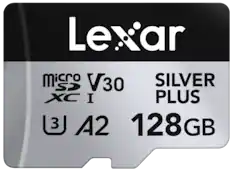
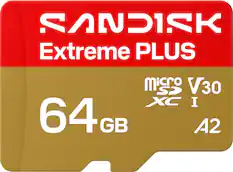
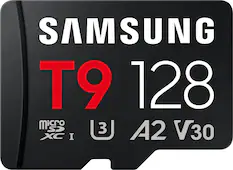
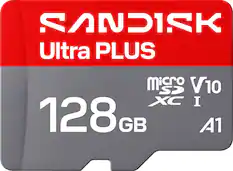
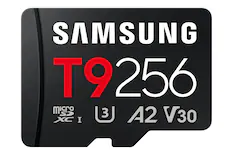
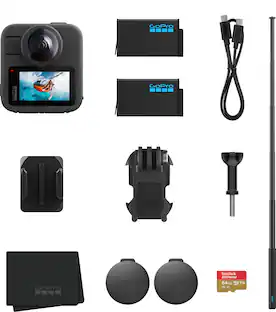
    The GoPro Mission 1 Pro Grip Edition adds a more conventional handheld feel to the newly released Mission 1 Pro. The removable case makes a typical GoPro feel more like a DSLR camera, but without the added weight. It is easy to remove so you can use it both ways whenever you’d like and it’s easy to install and remove. My only gripe is that it could’ve featured a USB-port for charging, meaning that you’ll have to remove the case for charging and/or swapping batteries. You can even remove the “diving board” if you prefer pushing the top button down closer to normal, but keep the comfort of the rest of the case. It feels nice in my hand, but I noticed that the button doesn’t always start a recording properly, and might either not start at all or start and stop immediately. For photos it works great and it reminds me more of the conventional camera it’s trying to imitate. The camera is the new generation of GoPros. A 1 inch sensor improves the image quality and resolution once again and gives the camera a noticeable improvement in low-light conditions, including a dedicated low light mode. As always, the default settings on a GoPro need to be tinkered with to optimize the look for each setting. I personally prefer reducing the denoising to add more detail, but it really depends on the circumstances and sometimes there can be noticeable noise in darker shots. All of this can be configured on the slightly larger 2.59” OLED screen. The app is also helpful with many of the settings and connecting to your phone is fairly easy, although setup requires you to connect your phone to the “Wi-Fi” of the GoPro. The included and removable lens hood makes it easy to reduce glare and lens flare while filming outside. A nice addition in this model, since the sun can definitely make or break a shot. It’s easy to attach and remove, and it seems to stay on well thanks to the rubber texture. Just make sure to push it all the way in, otherwise it might appear in the shot. Because of the 8K video resolution and the ability to record up to 240Mbps, the Mission 1 Pro does require an A2 V30 microSD card. It won’t even do the required initial firmware update with an A1 V30 card; I learned this the hard way. So make sure you have the correct microSD card before setting up the device. The Mission 1 Pro offers so many options in terms of resolution and frame rate. If you want the absolute highest frame rate, you will lose a lot of resolution, and filming at 8K doesn’t go higher than 60 fps. If you’re going for the classic cinema look, 8K at 24 fps might work best, but I personally prefer filming sport at 4K, even if it’s capped at 120 fps. To still maintain a 1080p resolution, you can film up to 480 fps, which is really impressive. I rarely go over 120 fps, but for experimental shots, this looks amazing. Go to the beach and film some waves and be blown away. There are more advanced options like GP-Log2 and HLG HDR, if you want to truly maximize the look of your footage. This allows you to adjust the footage to perfection in post, but if those letters mean nothing to you, you can always use the true and trusted presets from GoPro, that will work well in most situations. The natural, flat and cinematic settings should do well in most scenarios. If you’re a content creator, you may enjoy the face setting to optimize your skin color and subject tracking, to let the camera zoom in a little and follow you around. Horizontal lock is also a feature I’ve learned to love, especially when doing running shots. It’s the closest thing to magic I’ve ever seen. An alternative to the grip would be the Media Mod, which is currently only available to pre-order, but it does add a USB-C and HDMI port that might come in handy. I wish the grip had these ports, but perhaps an updated model could add it, so it would be more similar to the Media Mod. The 4 microphones are even more optimized this time and it offers a 32-Bit Float audio for the most dynamic range yet, so that you can worry about the action, rather than the audio. The audio is nice and clear, but I noticed that in one instance, it switched between mic modes, making my voice louder when moving the camera away from me. I would probably recommend getting some wireless mics if you’re recording professional dialog, but the built-in mics do a great job at picking up its surroundings, and there’s a dedicated voice mode in the audio settings. You can also add wind suppression by recording in mono. It also supports USB-C mics for the first time, including the GoPro wireless mics. This makes it easier to get pro audio than ever before. Overall, a fine upgrade from GoPro. It feels like sturdy camera that can handle a lot of action, including underwater diving sessions, and the amount of options and settings really make this camera the best action camera out there, once you learn and understand everything the camera has to offer. You can also turn off the HyperSmooth function for more conventional tripod shots and get a really clean cinematic picture, especially in 8K. There’s also a dedicated time-lapse mode that’s great for filming the evening sky. An amazing camera with many accessories on the way so this is only the beginning of something truly great.

    Posted by Porsche

  • Rated 5 out of 5 stars

    Most exciting GoPro camera to date

    I am an enthusiastic pickleball player who’s always hungry to level up my game. To sharpen my skills, I wanted a camera that could capture every rally in stunning 4K at 60 FPS, plus 120 and 240 FPS slow‑motion so I can break down each shot, analyze my form, and push my performance even further. That’s why I chose the GoPro Mission 1 Pro Grip Edition, which turned out to be the perfect companion for high‑energy, fast‑paced play. Its versatile grip makes one‑handed, on‑the‑move photography and videography effortless, and the metal cage adds a reassuring layer of protection. Even better, the camera’s mounting fingers attach seamlessly to a standard tripod, giving me flexibility whether I’m recording courtside or mid‑action. The GoPro Mission 1 is waterproof down to 20 meters (66 feet) without any additional housing. (Note: The camera cannot float. To get the most out of any advanced camera system, it’s essential to understand its capabilities and configure it correctly. Best download the "Mission 1 Series Product Manual" from GoPro's website as well as the "Mission 1 Series Quick Start Guide". The GoPro Mission 1 Pro is equipped with a large 1‑inch sensor and a fixed 14mm ultra‑wide lens, capturing an expansive 159° field of view in its default modes. While this ultra‑wide perspective is excellent for action sports, it naturally introduces pronounced edge distortion, commonly known as the fisheye effect. If you prefer straight, undistorted lines in your footage, you’ll want to adjust the lens mode to Linear, which digitally corrects this distortion. To switch your Mission 1 Pro to Linear mode: (Tip: Change modes quickly by pressing the power/mode button on the left of the camera) - Video Mode Lens Setting — Tap the Video Mode indicator at the bottom of the rear screen to open your current preset profile. Scroll through the settings until you find Lens, then select Linear. This instructs the GP3 processor to straighten the fisheye distortion and deliver a more natural perspective. - Photo Mode Lens Setting — Switch to Photo mode and tap the mode indicator to open your preset profile. Under Image — Digital Lens, select Linear to ensure your still photos receive the same distortion correction. Other recommendations based on my tests: - As you are using the Grip Edition, it would make sense to turn off the Front Display, and change the screen saver from the default 2 minutes to Never via [Preferences -- Display Settings -- Screen Saver] - Video professionals who do post-production video editing best select to use 8K at 60 fps, which will allow using post-recording zoom functions, assuming you would save the video at 4K 60 fps. (Available video modes are 16:9, 9:16 (for a vertical video), and 4:3 aspect ratios at 1080, 4K, or 8K resolution, and at frame rates from 24, 30, 60, 120, 240, all the way to 480 (for 4K or below only; 8K videos are limited to 60 fps) and 960 fps Burst sub-mode for 1080 videos.) For normal day-to-day use, 4K at 60 fps would suffice. Videos are stored in MP4 format. - Avoid using the Zoom function (from 1.0 to 4.0) as it's not an optical zoom, and as such, it negatively affects overall video quality - Dashboard Settings - Bit depth (number of colors), change from 8-bit to 10-bit, slide "Apply to all" modes to on - Bit rate from Standard to High (up to 160 MBits/sec) or Max (up to 240 MBits/sec) for highest-quality images - Motion Blur, use Adaptive - Photography enthusiasts would select 50 MP (the other option is 12 MP) at 4K (or 8K resolution) - Avoid using the Zoom function (from 1.0 to 4.0) as it's not an optical zoom, and as such, it negatively affects overall picture quality - Use these sub-modes as needed: Single shots ("Photo"), Interval (automatically space out photos), Burst (up to 60 frames within a second), Time-Lapse - Select file formats: RAW or JPG ("Standard") - ISO defaults to automatic, which is great; you can manually set between 100-6400 or 25-6400 using "Range" [ Setting Up the GoPro Mission 1 Pro Grip Edition] - Remove the protective packaging - Install the lens cover - Insert the battery and a microSD card (not included; needs to be purchased separately; for example, choose the SanDisk Extreme Pro with read speeds up to 200 MB/sec and write speeds up to 90 MB/sec, 64 GB or more; I use the 128 GB version - Plug in the USB-C cable and connect it to a power source like a wall charger or power bank (Note: A charger is not included); fully charge the battery (indicated by the blinking charging light being off); remove the USB-C cable, and shut the camera door so that the camera is water-tight - Press the camera power/mode button for the camera to turn on; answer a few prompts at first start, such as the desired language (Note: It will also prompt you whether or not you want to have voice control; initially, I would not turn it on so that you can get to know your camera better; use the same button to turn the camera off by pressing and holding it for a few seconds) - Install the GoPro Quik app on your smartphone using the QR scan code shown on the camera's display; afterwards, pair the camera (the camera will use its own Wi-Fi to do so, i.e., it's not using Bluetooth technology) with the app and follow the prompts - Update the firmware; after completion, the camera will reboot (Note: At the time of this writing, Firmware v1.30 was made available. According to the list of bug fixes and improvements, among many things, the in-camera playback experience was improved, audio/video sync issues were fixed for long videos, and the overall UI (user Interface) and interaction were improved. [ Using the GoPro Mission 1 ] - Turn on the camera by pressing the Power/Mode button on the left side of the camera - The touchscreen makes changing modes (video and photo) and settings an easy and intuitive task: Tapping on the screen toggles between showing and not showing the icons; the bottom of the screen always shows the mode (e.g., video or photo, including resolution and frames per second), whereas the top left shows available storage and time left (or photos left) to store content in the current mode - Operating the modes is done by swiping left or right from the middle of the screen; if you swipe down from the top of the screen, you get to the dashboard showing more settings and options [ GoPro Quik App and Verdict ] The GoPro Quik App is tightly integrated with the camera and allows updated firmware (through the camera's own Wi-Fi) and serves as a remote control with live view; from your phone, you can adjust settings, preview shots, and start and stop recording, which are then saved on the camera's microSD card; you can "download" the photos and videos on your smartphone. For fast‑paced activities like pickleball, GoPro Quik makes it easy to: - Review your matches immediately - Create slow‑motion breakdowns - Share highlights with teammates, and - Keep the camera configured and updated I very highly recommend this camera to friends and family who need to capture (high-speed) activities or simply want a highly versatile and light camera for travel and don't mind not having optical zoom features. 5 stars out of 5. Not tested: It offers tools for trimming, color correction, speed ramping, filters, and adding music, which would create polished clips on the go. If you decide to sign up for a GoPro subscription, your video and photo files are backed up automatically and accessible across devices. It organizes photo and video shots and provides capabilities to share them with friends and family, and can even convert/export, for example, 4K videos to 1080p or 720p to save space. How cool is that!

    Posted by UweZ

  • Rated 4 out of 5 stars

    Mission 1 Pro is Superb; Grip Imposes Limitations

    📦 UNBOXING: Inside the box, you’ll find a durable case with the GoPro Mission 1 Pro, the point-and-shoot grip, a rubber hood, an Enduro 2 battery rated at 2150mAh, a wrist strap, a USB Type-C to C cable, a basic GoPro mounting bracket, and a single curved adhesive mount. 💪 BUILD: The Mission 1 Pro is durable as ever and is waterproof up to 66ft right out of the box without an additional housing. The primary rear display uses a new 2.59" Touch OLED panel, while the front display uses a 1.4” LCD panel. Both can get very bright for monitoring, and while the OLED display isn’t strictly necessary, it’s nice to see that GoPro isn’t falling behind the competition. The built-in speaker is good enough for some basic playback, but can certainly sound a lot harsher than the actual audio recorded by the internal microphones. The point-and-shoot grip, however, has some mechanical imperfections that could make it perform inconsistently. The grip consists of a metal housing, a plastic grip handle, and a plastic lever that is supposed to press the button on the housing. The plastic grip does lock to the metal housing quite well, and there’s not any noticeable rattle once it’s attached. But in my experience, the plastic lever didn’t always seem to press the button enough to start/stop recording or take a photo. Sometimes it would work quite well, but then there were times where I would pick it up, turn it on, press the button, and it wouldn’t do anything. The entire point of the “grip edition” is to provide a point-and-shoot camera experience on the GoPro. But the “shoot” portion doesn’t work reliably enough. It’s just a lever that presses a button on the metal housing which presses the actual button on the GoPro. I think that GoPro wasn’t willing to engineer an electronic shutter over USB-C since it could impact their waterproofing. But the reality is that I don’t trust that it will capture the shot in the moment when I really need it to. 🛠️ SETUP: For the point-and-shoot grip, instructions are included in the box that indicate how to assemble and disassemble it. After a few Setup requires a firmware update out-of-box. For some reason, the app did struggle to find the GoPro despite being fully-up-to-date. Only after closing and re-opening the app and toggling the power and on the GoPro did I manage to properly connect and perform the firmware update. Ever since that, I have had no issues re-connecting. And I appreciate that GoPro continues to allow you to use their app without an account, and you do not need to use their cloud services if you don’t want to. 💿 SOFTWARE: GoPro continues to expand on their capabilities for both users who want the simple experience and users who want the “pro” experience. Pro settings let you configure settings like field of view, frame rate, 8-bit vs 10-bit color, bitrate, SDR or HLG HDR profiles, image tuning, motion stabilization, de-noising, and much more. Meanwhile, audio capture has standard and voice tunings, wind reduction, and even support for recording a separate .wav file in either 32-bit float or 24-bit PCM. The addition of 32-bit float support means you get massive dynamic range without clipping or distortion and much better control of audio in post-production so you can suppress loud noises and raise quiet sounds without introducing noise. The Mission 1 Pro also has Wi-Fi 6 for fast wireless transfer speeds and super low latency for connection to your phone for use with the GoPro Quik app. GoPro continues to include onboard Bluetooth, so you can pair wireless headphones for playback or even use wireless microphones like GoPro’s own Wireless Mic Transmitter. However, Mission 1 Pro only supports a single microphone over Bluetooth. If you purchase the GoPro Wireless Mic Complete Kit and want to use both microphones, you will need to purchase the Media Mod for Mission 1 Pro to use the Mic receiver over 3.5mm, or get the USB pass-through door to use the alternative USB-C adapter. But in either case, you cannot use the point-and-shoot grip. 📱 MOBILE APP: GoPro’s mobile app lets you control all the same settings on the physical hardware, but via Bluetooth. However, you can also directly connect your phone to Mission 1 Pro over a 5GHz Wi-Fi connection for live previews, or connect the Mission 1 Pro to your local Wi-Fi network for livestreaming to Twitch, YouTube, Facebook, GoPro.com, or RTMP. You can also preview your recorded media in lower resolution without transferring the files to your phone, and subscribe to GoPro’s cloud services so you can backup directly to the cloud. At the time of this review, the GoPro Webcam desktop app did not support the Mission 1 Pro. 📸 IMAGE QUALITY: One of the main selling points of the Mission 1 Pro is its new 1 inch sensor and a number of improvements that GoPro has been able to make to take advantage of it. Across the board, images are notably more crisp and detailed. This is because the image sensor is significantly larger than the previous generation, and GoPro has pushed the resolution to a whopping 50.3MP (8192 x 6144 resolution sensor) up from 27.6MP (5599 x 4927 resolution sensor). Compared to last generation, each pixel on the image sensor is larger for better light. This means that recording at 4K also uses much better pixel binning for better low-light performance and noise. Under the normal Video mode, Mission 1 Pro excels at delivering up to 8K@60fps in 16:9 and 8K@30fps at 4:3, but these higher resolutions are best suited to well-lit environments. Its dedicated Low Light video mode can achieve 4K@60fps at 16:9 and 4K@30fps at 4:3. The difference between the normal Video mode and Low Light mode is significant in the late evening. While this won’t do miracles for capturing pitch black areas, adding an external light source can yield much lower noise and detail than ever before. Using its Slo-Mo mode, it can record at up to 1080p@480fps, but GoPro has also added the ability to record 10 second clips at 1080p@960fps. At 4K, you can achieve 240fps, and at 8K only 60fps is possible. I wouldn’t call 60fps “Slo-Mo”, but with some interpolation in post production you could certainly achieve Slo-Mo with a sharper image. If you want to use Slo-Mo in low light conditions, Mission 1 Pro is able to achieve a significantly better image than last gen with much lower noise, but you’ll still want your subject to be illuminated for the best results. The general wisdom for Photo Mode on GoPro has often been to avoid it, but Mission 1 Pro does improve image quality for photos. The lack of autofocus means this won’t replace your smartphone for many photos, but for fixed-focus photography where your subject is at least 2 feet away, you can achieve a lot of excellent shots. If you don’t want that “wide angle” shot that most action cameras are known for, the “Linear” Digital Lens mode can help yield a traditional look. You won’t get the bokeh and depth of field that you would want from a modern mirrorless camera, but for those who want even more versatility with interchangeable lenses, GoPro’s upcoming Mission 1 Pro ILS model will support Micro Four Thirds lenses to make it a better option for photographers. 🎤 MICROPHONE: Audio quality of the built-in microphones are good but still don’t have the directionality of most modern smartphones. You can enable RAW audio in case you want to process the internal microphone audio yourself, and you can always use an external microphone without the point-and-shoot grip. 🔋 BATTERY: GoPro says that the removable Enduro 2 Battery should achieve up to 3 hours at 4K@30fps and 5 hours at 1080p@30fps. If you’re recording at 8K@60fps, expect a bit over 60 minutes of recording time, and 8K@30fps extends that to about 90 minutes. These are pretty significant improvements over GoPro’s previous battery, especially considering that the battery has to remain physically small in order to keep the action cam small enough to be used for circumstances where conventional cameras would not be ideal. 🧐 CONCLUSION: Overall, Mission 1 Pro is a real win for action cameras, and for GoPro. There has been a lot of competition for great action cameras in recent years, and for a while it’s felt like GoPro has been lacking some innovation. But it feels like Mission 1 Pro is a real win for consumers that delivers significantly better image quality over last generation. But I do think the point-and-shoot grip does impose some strong limitations that a lot of folks may want to consider before paying the additional price for it.

    Posted by Xephyroth

Compare similar products

GoPro - Mission 1 Pro Grip Edition Camera - Black
4.7(46)

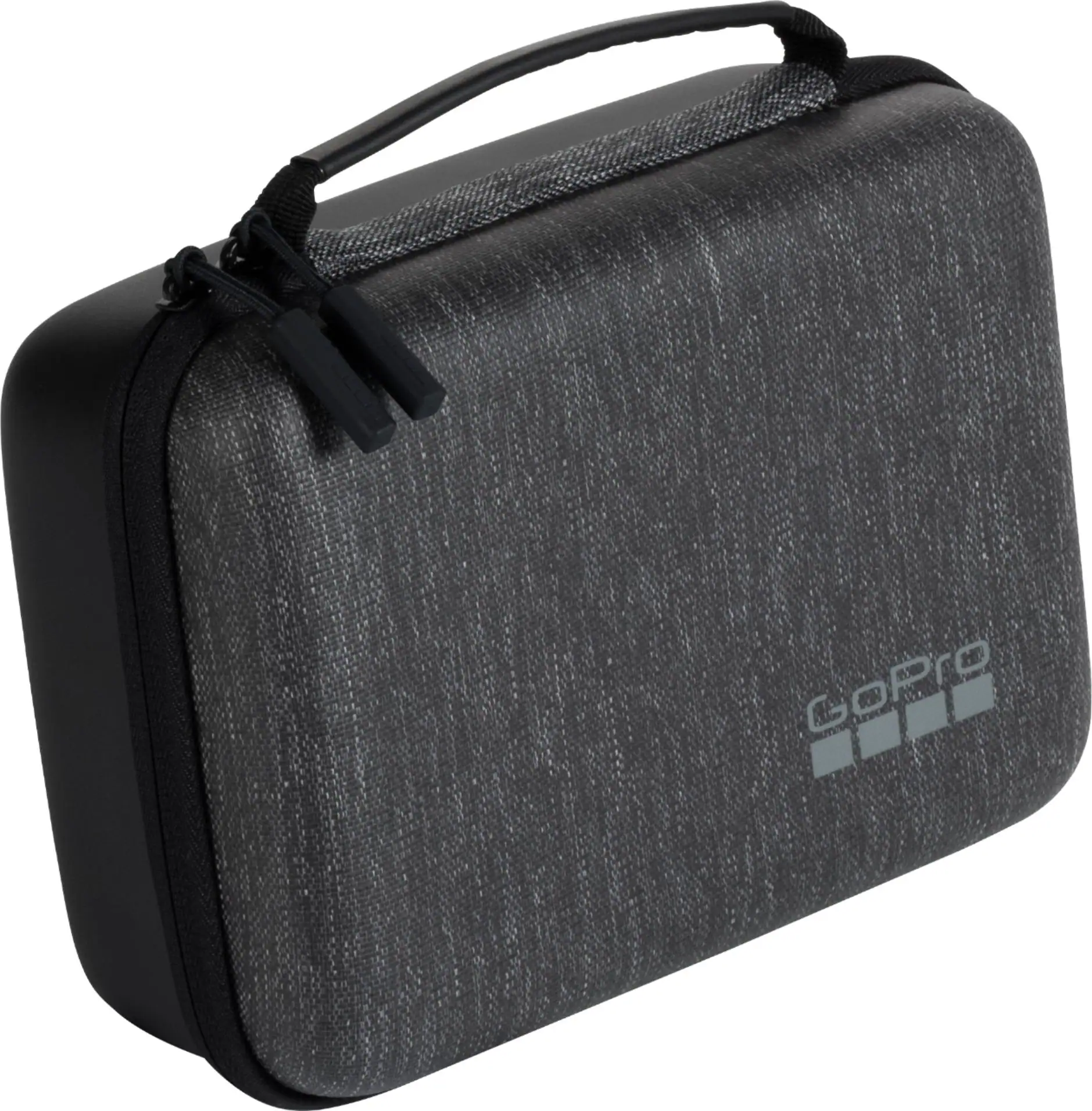
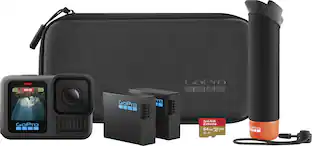
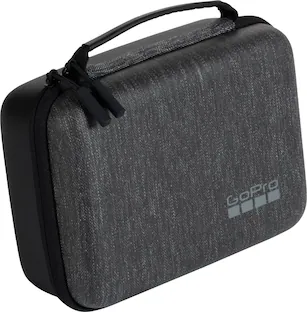
Capture classic handheld point-and-shoot POVs with this bundle assembled for in-the-moment action-cam creators. It includes our incredible MISSION 1 PRO camera—plus a Point-and-Shoot Grip, Enduro 2 battery, lens hood, curved adhesive mount, USB-C cable and carrying case. Built around a 1” sensor for advanced low-light performance and powered by our next-generation GP3 processor, MISSION 1 PRO delivers pro-quality video up to 8K60 with enhanced image tuning to capture your cinematic vision without limits. In addition to legendary GoPro durability and award-winning HyperSmooth video stabilization, it’s powered by the new Enduro 2 battery, which lets you continuously record over 3 hours of 4K30 video or 5 hours at 1080p30 Endurance mode. 1 Loaded with pro features, it also captures 4K video at 8x slo-mo, 1080p video at 32x slo-mo and includes 8K Open Gate capture, HLG HDR, 240Mbps bit rate and 32-bit float audio.
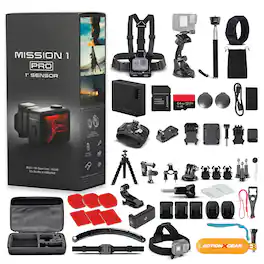
Bundle - GoPro - Mission 1 PRO Action Camera with 120-in-1 Accessory

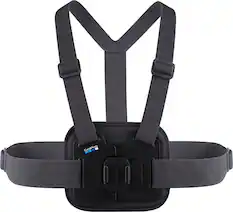
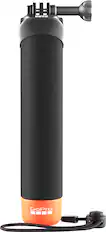
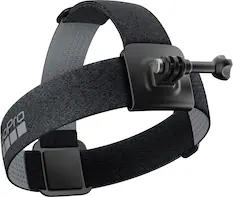
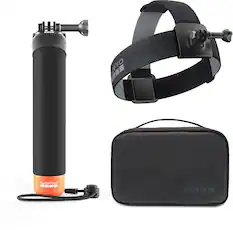
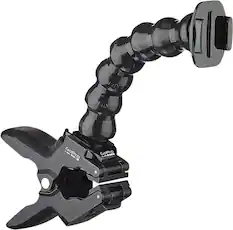
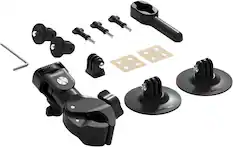
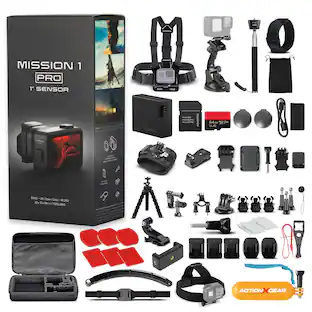
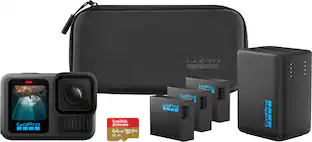
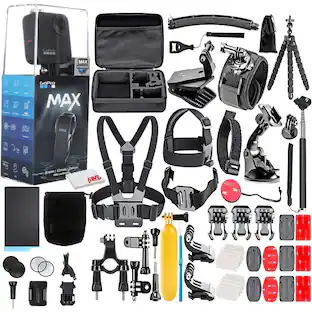
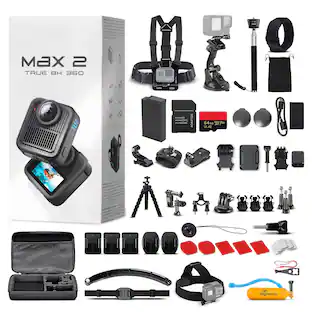
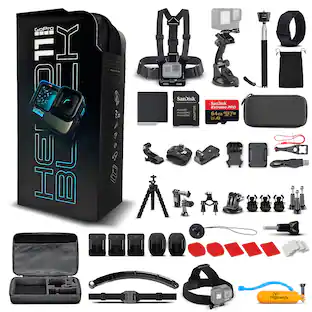
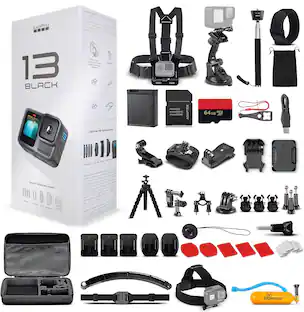
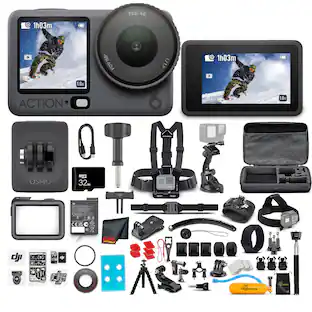
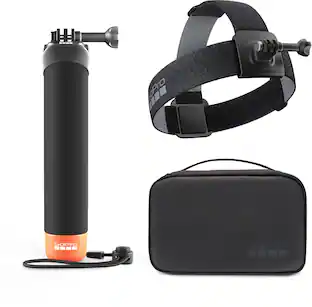
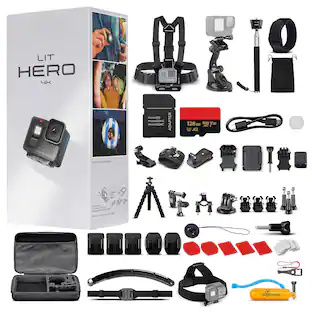
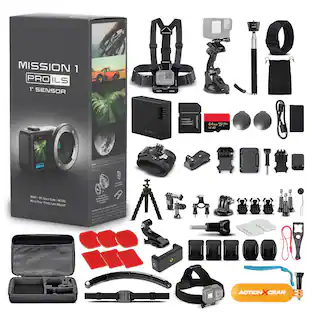
The GoPro Mission 1 PRO Action Camera is designed for creators who demand exceptional image quality, advanced video performance, and reliable durability in a compact form factor. Built around a large 1-inch sensor, this powerful camera captures highly detailed 50MP photos and stunning video with improved dynamic range and enhanced low-light capabilities, helping creators produce content that stands out across a variety of shooting conditions. Supporting up to 8K60 video recording, the Mission 1 PRO provides the resolution and clarity needed for professional projects, travel films, outdoor adventures, action sports, and social media content. High-frame-rate recording options create smooth slow-motion footage that adds cinematic impact to fast-moving scenes while preserving important details. Advanced HyperSmooth stabilization technology helps maintain steady footage even during active movement, making the camera a valuable tool for athletes, adventurers, vloggers, and filmmakers. .Manufacturer Included Items:Go Pro Mission 1 PRO CameraEnduro 2 BatteryRemovable Lens HoodCurved Adhesive MountMounting Buckle and Thumb ScrewUSB-C Cable4 x StickersBundle Items Include:GoPro Mission 1 PRO Action Camera with 1-Inch Sensor, 8K60 Video, 50MP Photos, HyperSmooth Stabilization, Waterproof Design, Low-Light Performance Camera64GB Memory Card120-in-1 Accessory Kit6ave Electronics Micro Fiber Cloth 120-In-1 Kit Includes:Carrying Case Chest Strap Head Strap Wrist Strap Floating Handle Grip Suction Cup Clamp Selfie Stick Mini Tripod Wrist Strap For Remote Bicycle Handlebar Mount Adjustable Pivot Arm x 2 5MM Adapter Screw x 3 Surface J-Hook Buckle Curved Mount x 3 Helmet Strap Helmet Extension Arm Wrench Flat Mount Fog Sheets x 72 Adhesive Pads x 9 Strap Buckle x 5 Pouch Phone Holder
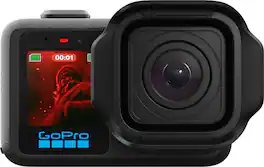
GoPro - Mission 1 Pro Camera - Black
4.8(81)

MISSION 1 is the compact camera system that takes your content to the next level with professional tools and image quality. Its 1” sensor helps you capture the shots you need with more light and detail for incredibly sharp images with less noise—even in low light and after dark. Our latest GP3 processor delivers pro-quality 8K video, while enhanced image tuning intelligently adjusts settings for the best footage possible. Made for long shoots, its new battery can power through over 3 hours of 4K30 recording or 5 hours at 1080p30.1 With GoPro durability, award-winning HyperSmooth video stabilization, 4K video at 4x slo-mo and more, MISSION 1 is an all-in-one creative powerhouse.
GoPro - MISSION 1 PRO ILS Action Camera - Black

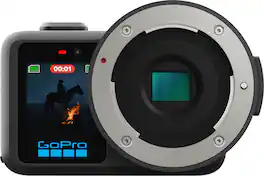
MISSION 1 PRO ILS gives content creators and professional filmmakers the legendary versatility of GoPro combined with the creative flexibility to pair it with the best Micro Four Thirds lens for your shot. Whether it’s intricate macro details, telephoto isolation or framing wide cinematic footage, MISSION 1 PRO ILS seamlessly adapts to capture your vision. Its advanced 1” sensor delivers exceptional low-light performance while our next-generation GP3 processor gives your pro-quality video up to 8K60. Small, lightweight and durable, it’s packed with essential tools including 4K video at 240 fps for 8x slo-mo, 8K Open Gate2 capture, HLG HDR, 10-bit and Log encoding with GP-Log2, 240Mbps bit rate, 32-bit float audio and 50MP photo to capture shots and effects never before seen from a GoPro.

Pros for GoPro - Mission 1 Pro Grip Edition Camera - Black
Battery Life, Build Quality, Portability, Water Resistance, Video ResolutionThere were no pros for this product—Battery Life, Video Quality, Overall Performance, Ease of Use, Heat DissipationThere were no pros for this product—
Cons for GoPro - Mission 1 Pro Grip Edition Camera - Black
There were no cons for this product—There were no cons for this product—Focus Distance, WeightThere were no cons for this product—

Specs

Questions & Answers

No content

Customers often buy these together

Sponsored