Everything for Back to School — and then someShop now

Skip to contentGo to Product Search
Main Content

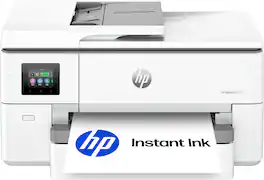
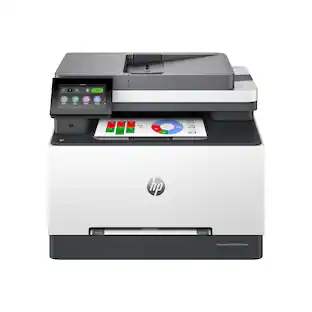
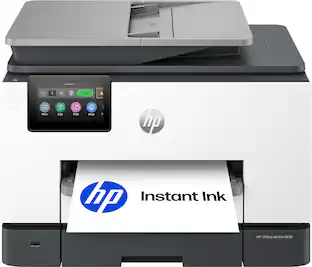
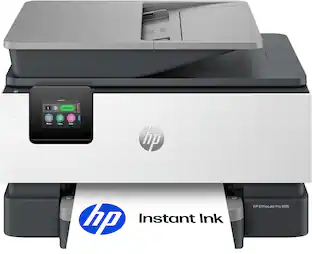
HP - OfficeJet Pro 9720 Wireless Wide Format All-in-One Inkjet Printer, Scanner, Copier, AI-Enabled with 3 Mos of Instant Ink - White

Model: OfficeJet Pro 9720/C2XF9A#B1H
SKU: 6674507
Sold byBest Buy

About this product

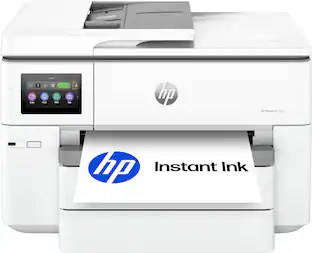
The HP OfficeJet Pro 9720 Wide-Format All-in-One Printer delivers fast color, fade-resistant prints, 250-sheet paper capacity, and scan and copy capabilities perfect for your office. Print up to 11 x 17 inches, and scan legal-size documents on the flatbed scanner. Navigate this printer with the 2.7" color touchscreen and phone-like user interface. It includes wireless and printer security features to keep your multifunction printer up to date and secure, and is made with more than 30% recycled plastic content. Optimize print formatting with HP AI, that easily removes unwanted content from emails and web pages so your prints are just the way you want—no wasted pages or unwanted content. Subscribe to Instant Ink delivery service and get 3 months of free ink delivered directly to the door of your office. The HP OfficeJet Pro 9720 Wide-Format All-in-One also lets you print from anywhere with the HP app.

Features
  • From America's most trusted printer brand

    The OfficeJet Pro 9720e is perfect for offices printing professional-quality color documents like floorplans, mood boards and spreadsheets. Print speeds up to 18 ppm color, 22 ppm black.

  • Optimize print formatting with HP AI¹

    Print web pages and emails with precision—no wasted pages or awkward layouts; HP AI easily removes unwanted content, so your prints are just the way you want

  • 3 months of free ink

    Subscribe to the Instant Ink delivery service to get ink delivered directly to your door before you run out, and you save up to 50% on ink. After 3 months a monthly fee applies unless cancelled.

  • Easily achieve vibrant, screen-accurate prints

    Print true to screen with P3² for a wider color gamut vs. sRGB

  • Upgraded features

    Fast color printing up to 11 x 17, copy, auto 2-sided printing, auto document feeder, and 250-sheet input tray

  • Wireless printing

    Stay connected with our most reliable dual-band Wi-Fi, which automatically detects and resolves connection issues

  • HP app

    Print, scan, copy, or fax right from your smartphone with the easiest-to-use print app

  • Protects your data

    HP Wolf Pro Security bolsters security and helps keep your network protected from cyber threats

  • 2.7-inch touchscreen

    Quickly navigate your printer with a large color touchscreen and a phone-like user interface

  • Sustainable design

    Made with at least 30% recycled plastic

  • Dynamic security

    This printer is intended to work only with cartridges with original HP chips or circuitry and will block cartridges using non-HP chips or circuitry. Periodic firmware updates will maintain the effectiveness of these measures.

See all features
Specifications
  • Networking
    Wired, Wireless
    ENERGY STAR Certified
    No
    Printer Type
    All In One
    ISO Color Print Speed
    18 pages per minute
    ISO Mono Print Speed
    22 pages per minute
    Output Tray Capacity
    75
Sponsored

Reviews

Rating 4.6 out of 5 stars with 14 reviews

86% would recommend to a friend

Customer Images

The vast majority of our reviews come from verified purchases. Reviews from customers may include My Best Buy members, employees, and Tech Insider Network members (as tagged). Select reviewers may receive discounted products, promotional considerations or entries into drawings for honest, helpful reviews.

  • Rated 5 out of 5 stars

    Great All-In-One With 11x17" Capability

    The HP OfficeJet Pro 9720 Wireless AI-enabled Inkjet printer offers an all-in-one solution to those who desire a capable residential or small business printer. The touchscreen interface makes navigating fairly easy and the app integration is good for those who desire smart functions and printing from mobile devices. The wide format allows for printing up to 11x17” including scanning legal size documents. The Instant Ink delivery service touts 3 months of free ink delivered directly to your door. IN THE BOX: - HP OfficeJet Pro 9720 Printer - Ink Cartridges - Power Cable - Product Safety Guide, Quick Setup Guide SETUP: Unboxing is very simple and manageable by one person. The printer comes in a heavy duty plastic bag with grab handles. It isn’t a small machine but it’s not the largest 11x17” capable machine I have used. It is larger than the average residential printer that you may be used to. Once plugged in, the printer boots up to a screen with a QR code that allows setup via mobile device or you can select the traditional method of setting it up manually on the screen. Once you go through the steps, you’ll install the ink cartridges, connect to Wi-Fi, and calibrate the print head after paper has been placed in the tray. USAGE: It is recommended to download the HP apps to use the full functions of this printer but it is not mandatory. The standard paper tray included holds 250 pages which is plenty for the average user since it is very easy to refill. All of the tray adjustments are easy to perform if you want to change the size of paper loaded within the printer. The 2.7” screen is small for a printer of this size. I would have liked to have seen a larger 3-3.5” screen included for easier navigation on the printer itself. I am sure they are expecting users to use the app more than the screen but I would say this isn’t always true. It does tilt like most printers which is great for using it on a countertop or lower height than you are looking at it from. There is no standard USB port on this printer for those who may use that feature on occasion. The print quality looks good but I had some concerns. While using the copying function, I noticed the document would tilt sideways ever so slightly. This appeared to be an issue only on the auto feeder and not the main glass that it sits flat on. I am not sure if this was a paper feeding issue or a scanning issue but it is something I encountered. The colors look good with no major quality issues. One tiny feature I LOVE is the output tray extender is spring loaded so when you pull out the extender itself to hold printed pages, the extra flap automatically springs up into place. This is normally fully manual and an extra step to complete. Small details. OVERALL: The HP OfficeJet Pro 9720 Wireless AI-enabled Inkjet printer has been a nice addition to my office. The features are as expected for an all-in-one device that may be used across varying situations. The physical size isn’t too large and the build quality is what you would expect. I would like to see a larger touchscreen on the printer itself for easier usability and a front accessible USB port for those who need this function on occasion. Other than this, it has worked mostly as expected and I would recommend it to interested buyers.

    Posted by Justin

  • Rated 5 out of 5 stars

    My Home Office finally prints Big

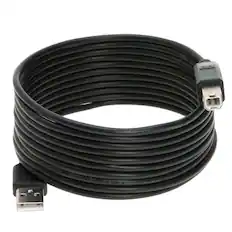
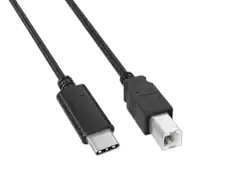
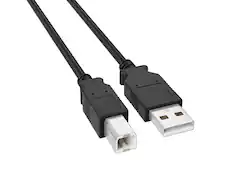
    The Officejet Pro 9720 Wide Format Printer is the first office machine I have had that prints 11x17" color. As a family of 7 we print legal documents, professional work documents, schoolwork for the kids, and glossy full color photos of our family. One limitation I've had recently is paper size. Letter and legal size documents cover most of what I print, but when I want a full color poster, an 11x17 spread of a booklet for work or a spreadsheet that's readable without shrinking it down, a standard printer can't do it. This is what led me to the OfficeJet Pro 9720 wide format. - Unboxing - The printer shipped in a large box with plenty of padding and support, and mine arrived without any damage. Inside you get the printer, four setup cartridges in black, cyan, magenta, and yellow, the power cord, a setup poster, a reference guide, and the typical documentation. There's no USB cable, so if you plan to connect directly to a computer instead of over the network, you'll need to buy one. Personally, I think wireless is the easy method here. I can connect through my phone or my PC wirelessly. The setup ink cartridges actually give you a significant amount of printing before you buy more. I would estimate it at about several hundred pages (more or less depending on the type of coverage.) - Design & Build - It’s approximately 23 inches wide, 17 and a half deep, 12 tall, and a little over 30 pounds. It looks like a true home office printer, and even though it’s larger, it’s still economical with space. The wider body is what gives you the 11x17" print path. The control panel is a 2.7-inch color touchscreen that flips up on a firm hinge, so you can angle it toward where you're standing. It's a fairly large display for a printer, the icons are easy to press, and it's touch screen. From the home screen you can start a copy job and set the copy count. You can choose document or ID card mode, or start a scan to email, cloud, a network folder, or your computer. The menu button opens copy, scan, and utilities like printer info and connectivity, and there's a settings area for general, network, tray, and supplies options. This menu is very easy to navigate, intuitive, and the ability to tilt it up makes it easy to read. The off-white body is hard plastic. Nothing flexes when you press on it, the scanner lid has a solid, heavy feel and a sturdy hinge with enough travel for a thick document, and the main tray slides in and out without wobbling. The output tray has a paper catcher that easily flips out, keeping the long sheets from sliding off. One thing to be aware of: the scanner glass tops out at legal, 8.5x14. - Specs & Features - HP rates it at up to 22 pages per minute in black and 18 in color. Print resolution is 1200 x 1200 dpi black and up to 4800 x 1200 in color. HP uses thermal inkjet technology and you can print borderless up to 11x17”. For paper handling, the main tray holds 250 sheets of 20# bond, which is about half a package of paper, and the output tray holds about 75 sheets. There's a 35 sheet automatic document feeder on top that is very convenient for multiple copies. Two sided printing is automatic. Connectivity covers dual-band Wi-Fi, Wi-Fi Direct, Gigabit Ethernet, and USB. I'm on Wi-Fi and the connection has been stable. When I installed it there was an immediate firmware update through my wireless connection. Wi-Fi connectivity is a simple setup right through the app on your phone. It uses four individual HP cartridges, one per color. I signed up for InstantInk so for a flat monthly fee I will receive ink cartridges before they run out. It's a monthly HP program where you can estimate your print usage, choose a tier, and receive replacement cartridges as needed. The nice thing about instant ink is that a full color photo counts the same as a quick business copy so ink usage is not the determining factor, it’s print count. It also has HP Wolf Pro Security built in (protects against phishing and malware through AI boosted software, and it secures your printer’s connection on the network). One tip on setup: If you run into problems installing the printer through the HP app, you can always switch to the HP app on your computer (this is what I did.) You will need to set up a login for your HP account. The benefit will be access to your cloud prints, access to Instant Ink, print diagnostics, etc. However, if you need to, most of these features are accessible through the flip up touch screen. And last, it also supports Apple AirPrint and Chrome OS. - Software - The HP app handles setup. I already had an HP account, so I opened the app and found the printer, connected it to Wi-Fi, and it was ready. I've been using the app on my computer as well, and it's straightforward, with everything I need in one place. The app does more than print. There's a dashboard for the printer, options to add more printers and users, warranty status, a creative template library. I use scan to file often. I can use my phone camera to turn a document into a PDF, or scan from the glass and save as JPG, TIF, PNG, or HEIF. It can also convert to a searchable PDF, a DOCX, or plain text. Scans also save to HP Cloud, so I can reach them from other devices. Shortcuts have been useful. You can combine actions into one step, such as scanning a document and emailing it to yourself, saving straight to Google Drive, or printing something and emailing or sharing it to the cloud at the same time. Quick sets do something similar for starting a print or scan without configuring every option each time. You can also set up a contact list so you're not retyping addresses for scans and faxes. The printer's control panel has plenty of options as well. You can adjust tray settings and set prompts like low-on-paper warnings or a tray lock, check supply levels and the print heads, and view jobs in progress, queued, and in your print history. The help section stood out. The help button pulls up short how-to videos. They're basic, but they cover things people commonly get stuck on: loading paper in the tray, replacing cartridges, loading small or photo paper, loading large paper, envelopes, and legal, placing originals in the ADF, and cleaning the scanner glass and document feeder. There are also tip sections for working smart, digital office, environmental practices, and a product tour. Along with the template library on the mobile app, the software side is clearly well thought out and more useful than most printer software I've used. HP is doing a great job here. You can send a fax from the app, which I've done. This is HP's mobile fax service running through the app, not a phone-line fax modem. Personally, I rarely fax so the mobile option is fine for me. There are AI features included in this printer. The main feature is print formatting, which cleans up web pages and emails so you don't waste sheets on ads and menu bars. It runs through the HP app on my PC. - Performance - Photo output was better than I expected. A full-coverage 8.5x11 photo on HP Glossy Photo paper printed in 1 minute 51 seconds, edge to edge with no white border. For that level of quality, it's fast, quicker than other printers I've used that print photos this well. Color is accurate. Skin tones look correct and dark areas hold their detail. Everyday documents print quickly. Text is sharp and dark at default settings. The 11x17 capability is the main reason to choose this over a standard all in one printer. Being able to print a full spread, a large chart, or a poster without sending a file to a print shop is convenient. Scanning is one-sided whether you use the ADF or the glass, and it handles up to legal size. The quality is good and it's been reliable. The optical scan resolution is up to 1200 dpi. For everyday documents, receipts, and paperwork going to email or the cloud, it's been more than enough. For color, it does the job. - Pros - * Prints up to 11x17, which few all-in-ones at this size do * Flip up 2.7-inch touchscreen that's large and responsive, and adjustable * Photos look excellent * 250 sheet tray and 35 ADF handle a household or small office pace without constant reloads * Four individual cartridges, so you replace only what runs out or you can use instant ink * HP app is exceptional * Useful on screen help with how-to videos * Instant Ink covers more than one printer under a single plan * Solid build with a flip-out paper catcher and a sturdy scanner lid * Wi-Fi, Ethernet, and USB connectivity - Cons - * Scanning only up to 8.5x14”, and one-sided only from the feeder * Larger footprint, over 30 lbs, you need to plan your space * No hardware Fax (mobile option only but it’s easy from the app to send a fax) The OfficeJet Pro 9720 does everything I need it to do. In the past, every print over 8.5x14” went to a print shop, and this one removes that step for anything up to 11x17. It handles all the printing I send to it: family printing, business printing, and just fun creative printing. The HP app has a ton of free creative template ideas. Of course it has some limits, but if wide-format printing is something you'd actually use, this covers that along with everything a home office all-in-one does. The exceptional design of the HP app makes it easy enough that the rest of my family can use it without help. If you have the desktop space or a printer stand I highly recommend this printer.

    Posted by NanoEthan

  • Rated 5 out of 5 stars

    A very good and easy to use printer

    This HP OfficeJet Pro has proven to be my ultimate home office printer. I struggled with printers that would either break down or the cost of ink would be too much. Now, with the 9720, I am very happy with how this has helped both my home office work and my children's school needs. Despite coming in a large box, the 9720 printer itself is remarkably lightweigh and features a nice soft-white design that matches my aesthetics and white all-in-one desktop computer. The setup process is the only issue I ran into. You are provided a QR code to set up with a step-by-step visual guide. My issue lay with the HP app as it was not syncing into my accound. Everything ran smoothly once I was able to get past this issue and finally having the printer connected to my home wifi and into my account. The 9720 has a very responsive, tiltable LCD screen that makes navigating settings simple, even adjusting the dates and time. Using the app on my ios devices makes this even more simple and effortless. Performance wise, the 9720 is excellent on all aspects. It handles both standard and legal-sized paper without needing two separate trays. This also has auto-duplex printing, and an automatic document feeder that works and has never jammed at all. Text and images are very crisp and high quality, especially when using standard bright 24lb paper. Replacing cartridges is very simple, and HP offers the Instant Ink Subscription where your monthly rate is based on how many pages you use. You can opt out of the subscription if you feel it doesn't meet your needs. Overall, this has been such a joy to have in my home office and for my teens to use for thier summer school needs.

    Posted by APFLORES413

  • Rated 3 out of 5 stars

    Interesting office printer

    Oh HP why do you do these things. I will start with the things I like about this printer. It is a nice size. Fits in places other printers that have the same capabilities cannot. Pretty quick and not as loud as I thought it would be without being in silent mode. Very easy to get up and running. I like that it can hold all the different paper sizes in the paper tray with some reorganizing the paper. It puts out a very good image on glossy photo paper. Ran a few 4x6 and 5x7 and was impressed with the speed and clarity. Tried some 11x17 glossy photo paper and had the same result (don't use 30lb photo paper, you will see marks from the rollers on the photo paper). Now for the not so great stuff. The display on the highest brightness setting is still kind of dim and hard to read (unless you are looking directly at it). This is a minor gripe but the power cord is too short. Inserting the ink was not fun. The cartridges kept launching themselves out the printer. They just wouldn't "click". After twenty minutes of fiddling around I finally got all of the cartridges to stay in the printer. Now this kinda of grinds my gears. Once I got the printer set up the location I wanted it in I got started. Ran the test page and the printer told me it was out of alignment. Yay!! Ran the alignment and it wasn't good. So I did it again and it still wasn't right. Ran it again and used the third level alignment. Success!! Printed a 4x6 and a 5x7 picture on glossy photo paper. Ran eight 11x17 pics through using generic glossy photo paper and liked what I saw. Now I know this is the didn't like section. After it printed the last 11x17 it said it was out of ink. Cyan and Magenta were bone dry. Regular print settings not best and it burned through the ink it shipped with doing alignment and printing a few test pages and 10 pictures. Other than that its a good printer.

    Posted by Malcolm

  • Rated 5 out of 5 stars

    Easy Setup, Great Prints, Plenty of Features

    The HP OfficeJet Pro 9720 is one of those printers that makes considerably more sense once you begin using everything built into it. It is larger than a typical home printer, but that additional size comes with a much larger range of capabilities. Between regular documents, photos, scanning, copying, and wide-format printing, it can take the place of several more specialized devices. Getting everything out of the box and set up was easier than expected. Installing the ink, loading the paper, and connecting it to my home network were all straightforward, and I did not encounter the connection problems that can sometimes make setting up a new printer frustrating. The touchscreen walks you through most of the process, but the HP app is where the setup and everyday operation really come together. Printer apps are often something I install because they are required and then try to avoid afterward. HP’s app is surprisingly useful. It provides easy access to printing and scanning, shows ink and printer status, and makes it simple to send something directly from a phone or computer. Scanning a document and saving or sharing it as a PDF takes very little effort, and the shortcuts are helpful for tasks you repeat regularly. It is organized well enough that other people in the house should be able to use the printer without needing much instruction. Print quality has also been very good. Regular text documents come out sharp and clean, while color graphics have a vibrant but still natural appearance. Photos are better than I expected from a printer designed primarily around office and general-purpose use. It is not necessarily intended to replace a dedicated professional photo printer, but it produces more than enough detail and color quality for presentations, family photos, my kids’ school projects, and other creative printing. The wide-format capability is one of the biggest reasons to consider this model over a smaller all-in-one printer. Being able to print up to 11-by-17 inches opens up considerably more possibilities. Large spreadsheets, calendars, charts, posters, photo layouts and presentation materials can all be printed at home instead of being sent to a print shop. Even if I do not use that size every day, it is a valuable option to have when a normal sheet of paper feels too restrictive. It is also relatively quick during normal use. Black text documents begin printing without much delay, and larger multi-page jobs move along at a reasonable pace for an inkjet. The 250-sheet paper tray means it does not need to be refilled constantly, and the automatic document feeder is convenient when copying or scanning several pages. Automatic two-sided printing is another useful feature for longer documents and helps reduce unnecessary paper use. My biggest downside is simply the amount of room the printer requires. It has a fairly substantial footprint, especially when the paper tray and output area are extended, so it is better suited to a dedicated desk, shelf or printer stand than a small corner of a crowded workspace. The body feels appropriately solid, but this is not a printer that is especially easy to move around regularly. Ink cost is the other consideration. The included Instant Ink trial can be useful to determine how much you actually print, although the value of continuing the subscription will depend heavily on your monthly volume. Some people will appreciate having replacement ink shipped automatically, and myself am not a power user who this printer is really made for. Overall, the 9720 is a versatile and user-friendly all-in-one. Setup is easy, the HP app is genuinely helpful, print quality is strong, and the wide-format support gives it uses that most standard home printers cannot match. It makes the most sense for a home office, small business, creative household, or family that regularly handles a mixture of documents, photos, and school projects. As long as you have enough space for it and understand the scanner and ink limitations, it offers an impressive amount of functionality in one machine.

    Posted by DarthNeyehilus

  • Customer reviews from hp.com

    Syndicated rating, 4.8333335 out of 5 stars with 18 reviews on hp.com.

    See all hp.com reviews
    hp.com

Compare similar products

HP - OfficeJet Pro 9720 Wireless Wide Format All-in-One Inkjet Printer, Scanner, Copier, AI-Enabled with 3 Mos of Instant Ink - White
4.6(14)

The HP OfficeJet Pro 9720 Wide-Format All-in-One Printer delivers fast color, fade-resistant prints, 250-sheet paper capacity, and scan and copy capabilities perfect for your office. Print up to 11 x 17 inches, and scan legal-size documents on the flatbed scanner. Navigate this printer with the 2.7" color touchscreen and phone-like user interface. It includes wireless and printer security features to keep your multifunction printer up to date and secure, and is made with more than 30% recycled plastic content. Optimize print formatting with HP AI, that easily removes unwanted content from emails and web pages so your prints are just the way you want—no wasted pages or unwanted content. Subscribe to Instant Ink delivery service and get 3 months of free ink delivered directly to the door of your office. The HP OfficeJet Pro 9720 Wide-Format All-in-One also lets you print from anywhere with the HP app.

HP - OfficeJet Pro 9135 Wireless All-in-One Inkjet Printer, Scanner, Copier, AI-Enabled with 3 Months of Instant Ink - White
4.7(53)

The HP OfficeJet Pro 9135 All-in-One Printer delivers fast color, fade-resistant prints, 500-sheet paper capacity, and single-pass duplex scan, copy capabilities plus fax, perfect for your office. Navigate this printer with the 4.3" color touchscreen and phone-like user interface. It includes wireless and printer security features to keep your multifunction printer up to date and secure, and is made with more than 40% recycled plastic content. Optimize print formatting with HP AI, that easily removes unwanted content from emails and web pages so your prints are just the way you want—no wasted pages or unwanted content. Subscribe to Instant Ink delivery service and get 3 months of free ink delivered directly to the door of your office. The HP OfficeJet Pro 9135 All-in-One also lets you print from anywhere with the HP app.
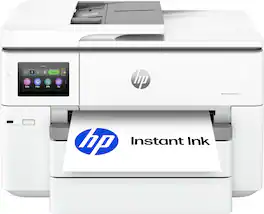
HP - OfficeJet Pro 9125 Wireless All-in-One Inkjet Printer, Scanner, Copier, AI-Enabled with 3 Months of Instant Ink - White
4.5(66)

The HP OfficeJet Pro 9125 All-in-One Printer delivers fast color, fade-resistant prints, 250-sheet paper capacity, and duplex scan, copy capabilities plus fax, perfect for your office. Navigate this printer with the 2.7" color touchscreen and phone-like user interface. It includes wireless and printer security features to keep your multifunction printer up to date and secure, and is made with more than 40% recycled plastic content. Optimize print formatting with HP AI, that easily removes unwanted content from emails and web pages so your prints are just the way you want—no wasted pages or unwanted content. Subscribe to Instant Ink delivery service and get 3 months of free ink delivered directly to the door of your office. The HP OfficeJet Pro 9125 All-in-One also lets you print from anywhere with the HP app.

HP - OfficeJet Pro 9730 Wireless Wide Format All-in-One Inkjet Printer, Scanner, Copier, AI-Enabled with 3 Mos of Instant Ink - White
4.7(3)

The HP OfficeJet Pro 9730 Wide-Format All-in-One Printer delivers fast color, fade-resistant prints, 500-sheet paper capacity, and single-pass duplex scan and copy capabilities perfect for your office. Print up to 11 x 17 inches, and scan legal-size documents on the flatbed scanner. Navigate this printer with the 4.3" color touchscreen and phone-like user interface. It includes wireless and printer security features to keep your multifunction printer up to date and secure, and is made with more than 30% recycled plastic content. Optimize print formatting with HP AI, that easily removes unwanted content from emails and web pages so your prints are just the way you want—no wasted pages or unwanted content. Subscribe to Instant Ink delivery service and get 3 months of free ink delivered directly to the door of your office. The HP OfficeJet Pro 9730 Wide-Format All-in-One also lets you print from anywhere with the HP app.
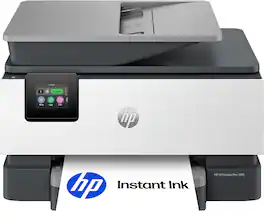
Pros for HP - OfficeJet Pro 9720 Wireless Wide Format All-in-One Inkjet Printer, Scanner, Copier, AI-Enabled with 3 Mos of Instant Ink - White
There were no pros for this productConnectivity, Print Quality, Overall Performance, Noise LevelConnectivity, Print Speed, Setup Ease, Paper Tray Capacity, Build QualityThere were no pros for this product
Cons for HP - OfficeJet Pro 9720 Wireless Wide Format All-in-One Inkjet Printer, Scanner, Copier, AI-Enabled with 3 Mos of Instant Ink - White
There were no cons for this productSizeThere were no cons for this productThere were no cons for this product

Specs

Questions & Answers
  • Will this printer enlarge my printed pictures

    Yes, you can enlarge photos when printing or copying. This printer also supports wide-format printing up to 11" x 17", allowing you to print larger images.

    Answered by HP Team
    HP Team response
  • IS THI A LAZER

    This is an Inkjet printer, not a laser.

    Answered by backerly
Ask a question
No content

Customers often buy these together

Sponsored
Ask BlueAI

Finance Options

My Best Buy® Credit Card
Choose a benefit:Or
Buy Now, Pay Later
Lease to own

Special Offers

Included with Purchase

Finance Options

My Best Buy® Credit Card
Choose a benefit:Or
Buy Now, Pay Later
Lease to own

Special Offers

Included with Purchase