Individual Software - Professor Teaches Excel & Word 2013 Tutorial Set Downloads - Windows [Digital]
Reviews coming soon
About this product
Professor Teaches Excel & Word 2013 helps you get the most out of Microsoft Excel & Word 2013. Learn everything you need, from beginning to advanced topics, for Excel and Word 2013, plus training for PowerPoint and OneNote 2013. Each interactive course in this 4-Tutorial Set Download is organized for fast and easy learning with practical exercises to build your skills quickly and effectively. This item cannot be returned or refunded, please visit to learn more.
Features
Learn how to create impressive reports for school or business
Learn how to enhance spreadsheets with charts and graphs
Add diagrams and graphics using SmartArt tools
Create professional-looking documents quickly
Share ideas and projects with classmates and colleagues
Create budgets and track expenses
Organize projects in notebooks
Manage sales and invoicing for your small business
Specifications
- Operating System CompatibilityWindowsCompatible Platform(s)WindowsSoftware FormatDigital
Reviews
This product doesn't have any reviews yet.
Compare similar products

Professor Teaches Excel & Word 2013 helps you get the most out of Microsoft Excel & Word 2013. Learn everything you need, from beginning to advanced topics, for Excel and Word 2013, plus training for PowerPoint and OneNote 2013. Each interactive course in this 4-Tutorial Set Download is organized for fast and easy learning with practical exercises to build your skills quickly and effectively. This item cannot be returned or refunded, please visit to learn more.

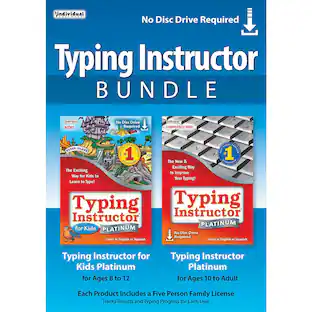
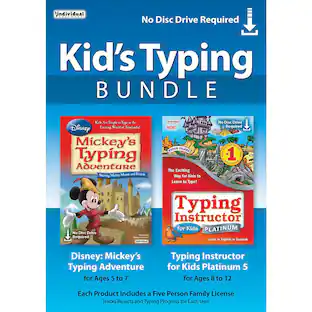
Learn to type on an exciting adventure on Typer Island with Toby and his companion Lafitte, or on a World Travel, Time Travel, or Safari adventure. Step-by-step lessons, challenges, tests, and games motivate typists to keep typing to reach the Castle or complete their typing adventure and fill their passport with stamps from each destination. Typists learn to type by choosing one of several age- or skill-appropriate Typing Plans. They can improve their typing skills quickly and see immediate results. There are a variety of ways to practice typing with games, lessons, drills, advanced skill-building lessons and challenges, plus engaging Practice Stories and magazine articles once typists have learned all the keys on the keyboard. Typing games are automatically played with just the keys the typist has learned so far, which is an exclusive feature.

Disney Mickey’s Typing Adventure and Typing Instructor for Kids Platinum are designed to teach children ages 5 to 12 to touch-type. Both programs engage kids in an exciting adventure full of education, entertainment, and motivating rewards.Kids learn to type on an exciting adventure with Mickey Mouse and Friends, or on Typer Island with Toby and his feathered side-kick Lafitte. Step-by-step lessons, challenges, tests, and games motivate kids to keep typing to uncover clues and reach the Castle or the Palace where more rewards await them! Kids learn to type by choosing one of 11 age-appropriate Typing Plans for specific age groups, beginning with the Home Row Plan for young children. Kids can improve their typing skills quickly and see immediate results. There are a variety of ways to practice typing, with games, lessons, drills, advanced skill-building lessons and challenges, plus engaging Practice Stories once kids have learned all the keys on the keyboard. Typing games are automatically played with just the keys the student has learned so far, an exclusive feature.

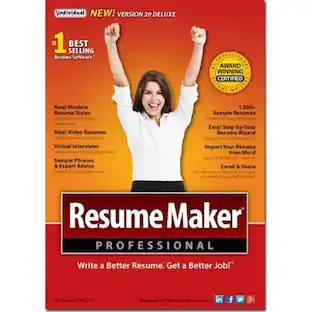
Present impressive credentials effectively with the ResumeMaker Professional Deluxe software. It includes a step-by-step guide to match your specific career, and its modern resume styles and sample video resumes add a fresh yet professional approach to your job search. The ResumeMaker Professional Deluxe software helps you through each process involved in seeking jobs and preparing for interviews.
| Pros for Individual Software - Professor Teaches Excel & Word 2013 Tutorial Set Downloads - Windows [Digital] | |||
|---|---|---|---|
| There were no pros for this product— | There were no pros for this product— | There were no pros for this product— | Ease of Use, Software Quality |
Specs
Customers often buy these together




More to consider
Rosetta Stone Learning Software, 25 Languages Included (1-Year Subscription)
$127.20The price was $159.99





Discover related products
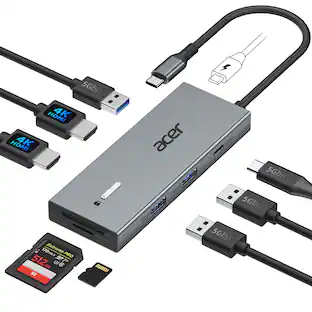
Acer USB C Docking Station With 2 HDMI, 9-IN-1 Docking Hub with USB A&C 3.0, SD/Micro SD, 100W Charging
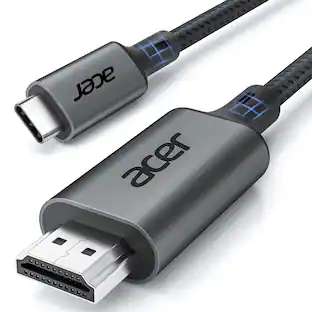
$42.99The price was $47.99Acer USB C to HDMI Cable for Home Office 6.6FT (4K@60Hz), High-Speed Type C to HDMI 2.0 Braided Cord
Holiday Deal$10.99The price was $13.99Acer Wireless Mouse for Laptop, 2.4GHz Computer Mouse 3 Adjustable DPI Office Cordless USB Mice with USBA Receiver
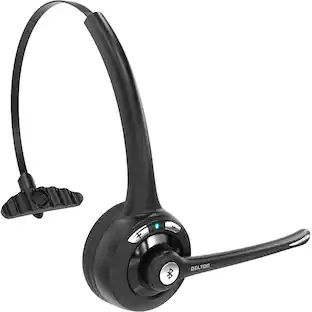
Holiday Deal$10.99The price was $12.99Delton 10X Noise Isolating Bluetooth Over-the-Head Headset for Office & Remote Work (DBTHEAD10X)
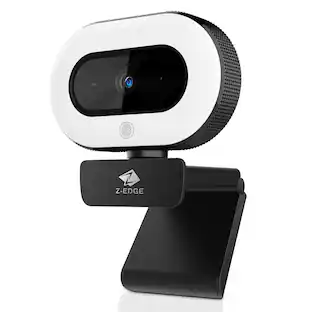
$29.99The price was $32.82Z Z-Edge 2K 2592x1944 Stream Webcam Auto Focus Web Camera for PC/Desktop/Laptop
$24.99The price was $39.99