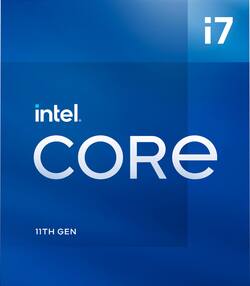
Intel - Core i7-11700 11th Generation - 8 Core - 16 Thread - 2.5 to 4.9 GHz - LGA1200 - Locked Desktop Processor - Grey/Black/Gold
- Key Specs
- Processor Socket: Socket LGA 1200 (Type of pin configuration that connects a CPU to a computer’s motherboard.)
- PCI Express Version: PCI Express 4.0
- CPU Base Clock Frequency: 2.5 gigahertz (Actual central processing unit (CPU) speed may vary by device configuration and design. The average rate at which the processor is able to execute tasks under normal operating conditions as asserted by the manufacturer.)
- CPU Boost Clock Frequency: 4.8 gigahertz (Actual central processing unit (CPU) speed may vary by device configuration and design. The maximum rate at which the processor is able to execute tasks, typically only used for a short period of time as needed. This rate may temporarily boost the processor's performance, but may result in overheating, shutdown, or damage to equipment if sustained.)
- Number of CPU Cores: 8-core (A core, or "brain" of a CPU, allows it to receive and execute instructions. Each core can work independently or together to perform parallel operations.)
- Number of CPU Threads: 16 (Generally, the more threads, the faster and more responsive the operating system.)
- Unlocked Processor: false
- Memory Type Supported: DDR4
- L3 Cache: 16 megabytes (Cache memory, also called CPU memory, is random-access memory (RAM) that a computer microprocessor can access more quickly than it can access regular RAM. This memory is typically integrated directly with the CPU chip or placed on a separate chip that has a separate bus interconnect with the CPU.)
- Processor Base Power: 65 watts
- Integrated Graphics: true (Device has a built-in graphics processing unit.)
- Integrated Graphics Processor: Intel UHD Graphics 750 (This is responsible for displaying image content and decoding/encoding video content in programs and games.)
- Processor Generation/Series: 11th Generation
- General
- Brand: Intel
- Model Number: BX8070811700
- Product Name: Core i7-11700 11th Generation - 8 Core - 16 Thread - 2.5 to 4.9 GHz - LGA1200 - Locked Desktop Processor
- Color: Grey/Black/Gold
- Processor Model Number: 11700
- Processor Collection: Core i7
- Processor Generation/Series: 11th Generation
- Year of Release: 2021
- Compatibility
- Processor Socket: Socket LGA 1200 (Type of pin configuration that connects a CPU to a computer’s motherboard.)
- PCI Express Configuration: PCIe Gen 4 x16, PCIe Gen 4 x8, PCIe Gen 4 x4
- PCI Express Lanes (Total): 20
- PCI Express Version: PCI Express 4.0
- Processor Instruction Set: 64-bit
- Performance
- CPU Base Clock Frequency: 2.5 gigahertz (Actual central processing unit (CPU) speed may vary by device configuration and design. The average rate at which the processor is able to execute tasks under normal operating conditions as asserted by the manufacturer.)
- CPU Boost Clock Frequency: 4.8 gigahertz (Actual central processing unit (CPU) speed may vary by device configuration and design. The maximum rate at which the processor is able to execute tasks, typically only used for a short period of time as needed. This rate may temporarily boost the processor's performance, but may result in overheating, shutdown, or damage to equipment if sustained.)
- Number of CPU Cores: 8-core (A core, or "brain" of a CPU, allows it to receive and execute instructions. Each core can work independently or together to perform parallel operations.)
- Number of CPU Threads: 16 (Generally, the more threads, the faster and more responsive the operating system.)
- Unlocked Processor: false
- Memory
- Maximum Memory Supported: 128 gigabytes
- Memory Type Supported: DDR4
- Number of Memory Channels Supported: 2
- Cache Level: L3 (The cache stores data that the CPU needs to access quickly in order to complete tasks. Each level is ranked according to priority of access; Level 1 (L1) cache stores data that the CPU needs to access first. L1 cache is also the fastest but holds the least amount of data, with each following level decreasing in speed but increasing in capacity.)
- L3 Cache: 16 megabytes (Cache memory, also called CPU memory, is random-access memory (RAM) that a computer microprocessor can access more quickly than it can access regular RAM. This memory is typically integrated directly with the CPU chip or placed on a separate chip that has a separate bus interconnect with the CPU.)
- Features
- Processor Type: Desktop
- RAID Support: None (A Redundant Array of Independent Disks (RAID) includes a collection of separate disks that your computer recognizes as one disk unit. Each configuration offers a different level of mirroring, striping and read/write speeds.)
- Power
- Processor Base Power: 65 watts
- Processor Boost Power: 65 watts
- Graphics
- Integrated Graphics: true (Device has a built-in graphics processing unit.)
- Integrated Graphics Processor: Intel UHD Graphics 750 (This is responsible for displaying image content and decoding/encoding video content in programs and games.)
- GPU Base Clock Frequency: 0.3 gigahertz (The minimum rate at which the graphics controller is guaranteed to operate.)
- GPU Boost Clock Frequency: 1.3 gigahertz (The maximum ideal rate at which the graphics controller is able to operate, typically only for a short period of time.)
- Number of GPU Cores: 256
- Warranty
- Warranty - Parts: 3 year limited
- Warranty - Labor: 3 Year Limited
- Other
- UPC: 735858477277
11th Gen Intel Core i7-11700 desktop processor. Featuring Intel Turbo Boost Max Technology 3.0 and PCIe Gen 4.0 support. Built for the everyday desktop user; this processor delivers amazing performance for everything from enthusiast gaming and creation to productivity Thermal solution included in the box. Compatible with 500 series & select 400 series chipset based motherboards. Refer to motherboard vendor for compatiblity details. 65W.
- 11th Generation: Intel Core i7-11700 Desktop Processor
- Cache: 16MB DDR4
- Socket: 1200
- Compatibility: Compatible with 500 series & select 400 series chipset based motherboards. Refer to motherboard vendor for compatiblity details.
- Base Frequency: 2.5 GHz
- Boost Frequency: Up to 4.9 GHz
- Adjancencies: Intel Optane Memory Support
- PCIe: PCIe Gen 4.0 Support
Whats Included
- Core i7-11700 11th Generation - 8 Core - 16 Thread - 2.5 to 4.9 GHz - LGA1200 - Locked Desktop Processor
- User documentation
- Thermal Solution
A: Hello there. Thank you for your question. Yes, this Intel® Core™ i7-11700 Processor includes a fan that covers the needs of the processor Thermal Design Power (TDP). You can check more technical specifications about this Intel® Core™ i7-11700 Processor here: ***https://ark.intel.com/content/www/us/en/ark/products/212279/intel-core-i7-11700-processor-16m-cache-up-to-4-90-ghz.html*** Thank you for choosing Intel!
Q: is this c.p.u Compatible with the asrock b560m-c motherboard
A: Yes. The b560m does 10th and 11th gen.
A: Depending on your use case I'd recommend 16gb of 3200mhz DDR4 RAM.
A: Greetings from the Intel team. Thank you for your question. The Intel® Core™ i7-11700 processor can not be unlocked; if you are interested in an unlocked processor, look for processors with the letter K, these are unlocked processors, such as the Intel® Core™ i7-11700K, i7-12700K, or i7-13700K. For detailed information about the Intel® Core™ i7-11700 processor, visit: https://ark.intel.com/content/www/us/en/ark/products/212279/intel-core-i711700-processor-16m-cache-up-to-4-90-ghz.html Thank you for choosing Intel! Emilio_Intel
A: The Core I7-11700 has an average wattage of around 65 watts but when under heavy load it can go up to around 225 watts!
A: Intel stopped making these. Thank God too, I have been going through troubles using mine the past 2-3 years.
Q: How can I boost the ghz to 4.9 since the stock is 2.5 and can’t be over clocked?
A: Hello, Utley. Thanks for your question! The Intel® Core™ i7-11700 Processor comes with the Intel® Turbo Boost Technology which automatically increases the processor speed when required for example when you are running high-demand graphics applications or in a multi-tasking environment where more cores are needed to avoid affecting the system performance. Thank you for choosing Intel!
Q: Am i able to run 32gb 3600 mhz ram sticks?
A: Maybe. But double check your motherboard. 3200 (usually called profile 1) is most likely the best to use for stability. 3600 will just get clocked down to 3200 in profile 1. You will need to go into the BIOS and tell it to use that speed by clicking a box. You wouldn't see much, if any difference, between 3200 and 3600, More than 3200 may also cause problems. Get at least 16 MB. Use two 8 MB sticks (for dual channel goodness--check your motherboard instructions to see which slots to use)
People also viewed
 $381.89The price was $449.00
 $678.49The price was $699.00
 $325.99The price was $549.99
 $573.02The price was $649.00
 $259.99The price was $399.99
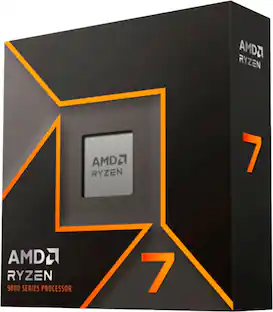 $309.99The price was $359.00
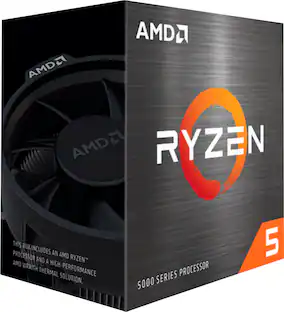 $96.65The price was $159.00
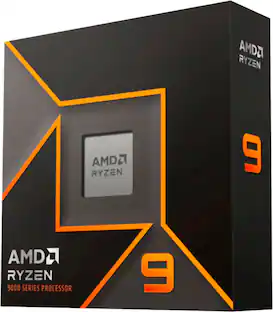 $487.85The price was $499.99
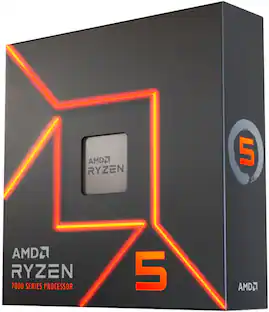 $185.98The price was $299.99
Today's top picks
- $381.89The price was $449.00
- $678.49The price was $699.00
- $309.99The price was $359.00
- $325.99The price was $549.99
- $573.02The price was $649.00
- $96.65The price was $159.00
- $259.99The price was $399.99
- $185.98The price was $299.99
- $487.85The price was $499.99