iolo - System Mechanic - Windows [Digital]
About this product
Clean up and optimize your Windows PC with iolo’s System Mechanic®, the award-winning performance optimization software. Automatically boost speed, improve system stability, reliability, and free up valuable disk space—without interrupting your work or play. System Mechanic uses intelligent, real-time technology to manage CPU, RAM, and hard drive resources for smoother gaming, editing, and streaming. Its AI-powered ActiveCare technology detects and repairs issues while your PC is idle, helping prevent slowdowns, crashes, and unnecessary clutter before they impact performance. Protect your privacy by safely wiping sensitive browsing history and strengthening Windows security settings, while built-in internet optimization improves download speeds, page loads, and streaming quality. System Mechanic makes it easy to keep your PC fast, clean, and responsive—no technical expertise required.
Features
AI-Powered Automatic Repairs:
Smart ActiveCare continuously monitors system health and automatically detects and fixes more than 30,000 performance issues when your PC is idle.
Real-Time Performance Boosting:
LiveBoost dynamically manages CPU, RAM, and storage resources to maximize speed and responsiveness during gaming, editing, and streaming.
Prevents Slowdowns Before They Start:
Identifies and blocks unnecessary startup programs and background processes that reduce boot time and system performance.
Removes Hidden PC Clutter:
Cleans over 50 types of junk files to free up disk space and make more room for documents, music, photos, and videos.
Privacy Protection Tools:
Safely wipes sensitive browsing data and strengthens Windows security settings to help protect personal information.
Faster Internet Performance:
NetBooster optimizes hidden Windows network settings for quicker downloads, smoother streaming, and reduced buffering.
Hands-Off Maintenance:
Automatic maintenance runs quietly in the background, so your PC stays optimized without interrupting your work.
24/7 customer support:
Provides access to customer support 24 hours a day, 7 days a week, to help you with any issues or questions you may have.
Specifications
- Number of Users1Number of Devices10Operating System CompatibilityWindowsSoftware FormatDigital
Reviews
Rating 3.3 out of 5 stars with 16 reviews
The vast majority of our reviews come from verified purchases. Reviews from customers may include My Best Buy members, employees, and Tech Insider Network members (as tagged). Select reviewers may receive discounted products, promotional considerations or entries into drawings for honest, helpful reviews.
Compare similar products

Clean up and optimize your Windows PC with iolo’s System Mechanic®, the award-winning performance optimization software. Automatically boost speed, improve system stability, reliability, and free up valuable disk space—without interrupting your work or play. System Mechanic uses intelligent, real-time technology to manage CPU, RAM, and hard drive resources for smoother gaming, editing, and streaming. Its AI-powered ActiveCare technology detects and repairs issues while your PC is idle, helping prevent slowdowns, crashes, and unnecessary clutter before they impact performance. Protect your privacy by safely wiping sensitive browsing history and strengthening Windows security settings, while built-in internet optimization improves download speeds, page loads, and streaming quality. System Mechanic makes it easy to keep your PC fast, clean, and responsive—no technical expertise required.

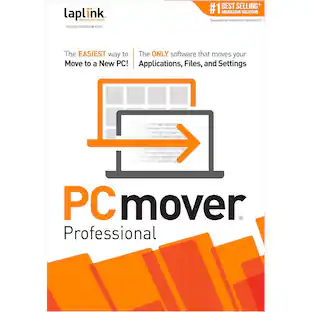
Migrate to a new computer effortlessly with Laplink PCmover Professional for Windows. Its automatic transfer function eliminates the need to manually reinstall programs, copy files and assign computer settings, saving you time and keeping you productive. Laplink PCmover Professional has Wi-Fi and USB 3.0 to support both older and newer PCs and laptops. This item cannot be returned or refunded, please visit to learn more.

PCmover Professional is the ONLY software that automatically moves or restores all selected files, settings, user profiles, and even programs from an old PC to a new one, or old operating system to a new one. And because most transferred applications are installed ready-to-use on the new PC, there's usually no need to find old CDs, previously downloaded programs, serial numbers or license codes.* PCmover Professional is the easiest way to restore or move to a new PC without leaving anything behind, even when there are different versions of Windows on the old and new PC. Nothing is changed on the old PC and nothing is overwritten on the new PC. *Applications may require re-entry of a license code or re-activating on the new PC. Certain system settings and applications may not be transferred due to their incompatibility with the operating system on the new PC.

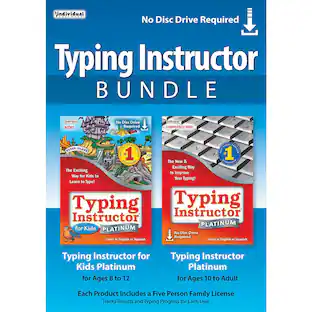
Learn to type on an exciting adventure on Typer Island with Toby and his companion Lafitte, or on a World Travel, Time Travel, or Safari adventure. Step-by-step lessons, challenges, tests, and games motivate typists to keep typing to reach the Castle or complete their typing adventure and fill their passport with stamps from each destination. Typists learn to type by choosing one of several age- or skill-appropriate Typing Plans. They can improve their typing skills quickly and see immediate results. There are a variety of ways to practice typing with games, lessons, drills, advanced skill-building lessons and challenges, plus engaging Practice Stories and magazine articles once typists have learned all the keys on the keyboard. Typing games are automatically played with just the keys the typist has learned so far, which is an exclusive feature.
| Pros for iolo - System Mechanic - Windows [Digital] | |||
|---|---|---|---|
| There were no pros for this product— | Data Transfer, Ease of use, Overall Performance, Speed | There were no pros for this product— | There were no pros for this product— |
Specs
Customers often buy these together








More to consider


Explore tech essentials Sponsored







Discover related products
Acer USB C Docking Station With 2 HDMI, 9-IN-1 Docking Hub with USB A&C 3.0, SD/Micro SD, 100W Charging
$42.99The price was $47.99Acer USB C to HDMI Cable for Home Office 6.6FT (4K@60Hz), High-Speed Type C to HDMI 2.0 Braided Cord
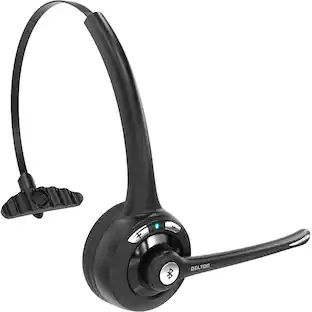
$12.99The price was $13.99Delton 10X Noise Isolating Bluetooth Over-the-Head Headset for Office & Remote Work (DBTHEAD10X)
$29.99The price was $32.47