Black Friday in JulyEnds Sunday. Limited quantities. No rainchecks.Shop now

Skip to contentGo to Product Search
Main Content

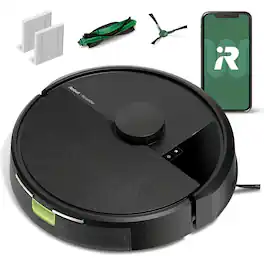
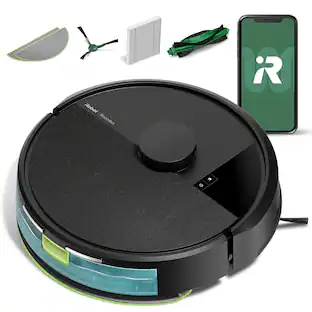
iRobot - Roomba 105 Vacuum - Easy-to-Use, Intense Power-Lifting Suction, LiDAR Navigation, Multi-Surface Cleaning, Self-Charging - Black

Model: Q312020
SKU: 10202349
Sold & shipped by
Focus Camera

Customers are saying

Customers highly value the product's strong cleaning performance, effective navigation, and impressive suction power, noting its ability to handle medium-sized rooms and pet hair. They also appreciate its mapping features, quiet operation, and easy maneuverability around obstacles. However, some users expressed a desire for longer battery life and reported occasional connectivity issues.

Generated by AI based on customer reviews.
Features
  • Devours Dirt with 70x More Power-Lifting Suction*

    3-Stage Cleaning includes 70X more power-lifting suction*, a Multi-Surface brush, and Edge-Sweeping brush to devour dirt and dust bunnies and leave floors barefoot clean.

  • Super-Smart Mapping and Navigation

    ClearView LiDAR quickly maps your home, avoids obstacles and cleans in neat rows, even in the dark.

  • Fully Custom Cleaning

    Schedule and target rooms based on your daily routine and adjust the number of cleaning passes and levels of suction power.

  • A Targeted Clean

    Focus on specific rooms that need extra love, or skip a room if an activity is going on in there.

  • Easy-to-use Roomba Home App

    Simply tap to set a custom clean, get time estimates, check on the filter life, or create keep-out zones to avoid specific areas

  • Extra Dirt? Spot Cleaning Is On It

    Easily target the places where your floors need extra attention. With spot cleaning, your robot repeatedly cleans in one area for up to 5 minutes.

  • 3 Easy Ways to Control

    Conveniently control your Roomba robot by speaking to your preferred voice assistant-enabled* devices, tapping the app, or pressing the robot's buttons.

  • Recharges and Resumes the Cleaning Task

    Sends itself for a recharge when needed, and picks up cleaning where it left off. The ultimate in cleaning efficiency.

  • Blends in Beautifully

    The Roomba 105 Vac Robot’s sleek look is inspired by modern design with beautiful finishes and textures that blend easily with home décor.

  • WiFi Ready

    Uses a 2.4 GHz network for setup and operation. After setup, your robot will stay on 2.4GHz for operation and your phone can return to 5GHz.

See all features
Specifications
  • Cleaning Path Width
    5.8 inches
    Vacuum Type
    Robotic
    Bin Capacity
    0 gallons
    Product Weight
    6.06 pounds
    Compatible Floor Type
    All floors
    Bagless
    Yes
Sponsored

Reviews

Customers are sayingCustomers highly value the product's strong cleaning performance, effective navigation, and impressive suction power, noting its ability to handle medium-sized rooms and pet hair. They also appreciate its mapping features, quiet operation, and easy maneuverability around obstacles. However, some users expressed a desire for longer battery life and reported occasional connectivity issues.
This summary was generated by AI based on customer reviews.
  • Cleaning Performance (28)
  • Navigation (24)
  • Suction Power (21)
  • Mapping (10)
  • Noise Level (8)
  • Battery Life (6)
  • Connectivity (4)

Customer Images

The vast majority of our reviews come from verified purchases. Reviews from customers may include My Best Buy members, employees, and Tech Insider Network members (as tagged). Select reviewers may receive discounted products, promotional considerations or entries into drawings for honest, helpful reviews.

  • Rated 5 out of 5 stars

    Roomba Series 105: Long Overdue

    It has officially completed its first mission—and I’m not exaggerating when I say I gasped. Watching it glide across the floor like a silent little ninja, weaving between chair legs and fearlessly confronting dust bunnies I didn’t even know existed… I teared up. My floors haven’t felt this clean since I moved in. It found crumbs from snacks I don’t even remember eating. It tried to fight a pretzel, got stuck for a second, and then triumphed. I stood there like a proud parent watching their kid’s first recital, whispering “You did it, buddy” as it rolled back to its charging dock like the humble hero it is. If it asked me for a raise, I’d give it one. No notes. Just love.

    This review is from iRobot - Roomba 105 Vacuum - Easy-to-Use, Intense Power-Lifting Suction, LiDAR Navigation, Multi-Surface Cleaning, Self-Charging - Black

    Posted by Foster

  • Rated 4 out of 5 stars

    Nice Entry Level Robovac - Good Suction

    The iRobot Roomba 105 is iRobot latest entry level robovac option. There are 2 versions of the non-mopping 105 – 1 with a standard dock and the other with a self emptying dock. This model comes with a standard charging dock and requires manual emptying. I have used iRobots for several years now including a self-emptying J7+ and last year’s Essential Combo. These vacuumshave held up well and for the most part been pretty reliable. This version of the 105 basically replaces last year’s Roomba Essential. Design and Features The 105 maintains the standard round shape that Roomba’s always have, but now has a puck on the top of the body that carries the LIDAR sensor. It measures in at Ø13.2” x 4.1” which is basically the same diameter as the Essential, but is an inch taller due to the LIDAR sensor puck. The main cleaning path (roller head width) is 6” along with a side brush that picks up dirt along the edge. The top of the vacuum has 2 buttons (Home and Power), along with the sensor puck. The home button returns the 105 to the dock while the power button turns on the 105 or will start a cleaning session. The front of the device has the sensor array with light, touch, and cliff sensors. The rear of the device is the dustbin and charging contacts. To remove the dustbin you need to remove the 105 from the dock to access it. This is really not the best solution, but because this vacuum has a self-emptying dock version I understand the need for placement at the rear. Pulling the dustbin out reveals a cleaning brush/tangle knife for cleaning/maintenance, and opening the dustbin reveals the location of the replaceable air filter. The dock is small and easy to tuck up next to a wall, which keeps the robot from sticking out a long ways. There is plenty of cord length to reach a decent ways, and the dock has some built in cable management. The 105 seems to find the dock pretty easily, and manually putting the 105 on the dock is easy as the charging contacts have a good contact area. Most of your options and settings are found once you start to setup a cleaning run. You have the option of 4 different suction levels, 3 levels of cleaning (light, normal, and deep), and the number of passes you need to make. You can also setup the order of rooms being cleaned in case you want one area prioritized first. Aside from that there is the scheduling assistant. You can also see your previous runs, but it only shows you the cleaning sessions that occurred in the last 10 days. The vacuum also likes to talk to you. It caught me off-guard the first time I heard it because I was home alone, and started hearing a woman talking to me. Once I realized it was the vacuum I knew what to listen for. The vacuum will notify you when it completes its run, needs to recharge, successfully docks, and has the dust bin reinstalled. Setup and Initial Mapping Run Controlling your 105 is done with the NEW iRobot Home app. I already had iRobot Home installed for my j7+ and the Essential Combo, but that app wouldn’t connect. I found out iRobot released a new, separate app to control the 105, which is more than a little annoying. Once the NEW version of the app installed from the Play store I was able to add the 105 to my network and get it set up. There’s not a whole lot to control on the 105 once you are in the app. already had the app installed for my J7+, so this was one less step for me to take. Pairing it with the app was easy and getting it onto the home Wi-Fi was no problem. I left the vac to charge on the dock for about 2 hours before starting any cleaning processes. Before cleaning you do need to complete an initial mapping run, which took about 20 min for the upstairs (1000 ft2). The mapping run produced a floor layout, and the app makes a solid attempt the break the space up into rooms. The only area of the map that was a little wonky was in the bedroom where the closet door is a full mirror to the floor. That produced an interesting result and caused the map to show 2 rooms as 1 – it connected the next room that is “through” the mirrored closet. That was a simple edit to the map and caused zero actual issues. Cleaning Performance Cleaning is fairly straightforward once you have your mapping completed. I made sure the floors were picked up prior to started a run, like I’ve done with all my robovacs. From there I can select the rooms I want to vacuum, the suction strength, cleaning level, and the number of passes I want it to make (1 or 2). I left the cleaning level on normal and used the highest suction level for all spaces for my first run, and this is the setting I will probably leave it on going forward. I have found that I can select different suction/cleaning levels based on the room being cleaned. I can have it be more thorough in the room with carpet vs. the areas with hardwood. That’s pretty convenient. The main brush roll is only 6” wide and its a combo rubber finned/bristle beater bar. The rubber fins help a lot on carpet where fur and hair might stick down. My j7+ has counter rotating rubber finned rollers and its awesome on carpet, so I assumed carpet performance wouldn’t be too bad. I have 2 huskies at home and 4 girls with long hair that rival the huskies in shedding. I only have 1 room with carpet so I don’t have much use for the deep clean function. I have ran it on the deep setting, and it really cuts the battery life down – it needed a recharge in the middle, and it really wasn’t a benefit except in the carpeted room. For the most part I have left it on the normal setting but with higher suction – it helps when pulling the wisps of husky fluff out of corners and along baseboards. The higher suction level does create a decent uptick in noise, but it’s not the loudest vacuum I have used. On the hardwood floors the vacuum does a good job of collecting the dog hair. In corners and along baseboards the little rotating brush did fine pulling fur and crumbs out. Its not perfect, but it does no worse than other round robovacs. The one thing I did notice was I found little pilled up balls of fur left in the room with carpet. I wasn’t surprised because my j7+ does this sometimes as a result of the rubber fins on the roller. It pulls the hair up fine but sometimes it will make a little ball that doesn’t get sucked up. The cleaning pattern for the vacuum is to work the perimeter of the room before running lines up and down. This is my preferred cleaning path rather than the randomized bouncing around the room. The run time is lower and its more efficient. I was surprised to not get a “Bin Full” notice or something like that while it was running, because the bin was pretty full after each cleaning run. Emptying the bin requires pulling the vacuum from the dock to access the dust bin. It opens up and empties easily enough. I had to clean out the roller after a few runs to undo the long hair/dog fur combo before it impacted the rollers ability to spin or clean effectively. I used the little tool located on the bin to cut the hair/fur. Overall, the Roomba 105 is a good starter robovac. While it was annoying to download another iRobot app, I can say it does work well. I really didn’t run up against any issues while using the 105 either from and operational or software perspective. I could monitor its progress while away from home and schedule cleanings in the app. The vacuum handled the dog fur welland did a good job of picking up the little wisps that like to tumble around. I do see this as a pretty significant improvement over the Essential that was released last year, and I am really glad this vacuum cleans in rows instead of bouncing around. I do hope iRobot makes the self-emptying dock available for separate purchase because I would be willing to pay for that upgrade. However, the basic dock helps keep the initial cost down, and it’s really not that much of a burden to empty it on my own.

    This review is from iRobot - Roomba 105 Vacuum - Easy-to-Use, Intense Power-Lifting Suction, LiDAR Navigation, Multi-Surface Cleaning, Self-Charging - Black

    Posted by DaveW

  • Rated 5 out of 5 stars

    Upgrade

    Our died few months ago, 7 years service. This upgrade was above our expectations

    This review is from iRobot - Roomba 105 Vacuum - Easy-to-Use, Intense Power-Lifting Suction, LiDAR Navigation, Multi-Surface Cleaning, Self-Charging - Black

    Posted by Hector

  • Rated 4 out of 5 stars

    Perfect for Keeping our Basement Clean

    I received this product from Best Buy to review and tested it out in our basement living room. Setup was simple and only took a few minutes. The app walks you through everything, and after a couple of cleaning runs, the Roomba had a solid map of the space. The whole process was simpler than other robot vacuums I have in my home so I was pleasantly surprised. It handled the room really well. We have a small dog, and I was impressed with how well it picked up pet hair without getting clogged or stuck. It also ran quieter than I expected, which was a nice surprise. I could let it run while I was watching TV and it never felt disruptive. While the Roomba 105 worked great for our basement, which is a medium-sized space with a mix of furniture. I don’t think it would be the best fit for cleaning an entire main floor or large open areas, but for a secondary room or smaller living space, it definitely gets the job done. Pros • Quick and easy setup • Picks up dog hair with no problem • Runs quietly and doesn’t get in the way • Good performance in medium-sized rooms • App control and scheduling are easy to use Cons • Not ideal for large open floor plans • Takes a couple of runs to complete room mapping If you need a hands-off way to keep an extra room clean, especially one with pets, this little robot is a helpful addition to home automated cleaning.

    This review is from iRobot - Roomba 105 Vacuum - Easy-to-Use, Intense Power-Lifting Suction, LiDAR Navigation, Multi-Surface Cleaning, Self-Charging - Black

    Posted by mHeit

  • Rated 1 out of 5 stars

    Bad Robot vac

    It’s a bad product; the battery drains very quickly, it’s very noisy, and it doesn’t clean well—it fails to pick up the dirt. I don’t recommend it; look for other brands or better options

    This review is from iRobot - Roomba 105 Vacuum - Easy-to-Use, Intense Power-Lifting Suction, LiDAR Navigation, Multi-Surface Cleaning, Self-Charging - Black

    Posted by SilvanoM

From the manufacturer

Compare similar products

iRobot - Roomba 105 Vacuum - Easy-to-Use, Intense Power-Lifting Suction, LiDAR Navigation, Multi-Surface Cleaning, Self-Charging - Black
4.3(82)

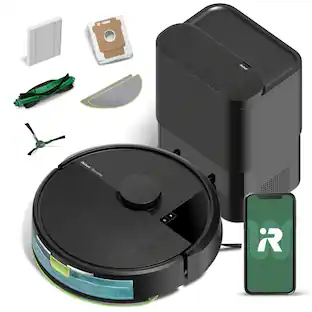
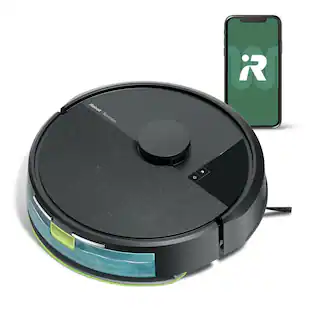
The Roomba 105 Vac Robot Vacuum is made for every kind of dry floor-cleaning task. The 3-stage cleaning system delivers high-performance cleaning by combining 70X more intense power-lifting suction*, an edge-sweeping brush that cleans 20% better*, and a multi-surface brush to pick up all kinds of dirt. ClearView LiDAR quickly maps your home for precise coverage. Tap the app, push the robot's buttons or ask your preferred voice assistant** for an on-demand clean.
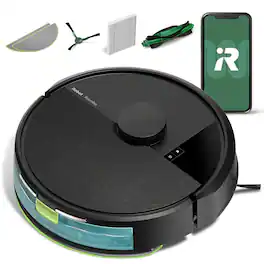
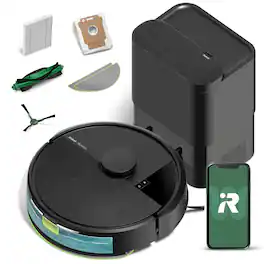
iRobot - Roomba 105 Vacuum + AutoEmpty Dock - Self-Empties 75 Days, Easy-to-Use, Intense Power-Lifting Suction, LiDAR Navigation - Black

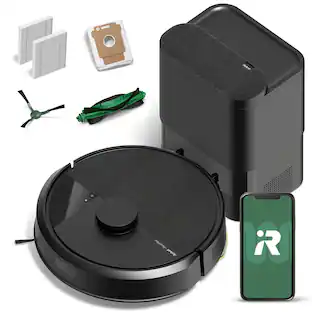
The Roomba 105 Vac Robot Vacuum + AutoEmpty Dock is made for every kind of dry floor-cleaning task. The self-emptying dock holds up to 75 days of debris in a bag you just lift out and toss away. The 3-stage cleaning system delivers high-performance cleaning by combining 70X more intense power-lifting suction*, an edge-sweeping brush that cleans 20% better*, and a multi-surface brush to pick up all kinds of dirt. ClearView LiDAR quickly maps your home for precise coverage. Tap the app, push the robot's buttons or ask your preferred voice assistant** for an on-demand clean. ​

iRobot - Roomba 105 Combo Vacuum & Mop - Easy-to-Use, Intense Power-Lifting Suction, LiDAR, Avoids Mopping Carpets, Self-Charging - Black
4.4(86)

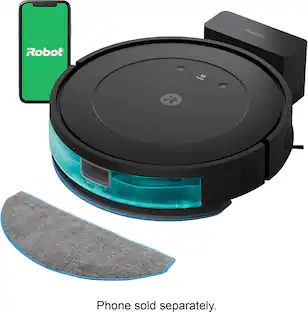
The Roomba 105 Combo Robot Vacuum is made for every kind of wet and dry floor-cleaning task. The 4-stage cleaning system delivers high-performance cleaning by combining 70X more intense power-lifting suction*, an edge-sweeping brush that cleans 20% better*, a multi-surface brush to pick up all kinds of dirt, and a washable, re-usable microfiber pad to wipe away spills. ClearView LiDAR quickly maps your home for precise coverage. Choose from 3 cleaning options - mop, vacuum, or vacuum-and-mop at the same time. Using water or cleaning solution**, choose the perfect amount of liquid for the job, and set SmartScrub to 2X deeper scrubbing*** of high-traffic areas the way you would to erase the messes of the day. Tap the app, push the robot's buttons or ask your preferred voice assistant**** for an on-demand clean. ​
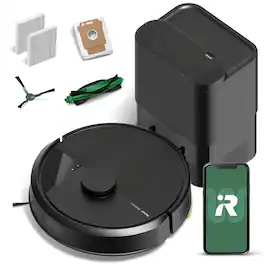
iRobot - Roomba 105 Combo Vacuum & Mop + AutoEmpty Dock - Self-Empties 75 Days, Intense Power-Lifting Suction, LiDAR Navigation - Black

The Roomba 105 Combo Robot + AutoEmpty Dock is made for every kind of wet and dry floor-cleaning task. The self-emptying dock holds up to 75 days of debris in a bag you just lift out and toss away. The 4-stage cleaning system delivers high-performance cleaning by combining 70X more intense power-lifting suction*, an edge-sweeping brush that cleans 20% better*, a multi-surface brush to pick up all kinds of dirt, and a washable, re-usable microfiber pad to wipe away spills. ClearView LiDAR quickly maps your home for precise coverage. Choose from 3 cleaning options - mop, vacuum, or vacuum-and-mop at the same time. Using water or cleaning solution**, choose the perfect amount of liquid for the job, and set SmartScrub to 2X deeper scrubbing*** on high-traffic areas the way you would to erase the messes of the day. Tap the app, push the robot's buttons or ask your preferred voice assistant**** for an on-demand clean. ​

Pros for iRobot - Roomba 105 Vacuum - Easy-to-Use, Intense Power-Lifting Suction, LiDAR Navigation, Multi-Surface Cleaning, Self-Charging - Black
Cleaning Performance, Navigation, Suction Power, Mapping, Noise LevelNavigation, Cleaning Performance, Suction Power, Noise Level, Setup EaseCleaning Performance, Navigation, Mapping, Noise Level, Ease of UseCleaning Performance, Ease of Use, Suction Power, Noise Level, Mapping Accuracy
Cons for iRobot - Roomba 105 Vacuum - Easy-to-Use, Intense Power-Lifting Suction, LiDAR Navigation, Multi-Surface Cleaning, Self-Charging - Black
Battery Life, ConnectivityBattery Life, Durability, DockingBattery Life, Dustbin CapacityBattery Life, Connectivity, Navigation, Obstacle Avoidance, Size

Specs

Questions & Answers
  • Is this Roomba compatible with an app?

    Yes, this Roomba is compatible with the Roomba Home App.

    This question and answer was generated by AI based on customer and product data.
  • What is the battery capacity of this Roomba?

    The battery capacity is 3000 milliampere hours.

    This question and answer was generated by AI based on customer and product data.
  • What is the cleaning path width of the Roomba?

    The cleaning path width is 5.8 inches.

    This question and answer was generated by AI based on customer and product data.
  • Does the Roomba have a spot cleaning mode?

    Yes, it has a spot cleaning mode that cleans a specific area for up to 5 minutes.

    This question and answer was generated by AI based on customer and product data.
  • What kind of navigation system does the Roomba robot vacuum use?

    The Roomba robot vacuum uses ClearView™ LiDAR for navigation.

    This question and answer was generated by AI based on customer and product data.
Ask a question
No content

Customers often buy these together
Sponsored

Similar products from outside of Best Buy

sponsored
Ask BlueAI

Finance Options

My Best Buy® Credit Card
Choose a benefit:Or
Buy Now, Pay Later
Lease to own

Finance Options

My Best Buy® Credit Card
Choose a benefit:Or
Buy Now, Pay Later
Lease to own