J-Tech Digital - Vertical Wireless Ergonomic Mouse - 2.4G & Bluetooth - Wireless - Black
Reviews coming soon
About this product
Say goodbye to arm and wrist strain caused by using a traditional mouse! The J-Tech Digital Wireless Vertical Ergonomic Mouse features a design that places your hand in a natural “handshake” position which greatly reduces strain on your wrist and arm especially during extended computer sessions. This wireless mouse features 2.4G wireless and 3.0 / 5.0 Bluetooth modes to allows for 3 multi-device connectivity. Made for small-medium sized hands and right-hand orientation, it’s never too late to start taking advantage of all the benefits that this wireless mouse has to offer!
Features
Vertical Wireless Ergonomic Mouse
Made for small – medium sized hands and right-hand orientation. This wireless mouse offers a natural handshake position and greatly reduces arm/wrist strain making it ideal for extended computer sessions. Uses 2 AAA batteries (included)
2.4G Wireless and Bluetooth Modes
Features 3 multi-device connectivity via wireless and Bluetooth modes and easy toggle switch. Please note:The USB is located on the back, inside the battery compartment of the mouse
5 Adjustable DPI Modes
Easily adjust the responsiveness of the mouse using the DPI button. Switch between 800, 1200, 1600, 2400, and 4000 DPI. Features a DPI indicator light to notify when DPI is switched
Wide Compatibility and Power Saving Modes
Compatible with Windows and Mac OS. Supports 3 levels of power saving modes when mouse is not being used to ensure a long battery life
Specifications
- Lighting TypeNoneMaximum Sensitivity4000 dots per inchConnection TypeWireless
Reviews
This product doesn't have any reviews yet.





Compare similar products

Say goodbye to arm and wrist strain caused by using a traditional mouse! The J-Tech Digital Wireless Vertical Ergonomic Mouse features a design that places your hand in a natural “handshake” position which greatly reduces strain on your wrist and arm especially during extended computer sessions. This wireless mouse features 2.4G wireless and 3.0 / 5.0 Bluetooth modes to allows for 3 multi-device connectivity. Made for small-medium sized hands and right-hand orientation, it’s never too late to start taking advantage of all the benefits that this wireless mouse has to offer!
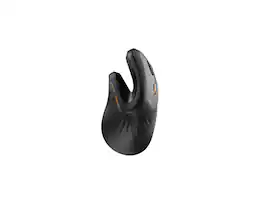
ProtoArc Ergonomic Bluetooth Vertical Rechargeable Mouse - 3 Multi-Device Connectivity for Computer/PC/Laptop, 2.4GHz Optical Mice for Windows, Mac OS, EM11 NL - Black
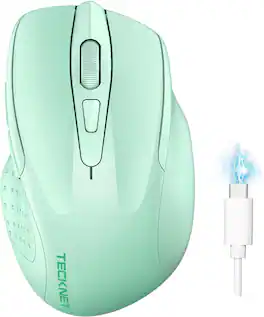
Upgrade to versatile, quiet control with the TECKNET Rechargeable Wireless Mouse. Connect two devices at once via Bluetooth 3.0/5.0 or USB-A, then switch between them with a simple slide of a button—ideal if you want both a USB mouse and a Bluetooth mouse. Six adjustable DPI levels up to 4800 let you fine-tune sensitivity for detailed work or fast browsing, while silent operation helps keep libraries, offices, and shared spaces distraction-free. The rechargeable design fully charges in 1.5–2 hours and provides up to 3 months of use, so you can skip constant battery changes. Compatible with Windows, macOS, Chrome OS, and Linux, it pairs easily with laptops and computers. Designed for small to medium hands, with a compact fit larger-hand users may also appreciate. Backed by TECKNET’s 24-month warranty (registration required). Note: A charging cable is included; side buttons are not compatible with macOS.
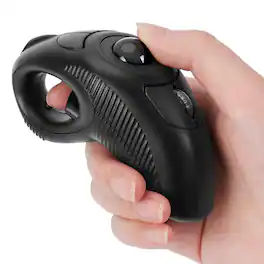
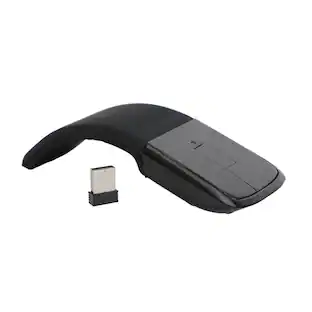
Wireless, Powered by AAA battery (not provided), plug and play, easy to install. Simple to use with either the left or right hand or cradled between the both Press for laser pointer appearance for presentation. Off table and without limits of operational space. Your thumb can easily manage the scrolling function. USB 2.0 interface, plug and play, no software required. Handheld trackball mouse wireless, which can avoid any harm on your wrist and muscle, greatly reducing the chances for Arthritis and CTS suffers. Perfect for both desktops and laptops. Put your thumb on the roller ball and the tip of your index or middle finger on the trigger.
Specs
Be the first to ask a question.
We’ll try to get your question answered within 24 hours by a Best Buy customer or brand representative.
Customers often buy these together
Computer Keyboards

![esc ~ ! 1 tab caps lock shift ctrl F2 Fl # 2 3 Q W A S Z start opt L F3 $ 4 E D X alt cmd3 ) FS F4 A % 5 6 R T F G V C logi 44 HI & F9 FID FB F7 F6 * ) - - & 0 8 9 7 O P U I Y K L H J > < N M 1 B PM + = { [ : I ; ? I alt cmd D 2 4 300 3 1 F12 . * page I insert home up clear backspace 8 9 + 7 page A pg up end down home } I delete ] / 6 4 5 4 enter 2 3 enter 1 dn Pg end shift = 0 del ins etrl fn opt](https://pisces.bbystatic.com/image2/BestBuy_US/images/products/6539/6539505_sd.jpg;maxHeight=232;maxWidth=233?format=webp)
![Esc F1 F2 F3 F4 F5 F6 F7 F8 F9 F10 F11 F12 Print Screen Scroll Lock Pause Break 1 2 3 4 5 6 7 8 9 0 - + = Backspace Insert Home H Page Up A Num Look 1 I Tab Q W E R T Y U I o P { [ } ] I I Delete End IN Page Down 7 Home 8 9 Pg Up Caps A Lock A S D F G H J K L ; : DE g Enter 4 5 6 Shift Z X C V N M < > ? I Shift 1 End 2 3 Pp Dn Enter Ctrl Alt Alt Ctrl 0 Ins Del](https://pisces.bbystatic.com/image2/BestBuy_US/images/products/a588d446-5678-40ae-86b8-1f15e0026e66.jpg;maxHeight=232;maxWidth=233?format=webp)






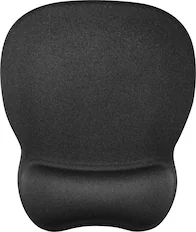





More to consider
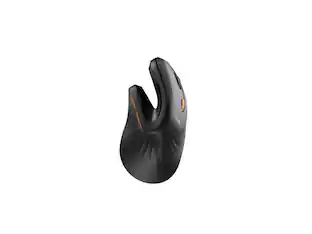 $32.49The price was $39.94
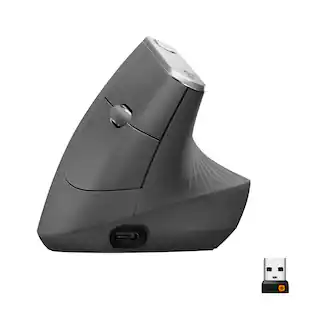 $77.99The price was $119.99
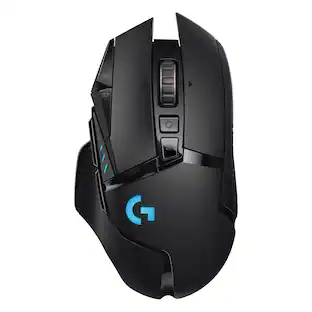 $89.99The price was $119.99


Explore tech essentials Sponsored




Discover related products
 $12.99The price was $13.99








Keep exploring
 $79.95The price was $109.95
 $149.95The price was $215.95
 $79.95The price was $109.95
 $23.99The price was $24.99