j5create - USB 3.0 7-Port HUB - Black
More Buying Options
Related Item

Specifications
- Number of USB Port(s)7
- Key Specs
- Number of USB Port(s): 7
- General
- Brand: j5create
- Model Number: JUH377
- Product Name: USB 3.0 7-Port HUB
- Color: Black
- Features
- Hub Type: USB hubs (The type of connection, such as Ethernet or USB, used to connect peripheral devices to the hub for shared access.)
- Plug and Play Operation: true
- Rotating or Stationary: Stationary
- Ports
- Number of USB Port(s): 7
- Port Type(s): USB (USB 2.0 connects external drives, gaming controllers, smartphones, MP3 players and other accessories.USB 3.0 transfers data faster than USB 2.0, but only when used with USB 3.0 devices.USB Type-C provides fast speeds and versatile power, featuring connectors with identical ends that plug in upside down or right side up. Adapters allow for video as well as backward compatibility.Thunderbolt provides ultra-high bandwidth for fast data transfer between devices featuring a Thunderbolt or MiniDisplayPort connection.HDMI allows you to connect a projector or display HD media on your HDTV or monitor.Media card slots allow you to transfer photos from your digital camera or camcorder.)
- Compatibility
- System Requirements: Microsoft Windows 10/ 8.1/ 8/ 7 / XP /Windows Vista / 2000 / Windows Server. macOS X. Linux OS. Available USB port (USB 3.0 is recommended), backwards compatible with USB 2.0 and 1.0 (The software that a product must have for it to be able to integrate with another product.)
- Dimensions
- Product Height: 0.58 inches (The out of box height of the item. Height is measured as the vertical distance from the bottom of the item to the top as it would be primarily used or placed.)
- Product Length: 5.9 inches (The out of box length of the item. Length is measured as the longest dimension of the item.)
- Product Width: 1.29 inches (The out of box width of the item. Width is measured as the horizontal distance from one side of the item to the other as it would be primarily used or placed.)
- Product Weight: 0.35 pounds (The out of box weight of the item.)
- Warranty
- Warranty - Parts: 1 year limited
- Warranty - Labor: 1 year limited
- Other
- UPC: 847626001468
The USB 3.0 7-Port HUB allows up to seven USB 3.0 devices to be connected simultaneously at a transmission speed of 5 Gbps, while still providing connectivity and support for the older USB 2.0 (480 Mbps) and 1.1 (12 Mbps) devices. It works with high-bandwidth SuperSpeed USB 3.0 devices, such as an external disk drive, high-resolution webcam, multi-channel audio and more. In addition, it supports fast charging for smartphones, tablets and iPad.
- 7 USB 3.0 ports: Extends your MacBook or notebook by 7 USB 3.0 ports with a single USB plug.
- With 2.4A fast charging port: One port supports fast charging for smartphones, tablets, iPad up to 2.4A.
- High quality: Elegant aluminum housing that is compact, non-toxic and recyclable.
Whats Included
- JUH377 USB 3.0 7-Port HUB
- USB 3.0 Micro-B to Type-A Cable
- Power Adapter 5V/4A
- Quick Installation Guide
Product Manuals
Q: What is the maximum data transfer rate of this USB hub?
A: This USB hub supports data transfer rates up to 5 Gbps.
Q: How many devices can I connect to this hub at the same time?
A: This hub allows you to connect up to seven devices simultaneously.
Q: What is the housing of the hub made of?
A: The hub features an elegant aluminum housing that is lightweight, durable, non-toxic, and recyclable.
Q: Is this hub compatible with older USB devices?
A: Yes, while this is a USB 3.0 hub, it is backward compatible with USB 2.0 and 1.1 devices.
Q: Does this hub support fast charging?
A: Yes, this hub has one port that supports fast charging for smartphones, tablets, and iPads up to 2.4A.
A: I don't know anything about gaming keyboards but I have my wireless Microsoft dongle plugged in, and it works just fine. I have a Logitech wireless mouse, again with no problem. In addition, I have an 8TB Seagate XHD, two HP printers, one laser, the other an inkjet, and my Brother MFC copier/scanner, with the last port used for my CD player/burner. So, year, it all works beautifully. Sorry I cannot address your specific gaming keyboard and mouse. Best~
A: It should do both, yes, but the iPad will be the only device you can charge - there is only one single 'powered' port on the entire hub. The other 6 ports are 'dumb' ports - they'll connect items, but they don't charge anything.
Compare similar products

The USB 3.0 7-Port HUB allows up to seven USB 3.0 devices to be connected simultaneously at a transmission speed of 5 Gbps, while still providing connectivity and support for the older USB 2.0 (480 Mbps) and 1.1 (12 Mbps) devices. It works with high-bandwidth SuperSpeed USB 3.0 devices, such as an external disk drive, high-resolution webcam, multi-channel audio and more. In addition, it supports fast charging for smartphones, tablets and iPad.
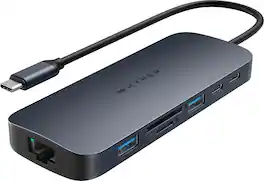
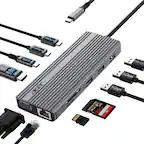
Introducing the HyperDrive Next 10 Port USB-C Hub - the ultimate connectivity solution for creators, editors, photographers, and more. With extended 4K60Hz monitor support for Mac, PC, and Chromebook, 10 ultra-fast ports, and lightning-fast data transfers, unleash your creative potential anywhere. Experience 2X faster file transfers using the 10Gbps USB ports and 3X faster photo and video transfers with microSD and SD 4.0. Benefit from 40% more power with a PD 3.1 140W power pass-through port, ensuring efficient charging. Make a sustainable choice with EcoSmart technology.
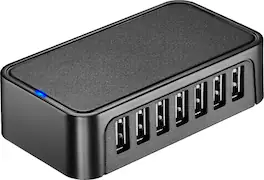
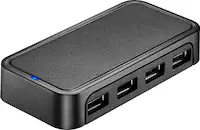
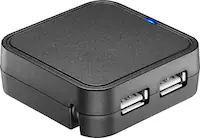
The Best Buy essentials 7-Port USB 2.0 Hub uses a single USB port to connect up to seven USB devices. Just plug the hub into your computer, and the blue LED indicating light lets you know it’s ready for your devices. A 5V, 500 mAh port output delivers consistent and quick power, while a data transfer speed of up to 480 Mbps performs at the speed you need.

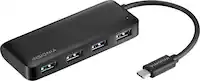
This hub provides extra connectivity for your computer; featuring 4K144 HDMI™, six USB™ data ports, and PD pass through charging. Connect to three USB™ devices, choose either Type-C or Type-A for added flexibility. The multi-adapter’s small size makes it easy to carry and helps save desk space. The HDMI™ port allows you to connect to a 4K monitor or TV. Equipped with USB™ 3.2 Gen 1 support for transferring files. This hub is designed for ultimate convenience, allowing you to start using it right out of the package. With its plug-and-play functionality, there's no need for any driver installation, just plug it in and you're good to go.
| Pros for j5create - USB 3.0 7-Port HUB - Black | |||
|---|---|---|---|
| USB Ports, Overall Performance, Ease of use, Size, Connectivity | Overall Performance, Connectivity, Ease of use, Port Quantity, USB-C | USB Ports, Overall Performance, Ease of use, Size, Connectivity | Overall Performance, Portability, Port Selection |
| Cons for j5create - USB 3.0 7-Port HUB - Black | |||
| Price, Charging | Heat Dissipation | Cord Length, Speed | There were no cons for this product— |
Specs
Reviews
Customers are saying
Customers express satisfaction with the USB 3.0 7-Port HUB, particularly highlighting the abundance of USB ports and the improved overall performance of their external devices. Users appreciate its ease of use, convenient size, reliable connectivity, and fast data transfer speeds. While some find the price a bit high, and others note it's not ideal for charging, the positive aspects of the hub generally outweigh these concerns.
Customer Images
The vast majority of our reviews come from verified purchases. Reviews from customers may include My Best Buy members, employees, and Tech Insider Network members (as tagged). Select reviewers may receive discounted products, promotional considerations or entries into drawings for honest, helpful reviews.
- Rated 5 out of 5 stars
Great self-powered USB 3.0 hub
I use this hub in my living room, I ran a 50 ft. USB cord from my PC in the home office out there and connect it to this hub so I can have mouse/board and controller control so I can play PC games on the living room TV. For my purpose it works perfectly, and it having its own power plug makes it where I keep a stable connection, even when having multiple controller dongles hooked up for game night.
Justin Posted
- Rated 5 out of 5 stars
Quit moving the TV out to change devices!
This is the second HDMI hub I have purchased from BestBuy - one for my security setup and this one for the family room TV and accessories. I didn’t care for my children moving the large, flat-screen TV out a bit every time they wanted to change gaming and/or video devices. This makes everything safe and easy, simply select which device you’d like and go! Very nice, convenient item and works flawlessly with no signal loss. Both of mine work perfectly.
ApprenticeInstructor Posted
- Rated 5 out of 5 stars
USB hub
Using as a complete hub for all of my peripherals from laptop to monitored gaming with streaming devices.
ColtonN Posted