j5create - USB 3.0-to-HDMI/DVI Display Adapter - Black
About this product
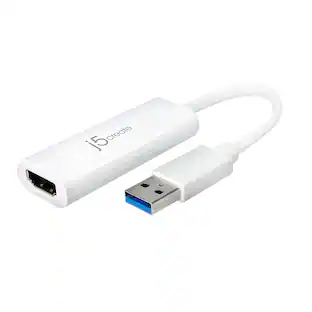
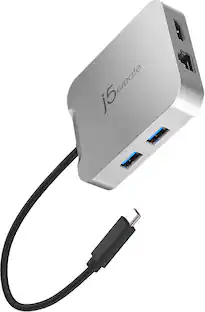
This j5 create JUA350 adapter lets you add an additional display to your desktop setup through the USB 3.0-to-HDMI/DVI connection for enhanced productivity. The aluminum housing provides a stylish appearance and a durable design.
Features
Compatible with most PC and Mac computers
With a USB 3.0 or USB 2.0 connection, for wide-ranging use.
Adapter
Lets you add an additional display to your setup, so you can eliminate the layering of open windows to enhance productivity.
Supports resolution up to 2048 x 1152
For video playback up to 1080p.
0°, 90°, 180° and 270° display rotation
Enables flexible positioning for easy viewing.
Plug-and-play design
Allows easy connectivity.
Aluminum housing
Provides durability and a stylish look.
Specifications
- Cable Length0.66 feetConnector Type (End 1)HDMI Type AGender (End 1)FemaleConnector Type (End 2)USB-AGender (End 2)MaleJacket MaterialAluminum
Reviews
Rating 4.4 out of 5 stars with 822 reviews
Customer Images
The vast majority of our reviews come from verified purchases. Reviews from customers may include My Best Buy members, employees, and Tech Insider Network members (as tagged). Select reviewers may receive discounted products, promotional considerations or entries into drawings for honest, helpful reviews.
Compare similar products
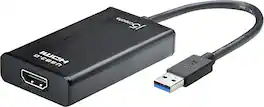
This j5 create JUA350 adapter lets you add an additional display to your desktop setup through the USB 3.0-to-HDMI/DVI connection for enhanced productivity. The aluminum housing provides a stylish appearance and a durable design.

This USB 3.0 to Dual HDMI Multi-Monitor Adapter acts as an external video card for your MacBook or Windows computers. It allows you to add two additional displays through your USB 3.0 port, boosting your productivity by giving you more screen space to work from. One of the HDMI ports can output resolutions up to 4K, while the other can output resolutions up to 2048 x 1152. This is the perfect alternative to a costly video card. With this USB 3.0 Multi-Monitor Adapter, you can quickly install the driver with a simple USB plug-in. Afterwards, connect the device to your monitors using HDMI cables and then you will have a dual-display workstation!

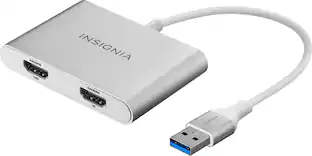
The Insignia USB-A 3.0 to Dual HDMI video adapter can mirror or extend your computer display to any HDMI-enabled monitor, TV, or projector. The HDMI-1 port can transfer up to 4K@30Hz resolution. The HDMI-2 port can transfer up to 1920x 1080P@60Hz. This adapter is compatible with Windows 10 or 11, but can’t support the Mac OS, Chrome OS, Android OS, Linux OS, Game OS. The driver can be installed automatically when computers internet connection is available, and Windows Update is enabled.

The JUA254 USB to HDMI Multi-Monitor Adapter works as an external video card, instantly allowing users to attach additional displays via HDMI connection without the hassle of a lengthy setup or having to install additional hardware. The USB 3.0 Display Adapter can support up to four displays running on the same computer, turning your workstation into a fully-functioning, multi-display powerhouse. This USB adapter works as an external video card, instantly allowing additional displays without the hassle of opening the computer casing and installing an external graphics card. You can have a second monitor with an extended display, a mirrored display, a rotational display (rotation mode not available for Mac), or make it your primary monitor. Now enjoy true 1080p HD resolution through any Windows or Mac computer with a USB 3.0 port. These adapters are also backwards compatible with USB 2.0 resolutions and playback, which are ideal for office applications. The simple plug-and-play function allows you to connect your computer to a second monitor or projector within seconds to create a new visual environment on Windows 10.
| Pros for j5create - USB 3.0-to-HDMI/DVI Display Adapter - Black | |||
|---|---|---|---|
| There were no pros for this product— | Ease of use, Overall Performance, HDMI, Compatibility, Connectivity | Ease of use, HDMI, Compatibility, Performance, Dual Monitors | Overall Performance, Functionality |
| Cons for j5create - USB 3.0-to-HDMI/DVI Display Adapter - Black | |||
| There were no cons for this product— | Heat, Price, Driver, Lag, Resolution | Heat, Driver Installation, Cord Length | There were no cons for this product— |
Specs
Be the first to ask a question.
We’ll try to get your question answered within 24 hours by a Best Buy customer or brand representative.
Find more like this

More to consider
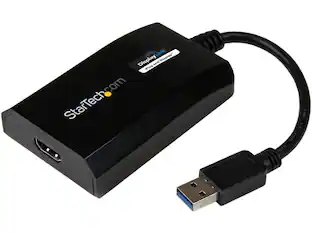
StarTech.com USB32HDPRO USB 3.0 to HDMI DisplayLink Certified Video Adapter - HD 1080p
$92.99The price was $103.45
Explore tech essentials Sponsored



Discover related products
GEEKOM Air12 Lite Mini PC, Intel Processor N95 Desktop Computer, 8GB DDR4 RAM & 256GB SSD, Windows 11 Pro Pre-installed
Holiday Deal$269.00The price was $599.00Acer USB C Docking Station With 2 HDMI, 9-IN-1 Docking Hub with USB A&C 3.0, SD/Micro SD, 100W Charging
$42.99The price was $47.99Logitech X56 HOTAS Microsoft Flight Simulator RGB Dual-Throttle and Joystick
$247.00The price was $275.00Intel Core i5-14400F 14th Gen 10-Core 16-Thread - 4.7GHz Turbo Socket LGA1700 Unlocked Desktop Processor
$175.99The price was $191.99















Keep exploring
Miro U5 Type C to USB Charger Cable Adapter USB C Female to Male Charger Converter
$4.99The price was $7.99Acer 8K HDMI 2.1 Cable 6.6FT, 48Gbps Ultra High-Speed Braided Cord Supports 8K@60Hz, 4K@120Hz, HDR10+/HDCP 2.2 &ARC/eARC
Holiday Deal$11.99The price was $13.99