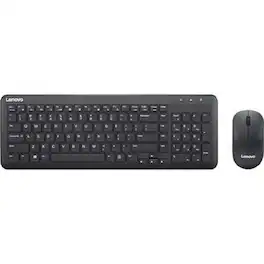
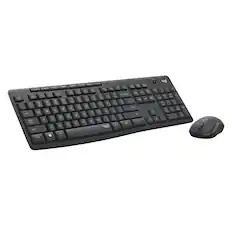
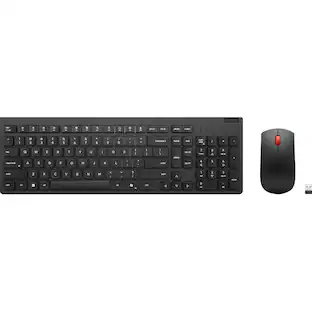
Lenovo - 300 Wireless Combo Keyboard and Mouse - US English - USB Type A Wireless RF 2.40 GHz Keyboard - English (US) - Unknown
About this product
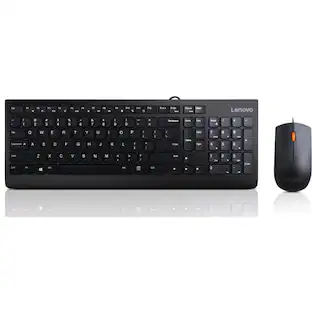
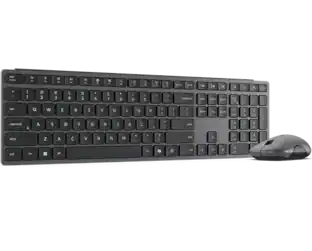
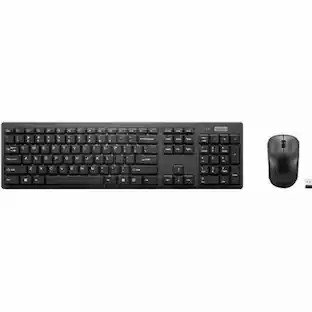
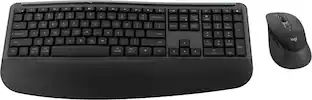
Lenovo 300 Wireless Combo Keyboard and Mouse is ideal for flexible working environment. It features a compact keyboard that is easy to store on lockers when not in use. The ambidextrous mouse complements the ensemble with precise sensor for smooth navigation.
Lenovo 300 Wireless Combo Keyboard and Mouse - US English
Lenovo 300 Wireless Combo Keyboard and Mouse is ideal for flexible working environment. It features a compact keyboard that is easy to store on lockers when not in use. The ambidextrous mouse complements the ensemble with precise sensor for smooth navigation.
- Form FactorFull-sizeConnection TypeWireless
Reviews
This product doesn't have any reviews yet.





Compare similar products
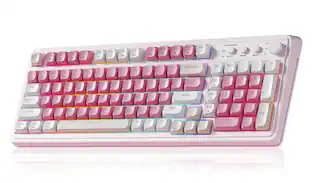
Lenovo 300 Wireless Combo Keyboard and Mouse is ideal for flexible working environment. It features a compact keyboard that is easy to store on lockers when not in use. The ambidextrous mouse complements the ensemble with precise sensor for smooth navigation.
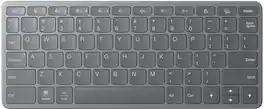

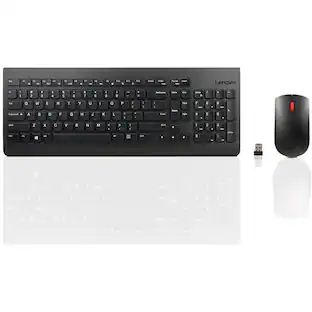
The Lenovo 510 Wireless Combo Keyboard & Mouse compliments your desk with a simple yet elegant design. Easily connects wirelessly with PCs using a nano-USB receiver. The keyboard features a durable, water-resistant casing equipped to handle the occasional spill. The island keys are designed to increase typing accuracy and comfort. The accompanying wireless mouse has ambidextrous design and features a 1200 dpi optical sensor for accurate pointing.

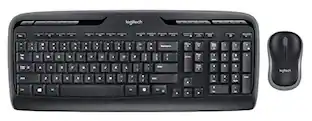
MK540 Advanced is an instantly familiar wireless keyboard and mouse combo built for precision, comfort and reliability. The full-size keyboard features a familiar key shape, size, and feeling – optimized for precision and noise reduction. The palmrest and adjustable tilt legs keep you comfortable for long stretches and the contoured mouse is designed to fit perfectly into either palm. Plug and play your keyboard and mouse with one tiny USB receiver with Logitech Unifying technology. You’ll get a reliable – and encrypted – wireless connection up to 32.8 ft away with virtually no delays or dropouts.
| Pros for Lenovo - 300 Wireless Combo Keyboard and Mouse - US English - USB Type A Wireless RF 2.40 GHz Keyboard - English (US) - Unknown | |||
|---|---|---|---|
| There were no pros for this product— | Portability, Overall Performance, Connectivity | There were no pros for this product— | Keyboard Quality, Ease of use, Wireless, Price, Battery Life |
| Cons for Lenovo - 300 Wireless Combo Keyboard and Mouse - US English - USB Type A Wireless RF 2.40 GHz Keyboard - English (US) - Unknown | |||
| There were no cons for this product— | There were no cons for this product— | There were no cons for this product— | Lag, Size |
Specs
Does this connect either a laptop? My Lenovo laptop keyboard is not working and I’ve been using the on screen keyboard. I did the usual troubleshooting and it did not help. I have the tools to open it up but don’t know what to do after that.
Answered by Lenovo Product ExpertHey Mary, This keyboard and mouse can connect to your laptop via USB. If you're experiencing issues with your keyboard, we recommend ensuring you have the latest software by checking for updates, as this could correct the issue. To do so, first, open the Settings app > Select the Windows update tab > Select the Check for updates button, applying all available updates. Next, open the Lenovo Vantage app > on the homepage, select the Check for updates button, following on-screen prompts to apply all available updates here as well. If after the available updates are applied and the system restarts, yet the issue persists, in-depth troubleshooting will be necessary to fix the problem. We recommend contacting Lenovo Support here: 877-453-6686, for further assistance. Please feel free to reach out to us with any other questions!
Is this set compatible with a Lenovo IdeaCentre Tower 8 Desktop?
Answered by Lenovo Product ExpertHey there, You shouldn't have an issue connecting this keyboard and mouse to the IdeaCentre Tower. Please feel free to reach out to us with any other questions!

Customers often buy these together
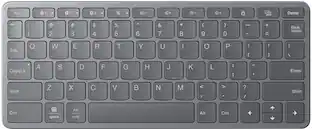
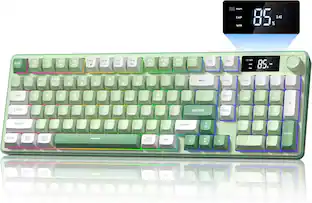
![1. Windows MAC Android IOS
A 8U88% W BT1 BT2 BT3 2.4G
2. ESC F1 F2 F3 F4 F5 F6 F7 F8 F9 F10 F11 F12 Ins
3. Tab Caps Lock 1 2 3 4 5 6 7 8 9 0 - = Backspace
4. Q W E R T Y U I O P [ ] \
5. A S D F G H J K L ; ' Enter
6. Z X C V B N M , . / Shift
7. Ctrl Win Alt
8. 24G BT1 BT2 BT3
9. Del Num / * - + Enter
10. PgUp 7 8 9 +
11. PgDn 4 5 6
12. End 1 2 3 0 .
13. Ctrl Fn Alt Cmd](https://pisces.bbystatic.com/image2/BestBuy_US/images/products/9cb51380-cf7c-4035-8c2f-78e7f46a0819.jpg;maxHeight=232;maxWidth=233?format=webp)
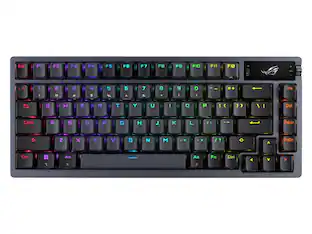
![Esc F1 F2 F3 F4 F5 F6 F7 F8 F9 F10 F11 F12
1! 2@ 3# 4$ 5% 6^ 7& 8* 9( 0) -_ =+
Tab Q W E R T Y U I O P [ { ] } |
Caps A S D F G H J K L ;: ' "
Shift Z X C V B N M ,< .> /?
Ctrl Win Alt](https://pisces.bbystatic.com/image2/BestBuy_US/images/products/f1c127b6-f0ff-4574-9816-f43e08a6245a.jpg;maxHeight=232;maxWidth=233?format=webp)
More to consider
 $49.99The price was $59.99
 $28.74The price was $46.00
 Top Deal$23.99The price was $29.99
Explore tech essentials Sponsored
- $49.99The price was $59.99



Keep exploring
 $35.99The price was $36.99
 $143.99The price was $144.99
 $129.95The price was $159.95
 $228.99The price was $283.49