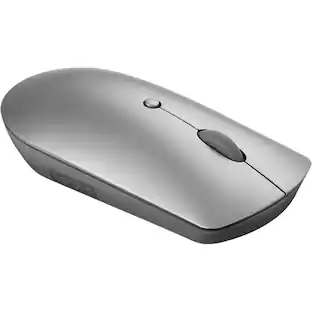
Lenovo - ThinkBook Bluetooth Silent Mouse - Optical - Wireless - Bluetooth - 2400 dpi - Scroll Wheel - 3 Butto - Wireless - Iron Gray
About this product
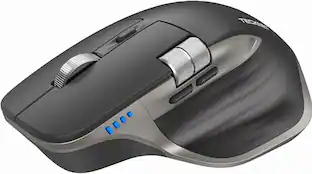
The ThinkBook Bluetooth Silent Mouse takes a well-worn concept and turns it on its head, delivering a productivity device that doesn't get in the way of the busy professionals who use it. It sculpted to be comfortable to rest your palm on, with a low-profile, minimalist design that makes the mouse easy to carry and fit into pockets without bulging. Get more done with the blue optical sensor that allows you to work on most surfaces, revolutionary, distraction-free silent buttons, and on-the-fly adjustable DPI controls. Effortlessly pair with up to two devices at once and quickly switch between them with the push of a button, thanks to Bluetooth 5.0 and Microsoft Swift Pair technology.
Features & Benefits
Dual-host Bluetooth 5.0 to switch between 2 devices Swift Pair to conveniently connect to new devices Blue optical sensor that works on most surfaces On-the-fly DPI adjustment: 2400, 1600, 800 Up to 1 year batter life on a single AA battery (may vary based on usage)
- Connection TypeWireless
Reviews
This product doesn't have any reviews yet.





Compare similar products

The ThinkBook Bluetooth Silent Mouse takes a well-worn concept and turns it on its head, delivering a productivity device that doesn't get in the way of the busy professionals who use it. It sculpted to be comfortable to rest your palm on, with a low-profile, minimalist design that makes the mouse easy to carry and fit into pockets without bulging. Get more done with the blue optical sensor that allows you to work on most surfaces, revolutionary, distraction-free silent buttons, and on-the-fly adjustable DPI controls. Effortlessly pair with up to two devices at once and quickly switch between them with the push of a button, thanks to Bluetooth 5.0 and Microsoft Swift Pair technology.

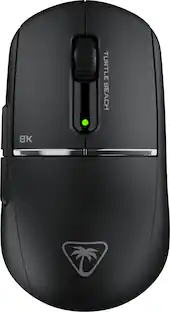
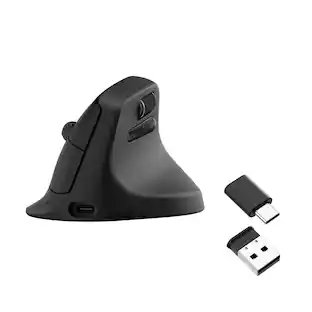
The Lenovo Professional Bluetooth Rechargeable Mouse is engineered to maximize human performance by giving you more control & eliminating distractions. Expect a masterfully sculpted right-handed form, programmable side buttons and top button, a dynamic wheel that matches your speed, and an enduring battery life of up to 3 months when charged via USB-C.
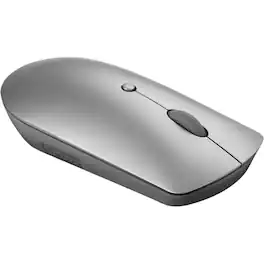
The Lenovo 600 Bluetooth Silent Mouse takes a well-worn concept and turns it on its head, delivering a productivity device that doesn't get in the way of the busy individuals who use it. It sculpted to be comfortable to rest your palm on, with a low-profile, minimalist design that makes the mouse easy to carry and fit into pockets without bulging. Get more done with the blue optical sensor that allows you to work on most surfaces, revolutionary, distraction-free silent buttons, and on-the-fly adjustable DPI controls. Effortlessly pair with up to two devices at once and quickly switch between them with the push of a button, thanks to Bluetooth 5.0 and Microsoft Swift Pair technology.
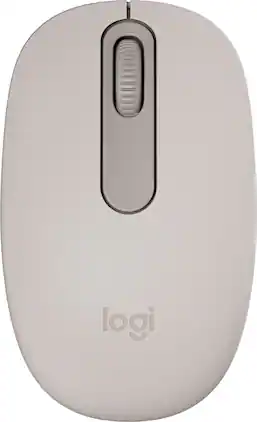
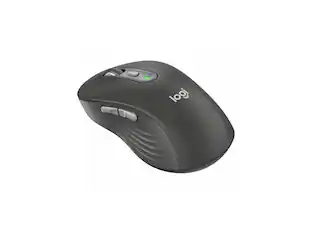
Discover the reliable Logitech M196 Bluetooth Wireless Mouse and declutter your workspace. This convenient portable mouse pairs to your laptop or tablet in seconds via Bluetooth—no dongle or port required. Enjoy up to 12-month battery life and auto sleep feature to help you go longer between AA battery changes. Small enough to toss in a bag, this comfortable Bluetooth travel mouse has an ambidextrous design that guides either your right or left hand into a natural position. The Logitech M196 Wireless Bluetooth Mouse is made to last with recycled plastic.
| Pros for Lenovo - ThinkBook Bluetooth Silent Mouse - Optical - Wireless - Bluetooth - 2400 dpi - Scroll Wheel - 3 Butto - Wireless - Iron Gray | |||
|---|---|---|---|
| There were no pros for this product— | There were no pros for this product— | There were no pros for this product— | Overall Performance, Connectivity, Ease of Use, Ergonomics, Weight |
| Cons for Lenovo - ThinkBook Bluetooth Silent Mouse - Optical - Wireless - Bluetooth - 2400 dpi - Scroll Wheel - 3 Butto - Wireless - Iron Gray | |||
| There were no cons for this product— | There were no cons for this product— | There were no cons for this product— | Noise Level |
Specs
Be the first to ask a question.
We’ll try to get your question answered within 24 hours by a Best Buy customer or brand representative.

![esc ~ ! 1 tab caps lock shift ctrl F2 Fl # 2 3 Q W A S Z start opt L F3 $ 4 E D X alt cmd3 ) FS F4 A % 5 6 R T F G V C logi 44 HI & F9 FID FB F7 F6 * ) - - & 0 8 9 7 O P U I Y K L H J > < N M 1 B PM + = { [ : I ; ? I alt cmd D 2 4 300 3 1 F12 . * page I insert home up clear backspace 8 9 + 7 page A pg up end down home } I delete ] / 6 4 5 4 enter 2 3 enter 1 dn Pg end shift = 0 del ins etrl fn opt](https://pisces.bbystatic.com/image2/BestBuy_US/images/products/6539/6539505_sd.jpg;maxHeight=232;maxWidth=233?format=webp)
![Esc F1 F2 F3 F4 F5 F6 F7 F8 F9 F10 F11 F12 Print Screen Scroll Lock Pause Break 1 2 3 4 5 6 7 8 9 0 - + = Backspace Insert Home H Page Up A Num Look 1 I Tab Q W E R T Y U I o P { [ } ] I I Delete End IN Page Down 7 Home 8 9 Pg Up Caps A Lock A S D F G H J K L ; : DE g Enter 4 5 6 Shift Z X C V N M < > ? I Shift 1 End 2 3 Pp Dn Enter Ctrl Alt Alt Ctrl 0 Ins Del](https://pisces.bbystatic.com/image2/BestBuy_US/images/products/a588d446-5678-40ae-86b8-1f15e0026e66.jpg;maxHeight=232;maxWidth=233?format=webp)





![The text on the image reads:
888 DD DI DD 4 DSC i F2 F3 4 FS T6 ET 1. 1N IN F.. 11 1.. 114 1n F1 F12 118 in9 - a ee 1 8F 2 3 $ 4 % 5 A 6 & 7 . 8 I 9 I 0 ee I + = delete fn home page up clear - / + tab Q W E R T Y U I 0 P { [ ] ] | I delete end page down 7 8 9 ee caps lock A S D F G H J K L : I - return 4 5 6 + shift Z X C V N M < F > ? / shift a 1 2 3 control option 2 command 3 command option control Y - 0 enter
After grouping and correcting the text, it reads:
888 DD DI DD 4 DSC i F2 F3 4 FS T6 ET 1. 1N IN F.. 11 1.. 114 1n F1 F12 118 in9 - a ee 1 8F 2 3 $ 4 % 5 A 6 & 7 . 8 I 9 I 0 ee I + = delete fn home page up clear - / + tab Q W E R T Y U I 0 P { [ ] ] | I delete end page down 7 8 9 ee caps lock A S D F G H J K L : I - return 4 5 6 + shift Z X C V N M < F > ? / shift a 1 2 3 control option 2 command 3 command option control Y - 0 enter](https://pisces.bbystatic.com/image2/BestBuy_US/images/products/f4059d3a-0c2a-46ef-bcfd-4e11b9b26d5d.jpg;maxHeight=232;maxWidth=233?format=webp)