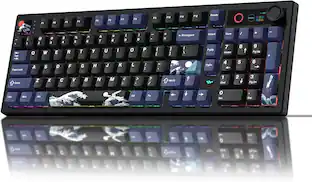
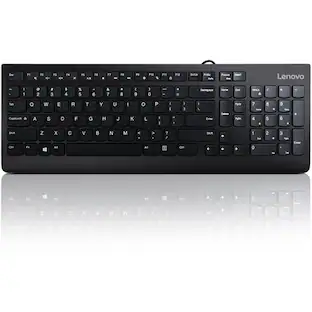
Lenovo - Preferred Pro II USB Keyboard-US English - Black
Reviews coming soon
About this product
Lenovo Preferred Pro II USB Keyboard-US English
Supported Operating Systems
Windows 10, Windows 11
Cable Connectivity
USB Type A Interface
104 Key(s)
CoPilot Hot Key(s)
- Form FactorFull-sizeConnection TypeWired
Reviews
This product doesn't have any reviews yet.





Compare similar products
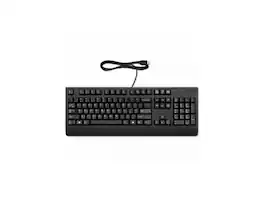
Lenovo Preferred Pro II USB Keyboard-US English
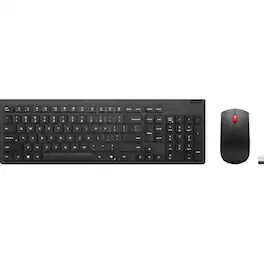
Designed for the modern professional, the Lenovo Essential Wireless Combo Keyboard & Mouse Gen 2 delivers functionality, comfort, and style. The slim 2.5-zone keyboard, with its responsive keys, promotes a premium silent typing experience and improves your working efficiency with specialized Microsoft Copilot Key, while the standard-size mouse perfectly complements its keyboard counterpart in design and utility. The 2.4GHz receiver provides a stable keyboard and mouse connection for maximum reliability. Plus, with 65% post-consumer recycled plastic in its construction, this combo is as sustainable as it is productive. Includes 3-year limited hardware warranty, and global product support. Download driver first to enable hotkey functions: Key Details: Reliable 2.4 GHz wireless connection. Be eco-friendly with 65% post-consumer recycled plastic for both keyboard and mouse. Low-profile 2.5-zone keyboard layout for effortless typing. LED Indicator for keyboard: Low-battery, FnLock, NumLock. Adjustable tilt leg and spill-resistant keyboard design. One-touch dedicated media controls from F1-F12 for productivity. Download the driver to support the hotkey functions from F1-F12. AES-128 encryption for the keyboard. Full-size ambidextrous mouse for left or right-hand comfort. Optical sensor and 1600 DPI resolution for precision. Up to 15 months battery life for keyboard (may vary based on usage). Up to 18 months battery life for mouse (may vary based on usage). Enjoy total peace of mind thanks to the 3-year warranty. The Keyboard with Copilot Key, the Copilot in Windows is an AI-powered intelligent assistant. When Copilot is not available or enabled on the device, pressing the Copilot key will launch Windows Search.
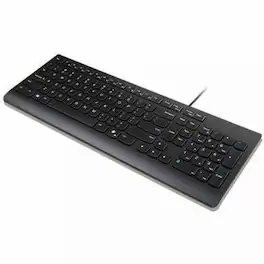
Enjoy a reliable and hassle-free typing with Lenovo Essential Wired Keyboard. It is durable and built to last with up to 10M clicks for each key cap, spill resistance and wired USB connectivity. Typing has never been this good with quiet key caps and adjustable feet for all day comfort. Improve your working efficiency with specialized Microsoft Copilot Key.

The Lenovo 300 USB Keyboard is perfect for those looking for a basic USB keyboard that just works. The keyboard boasts an island key design that makes typing a joy. In addition, the Lenovo 300 USB Keyboard passed rigorous testing simulations to ensure maximum reliability.
Specs
Be the first to ask a question.
We’ll try to get your question answered within 24 hours by a Best Buy customer or brand representative.
Customers often buy these together

Logitech - MK540 Full-size Advanced Wireless Membrane Keyboard and Mouse Combo for PC - Black
$48.99The price was $59.99



![Sure, here is the corrected and grouped text from the image:
**Top Row:**
- ESC
- F1
- F2
- F3
- F4
- F5
- F6
- F7
- F8
- F9
- F10
- F11
- F12
- PRTSC
- DEL
**Number Row:**
- 1
- 2
- 3
- 4
- 5
- 6
- 7
- 8
- 9
- 0
- -
- =
- \
**Letter Row:**
- TAB
- Q
- W
- E
- R
- T
- Y
- U
- I
- O
- P
- [
- ]
- \
**Letter Row:**
- CAPS
- A
- S
- D
- F
- G
- H
- J
- K
- L
- ;
- '
**Letter Row:**
- SHIFT
- Z
- X
- C
- V
- B
- N
- M
- ,
- .
- /
**Function Row:**
-](https://pisces.bbystatic.com/image2/BestBuy_US/images/products/9be10b95-8e90-4a5d-b85f-cbc6a7d8e8df.png;maxHeight=232;maxWidth=233?format=webp)



![esc F1 F2 F3 F4 F5 F6 F7 F8 F9 F10 F11 F12 1 2 3 4 5 6 7 8 9 0 - = backspace tab Q W E R T Y U I O P [ ] \ caps lock A S D F G H J K L ; ' shift Z X C V B N M , . / shift ctrl alt logi](https://pisces.bbystatic.com/image2/BestBuy_US/images/products/6411/6411501_sd.jpg;maxHeight=232;maxWidth=233?format=webp)

![Sure, here is the corrected and grouped text:
```
ESC F1 F2 F3 F4 F5 F6 F7 F8 F9 F10 F11 F12 1 2 3 logitech - - 1 2 # $ 4 % 5 6 & 7 8 9 0 - - back insert home page up num lock clear / . tab Q W E R T Y U I O P { [ } ] / delete end page down 7 home 8 A 9 P9 up + caps lock A S D F G H J K L : ; a enter 4 5 6 shift Z X C V B N M < > ? shift 1 end 2 3 pg dn enter ctrl fn start alt opt alt crnd x alt cmd x fn ctrl alt opt 0 ins del 1 logitech
```](https://pisces.bbystatic.com/image2/BestBuy_US/images/products/5761/5761911_sd.jpg;maxHeight=232;maxWidth=233?format=webp)

![Esc F1 F2 F3 F4 F5 F6 F7 F8 F9 F10 F11 F12 Print Screen Scroll Lock Pause Break 1 2 3 4 5 6 7 8 9 0 - + = Backspace Insert Home H Page Up A Num Look 1 I Tab Q W E R T Y U I o P { [ } ] I I Delete End IN Page Down 7 Home 8 9 Pg Up Caps A Lock A S D F G H J K L ; : DE g Enter 4 5 6 Shift Z X C V N M < > ? I Shift 1 End 2 3 Pp Dn Enter Ctrl Alt Alt Ctrl 0 Ins Del](https://pisces.bbystatic.com/image2/BestBuy_US/images/products/a588d446-5678-40ae-86b8-1f15e0026e66.jpg;maxHeight=232;maxWidth=233?format=webp)

Customers ultimately bought
 $28.93The price was $30.84
 $119.99The price was $129.99
 $34.98The price was $39.99
Explore tech essentials Sponsored
 $179.99The price was $249.99
 $119.99The price was $179.99
 $38.99The price was $54.99

Keep exploring
 $69.99The price was $99.99