Lenovo - ThinkPad Dock - 135W, USB-C, 3 Displays, USB 2.0, USB-A, HDMI, DisplayPort
About this product
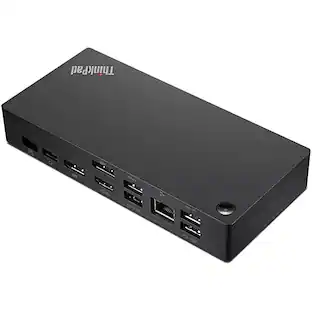
Lenovo ThinkPad Docking Station - 135 W - USB Type C - 3 Displays Supported - 2x USB 2.0 - 3x USB Type-A Ports - USB Type-A - 1x USB Type-C Ports - RJ-45 Ports - HDMI Ports - 2x DisplayPorts
Simplify IT Management with Unified Dock Control
Entire Fleet. One Manager: The ThinkPad Universal USB-C Dock comes packed with basic and advanced solutions engineered to make managing an entire fleet of docks effortlessly efficient. It could support traditional IT tools like: PXE boot, WOL, and MAC address Pass Through on ThinkPad Notebooks, but also provide silent firmware updates. Silent reboots. Remote device queries. It's an IT manager's dream
One Dock. No Limits: Engineered for performance, the ThinkPad Universal USB-C Dock quickly pays for itself with increased productivity, enhanced dynamic power charging to Notebook, max 100W charging. If you can think it, your dock can do it
One Cable. No Hassle: With 11+ thoughtfully placed ports, the ThinkPad Universal USB-C Dock delivers unmatched performance while decluttering your desk
3 Displays Supported - 4K @ 60Hz, 4K UHD - 3840 x 2160
6x USB Ports - 2x USB 2.0 - 3x USB Type-A Ports - USB Type-A - 1x USB Type-C Ports
- Maximum Number of Displays Supported3Number of DisplayPort Outputs (Total)2
Reviews
Rating 1 out of 5 stars with 1 review
The vast majority of our reviews come from verified purchases. Reviews from customers may include My Best Buy members, employees, and Tech Insider Network members (as tagged). Select reviewers may receive discounted products, promotional considerations or entries into drawings for honest, helpful reviews.
Compare similar products

Lenovo ThinkPad Docking Station - 135 W - USB Type C - 3 Displays Supported - 2x USB 2.0 - 3x USB Type-A Ports - USB Type-A - 1x USB Type-C Ports - RJ-45 Ports - HDMI Ports - 2x DisplayPorts

The smarter way to work, Introducing the ThinkPad Universal USB-C Dock. This advanced, universally compatible one-cable docking solution lets you work smarter, not harder. It comes with a vast array of ports, next-gen plug and play functionality, and rapid charging capabilities (up to 100W for most USB-C notebooks*). Smart enough to install critical firmware updates automatically, it’s ideal for any mixed-PC environment and home-based working, and gives you the freedom and power to do more.
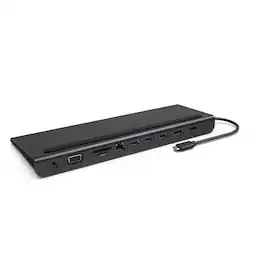
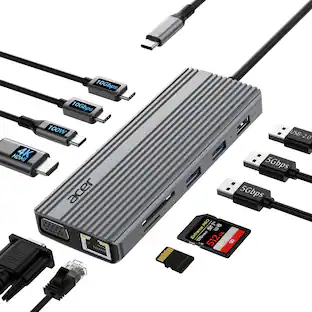
The Belkin Connect Universal USB-C 11-in-1 Pro Dock adds power and productivity to your setup with Silicon Motion technology, Mac, Windows, and Chromebook compatibility, and expansion up to 3 monitors. Get more done with 10Gbps transfer speeds and up to 100W of PD. Sustainably made, this Belkin USB-C hub's housing is made with a minimum of 72% post-consumer recycled content, while a 2-year limited warranty ensures your dock and other devices are safe and protected.

Dell Pro 7-in-1 USB-C Travel Hub - DA326. Designed for modern professionals, this hub delivers fast charging, versatile connectivity and effortless portability.
| Pros for Lenovo - ThinkPad Dock - 135W, USB-C, 3 Displays, USB 2.0, USB-A, HDMI, DisplayPort | |||
|---|---|---|---|
| There were no pros for this product— | Overall Performance, Connectivity | Overall Performance, Connectivity, Ease of use, HDMI, Ports | There were no pros for this product— |
| Cons for Lenovo - ThinkPad Dock - 135W, USB-C, 3 Displays, USB 2.0, USB-A, HDMI, DisplayPort | |||
| There were no cons for this product— | There were no cons for this product— | Cable Length, Power Supply, Price | There were no cons for this product— |
Specs
Be the first to ask a question.
We’ll try to get your question answered within 24 hours by a Best Buy customer or brand representative.
Customers often buy these together
 $192.99The price was $209.99
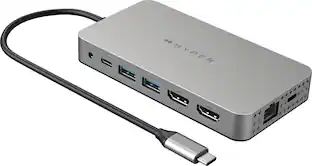 Clearance$159.99The price was $199.99
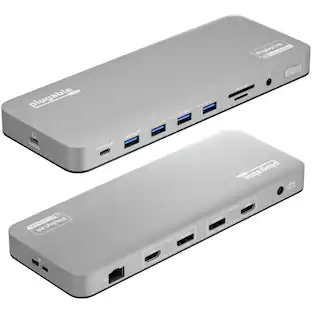








Explore tech essentials Sponsored





Keep exploring
 $38.99The price was $45.99
 $219.89The price was $249.99