Lenovo - ThinkPad Universal USB-C Dock - Black
Customers are saying
Customers love the product's overall performance, noting that it works great with no issues. They also appreciate its connectivity, especially how well it connects to all C-type laptops.
One Dock. No Limits
Ideal for both office-based and remote working - critical firmware updates are installed automatically and traditional IT tools
One Cable. No Clutter
ThinkPad Universal USB-C Dock lets you savour blazing-fast data transfers, rapidly charge USB-C notebooks, and plug and play displays
One Remote Workforce. No Problem
Whether end users are in the office, hot-desking, or working from home, IT managers can remotely and securely gather key information about the dock and its attached devices
- Maximum Number of Displays Supported3Number of DisplayPort Outputs (Total)2
Reviews
Rating 4.4 out of 5 stars with 26 reviews
- Overall Performance (7)
- Connectivity (6)
Customer Images
The vast majority of our reviews come from verified purchases. Reviews from customers may include My Best Buy members, employees, and Tech Insider Network members (as tagged). Select reviewers may receive discounted products, promotional considerations or entries into drawings for honest, helpful reviews.
Compare similar products

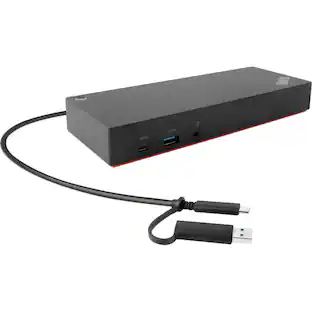
The smarter way to work, Introducing the ThinkPad Universal USB-C Dock. This advanced, universally compatible one-cable docking solution lets you work smarter, not harder. It comes with a vast array of ports, next-gen plug and play functionality, and rapid charging capabilities (up to 100W for most USB-C notebooks*). Smart enough to install critical firmware updates automatically, it’s ideal for any mixed-PC environment and home-based working, and gives you the freedom and power to do more.

Enterprise-Grade Universal Thunderbolt 4 Docking Experience. ThinkPad Universal Thunderbolt 4 Dock delivers reliable and consistent industry leading video, data and power connectivity in a Windows based mixed-PC environment. The ThinkPad Universal Thunderbolt 4 is future-proof and fully loaded to take your productivity, efficiency and creativity to the peak.

Maximize productivity with your laptop by using this universal Lenovo ThinkPad hybrid USB-C dock. Three USB 3.1 ports enable high-speed data transfers with multiple devices, and the USB-C to USB-A adapter lets you connect to non-Lenovo or previous-generation Lenovo laptops. Connect up to two 4K monitors via the DisplayPort and HDMI outputs of this enterprise-class Lenovo ThinkPad hybrid USB-C dock.

Expand to 8 ports from one Universal USB-C connection and connect to dual monitors (one at 4K 60Hz and one at 4K 30Hz). More points of connection make up for lost ports on newer laptops and the Silicon Motion technology delivers more power and productivity. This product is compatible with the iPhone 17, 17 Pro Max and 17 Pro.
| Pros for Lenovo - ThinkPad Universal USB-C Dock - Black | |||
|---|---|---|---|
| Overall Performance, Connectivity | Overall Performance | There were no pros for this product— | Overall Performance, Connectivity, Portability, Port Quantity |
| Cons for Lenovo - ThinkPad Universal USB-C Dock - Black | |||
| There were no cons for this product— | There were no cons for this product— | There were no cons for this product— | Heat Dissipation, Compatibility, Cord Length |
Specs
Does it have Display ports?
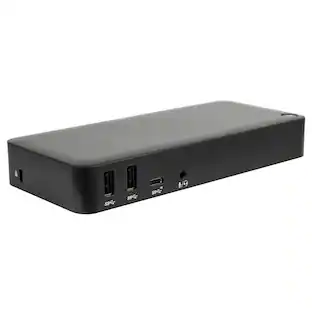
Answered by Lenovo Product ExpertYes. This Lenovo ThinkPad Universal USB-c Docking Station, model number 40AY0090US, ships with 2x Display Port, 1x HDMI Port. There are also these additional ports on the dock: 1x Combo Audio Jack (3.5mm), Charging Port - DC-IN, USB Ports - 3x USB3.1, 2x USB2.0, 1x USB-C, 1x Gigabit Ethernet jack.

Will it charges my laptop? I was wondering if this will charge my laptop through the docking station?
Answered by Lenovo Product ExpertThat will depend on whether your laptop can be charged via its USB-c port or if it uses a dedicated, non-USB-c port for charging the laptop. If a dedicated non-USB-c port is used on your laptop for charging, you will not be able to charge your laptop via the USB-c port. You will still need to use the dedicated charging port on your laptop.
Is the Thinkpad docking station type 40AY compatible with an ACER laptop aspire 5 (A517-52-522A) ?
Answered by Lenovo Product ExpertThis Lenovo ThinkPad Universal USB-c Docking Station, model number 40AY0090US, is compatible with any brand laptop that has a USB-c port with video out capability. We recommend you check with your laptop manufacturer's web site for the specifications and capabilities of your specific model computer.
If I hook my laptop and a monitor to this, can I work on my monitor, keyboard, mouse, etc. with my laptop closed?
Answered by Lenovo Product ExpertHey there, You can do so after adjusting certain settings when connected to a Windows based machine. To learn about the process, please visit the following Microsoft web address: https://www.microsoft.com/en-us/windows/learning-center/how-to-use-external-monitor-with-laptop-closed | Please feel free to reach out to us with any other questions!
Can I transfer data from one thumb drive to another with this
Answered by Lenovo Product ExpertHey patty, Yes, you can transfer data from drive to drive (the connected device) using this USB-C dock. Please feel free to reach out to us with any other questions!

Customers often buy these together


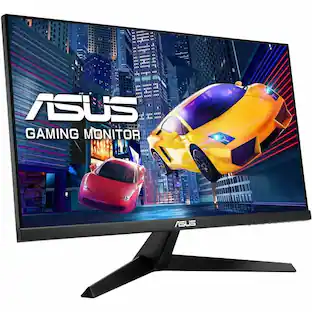
Customers ultimately bought
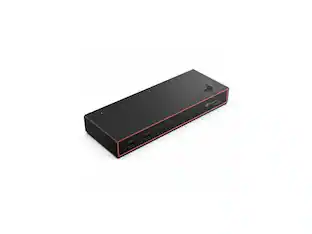 $325.49The price was $326.49
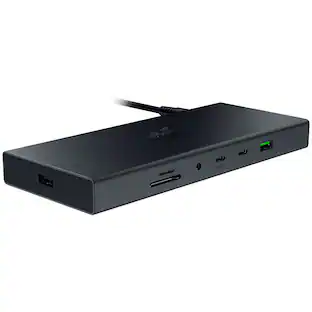 $189.00The price was $259.99
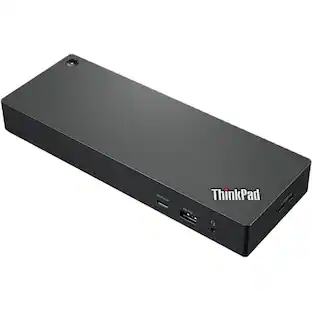





Explore tech essentials Sponsored
 Clearance$80.99The price was $84.95





Discover related products
 $12.99The price was $13.99
 $249.00The price was $275.00










Keep exploring
 $111.00The price was $139.00
 $34.99The price was $49.99