
LG - gram 2-in-1 14" Laptop - Intel Evo Platform Intel Core Ultra 7 - 16GB RAM - 1TB SSD - Black
Related Item

Highlights
- Key Specs
- Screen Type: IPS
- Screen Size: 14 inches (Size of the screen, measured diagonally from corner to corner.)
- Screen Resolution: 1920 x 1200 (WUXGA) (Screens come in a range of resolutions (measured in pixels, horizontal x vertical). The higher the resolution, the greater the picture quality.)
- Touch Screen: true (Touch-screen devices make navigating more intuitive. Using a touch-screen display, you can do things such as tap to select, hold and drag to move items, swipe to scroll, and pinch to zoom.)
- Brightness: 350 nits (A measure of the total light output.)
- Processor Model: Intel Core Ultra 7 Series 1 Evo Edition (Your computer's processor is like its brain. Working in combination with system memory, the power of the processor determines the complexity of software you can run, how many programs you can have open at the same time, and how fast those programs will run. Most computers feature an AMD, Intel or Snapdragon processor.)
- Storage Type: SSD
- Total Storage Capacity: 1000 gigabytes
- System Memory (RAM): 16 gigabytes (Random-access memory (RAM) is a computing device's short-term data storage, which allows active information to be accessed quickly. The size and type of RAM determines how efficiently the device can handle large amounts of information at one time. For example, gaming or video editing requires more RAM for optimal performance.)
- Graphics: Intel Arc (Often referred to as a "graphics processing unit" (GPU), this device is responsible for displaying image content and decoding/encoding video content in programs and games.)
- Display Connector(s): 1 x Thunderbolt 4 (The number and type of connectors used to connect to an external display.)
- Battery Chemistry: Lithium-ion
- 2-in-1 Design: true (A laptop and a tablet combined in one lightweight, portable device. Sometimes referred to as "convertible" or "hybrid" laptops, these devices deliver the processing power and keyboard of a laptop. When you're ready to play, either detach the screen or fold your 2-in-1 into tablet mode to comfortably watch movies, play games, read an e-book and more.)
- Backlit Keyboard: true (Integrated lights allow for visibility of the keys in low-light conditions.)
- General
- Brand: LG
- Model Number: 14T90S-G.AAB6U1
- Product Name: LG gram 2-in-1 14" Laptop - Intel Evo Platform Intel Core Ultra 7 - 16GB RAM - 1TB SSD
- Color: Black
- Year of Release: 2024
- Display
- Display Type: LCD
- Screen Type: IPS
- Screen Size: 14 inches (Size of the screen, measured diagonally from corner to corner.)
- Screen Resolution: 1920 x 1200 (WUXGA) (Screens come in a range of resolutions (measured in pixels, horizontal x vertical). The higher the resolution, the greater the picture quality.)
- Touch Screen: true (Touch-screen devices make navigating more intuitive. Using a touch-screen display, you can do things such as tap to select, hold and drag to move items, swipe to scroll, and pinch to zoom.)
- Brightness: 350 nits (A measure of the total light output.)
- Color Gamut (Standard RGB): 99 percent
- Processor
- Processor Brand: Intel
- Processor Model: Intel Core Ultra 7 Series 1 Evo Edition (Your computer's processor is like its brain. Working in combination with system memory, the power of the processor determines the complexity of software you can run, how many programs you can have open at the same time, and how fast those programs will run. Most computers feature an AMD, Intel or Snapdragon processor.)
- Processor Model Number: 155H
- Number of CPU Cores: 16-core (A core, or "brain" of a CPU, allows it to receive and execute instructions. Each core can work independently or together to perform parallel operations.)
- Unlocked Processor: false
- CPU Cache Memory Level: L1
- L1 Cache: 16 megabytes (Cache memory, also called CPU memory, is random-access memory (RAM) that a computer microprocessor can access more quickly than it can access regular RAM. This memory is typically integrated directly with the CPU chip or placed on a separate chip that has a separate bus interconnect with the CPU.)
- Neural Processing Unit (NPU): false (Whether the product comes with an integrated neural processing unit (NPU) that performs computations for AI (artificial intelligence) functions to increase proficiency of the CPU and reduce power consumption.)
- Storage
- Storage Type: SSD
- Total Storage Capacity: 1000 gigabytes
- Solid State Drive Capacity: 1000 gigabytes (The amount of data that can be stored on the device's solid state drive (SSD). SSD is a flash-based storage with faster speeds than a hard disk drive (HDD).)
- Memory
- System Memory (RAM): 16 gigabytes (Random-access memory (RAM) is a computing device's short-term data storage, which allows active information to be accessed quickly. The size and type of RAM determines how efficiently the device can handle large amounts of information at one time. For example, gaming or video editing requires more RAM for optimal performance.)
- Type of Memory (RAM): LPDDR5X (Each type of RAM delivers a different level of speed, bandwidth, energy efficiency and performance.)
- System Memory RAM Speed: 6400 megahertz (How fast the information-storing hardware operates. The faster the RAM, the faster memory can be transferred to other system components. Ultimately, faster RAM improves operational efficiency.)
- Number Of Memory Slots: 1
- Number of Memory Sticks Included: 0
- Graphics
- Graphics Type: Integrated, Integrated (Dedicated graphics uses a separate graphics card for processing video images. Because it does not use memory from the system's RAM, there is no extra burden on the CPU and graphics are processed more efficiently. Integrated graphics shares system RAM to process video images.)
- GPU Brand: Intel
- Graphics: Intel Arc (Often referred to as a "graphics processing unit" (GPU), this device is responsible for displaying image content and decoding/encoding video content in programs and games.)
- Compatibility
- Operating System: Windows 11 Home (The operating system manages all software and hardware, including files, memory and connected devices. Most importantly, it lets you interact with your device and your programs in a visual way; otherwise, you'd be typing computer code to get anything done.)
- Operating System Architecture: Not Applicable (An operating system (OS) manages computer hardware, software resources, and programs in conjunction with the system's processor. 64-bit operating systems can handle more data at once than 32-bit systems, resulting in faster speeds, more effiency, and overall improved performance.)
- Voice Assistant Built-in: No (A digital assistant built into the device that uses voice commands to answer questions and control smart devices.)
- Connectivity
- Display Connector(s): 1 x Thunderbolt 4 (The number and type of connectors used to connect to an external display.)
- Number of HDMI Outputs (Total): 0
- Number of DisplayPort Outputs (Total): 0
- Number of Thunderbolt Ports (Total): 1
- Number of VGA Ports: 0 (VGA (Video Graphics Adapter or Video Graphics Array) is a display standard that transmits via analog signals. This type of interface is typically used to connect a computer to a display device such as a monitor, projector, or TV.)
- USB Ports: 1 x USB-A 3.2, 2 x USB-C 4 (The number and type of USB ports the product has.)
- Number of USB Ports (Total): 3
- Headphone Jack: true (The device features an interface that allows for the connection of headphones.)
- Microphone Input: true (The device features an input for connecting an external microphone.)
- Wireless Connectivity: Bluetooth, Wi-Fi (The manner in which a device sends data to another device over a short distance without the use of wires or cables.)
- Wireless Standard: AX (The wireless networking protocol used by the device. Each iteration of the protocol is based on the 802.11 standard developed by the Institute of Electrical and Electronics Engineers (IEEE) Standards Association. Denoted by letters following 802.11 (802.11a, 802.11ac, etc.), each version, published in alphabetical order, encompasses all previous versions.)
- Wireless Networking Standard: Wi-Fi 6E (The wireless networking standard used by the device. Each iteration of the standard developed by the Wi-Fi Alliance corresponds to an existing IEEE 802.11 protocol; for example, standard 802.11ac (or AC) is termed Wi-Fi 5. Refers specifically to the standard the device is designed to use, but ultimately determines product interoperability and backward compatibility including previous versions.)
- Number Of Ethernet Ports: 0
- Network Connectivity: None (The manner in which a device sends data to another device over a long distance using a cellular network.)
- Power
- Battery Chemistry: Lithium-ion
- Expansion
- Number of M.2 Slots: 1 (This interface is most commonly used for high-speed solid state drives (SSDs), and is often used in laptops due to its small size.)
- Number Of Internal 2.5" Bays: 0
- Camera
- Front-Facing Camera: true
- Built-In Microphone: true
- Features
- 2-in-1 Design: true (A laptop and a tablet combined in one lightweight, portable device. Sometimes referred to as "convertible" or "hybrid" laptops, these devices deliver the processing power and keyboard of a laptop. When you're ready to play, either detach the screen or fold your 2-in-1 into tablet mode to comfortably watch movies, play games, read an e-book and more.)
- Backlit Keyboard: true (Integrated lights allow for visibility of the keys in low-light conditions.)
- Customizable Keyboard Lighting: No
- Keyboard Technology: Mechanical (Type of technology that detects a key press.)
- Foldable Screen: false
- GPS Enabled: false
- Touchpad Type: Precision
- Media Card Reader: true (A hardware device that allows for access to data on a memory card and enables the transfer of its files to a computer. These devices may have one or multiple slots for various types of memory cards, and may be integrated into the computer or available as an external device.)
- Media Card Slot: microSD
- Customizable Case Lighting: false
- Audio Technology: HD Audio with Dolby Atmos
- Security Features: Facial recognition
- Dimensions
- Product Height: 8.64 inches (The out of box height of the item. Height is measured as the vertical distance from the bottom of the item to the top as it would be primarily used or placed.)
- Product Width: 12.36 inches (The out of box width of the item. Width is measured as the horizontal distance from one side of the item to the other as it would be primarily used or placed.)
- Product Depth: 0.66 inches (The out of box depth of the item. Depth is measured as the distance from the front of the item to the back as it would be primarily used or placed.)
- Product Weight: 2.75 pounds (The out of box weight of the item.)
- Certifications Listings & Approvals
- ENERGY STAR Certified: false (Devices carrying the ENERGY STAR service mark, such as computer products and peripherals, kitchen appliances, and other products, generally use 20% to 30% less energy than required by federal standards.)
- EPEAT Qualified: false (The Electronic Product Environmental Assessment Tool (EPEAT) was designed to provide an environmental assessment tool for purchasers. In order to qualify for EPEAT, a product must meet all 23 required criteria.)
- Included
- Included Software: LG Glance by Mirametrix
- Numeric Keypad: false
- Stylus Included: true
- Warranty
- Warranty - Parts: 1 year limited
- Warranty - Labor: 1 year limited
- Other
- UPC: 195174075159
The 14 inch, LG gram T90S series convertible 2in1 laptop is a lightweight convertible laptop that powers your get up and go with the benefits and versatility of both a laptop and tablet. The 14” WUXGA (1920x1200) IPS touchscreen delivers vivid color and resolution that makes what you see on screen come to life. On the inside, LG gram 2in1 runs Windows 11 Home, while the Intel Evo Edition Intel Core Ultra processors and integrated Intel Arc Graphics deliver the performance to accomplish those intensive daily demands, from crunching numbers, to editing a masterpiece, to sketching ideas for your next project with nimble responsiveness and power. An included LG Stylus Pen enables you to take notes or sketch on the 2in1 just like a notebook, so you can work, create, design or play with confidence.
- Ultra Lightweight 2in1 that's Ready for Liftoff: LG gram is the ideal productivity partner. The powerful, 14” 2in1 laptop is super thin, yet surprisingly light weight so you can work, stream and play from virtually wherever your day takes you.
- Windows 11 Home: Windows 11 brings you closer to what you love. Pursue your passions and maximize your productivity with the new Windows 11. Built with tools to help you multitask, think, create, and connect—all designed with simplicity and intuition in mind.
- Compact 14" IPS Touchscreen, Vivid Color: Expand the realm of what’s possible with a compact 14” IPS touchscreen with a 16:10 aspect ratio that can make your visions come to life. The IPS screen helps maintain your focus with up to 99% DCI-P3 color gamut expression, the display adds a bold and vivid picture to graphics.
- Intel Evo Edition - AI-enabled Intel Core Ultra 7 Processor: Intel Core Ultra processors deliver three dedicated engines (CPU, GPU, and NPU) to help unlock the power of AI, create immersive graphics experiences, and enable high-performance low-power processing.¹
- LG gram Link: The LG gram Link app² provides a simple solution for seamless integration with up to 10 devices across operating platforms. The intuitive app links LG gram to devices with Android and iOS platforms for easy file sharing, collaborative screen viewing and real-time communication between devices.
- The Power to Stay Unplugged: Mobility unleashed. LG gram's large 72Wh battery powers your work and play, and with up to 29 hours of video playback³ you can watch your favorite shows and movies with no strings attached.
- Tried and True Durability: No matter where your day takes you, your laptop is up for the challenge. This laptop passed seven tests for military-grade durability⁴ including vibration, high or low temperature, and more. Meeting these durability standards offer laptop protection peace of mind on your daily grind.
- Bring Ideas to Life: The LG Stylus Pen offers a smooth, natural writing and drawing experience on the LG gram 2in1. With the latest Wacom AES technology which utilizes 4,096 levels of pressure sensitivity, creators can accurately express small differences in line thicknesses when writing or sketching by hand.
- An IPS Screen for Work & Play: LG gram 14" IPS screen, displays vibrant and precise color with high contrast and clarity even when viewed from wide viewing angles.
- Stay Cool: LG gram's internal cooling system keeps the laptop running efficiently and helps prevent overheating.
- Flexible Connectivity: The LG gram T90S features multiple ports, including two Thunderbolt 4, one USB 3.2, headphone, and Micro-SD Card Slot options, to boost efficiency and productivity. Thunderbolt 4 compatibility supports ultra-fast data transfer and up to 5K resolution display support.⁵
- A Versatile Way to View: Transform the gram from laptop to tablet and everything in between with the 360-degree hinge. Whether watching a movie, sharing your screen to collaborate with others, note taking or on a video call, choose a configuration that works for you.
Whats Included
- LG gram 14T90S Laptop
- Power Adapter
Product Manuals
Disclaimers
- ¹Intel, the Intel logo, and Intel Core are trademarks of Intel Corporation or its subsidiaries.
- ²LG gram Link app installation required. Visit Support on LG.com to download.
- ³Video playback time testing conducted by LG in March 2023 using Full HD video playback (1080p resolution), airplane mode on, 150 nits brightness, earphones and default options. Actual battery usage time and performance may vary depending on various factors, including network connectivity and application use.
- ⁴Passed 7 different MIL-STD 810H Tests for durability conducted by an independent laboratory that conforms to U.S. military standards (November-December 2023). Compliant with the following methods for MIL-STD-810H: Method 500.6 Low Pressure (Altitude) (Procedure I – Storage and Procedure II - Operation); Method 501.7 High Temperature (Procedure I – Storage and Procedure II - Operation);
- ⁴Method 502.7 Low Temperature (Procedure I – Storage and Procedure II - Operation); Method 514.8 – Vibration (Procedure I). Device may not perform as tested in all conditions. Test performed in controlled environment. Do not attempt.
- ⁵Thunderbolt cable not included.
Q: What operating system does this LG laptop come with?
A: This LG gram 2in1 laptop comes with Windows 11 Home.
Q: What type of audio technology does this LG laptop use?
A: This LG gram laptop features Dolby Atmos for an immersive audio experience.
Q: How much storage space does this LG laptop have?
A: This LG gram laptop is equipped with a 1TB SSD.
Q: What is the screen size of this LG laptop?
A: This LG gram laptop has a 14-inch screen.
Q: How long does the battery last on this LG laptop?
A: This LG gram laptop has a battery life of up to 29 hours.
Q: Does this LG laptop include a stylus?
A: Yes, the LG Stylus Pen is included with this laptop.
Q: Does this laptop have a metal or plastic case?
A: Hello, Michele. The sleek metal alloy body of the LG gram 14” 2-in-1 Lightweight Laptop, Intel® Evo™ Edition- AI-enabled Intel® Core™ Ultra 7 processor, Windows 11 Home, 16GB RAM, 1TB SSD, Black, Model # 14T90S-G.AAB6U1 combines advanced nano carbon with magnesium to create a light weight yet durable housing for the compute...^Ivan.
A: Hello there! We understand your inquiry about your LG gram 2-in-1 14″ (model 14T90S-G.AAB6U1) and are happy to confirm that it does feature a backlit keyboard for working comfortably in low-light environments. To adjust or verify the backlight, press Fn + Spacebar—this function cycles through the available lighting levels and turns the backlight on and off. If you ever find the keys not illuminating as expected, make sure your system firmware and “LG Control Center” software are up to date, as these manage keyboard lighting controls. If you’d like step-by-step guidance on updating your software or customizing your keyboard settings, please send us a private message on social media at @LGUSSupport. We’ll be happy to walk you through every step so you can take full advantage of your LG gram’s features. https://www.bestbuy.com/site/lg-gram-2-in-1-14-laptop-intel-evo-platform-intel-core-ultra-7-16gb-ram-1tb-ssd-black/6579842.p?skuId=6579842 We appreciate you choosing LG and look forward to helping you get the most out of your new laptop. —Renzo
Compare similar products
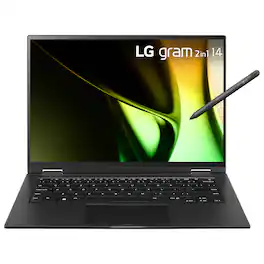
The 14 inch, LG gram T90S series convertible 2in1 laptop is a lightweight convertible laptop that powers your get up and go with the benefits and versatility of both a laptop and tablet. The 14” WUXGA (1920x1200) IPS touchscreen delivers vivid color and resolution that makes what you see on screen come to life. On the inside, LG gram 2in1 runs Windows 11 Home, while the Intel Evo Edition Intel Core Ultra processors and integrated Intel Arc Graphics deliver the performance to accomplish those intensive daily demands, from crunching numbers, to editing a masterpiece, to sketching ideas for your next project with nimble responsiveness and power. An included LG Stylus Pen enables you to take notes or sketch on the 2in1 just like a notebook, so you can work, create, design or play with confidence.
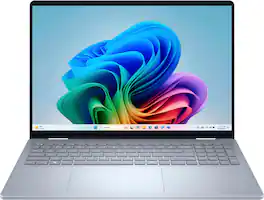
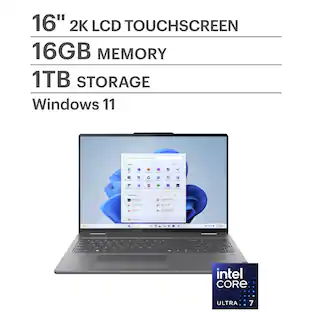
A versatile creative canvas. A stunning 16-inch screen built for versatile use with on-device Copilot+ featuring the latest Intel Core Ultra processors, designed to deliver the ultimate power efficiency and performance for the newest AI experiences in a sleek and stylish 2-in-1 laptop.
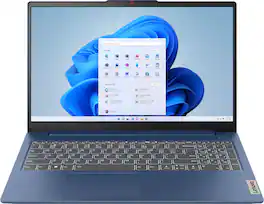
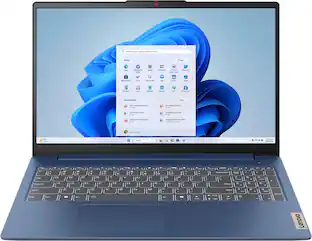
The slim, lightweight and military-grade resilient IdeaPad Slim 3 is built for smart and heavy work and study on the go, featuring AMD Ryzen processors and Smart Power.
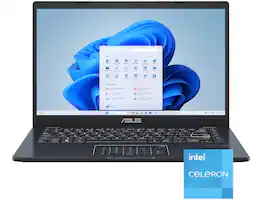
Life is all about finding the right balance, and Vivobook Go 14 delivers just that. Lightweight and compact, it sports a stylish new look that fits right in with your dynamic lifestyle. Designed for daily computing and productivity tasks, and boasting innovative features such as the ASUS NumberPad, Vivobook Go 14 gives you everything you need for work or play.
| Pros for LG - gram 2-in-1 14" Laptop - Intel Evo Platform Intel Core Ultra 7 - 16GB RAM - 1TB SSD - Black | |||
|---|---|---|---|
| There were no pros for this product— | Overall Performance, Processor Speed, Portability, Battery Life, Screen Size | Processor Speed, Screen Quality | Overall Performance, Portability, Battery Life, Weight, Port Count |
| Cons for LG - gram 2-in-1 14" Laptop - Intel Evo Platform Intel Core Ultra 7 - 16GB RAM - 1TB SSD - Black | |||
| There were no cons for this product— | RAM, Weight, Port Quantity, Heat Dissipation | There were no cons for this product— | RAM, Screen Quality, Processor Speed, Storage Capacity, Connectivity |
Specs
Reviews
Rating 5 out of 5 stars with 1 review
The vast majority of our reviews come from verified purchases. Reviews from customers may include My Best Buy members, employees, and Tech Insider Network members (as tagged). Select reviewers may receive discounted products, promotional considerations or entries into drawings for honest, helpful reviews.
Explore tech essentials Sponsored
 Clearance$359.99The price was $449.00
 $499.99The price was $799.99
 $649.99The price was $999.99
 Clearance$200.99The price was $329.99
 $799.99The price was $1,049.99
 $329.99The price was $399.99
 $799.00The price was $1,109.00
 $1,199.99The price was $1,499.99