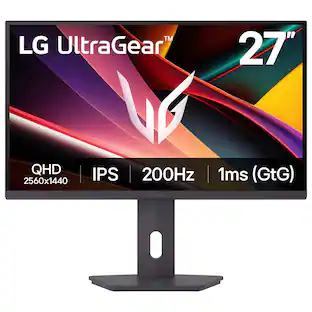
LG - UltraGear 37" VA 165Hz, 1ms, Monitor FreeSync Premium Pro Gaming Monitor with DisplayHDR 600 (HDMI, DP, USB-C) - Black

More Buying Options from Best Buy
Related Item

Highlights
- Key Specs
- Refresh Rate: 165Hz (The number of frames per second the device can produce natively without enhancement. Higher rates help produce smooth, seamless pictures.)
- Maximum Resolution: 3840 x 2160 (Maximum resolution refers to the highest number of pixels that a screen can process and display. Higher resolution signals produce more detailed images.)
- Response Time: 1 milliseconds (The speed at which pixels can change colors is called response time. It is measured in milliseconds (ms).)
- Panel Type: VA (Technology that affects response time and image quality.)
- Synchronization Technology: FreeSync Premium Pro (AMD Adaptive Sync) (Generally, these technologies allow syncing between a computer/console game's frame rate and the device's refresh rate for a smoother display without tearing.)
- Screen Size: 32 inches (Size of the screen, measured diagonally from corner to corner.)
- Display Connector(s): 1 x DisplayPort, 2 x HDMI 2.1 (The number and type of connectors used to connect to an external display.)
- General
- Brand: LG
- Model Number: 37G800A-B
- Product Name: UltraGear 37" VA 165Hz, 1ms, Monitor FreeSync Premium Pro Gaming Monitor with DisplayHDR 600 (HDMI, DP, USB-C)
- Color: Black
- Operating System Compatibility: Not Applicable, Not Applicable, Not Applicable, Not Applicable, Not Applicable
- Display
- Refresh Rate: 165Hz (The number of frames per second the device can produce natively without enhancement. Higher rates help produce smooth, seamless pictures.)
- Maximum Resolution: 3840 x 2160 (Maximum resolution refers to the highest number of pixels that a screen can process and display. Higher resolution signals produce more detailed images.)
- Contrast Ratio: 4000:1 (Measured difference between a displayed image's brightest whites and darkest blacks. The larger the first number, the more detail and color that can be displayed.)
- Response Time: 1 milliseconds (The speed at which pixels can change colors is called response time. It is measured in milliseconds (ms).)
- Display Type: LED
- Panel Type: VA (Technology that affects response time and image quality.)
- Synchronization Technology: FreeSync Premium Pro (AMD Adaptive Sync) (Generally, these technologies allow syncing between a computer/console game's frame rate and the device's refresh rate for a smoother display without tearing.)
- Aspect Ratio: 16:9 (The measurement of the width of a screen compared to the height of a screen, expressed as a ratio.)
- Curved Screen: false
- Pixel Density: 120 pixels per inch (The number of pixels present per inch on the device's display. Higher pixel density improves the clarity and sharpness of the displayed image.)
- Brightness: 400 candela per square meter (A measure of the total light output.)
- Screen Size: 32 inches (Size of the screen, measured diagonally from corner to corner.)
- High Dynamic Range (HDR): true (An HDR-compatible 4K TV or other HDR-compatible product displays HDR video content when it's available from sources like 4K Ultra HD Blu-ray Discs and 4K streaming services.)
- High Dynamic Range Format: VESA Certified DisplayHDR 600, HDR 10 (There are a few HDR formats that tell the TV or other HDR-compatible product how to best utilize its capabilities to display HDR content. HDR technology can support one or multiple formats, each with various benefits to picture quality.)
- Horizontal Viewing Angle: 178 degrees (The maximum angle at which the display can be viewed with acceptable visual performance from either side.)
- Vertical Viewing Angle: 178 degrees (The maximum angle at which the display can be viewed with acceptable visual performance from above or below.)
- Connectivity
- Number of DisplayPort Inputs (Total): 1
- Number of HDMI Inputs (Total): 2
- Display Connector(s): 1 x DisplayPort, 2 x HDMI 2.1 (The number and type of connectors used to connect to an external display.)
- Number of USB Ports (Total): 3
- USB Ports: 1 x USB-C, 2 x USB-A (The number and type of USB ports the product has.)
- Headphone Jack: true (The device features an interface that allows for the connection of headphones.)
- Compatibility
- Wall Mountable: true (The product is able to be secured to a wall. Some products are designed ready to mount, while others may require additional hardware/accessories for installation.)
- VESA Wall Mount Standard: 100mm x 100mm (VESA wall mount standards refer to the spacing of screw holes built into a TV in order to fit with standard TV wall mounts. These standards are implemented into most TVs and monitors.)
- Features
- Tiltable: true
- Adjustable Stand Height: true
- Built-In Webcam: false
- Integrated Speaker(s): true
- Dimensions
- Product Height With Stand: 25.3 inches
- Product Height Without Stand: 19.3 inches
- Product Width: 32.1 inches (The out of box width of the item. Width is measured as the horizontal distance from one side of the item to the other as it would be primarily used or placed.)
- Product Depth (With Stand): 11.3 inches
- Product Depth Without Stand: 6.2 inches
- Product Weight: 30.3 pounds (The out of box weight of the item.)
- Stand Included: true
- Power
- Power Consumption: 48 watts
- Certifications Listings & Approvals
- ENERGY STAR Certified: false (Devices carrying the ENERGY STAR service mark, such as computer products and peripherals, kitchen appliances, and other products, generally use 20% to 30% less energy than required by federal standards.)
- EPEAT Qualified: false (The Electronic Product Environmental Assessment Tool (EPEAT) was designed to provide an environmental assessment tool for purchasers. In order to qualify for EPEAT, a product must meet all 23 required criteria.)
- Warranty
- Warranty - Parts: 1 Year Parts and Labor
- Warranty - Labor: 1 Year Parts and Labor
- Other
- UPC: 195174134146
It's time to upgrade your setup with the prodigious 37 Inch 4K UHD UltraGear gaming monitor, delivering crisp ultra high definition (3840 x 2160) resolution, vibrant color with up to 95% DCI-P3 coverage, and striking contrast through VESA DisplayHDR 600. Every detail is vivid, sharp, and designed to elevate your gaming and streaming experience. Stay ahead with a 165Hz refresh rate¹ and lightning-fast 1ms (GtG) response time, ensuring smooth, responsive gameplay. AMD FreeSync Premium Pro keeps every frame fluid and tear-free. Stay battle-ready with USB Type-C connectivity with 65W power delivery, dual HDMI, DisplayPort 1.4, USB upstream and two downstream ports. The slim bezel, virtually borderless screen is height, tilt and swivel adjustable. The 4-pole headphone jack combines stereo audio and mic input, delivering crisp sound and clear game-play comms through a single connection. A slim bezel, fully adjustable stand bring both performance and style to your ultimate gaming setup.
- 37” 4K Gaming—Speed Meets Clarity: UltraGear's 37-inch 4K UHD curved gaming monitor delivers stunning native resolution with incredible clarity. With UHD at 165Hz and 1ms games will display fluid detail and lightning-fast speed.
- Breathtaking UHD Clarity, Bold Colors, and DisplayHDR 600 Brilliance: Stunning 4K UHD on a 37” display with up to 95% DCI-P3 color coverage. Experience deeper blacks, vibrant hues, and enhanced contrast with VESA DisplayHDR 600, delivering breathtaking detail and crisp visuals for captivating gaming and entertainment.
- Experience Smooth Motion with 165Hz: With a fast 165Hz refresh rate², you’ll experience smoother frame transitions. Whether you're gaming or working, enjoy more fluid visuals with less screen stutter and motion blur.
- 1ms Response (GtG) for Crisp Gameplay: 1ms Response Time (GtG) keeps fast-paced gameplay sharp by minimizing blur and ghosting. Whether you're tracking enemies or racing to the finish, every frame stays crisp—giving you the edge when it matters most.
- NVIDIA G-SYNC Compatible and AMD FreeSync Premium Pro: Officially validated by NVIDIA as G-SYNC Compatible³ and equipped with AMD FreeSync Premium Pro means this UltraGear provides smooth, fast action that reduces screen tearing and stutter. Never miss a frame of the action as you clinch your victories.
- Dynamic Action Sync: Don’t miss a beat. Dynamic Action Sync helps you spot the action and strike fast by reducing input lag and boosting responsiveness.
- Never In the Dark with Black Stabilizer: Never get caught off guard. Black Stabilizer enhances visibility in low-light scenes so you can spot threats before they see you.
- Advantage of Accuracy with Crosshair: Crosshair offers an accuracy advantage with center-display crosshairs that provide enhanced vision and precision for increased accuracy in first-person shooter games.
- Battlestation Upgrade Adjustable to Gamer Specs: Go big with the narrow bezel, 37” screen. UltraGear's sleek, slim design offers adjustable height, tilt, and swivel control for your ideal view.
- Serious Connectivity for Serious Gamers: UltraGear is built for next-gen consoles or PC with USB Type-C (65W PD) dual HDMI, DP 1.4, USB upstream and two downstream ports.²
- 4-Pole Jack & Built-in Speaker: This UltraGear has built-in speakers and e 4-pole headphone jack combines stereo audio and mic input, delivering crisp sound and clear game-play comms through a single connection.
Whats Included
- Monitor
- Power Cable
- HDMI Cable
- DisplayPort Cable
- USB-C Cable
Product Manuals
Disclaimers
- ¹Actual refresh rates may vary depending on computer graphics specifications and configurations.
- ²Graphics card that supports DisplayPort 1.4 or HDMI 2.1 are required to achieve up to 165Hz refresh rate support. Graphics card sold separately.
- ³NVIDIA G-SYNC Compatible supports variable refresh rate on GeForce GTX 10 Series and higher GPUs on Display Port, and GeForce RTX 30 Series and higher GPUs on HDMI 2.1.
Q: Does this monitor support high dynamic range?
A: Yes, this monitor supports high dynamic range.
Q: Does this gaming monitor have a headphone jack?
A: Yes, this gaming monitor includes a headphone jack.
Q: What is the maximum resolution supported by this monitor?
A: This monitor supports a maximum resolution of 3840 x 2160.
Q: Is the stand adjustable for optimal viewing?
A: Yes, the stand is adjustable for height, tilt, and swivel.
Q: How many HDMI inputs does this monitor have?
A: This monitor has two HDMI inputs.
Q: Does this monitor have built-in speakers?
A: Yes, this monitor has integrated built-in speakers.
Q: What type of panel does this monitor use?
A: This monitor uses a VA type panel.
A: The actual length is 32". Monitors are measured diagonally, which is 37". It is also 18" high (the screen itself).
Compare similar products
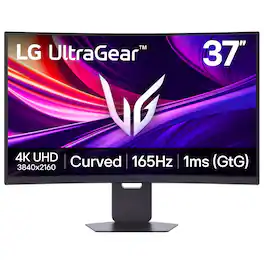
It's time to upgrade your setup with the prodigious 37 Inch 4K UHD UltraGear gaming monitor, delivering crisp ultra high definition (3840 x 2160) resolution, vibrant color with up to 95% DCI-P3 coverage, and striking contrast through VESA DisplayHDR 600. Every detail is vivid, sharp, and designed to elevate your gaming and streaming experience. Stay ahead with a 165Hz refresh rate¹ and lightning-fast 1ms (GtG) response time, ensuring smooth, responsive gameplay. AMD FreeSync Premium Pro keeps every frame fluid and tear-free. Stay battle-ready with USB Type-C connectivity with 65W power delivery, dual HDMI, DisplayPort 1.4, USB upstream and two downstream ports. The slim bezel, virtually borderless screen is height, tilt and swivel adjustable. The 4-pole headphone jack combines stereo audio and mic input, delivering crisp sound and clear game-play comms through a single connection. A slim bezel, fully adjustable stand bring both performance and style to your ultimate gaming setup.

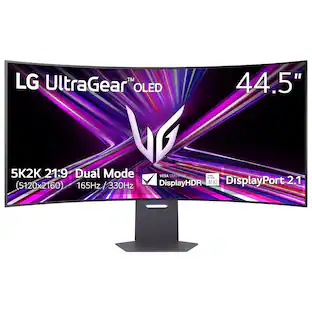
Unleash unparalleled gaming prowess with the world's first 5K2K WUHD (5120 x 2160) resolution OLED gaming monitor¹. This 45" curved UltraGear monitor elevates your gameplay experience with Dual Mode technology. Dual Mode lets a player switch between breathtaking UHD visuals at up to 165Hz, or Full HD at a blistering 330Hz for ultra-responsive gameplay in FPS, MOBA, or racing titles²—all at the touch of a hotkey. Immerse yourself in up to 1300 nits brightness in UltraGear OLED brilliance, boasting up to 98.5% DCI-P3 color coverage, a staggering 1.5M:1 contrast ratio, and DisplayHDR True Black 400. The dramatic 800R curve and 21:9 aspect ratio offer more vertical screen space than a 49” 32:9 display, pulling you deeper into the action like never before. A sleek, slim design offers adjustable height, tilt, and swivel controls for your perfect view, complemented by RGB backlighting to set the mood for your battlestation. Equipped with DisplayPort 2.1, HDMI 2.1 ports, and USB Type-C with 65W power delivery, plus NVIDIA G-SYNC Compatible and AMD FreeSync Premium Pro support, you’ll enjoy smooth, tear-free gaming at high refresh rates. UltraGear's 2-year limited warranty and OLED Care tools, give you OLED gaming peace of mind as well.
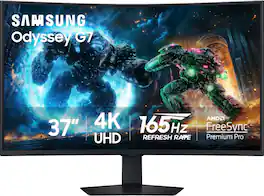
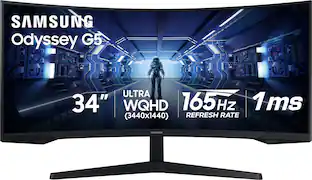
Samsung's 37" 4K UHD Odyssey G7 Curved Gaming Monitor provides spectacular realism for epic game play. The 37" 1000R curved display with 4K UHD resolution wraps around the field of vision for next-level gaming. VESA DisplayHDR 600 delivers more contrast, with deeper blacks and brighter whites for greater clarity even in dark scenes. 165Hz refresh rate and near-instant 1ms response time (GtG) minimizes lag for ultra-smooth gameplay. AMD FreeSync Premium Pro syncs the GPU and panel to reduce choppiness, screen lag, and image tears. Auto Source Switch+ detects when connected devices are turned on and instantly switches to the new source signal. CoreSync technology with 16.7 million colors and CoreLighting+ project vibrant on-screen colors into the real world for a fully immersive experience. The ergonomic stand enables monitor tilt and height adjustment for optimal gaming comfort.
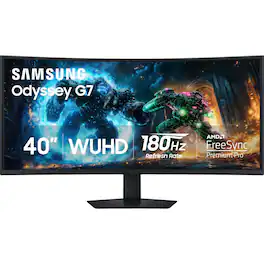
Samsung’s 40" Odyssey G7 Curved Gaming Monitor provides breathtaking realism for epic game play. The 40" 1000R curved display with its 21:9 screen and brilliant WUHD (5120 x 2160) resolution wraps around the field of vision for next-level gaming. VESA DisplayHDR 600 delivers more contrast, with deeper blacks and brighter whites for greater clarity even in dark scenes. 180Hz refresh rate and near-instant 1ms response time (GtG) minimizes lag for ultra-smooth gameplay. AMD FreeSync Premium Pro syncs the GPU and panel to reduce choppiness, screen lag, and image tears. Picture-by-Picture maximizes screen potential with a split screen to team up with friends, while Picture-in-Picture allows content management on a single screen. Auto Source Switch+ detects when connected devices are turned on and instantly switches to the new source signal. CoreSync technology with 16.7 million colors and CoreLighting+ project vibrant on-screen colors into the real world for a fully immersive experience. The ergonomic stand enables monitor tilt and height adjustment for optimal gaming comfort.
| Pros for LG - UltraGear 37" VA 165Hz, 1ms, Monitor FreeSync Premium Pro Gaming Monitor with DisplayHDR 600 (HDMI, DP, USB-C) - Black | |||
|---|---|---|---|
| Image Quality, Connectivity, Refresh Rate | Picture Quality | Refresh Rate, Screen Size, Build Quality, Immersion, Resolution | Image Quality, Refresh Rate, Connectivity, Screen Curvature, HDR Performance |
| Cons for LG - UltraGear 37" VA 165Hz, 1ms, Monitor FreeSync Premium Pro Gaming Monitor with DisplayHDR 600 (HDMI, DP, USB-C) - Black | |||
| There were no cons for this product— | There were no cons for this product— | There were no cons for this product— | Speakers, Black Levels |
Specs

- Sony Interactive Entertainment - DualSense Edge Wireless Controller for PS5, PC, Mac & Mobile - Midnight Black$169.99The price was $199.99
- Sony Interactive Entertainment - DualSense Wireless Controller for PS5, PC, Mac & Mobile - Chroma Teal$59.99The price was $79.99




Reviews
Rating 4.9 out of 5 stars with 7 reviews
Top Mentions
- Image Quality (5)
- Connectivity (3)
- Refresh Rate (3)
Customer Images
The vast majority of our reviews come from verified purchases. Reviews from customers may include My Best Buy members, employees, and Tech Insider Network members (as tagged). Select reviewers may receive discounted products, promotional considerations or entries into drawings for honest, helpful reviews.

Explore tech essentials Sponsored
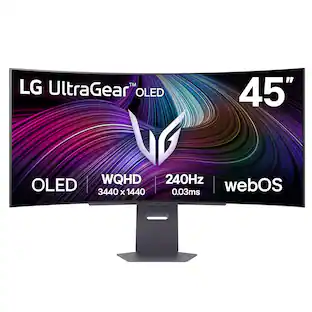 $999.99The price was $1,699.99