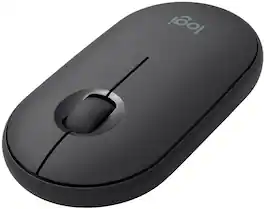
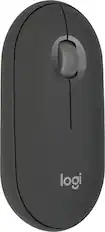
Logitech - Pebble i345 Bluetooth Optical Ambidextrous Mouse for iPad - Wireless - Graphite
About this product
Meet the Logitech Pebble i345. It takes your iPad to higher places with a level of precision and control you can’t get with a tablet alone. Use it to click, scroll, and control your workflow like never before. It’s small, portable, and comfortable—so you can keep exploring, wherever you go.
Slim. Light. Portable.
Slip Logitech Pebble i345 in your bag or drop it in your pocket. Take it to a poolside lounge, cafe table, or airplane, and say "hello" to your new mobile office.
Works on multiple surfaces
Logitech Pebble i345 tracks fast and accurately whether you use it on a table at your favorite coffee shop or directly on your bed covers.
Beautiful slim design
Just like an iPad, Logitech Pebble i345 is sleek and streamlined. With round corners, clean lines, and modern colors, it is the perfect match to iPad and looks great in any setup.
Easy setup with Bluetooth
Connect with energy-efficient Bluetooth LE for a reliable connection you can count on up to a 33ft range.¹
Silent
Work in a cafe, library, or even a crowded train without disturbing anyone around you. You’ll get the same click feel you love, but make about 90% less noise.²
Long-lasting 18-month battery
Up to 18-month battery life means you don’t have to worry about losing power. Logitech Pebble i345 automatically goes into battery-saving sleep mode when you’re taking a break.³
Multiple colors
Choose Logitech Pebble i345 in white or graphite to perfectly match the rest of your accessories.
More sustainable
Certified carbon neutral: the carbon impact of the product and packaging has been reduced to zero.
¹Wireless range may vary based on environmental and computing conditions.
²Sound level comparison between Logitech Pebble and Logitech M170. Left click dBA measured by an independent lab at 1m. Even the wide rubber scroll wheel glides in silence.
³Battery may vary based on user and computing conditions.
- Lighting TypeNoneMaximum Sensitivity1000 dots per inchNumber of Buttons (Total)3Connection TypeWireless
Reviews
Rating 4.7 out of 5 stars with 742 reviews
Customer Images
The vast majority of our reviews come from verified purchases. Reviews from customers may include My Best Buy members, employees, and Tech Insider Network members (as tagged). Select reviewers may receive discounted products, promotional considerations or entries into drawings for honest, helpful reviews.





Compare similar products
Meet the Logitech Pebble i345. It takes your iPad to higher places with a level of precision and control you can’t get with a tablet alone. Use it to click, scroll, and control your workflow like never before. It’s small, portable, and comfortable—so you can keep exploring, wherever you go.

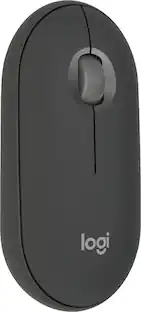
Defy Boring with Pebble Mouse 2 M350s wireless mouse made with recycled plastic. Its minimalist round shape and compact mouse design make it as iconic as you and super portable. Hop across 3 devices with the Easy-Switch button on the Bluetooth mouse. With Logi Options+ app, you can assign shortcuts to the mouse’s middle button for your favorite apps, like WhatsApp or Spotify. Work, browse, and chat with Silent Touch Technology that removes 90% of click noise. Pebble Mouse 2 M350s Bluetooth mouse comes with a 24-month battery and auto-sleep power-saving mode, to keep you going for longer, worry-free.

Magic Mouse is wireless and rechargeable, with an optimized foot design that lets it glide smoothly across your desk. The Multi-Touch surface allows you to perform simple gestures such as swiping between web pages and scrolling through documents. The rechargeable battery will power your Magic Mouse for about a month or more between charges.* It’s ready to go right out of the box and pairs automatically with your Mac. It features a USB-C port and includes a woven USB-C Charge Cable that lets you pair and charge by connecting to a USB-C port on your Mac, so you can charge all of your favorite devices with just a single cable.

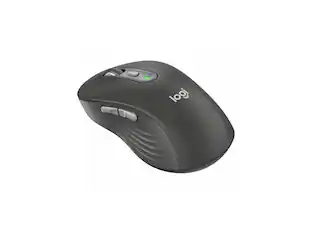
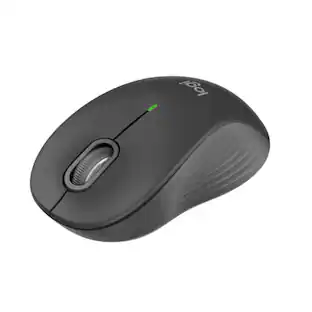
Upgrade to smarter scrolling, better comfort, and more productivity with the Signature M650 L. The versatile mouse features an adaptive scroll SmartWheel that delivers line-by-line precision, and auto-switches to super-fast free spin mode with the flick of a finger. A choice of sizes for smaller, larger and left hands means there's a perfect fit for anyone. Seamless wireless connectivity, customizable side buttons, and a comfort shape keep you comfortably and productive hour after hour. Logitech’s SilentTouch technology delivers silent clicks to keep you focused – while the up to 24-month battery life and universal operating system compatibility ensure hassle-free performance.
| Pros for Logitech - Pebble i345 Bluetooth Optical Ambidextrous Mouse for iPad - Wireless - Graphite | |||
|---|---|---|---|
| There were no pros for this product— | Overall Performance, Size, Connectivity, Design, Portability | Overall Performance, Design, Connectivity, Ease of Use, Battery Life | Overall Performance, Size, Connectivity, Ease of use, Ergonomics |
| Cons for Logitech - Pebble i345 Bluetooth Optical Ambidextrous Mouse for iPad - Wireless - Graphite | |||
| There were no cons for this product— | Scroll Wheel, Click Sound | Charging Port Placement, Scrolling, Size | Scroll Wheel, Side Buttons, Price, Weight |
Specs
Customers often buy these together
![esc 1 2 3 F F2 F3 F4 F5 U F6 44 F I F8 > F 0 11 F12 ins del logitech ~ ! 1 @ 2 # 3 $ 4 % 5 A 6 & 7 * 8 ( 9 ) 0 - - + = back num lock cleor / . - tab Q W E R T Y U I O P { [ } ] I I 7 home 8 A 9 g up + cops lock A S D F G H J K L : ; " enter 4 5 6 shift Z X V B N M < , > ? / shift 1 end 2 Y 3 PG pg dn enter ctrl fn start alt opt alt cmd x alt cmd x ctrl alt opt A Y 0 iins del](https://pisces.bbystatic.com/image2/BestBuy_US/images/products/5592/5592420_sd.jpg;maxHeight=232;maxWidth=233?format=webp)
Logitech - K780 Full-size Wireless Scissor Keyboard - Graphite
$65.99The price was $83.06
![Esc F1 F2 F3 F4 F5 F6 F7 F8 F9 F10 F11 F12
1 2 3 4 5 6 7 8 9 0 - = Delete
Q W E R T Y U I O P [ ] \
A S D F G H J K L ; ' Enter
Caps Z X C V B N M , . /
Shift Shift Fn Ctrl Win Alt
PgUp PgDn End Chr](https://pisces.bbystatic.com/image2/BestBuy_US/images/products/2bfa4c61-e0af-49e2-88cd-00c7762d302a.jpg;maxHeight=232;maxWidth=233?format=webp)



Customers ultimately bought
 Top Deal$18.99The price was $22.99
 $19.99The price was $22.99
 $49.99The price was $59.99

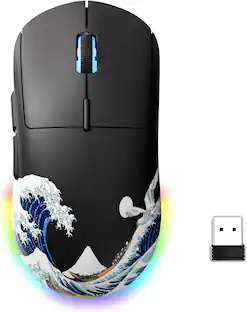
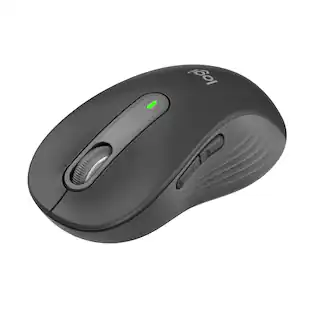
Explore tech essentials Sponsored
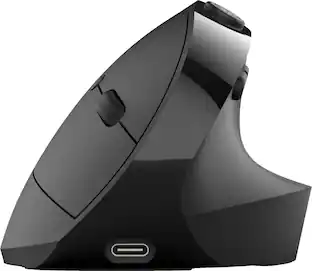



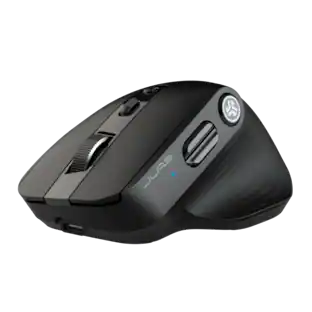


Discover related products
 $12.99The price was $13.99
 $24.99The price was $27.99
 $18.51The price was $22.89










Keep exploring
 $119.95The price was $199.95
 $149.95The price was $215.95