Logitech - Pro Flight Switch Panel Gaming Controller for PC - Black
About this product
Take to the skies and experience the joy of flight in the next generation of Microsoft Flight Simulator, at its best on Logitech G flight equipment. Travel the world in amazing detail with over 37 thousand airports, 2 million cities, 1.5 billion buildings, real mountains, roads, trees, rivers, animals, traffic, and more. Test your piloting skills against the challenges of night flying, real-time atmospheric simulation, and live weather in a dynamic and living world. Your panel works with Windows 7, 8.1 and 10. A quick installation of a small plug-in from the support page adds compatibility with your favorite flight simulation software for PCs including Microsoft Flight Simulator, FSX - Flight Simulator X, X-Plane 10, and Prepar3D.
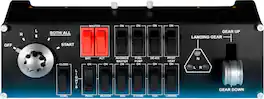
Five-position magneto dial
Flight Switch Panel accommodates a wide range of different aircraft and features a five-setting rotary switch that individually controls the magnetos in your plane's ignition system. The 'R' and 'L' positions activate their respective magneto in each engine, 'BOTH/ALL' activates every magneto, and moving to 'START' engages the starter.
Realistic landing gear
With LED Indicators. Bring your plane's landing gear up or down with a satisfying click of an actual control lever. Convenient LEDs provide visual indication of real-time gear status from FSX and Prepar3D. Now you can see the exact state of your landing gear with a mere glance at the Switch Panel.
Fully customizable for flying conditions
Modular and Interchangeable. The Logitech G range of panels can be situated one on top of another or side-by-side. Want the Radio Panel above the Multi Panel? Done. Want your Switch Panel to the left of your Yoke? Go for it. Easy-to-use mounting brackets provide the means to arrange your flight simulation setup in a configuration only limited by your imagination.
- WirelessNoCompatible Platform(s)Windows
Reviews
Rating 5 out of 5 stars with 1 review
The vast majority of our reviews come from verified purchases. Reviews from customers may include My Best Buy members, employees, and Tech Insider Network members (as tagged). Select reviewers may receive discounted products, promotional considerations or entries into drawings for honest, helpful reviews.
Compare similar products
Take to the skies and experience the joy of flight in the next generation of Microsoft Flight Simulator, at its best on Logitech G flight equipment. Travel the world in amazing detail with over 37 thousand airports, 2 million cities, 1.5 billion buildings, real mountains, roads, trees, rivers, animals, traffic, and more. Test your piloting skills against the challenges of night flying, real-time atmospheric simulation, and live weather in a dynamic and living world. Your panel works with Windows 7, 8.1 and 10. A quick installation of a small plug-in from the support page adds compatibility with your favorite flight simulation software for PCs including Microsoft Flight Simulator, FSX - Flight Simulator X, X-Plane 10, and Prepar3D.

Complete realistic flight simulation experiences with these Logitech G Pro Flight rudder pedals. Their differential braking capability lets you manipulate the left and right toe brakes individually for precise directional control, and the adjustable footrests provide optimal fit. Set your preferred resistance with the adjustable tension dial on these Logitech G Pro Flight rudder pedals.

Dominate the competition using these Honeycomb Alpha flight controls. The solid-steel shaft provides stable control, while 180-degree yoke rotation and self-centering mechanism eliminate dead zones, providing a true-to-life flight experience. Dual linear ball bearings deliver fluid handling. These Honeycomb Alpha flight controls feature a dual-mounting system for secure attachment on your tabletop.

Bring realistic flight control to your flight simulation with the Bravo Throttle Quadrant from Honeycomb Aeronautical. Six commercial or general aviation levers give you realistic control. In addition to flaps, spoilers, and thrust reversers, this throttle also utilizes an annunciator panel and TOGA button for multiple configurations. Seven two-way programmable switches and 14 warning lights allow for craft-specific performance. Along with autopilot and backlit buttons, the Bravo Throttle Quadrant also features adjustable lever tension and a trim wheel. This flight control is compatible with MAC and Windows PCs and with X-Plane 11, Prepar3D, and Microsoft Flight Simulator.
| Pros for Logitech - Pro Flight Switch Panel Gaming Controller for PC - Black | |||
|---|---|---|---|
| There were no pros for this product— | There were no pros for this product— | Build Quality, Feel, Setup Ease, Performance | Build Quality, Configuration |
Specs
Be the first to ask a question.
We’ll try to get your question answered within 24 hours by a Best Buy customer or brand representative.
Customers often buy these together
Gaming Headsets
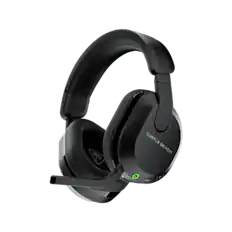
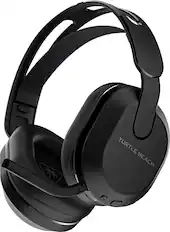
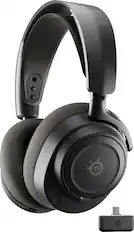
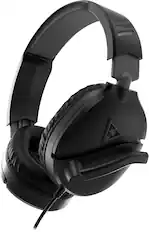
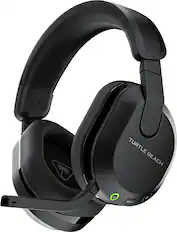
Turtle Beach - Stealth 600 Wireless Over-Ear Multiplatform Gaming Headset for XBOX Series X|S, XBOX One, PS5, PS4, PC & Mobile - Black
Top Deal$89.99The price was $109.99
Power Adapters and Chargers
PC Gaming Headsets
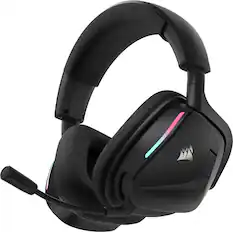
CORSAIR - VOID v2 Wireless Gaming Headset for PC, PS5, PS4, Nintendo Switch, and Mobile - Carbon
Top Deal$89.99The price was $129.99


Customers ultimately bought
Level up your game Sponsored
 $404.99The price was $465.99
 Top Deal$49.99The price was $64.99

Discover related products



Keep exploring
 $89.99The price was $99.99
 $244.99The price was $275.00
 $219.99The price was $269.99