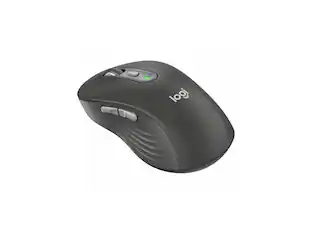
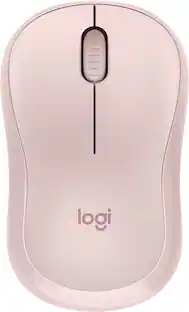
Logitech - Signature M650 Wireless Optical Mouse with Silent Clicks - Wireless - Rose
Customers are saying
Customers highly value the overall performance and ease of use of this mouse, frequently highlighting its comfortable, ergonomic design and compact size. Users also appreciate the silent clicking mechanism, impressive battery life, and reliable Bluetooth connectivity. While a few individuals noted the price or specific limitations regarding the side buttons and scroll wheel, the general consensus remains overwhelmingly positive.
Color
RoseFeatures
Scroll smarter
With Logitech Signature M650 Wireless Mouse you get line-by-line precision for documents and super-fast scrolling for long web pages; simply switch modes with a flick of the SmartWheel.
The optimal fit for your hand
This comfortable mouse is designed for small-to-medium sized hands, for the optimal fit.
Upgrade your comfort
This work mouse provides long hours of comfort thanks to a contoured shape, soft thumb area, and rubber side grips that keep your hand snug and in place.
Connect the way you like
Connect this cordless computer mouse in an instant via Bluetooth Low Energy or Logi Bolt USB receiver.
Less noise, more focus
Whether working at the office or at home, Logitech Signature M650 is a quiet mouse, allowing you to enjoy 90 percent less click noise with SilentTouch technology.*
Customizable side buttons
Customize the side buttons on the computer mouse with Logitech Options+, available on Windows and macOS, to your favorite shortcuts – like back/forward or copy/paste.
24 month battery life
Work for up to 2 years on the single AA battery that comes with your multi-device mouse.**
Works on multiple platforms
Experience seamless compatibility with Windows, macOS, Linux, ChromeOS, iPadOS, and Android operating systems; it is also a Works with Chromebook certified product.
More sustainable
Plastic parts in Signature M650 Rose include 26% certified post consumer recycled plastic.³
¹ Click noise reduced by over 90% compared to Logitech M185. Left click and typing dBA level measured by an independent lab at 1 meter.
² Battery life may vary based on user and computing conditions.
³ Excludes receiver and printed wiring assembly (PWA) plastics, and packaging.
Specifications
- Maximum Sensitivity4000 dots per inchNumber of Buttons (Total)5Connection TypeWireless
Reviews
Rating 4.8 out of 5 stars with 1207 reviews
- Overall Performance (201)
- Ease of use (195)
- Size (137)
- Ergonomics (118)
- Silent Clicks (84)
- Click Noise (57)
- Price (5)
- Side Buttons (5)
- Scroll Wheel (4)
Customer Images
The vast majority of our reviews come from verified purchases. Reviews from customers may include My Best Buy members, employees, and Tech Insider Network members (as tagged). Select reviewers may receive discounted products, promotional considerations or entries into drawings for honest, helpful reviews.

Compare similar products

Upgrade to smarter scrolling, better comfort, and more productivity with the Signature M650. The versatile mouse features an adaptive scroll SmartWheel that delivers line-by-line precision, and auto-switches to super-fast free spin mode with the flick of a finger. A choice of sizes for smaller, larger and left hands means there's a perfect fit for anyone. Seamless wireless connectivity, customizable side buttons, and a comfort shape keep you comfortably and productive hour after hour. Logitech’s SilentTouch technology delivers silent clicks to keep you focused – while the up to 24-month battery life and universal operating system compatibility ensure hassle-free performance.

Meet the reliable Logitech M240 Silent Bluetooth Mouse that frees up your workspace. Pair and play with a fast, easy Bluetooth wireless connection; just seconds and you’re connected—no dongle or port required. Ultra quiet-mouse with 90% reduced click sound and same click feel eliminates noise and distractions for you and others around you. 18-month battery life with auto sleep, so you go longer between battery changes. Comfortable, travel-friendly slim mouse is small enough to toss in a bag; the ambidextrous design guides either your right or left hand into a natural position.

Discover the reliable Logitech M196 Bluetooth Wireless Mouse and declutter your workspace. This convenient portable mouse pairs to your laptop or tablet in seconds via Bluetooth—no dongle or port required. Enjoy up to 12-month battery life and auto sleep feature to help you go longer between AA battery changes. Small enough to toss in a bag, this comfortable Bluetooth travel mouse has an ambidextrous design that guides either your right or left hand into a natural position. The Logitech M196 Wireless Bluetooth Mouse is made to last with recycled plastic.
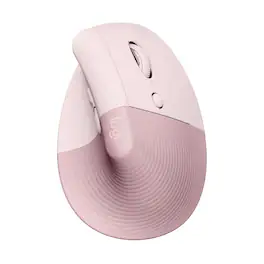
Desk life getting you down? Lift yourself up with Lift Vertical Ergonomic Mouse – a comfy and intuitive wireless mouse with quiet clicks crafted specially for small-to-medium hands. Available in right and left. Lift’s unique 57-degree angle elevates your wrist to give a feeling of relief — and sends a wave of comfort through the forearm and upper body. Scrolling feels second nature with SmartWheel, which easily shifts from precision to speed-scroll. Customize Lift ergo mouse using intuitive Logi Options+ Software.
| Pros for Logitech - Signature M650 Wireless Optical Mouse with Silent Clicks - Wireless - Rose | |||
|---|---|---|---|
| Overall Performance, Ease of use, Size, Ergonomics, Silent Clicks | Overall Performance, Connectivity, Ease of use, Noise Level, Size | Overall Performance, Connectivity, Ergonomics, Ease of Use, Weight | Ergonomics, Ease of use, Overall Performance, Noise Level, Color |
| Cons for Logitech - Signature M650 Wireless Optical Mouse with Silent Clicks - Wireless - Rose | |||
| Click Noise, Price, Side Buttons, Scroll Wheel | USB Port | Noise Level | Size, Wrist Pain |
Specs
Customers often buy these together
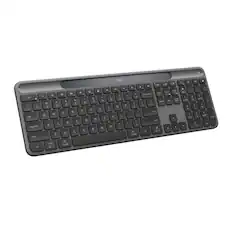
Computer Keyboards
![F1, esc, !, -, 1, tab, caps lock, shift, F2, @, 2, Q, A, F3, Q, #, 3, W, S, Z, F4, $4, E, D, X, F5, %, 5, R, F, C, F6, 44, A, 6, T, G, V, F7, HI &, 7, Y, H, logi, F8, FO, 4, *, (, 8, 9, U, I, J, K, M, N, FI0, 0, O, L, <, -, alt, page up, page down, end, down, delete, home, 1, P, [, ] 5, 5, 4, ., -, enter, :, 1, 3, enter, I, 2, 1, Pg up, [, ] 5, 5, 4, ., -, enter, ?, >, /, 0, del, a, 4, ins, e, ctrl, *, fn, ctrl, fn, alt, logi.](https://pisces.bbystatic.com/image2/BestBuy_US/images/products/6536/6536551_sd.jpg;maxHeight=232;maxWidth=233?format=webp)


![Sure, here is the corrected and grouped text from the image:
---
**Top Row:**
- Esc
- F1 F2 F3 F4 F5 F6 F7 F8 F9 F10 F11 F12
**Second Row:**
- 1 ! 2 @ 3 # 4 $ 5 % 6 ^ 7 & 8 * 9 ( 0 ) - _ + =
**Third Row:**
- Tab Q W E R T Y U I O P [ { ] } \
**Fourth Row:**
- Caps Lock A S D F G H J K L ; ' Enter
**Fifth Row:**
- Shift Z X C V B N M , . / Shift
**Function Keys:**
- F1 F2 F3 F4 F5 F6 F7 F8 F9 F10 F11 F12
**Right Side:**
- Insert Home Page Up Delete End Page Down
**Bottom Row:**
- Ctrl Alt Spacebar Alt Ctrl
**Additional Keys:**
- Logi
- Scroll Lock
- Pause Break
---
This should match the layout of the keyboard in the image.](https://pisces.bbystatic.com/image2/BestBuy_US/images/products/0ce0f170-380c-41e4-8d6a-fa0aadbd534c.jpg;maxHeight=232;maxWidth=233?format=webp)
![esc ! - 1 tab caps lock shift ctrl F2 F3 # 2 3 Q W E R T Y U I O P A S D F G H J K L Z X C V B N M start opt alt cmd logi 44 HI . F10 F8 F7 F6 * ( ) - - & 0 8 9 7 O P U I Y K L H J > < N M B F + = { [ : I : ? I alt cmd 2 30 3 1 FQ page insert home up backspace page 1 delete end down ) ] / I I & shift ctrl fn opt 6 / + / clear 8 9 + 7 & P9 up home 5 6 4 a 4 2 3 enter 1 dn pg end = 0 del ins](https://pisces.bbystatic.com/image2/BestBuy_US/images/products/6539/6539508_sd.jpg;maxHeight=232;maxWidth=233?format=webp)
![logi esc 1 F1 2 F2 3 F3 F4 F5 F6 F7 F8 x F9 NI F10 x F11 F12 ins del ~ ! 1 2 # 3 $ 4 % 5 ^ 6 & 7 8 ( 9 ) 0 e - + = backspace tab Q W E R T Y U I O P { [ } ] I / caps lock A S D F G H J - K L : ; " enter shift Z X C V B N M < > ? / shift ctrl fn L start opt H alt cmd alt cmd ctrl opt](https://pisces.bbystatic.com/image2/BestBuy_US/images/products/6478/6478163_sd.jpg;maxHeight=232;maxWidth=233?format=webp)
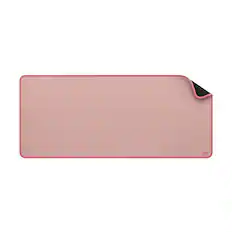
Mouse Pads




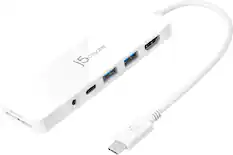
Laptop Docking Stations
Customers ultimately bought
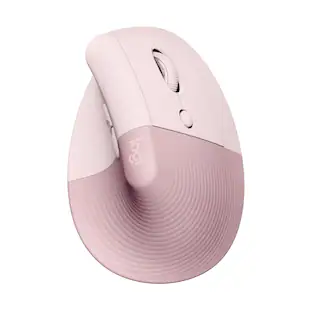
Logitech Lift Vertical Wireless Optical Ergonomic Mouse with 4 Customizable Buttons
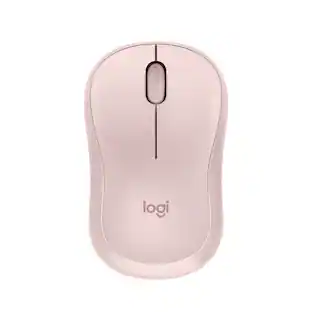
Top Deal$63.99The price was $79.99Logitech Signature M650 L Full-size Wireless Optical Scroll Mouse with Silent Clicks
Top Deal$33.99The price was $39.99







Explore tech essentials Sponsored
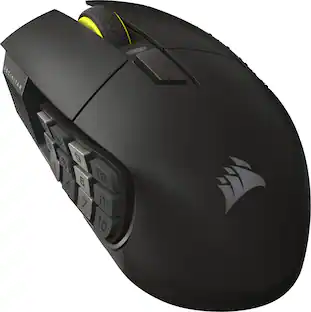
CORSAIR Scimitar Elite Wireless SE MOBA/MMO Optical Gaming Mouse with 16 Programmable Buttons
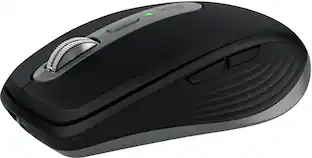
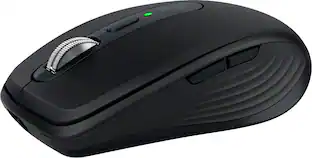
$99.99The price was $139.99Logitech MX Anywhere 3S Wireless Bluetooth Optical Fast Scrolling Mouse with Programmable Buttons
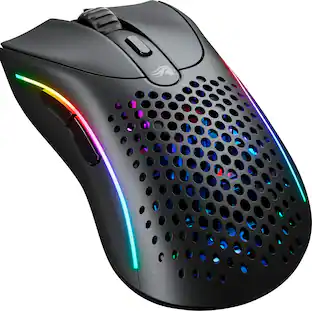
Top Deal$69.99The price was $89.99Glorious Model D 2 Wireless Optical RGB Gaming Mouse with 6 Programmable Buttons
Clearance$59.99The price was $99.99




Discover related products
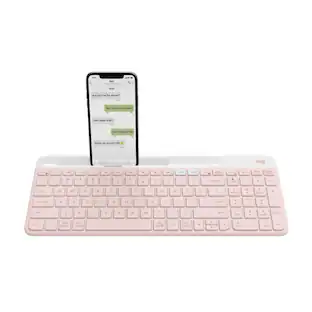
Logitech K585 Slim Multi-Device Wireless, Compact and Quiet Keyboard (Rose)
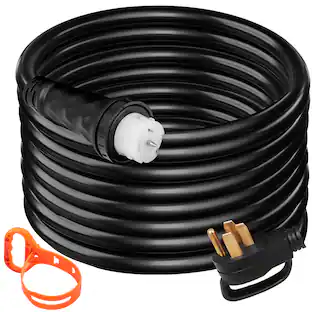
$52.99The price was $64.99VEVOR 15Ft 50 Amp Generator Extension Cord STW 6/3 + 8/1 Generator Cord 125V 250V Generator Power Cord
$92.90The price was $116.99Acer USB C Docking Station With 2 HDMI, 9-IN-1 Docking Hub with USB A&C 3.0, SD/Micro SD, 100W Charging
$42.99The price was $47.99Acer USB C to HDMI Cable for Home Office 6.6FT (4K@60Hz), High-Speed Type C to HDMI 2.0 Braided Cord
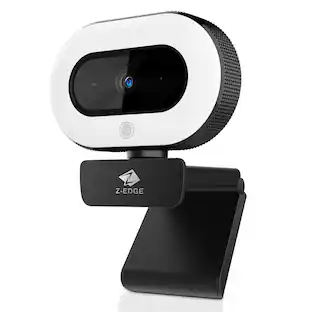
$12.99The price was $13.99Z Z-Edge 2K 2592x1944 Stream Webcam Auto Focus Web Camera for PC/Desktop/Laptop
$24.99The price was $39.99










Keep exploring
GravaStar Mercury X Wireless Optical Gaming Mouse with 32000 DPI and 49g Magnesium Alloy Frame
$79.95The price was $109.95Logitech B100 Corded Mouse – Wired USB Mouse for Computers and laptops, for Right or Left Hand Use
$13.29The price was $20.06