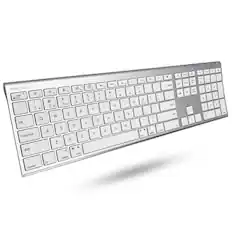
Macally - Small Wired Keyboard for Mac and PC (Dual USB C + A) - Save Space, 78-Key Layout with 13 Shortcuts, Type C - Silver
Reviews coming soon
About this product
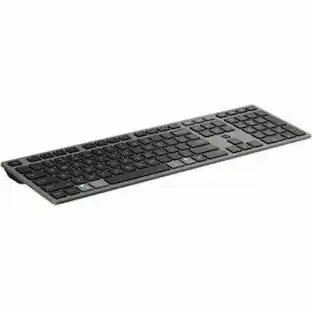
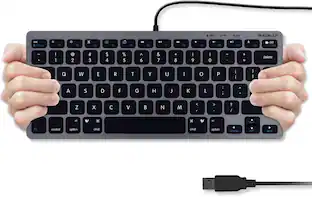
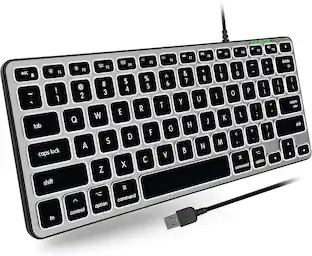
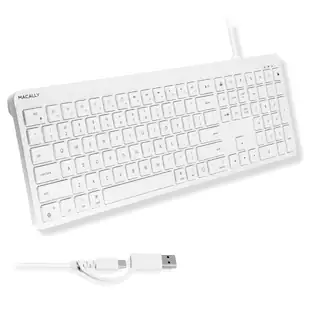
levate your productivity with the Macally dual connector wired keyboard. Specifically engineered for the Apple ecosystem this compact keyboard features a built in cable with both USB C and USB A plugs to ensure seamless compatibility with any MacBook or iMac. The space saving 78 key layout is perfect for small desks and travel while the premium scissor switch keys offer a quiet and tactile typing feel. Use the 13 dedicated macOS shortcuts to instantly manage brightness and media or connect to a PC for reliable Windows performance. This plug and play keyboard requires no batteries or charging providing a stable and lag free connection for your home or office Key Count: 78 keys Connection Type: Dual wired connection Connector: USB-C and USB-A built in plugs Compatibility: macOS, Windows Shortcut Keys: 13 one touch shortcut keys Key Switch Type: Scissor switch Power Source: USB powered Color: Silver Dimensions: 11.2" x 4.7"
Color
SilverFeatures
Dual (USB A + USB C) Connection:
Built-in USB C and USB A plug ensure direct compatibility with modern and legacy computers without adapters, making this a reliable apple wired keyboard across multiple systems.
Space Saving Design:
Slim, space efficient design keeps all essential keys while reducing desk clutter. This mac compatible keyboard usb c is ideal for minimalist workspaces, small desks, or travel.
One Touch Shortcut Keys:
13 dedicated shortcut keys deliver quick access to Mission Control, brightness, media, and volume controls, giving you familiar functionality expected from a mac keyboard wired for daily productivity.
Responsive Scissor Switch Keys:
Low profile scissor switch keys offer stable, responsive typing with reduced noise and shorter key travel, creating a comfortable typing experience similar to a macbook keyboard.
Plug and Play Reliability:
No batteries, charging, or wireless dropouts to manage. The wired type c keyboard delivers consistent, uninterrupted typing you can rely on at home, in the office, or on the go.
Specifications
- Form Factor75%Connection TypeWired
Reviews
This product doesn't have any reviews yet.





Compare similar products
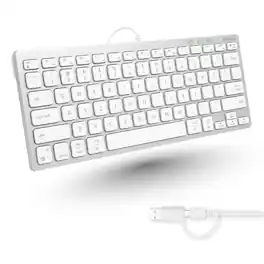
levate your productivity with the Macally dual connector wired keyboard. Specifically engineered for the Apple ecosystem this compact keyboard features a built in cable with both USB C and USB A plugs to ensure seamless compatibility with any MacBook or iMac. The space saving 78 key layout is perfect for small desks and travel while the premium scissor switch keys offer a quiet and tactile typing feel. Use the 13 dedicated macOS shortcuts to instantly manage brightness and media or connect to a PC for reliable Windows performance. This plug and play keyboard requires no batteries or charging providing a stable and lag free connection for your home or office Key Count: 78 keys Connection Type: Dual wired connection Connector: USB-C and USB-A built in plugs Compatibility: macOS, Windows Shortcut Keys: 13 one touch shortcut keys Key Switch Type: Scissor switch Power Source: USB powered Color: Silver Dimensions: 11.2" x 4.7"
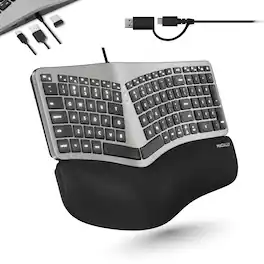
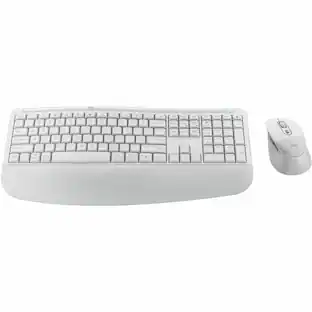
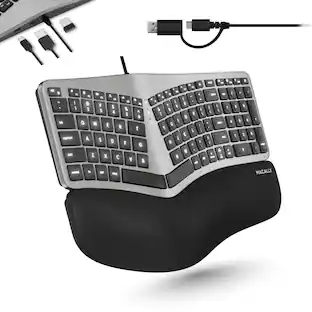
The Macally Wired Mac Keyboard combines comfort, versatility, and productivity in one design. Its split layout with cushioned wrist support and curved slope helps reduce strain during long typing sessions. Dual USB A and C plugs let you connect to any Mac, iPad, or iPhone instantly, while the built-in hub adds two USB A ports and one USB C port for your accessories. With bright backlit keys, three adjustable brightness levels, and a 100-key layout featuring 16 Mac shortcuts, this keyboard is always ready to plug in and work. Split ergonomic layout with sloped curved design Cushioned wrist support Dual USB A and USB C wired connection Built-in hub with 2 USB A ports and 1 USB C port White LED backlit keys with 3 brightness levels 100-key Mac layout 16 Mac-specific shortcut keys Tactile scissor switch keys Plug and play, no drivers required
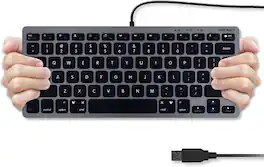
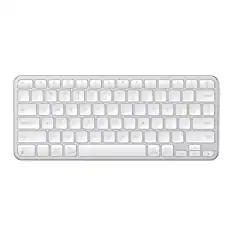
MACALLY SLIMKEYC: USB Wired Compact Computer Keyboard Introducing the Macally SLIMKEYC, a 78-key compact USB wired keyboard designed to provide an Apple-like typing experience for both Mac and PC users. This macally keyboard is perfect for those who need a reliable, compact, and budget-friendly option. Compact and Efficient The Macally SLIMKEYC is a compact keyboard that won’t take up much desk space. With its 78 keys, it’s an ideal choice for those who need a streamlined setup. This chiclet keyboard offers low-profile keys that provide smooth tactile feedback, ensuring a comfortable typing experience. Wired for Reliability Say goodbye to weak connections and constant battery changes. The Macally SLIMKEYC is a mac keyboard wired option, ensuring a stable connection to your computer at all times. This apple wired keyboard is perfect for those who prefer a wired connection for their teclado para mac. Apple-Like Typing Experience Designed to mimic the feel of an Apple keyboard, the Macally SLIMKEYC provides a typing experience similar to that of a keyboard apple. It’s a great budget replacement that doesn’t compromise on quality, making it an excellent choice for an external keyboard for macbook pro. Wide Compatibility The Macally SLIMKEYC is compatible with Mac OS X v10.6 and above, including the latest macOS versions, and Windows 7/8/10 and above. Whether you’re using an iMac, MacBook Air, MacBook Pro, or any desktop or notebook computer with a USB port, this mac compatible keyboard will work seamlessly. Stylish and Functional Available in a sleek white finish, the Macally SLIMKEYC is not just functional but also stylish. It complements any setup, making it a perfect imac keyboard or apple keyboard black alternative. It’s an excellent white wired keyboard for those who prefer a clean and minimalist look. About Macally For more than 25 years, customers have trusted Macally for all their electronic needs. Known for their quality and reliability, Macally products are backed by lifetime US-based support. When you choose the Macally SLIMKEYC, you’re not just getting a teclado mac; you’re getting a product from a brand with a long-standing reputation for excellence. Upgrade your typing experience with the Macally SLIMKEYC today. Whether you need a macbook air keyboard, macbook pro keyboard, or a teclado apple for your setup, this keyboard offers the perfect combination of functionality, style, and affordability. Get your hands on this mac keyboard and enjoy the ultimate typing experience.
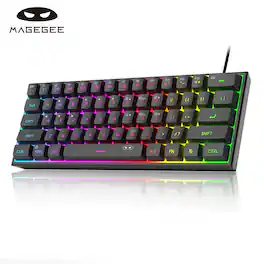
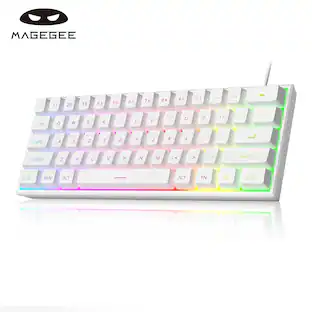
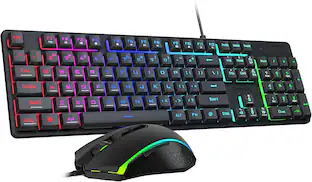
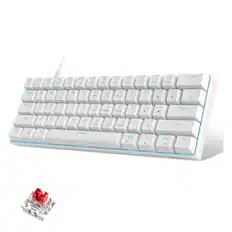
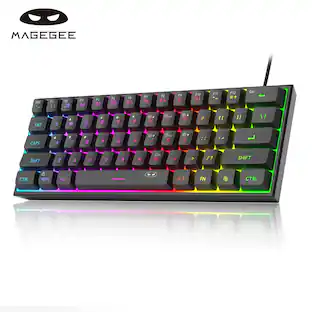
This TS91 60% compact gaming keyboard features customizable RGB backlighting with multiple light colors and modes including breathing and static lighting, allowing you to adjust brightness and breathing speed for comfortable nighttime gaming without extra light. The 61‑key ultra‑compact layout removes the numpad to free up extra desktop space, making it suitable for home, office, gamers and typists. Built with an IPX4 certified waterproof circuit board, it supports easy cleaning while gaming or working, though note the interface is not waterproof. It adopts an ergonomic key‑height design with membrane switches delivering mechanical‑feeling typing performance to reduce fatigue during long‑time use. Widely compatible with Windows 10, Windows 8, Windows 7, Windows Vista and Windows XP, this small‑form‑factor keyboard fits business travel, gaming, office and home scenarios, please refer to the instruction manual for detailed key operation guidance.
Specs
Be the first to ask a question.
We’ll try to get your question answered within 24 hours by a Best Buy customer or brand representative.
Customers often buy these together
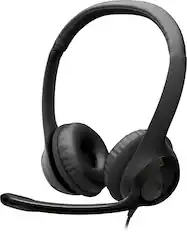
Logitech - H390 Wired USB-C On-Ear Stereo Headphones with Noise Canceling Microphone - Black
$21.99The price was $24.99


![esc 1 ! 2 @ 3 # 4 $ 5 % 6 ^ 7 & 8 * 9 ( 0 ) - = + tab Q W E R T Y U I O P [ { ] } | caps A S D F G H J K L ; : " enter shift Z X C V B N M , < > ? shift ctrl alt fn ctrl](https://pisces.bbystatic.com/image2/BestBuy_US/images/products/f4530ec5-6fbf-4ff0-a67d-1967e6381b1c.jpg;maxHeight=232;maxWidth=233?format=webp)
![esc F1 F2 F3 F4 F5 F6 F7 F8 F9 F10 F11 F12 1 2 3 4 5 6 7 8 9 0 - = backspace tab Q W E R T Y U I O P [ ] \ caps lock A S D F G H J K L ; ' shift Z X C V B N M , . / shift ctrl alt logi](https://pisces.bbystatic.com/image2/BestBuy_US/images/products/6411/6411501_sd.jpg;maxHeight=232;maxWidth=233?format=webp)
More to consider
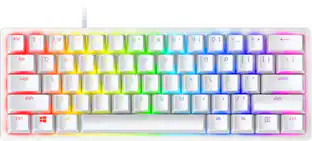
Razer Huntsman Mini 60% Wired Optical Clicky Switch Gaming Keyboard with Chroma RGB Backlighting
$69.00The price was $119.99Logitech MK270 Full-size Wireless Membrane Keyboard and Mouse Bundle for PC
Top Deal$19.99The price was $29.99
Explore tech essentials Sponsored
CORSAIR MAKR PRO 75 Hall Effect DIY keyboard - full aluminum build, gasket mounting, and 8kHz polling
$178.99The price was $249.99Glorious GMMK 3 PRO 75% Barebones Wired Mechanical Linear Switch Gaming Keyboard with Hot-swappable Switches
Clearance$96.99The price was $239.99CORSAIR VANGUARD 96 RGB Wired MLX Quantum Linear Mechanical Switch 96% Gaming Keyboard with FlashTap SOCD
Top Deal$139.99The price was $179.99




Keep exploring
GravaStar Mercury V60 60% Wired Hall Effect Gaming Keyboard with 8000Hz Polling Rate
$129.95The price was $159.95GravaStar Mercury K98 Pro 98% Wireless Gaming Keyboard – Tri-Mode, Gasket Mount, Hot-Swap, RGB, Numpad
$259.95The price was $359.95GravaStar Mercury V60 Pro Special Edition 60% Wired Hall Effect Gaming Keyboard
$199.95The price was $299.95GravaStar Mercury K1 Pro Wireless Mechanical Gaming Keyboard, 75% Layout, RGB Backlit, Hot-Swappable
$199.95The price was $259.95