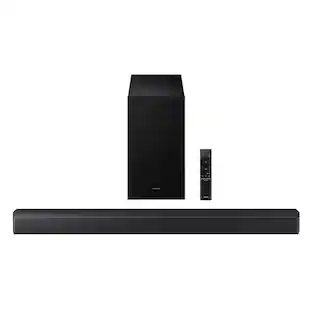
Marshall - Heston 60 5.1 Channel Soundbar with Dolby Atmos Immersive Sound for TV / Movies / Music - Cream
Color
Cream
Key Accessories:
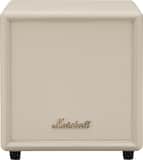
- Marshall - Heston Sub 200 Subwoofer with Deep Bass and Bluetooth LE Connectivity for TV / Movies / Music - Cream$599.99

More Buying Options from Best Buy

Specifications
- Wireless ConnectivityBluetooth, Wi-FiWireless Subwoofer ConnectivityYesApp CompatibleYesIndoor or Outdoor UseIndoorWall MountableYesDialogue EnhancementYes
- Key Specs
- Wireless Connectivity: Bluetooth, Wi-Fi (The manner in which a device sends data to another device over a short distance without the use of wires or cables.)
- Wireless Subwoofer Connectivity: true
- App Compatible: true (The product can be connected to a program or software application on a mobile device, which then receives collected data from the product.)
- Indoor or Outdoor Use: Indoor
- Wall Mountable: true (The product is able to be secured to a wall. Some products are designed ready to mount, while others may require additional hardware/accessories for installation.)
- Dialogue Enhancement: true (Improves clarity of dialogue in audio playback. This is typically achieved with dedicated speakers and/or technology that separates dialogue from the rest of the audio in order to make it clearer.)
- General
- Brand: Marshall
- Model Number: 1008950
- Product Name: Heston 60 5.1 Channel Soundbar with Dolby Atmos Immersive Sound for TV / Movies / Music
- Color: Cream
- Audio
- Number of Channels: 5.1 (The number of discrete channels of sound output. This can be a single number or multiple numbers separated by decimal(s). The first number is the primary, horizontally directed audio channels. The number after the first decimal, if applicable, is the number of subwoofer outputs or channels. The number after the second decimal, if applicable, is the number of height or atmospheric channels designed to immerse the listener by producing overhead sound effects.)
- Surround Sound Supported: Dolby Atmos (Surround sound systems use multiple audio channels and speakers to create an immersive sound experience for the listener. There are also various proprietary technologies that imitate this kind of sound via a device's built-in speakers or soundbar.)
- High Resolution Audio: true (Hear music the way musicians and sound technicians intended it to be heard. Products that support hi-res audio deliver audio signals with a dynamic range and bandwidth far greater than that of a standard CD so you'll be able to enjoy pure music with outstanding sound quality. The device supports high-resolution audio signals, which more closely resemble the quality of music as it was originally recorded, with more texture and detail than can be heard via typical music streaming services or CDs.)
- Minimum Frequency Response: 45 hertz (Describes the maximum range of frequencies or musical tones a product can reproduce, from very low tones to very high treble tones. The minimum frequency or musical tone the speaker can reproduce. High treble tones have higher frequencies while low tones and deep bass have lower frequencies.)
- Maximum Frequency Response: 20 kilohertz (Describes the maximum range of frequencies or musical tones a product can reproduce, from very low tones to very high treble tones. The maximum frequency or musical tone the speaker can reproduce. High treble tones have higher frequencies while low tones and deep bass have lower frequencies.)
- Connectivity
- Wireless Connectivity: Bluetooth, Wi-Fi (The manner in which a device sends data to another device over a short distance without the use of wires or cables.)
- Wireless Multi-Room Audio: true (Technology that allows multiple speakers and/or soundbars to be connected wirelessly and play audio in separate rooms.)
- Wireless Multi-Room Technology: Apple AirPlay 2, Google Cast (Proprietary technology that allows multiple speakers and/or soundbars to be connected wirelessly and play audio in separate rooms.)
- Wireless Subwoofer Connectivity: true
- HDMI Audio Return Channel (ARC): eARC
- Audio Only Inputs: 1 x 3.5mm audio
- Number of HDMI Inputs (Total): 1
- Audio/Video Inputs: 1 x HDMI 2.1 (The number and type of HDMI inputs the product has.)
- Number of USB Inputs: 0
- Number of Optical Audio Inputs: 0
- Number of HDMI Outputs (Total): 0
- Features
- App Compatible: true (The product can be connected to a program or software application on a mobile device, which then receives collected data from the product.)
- Indoor or Outdoor Use: Indoor
- Wall Mountable: true (The product is able to be secured to a wall. Some products are designed ready to mount, while others may require additional hardware/accessories for installation.)
- Dialogue Enhancement: true (Improves clarity of dialogue in audio playback. This is typically achieved with dedicated speakers and/or technology that separates dialogue from the rest of the audio in order to make it clearer.)
- Speaker
- Subwoofer: Optional (sold separately)
- Number of Tweeters: 0
- Number of Woofers: 2
- Dimensions
- Product Height: 2.68 inches (The out of box height of the item. Height is measured as the vertical distance from the bottom of the item to the top as it would be primarily used or placed.)
- Product Width: 28.74 inches (The out of box width of the item. Width is measured as the horizontal distance from one side of the item to the other as it would be primarily used or placed.)
- Product Depth: 4.88 inches (The out of box depth of the item. Depth is measured as the distance from the front of the item to the back as it would be primarily used or placed.)
- Product Weight: 11.73 pounds (The out of box weight of the item.)
- Included
- Remote Control Included: false
- Cable(s) Included: AC power, HDMI
- Mounting Hardware Included: true
- Certifications Listings & Approvals
- ENERGY STAR Certified: false (Devices carrying the ENERGY STAR service mark, such as computer products and peripherals, kitchen appliances, and other products, generally use 20% to 30% less energy than required by federal standards.)
- Warranty
- Warranty - Parts: 1 year
- Warranty - Labor: 1 year
- Other
- UPC: 7340055410946
Enhance your immersive cinematic sound experience from the comfort of home. Heston 60 delivers legendary audio that puts you at the heart of every scene and every song. Dolby Atmos brings three-dimensional precision, drawing you deeper into the drama. Inspired by the classic look of our amps, it features a woven salt-and-pepper fret and PU leather finish. Heston 60’s tactile design balances versatility and convenience. From the feel of the controls to how it looks and functions when paired with any set-up. Whether placed on a TV shelf or mounted to the wall, a reversible control panel and removable magnetic logo ensure both ease of use and aesthetics are always perfectly aligned.
- Immersive Sound for Movies & Music: From movie marathons to your favourite songs on repeat, this soundbar makes every note hit deeper. Featuring Dolby Atmos, Heston 60’s sound pulls you further into the action.
- Multi Wireless Connectivity: No matter how you like to listen, it’s easy to get connected. Use Wi-Fi with AirPlay, Google Cast, Spotify Connect or TIDAL Connect. Or just switch on Bluetooth and hit play on your favourite playlists.
- Integrated Music Services: Program the preset button in the Marshall app and get instant access to Spotify, and internet radio.
- Sound Modes: Find the right mode for whatever you’re listening to, whenever you’re listening to it. Choose from Music Mode, Movie Mode, Night Mode, and Voice Mode.
- Mounts Directly to the Wall: Whether placed on the TV bench or mounted to the wall, Heston 60 is specially designed, so you’ll always get the most optimal sound and look.
- Marshall App: Use the Marshall app to access advanced audio settings and tailor sound to your liking.
Whats Included
- Heston 60 soundbar
- Power supply cable
- HDMI cable
- 2 pcs wall mount gromets
- Quick start guide
- Legal and safety information
Product Manuals
Q: Are there different sound modes available on this soundbar?
A: Yes, there are different sound modes available, including Music, Movie, Night, and Voice.
Q: Can I mount this soundbar directly to the wall?
A: Yes, this soundbar can be mounted directly to the wall.
Q: Does this soundbar support wireless multi-room audio?
A: Yes, this soundbar supports wireless multi-room audio.
Q: Does this soundbar have wireless subwoofer connectivity?
A: Yes, this soundbar has wireless subwoofer connectivity.
Q: Does this soundbar support Dolby Atmos?
A: Yes, this soundbar supports Dolby Atmos.
Q: What audio inputs does this soundbar have?
A: This soundbar has one HDMI 2.1 and one 3.5mm audio input.
Q: Does this soundbar support wireless subwoofer connectivity?
A: Yes, this soundbar supports wireless subwoofer connectivity.
Q: Can I access Spotify using this soundbar?
A: Yes, you can get instant access to Spotify using this soundbar.
Compare similar products

Enhance your immersive cinematic sound experience from the comfort of home. Heston 60 delivers legendary audio that puts you at the heart of every scene and every song. Dolby Atmos brings three-dimensional precision, drawing you deeper into the drama. Inspired by the classic look of our amps, it features a woven salt-and-pepper fret and PU leather finish. Heston 60’s tactile design balances versatility and convenience. From the feel of the controls to how it looks and functions when paired with any set-up. Whether placed on a TV shelf or mounted to the wall, a reversible control panel and removable magnetic logo ensure both ease of use and aesthetics are always perfectly aligned.

Create a cinema-style experience in your living room with three-dimensional sound that will have you feeling every plot twist. Complete with Dolby Atmos, this soundbar is the perfect co-star to any dramatic soundtrack. It also features a woven salt and pepper coloured fret with PU leather finish, inspired by our legendary amp design. Heston 120 fully immerses you in film scores, playlists and everything in between.

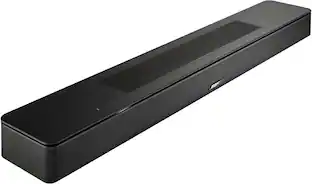
When movies, TV, and music are your passion — you don’t want to just watch. That’s why there’s the Bose Smart Soundbar with shockingly immersive sound for its size. Dolby Atmos, proprietary TrueSpace technology, and upward firing transducers work together to intelligently analyze and separate instruments, dialogue, and effects, then place them throughout the room. Even overhead. It’s a captivating sound experience that goes beyond simply watching. A.I. Dialogue Mode automatically balances voice and surround sound for ultra-crisp vocal clarity.

Meet Bose's premium soundbar that’s here to pull you deep into the heart of all your favorite content. Bose Smart Ultra Soundbar with Dolby Atmos and Bose TrueSpace technology separates music, dialogue, and effects, and places them in different parts of a room for a truly immersive spatial audio experience like you’ve never heard it before. Having a hard time hearing what your favorite characters are saying? A.I. Dialogue Mode automatically balances voice and surround sound for ultra-crisp vocal clarity. Plus, two upward firing dipole speakers work with Bose technologies to make it feel like your space is filled with sound from every direction — even overhead. Available in Black and Arctic White.
| Pros for Marshall - Heston 60 5.1 Channel Soundbar with Dolby Atmos Immersive Sound for TV / Movies / Music - Cream | |||
|---|---|---|---|
| Sound Quality, Design, Connectivity, Ease of Use | Sound Quality, Connectivity, Design | Sound Quality, Setup, Bass, Design, Size | Sound Quality, Setup, Bass, Design, Ease of use |
| Cons for Marshall - Heston 60 5.1 Channel Soundbar with Dolby Atmos Immersive Sound for TV / Movies / Music - Cream | |||
| There were no cons for this product— | There were no cons for this product— | Connectivity | Connectivity, Software |
Specs




Reviews
Rating 4.5 out of 5 stars with 14 reviews
- Sound Quality (10)
- Design (7)
- Connectivity (3)
- Ease of Use (3)
Customer Images
The vast majority of our reviews come from verified purchases. Reviews from customers may include My Best Buy members, employees, and Tech Insider Network members (as tagged). Select reviewers may receive discounted products, promotional considerations or entries into drawings for honest, helpful reviews.
Customers often buy these together
Subwoofers
Surge Protectors

Rocketfish™ - 7-Outlet/1-USB/1-USB-C 2160 Joules Surge Protector Strip - Black
$29.99The price was $39.99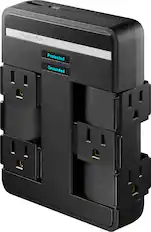
Rocketfish™ - 6-Outlet/1-USB/1-USB-C Swivel Wall Tap 2,100 Joules Surge Protector - Black
$29.99The price was $34.99



More to consider
 Tech Fest Deal$699.00The price was $999.00
 Tech Fest Deal$99.99The price was $119.99
 Tech Fest Deal$799.99The price was $1,199.99
 $685.00The price was $695.00
 Tech Fest Deal$349.99The price was $499.99
 $249.99The price was $499.99
 $499.99The price was $949.99





Your sound, your style Sponsored


Discover related products
 $82.99The price was $103.95
 $47.45The price was $48.99
 Tech Fest Deal$34.99The price was $39.99

Keep exploring
 $1,039.99The price was $1,099.99
 Tech Fest Deal$47.48The price was $99.99
 Tech Fest Deal$79.99The price was $149.99
 $1,229.95The price was $1,742.45
- $249.99The price was $499.99
 $229.99The price was $499.99
 $2,499.00The price was $3,299.99