Microsoft - Surface Pen - Black - Open Box - fair
- Works like new.
- May have larger dents or scratches.
- May be missing parts, accessories, or packaging.
About This Item
About Open Box
Reviews
Customer Images
Compare similar products

Streamline your creative process. Writing and drawing with Surface Pen feels natural, with precision ink on one end and a rubber eraser on the other. Sketch, shade, and paint with artistic precision—the 4,096 pressure points respond to the lightest touch. Tilt your Surface Pen to shade your sketches just like you would a graphite pencil, using the pen tip that feels right.²

Write, sketch, navigate, and recharge. Take handwritten notes and draw with the same feeling you get with pen on paper, with exceptional accuracy and a new storable design. Surface Slim Pen (2nd Edition) also delivers incredible shading and exceptional pressure sensitivity.¹
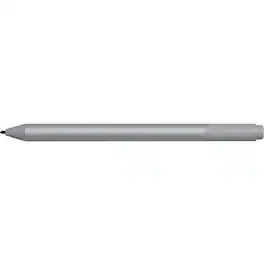
Microsoft Surface Pen Platinum - Tilt the tip to shade your drawings - Writes like pen on paper - Sketch, shade, and paint with artistic precision - Ink flows out in real time with no lag or latency - Rubber eraser rubs away your mistakes easily
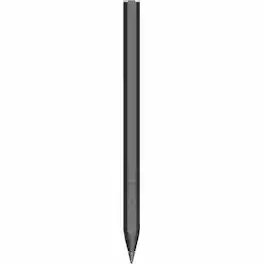
HP Rechargeable MPP 2.0 Tilt Pen - Active - Replaceable Stylus Tip - Black - Notebook Device Supported
| Pros for Microsoft - Surface Pen - Black | |||
|---|---|---|---|
| Ease of use, Overall Performance, Compatibility, Drawing, Battery Life | Ease of use, Overall Performance, Compatibility, Design, Weight | There were no pros for this product— | There were no pros for this product— |
| Cons for Microsoft - Surface Pen - Black | |||
| Price, Lag, Tip Durability, Clip, Connectivity | Price, Lag, Charger, Tip, Magnet Strength | There were no cons for this product— | There were no cons for this product— |