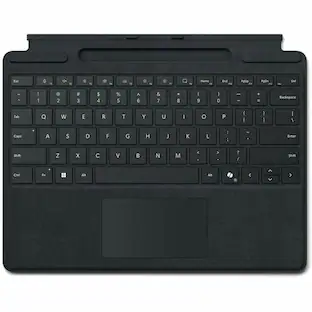
Microsoft - Surface Pro Keyboard for Pro 13" (11th Edition), Pro 9, and Pro 8 with Pen Storage - Platinum
Customers are saying
Customers love the exceptional keyboard quality and the impressive portability of this device, making it a favorite for users on the go. Many reviewers also highlight its lightweight design, superior connectivity, and overall comfort during extended use. Additionally, users appreciate the attractive color options and the seamless compatibility with the Surface Pro 11.
Color
PlatinumFeatures
Instant Copilot
Unlock new possibilities with the dedicated Copilot key, which gives you instant access to experiences that can enhance your productivity¹.
Enhance your experience
With the new microphone mute key and snipping key
Always at your fingertips
Surface Slim Pen (2nd Edition)* securely sits and recharges in the keyboard’s built-in storage tray (sold separately or as part of a bundle with Surface Pro Keyboard).
An exceptional typing experience
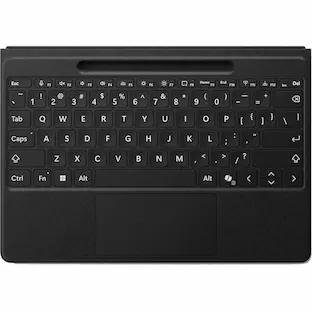
Type in comfort with Surface Pro Keyboard. Sleek and compact, it performs like a traditional laptop keyboard, complete with a large trackpad for precise control and navigation.
Adjusts instantly
Work your way anywhere. Surface Pro Keyboard is designed to adjust to virtually any angle. Click into place and use with the Surface Pro (11th Edition), Surface Pro 9 or Surface Pro 8* Kickstand open for a complete laptop.
Choose your color
Available in rich colors,¹ Surface Pro Keyboard adds a warm, comfortable touch to everyday tasks. Covered with luxurious Alcantara material.
Specifications
- Model CompatibilityMicrosoft Surface Pro (11th Edition), Microsoft Surface Pro 9, Microsoft Surface Pro 8Operating System CompatibilityWindowsInterface(s)BluetoothIlluminatedYes
Reviews
Rating 4.6 out of 5 stars with 223 reviews
- Keyboard Quality (40)
- Portability (28)
- Connectivity (16)
- Weight (11)
- Color (9)
Customer Images
The vast majority of our reviews come from verified purchases. Reviews from customers may include My Best Buy members, employees, and Tech Insider Network members (as tagged). Select reviewers may receive discounted products, promotional considerations or entries into drawings for honest, helpful reviews.

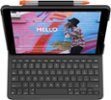
- Logitech - Slim Folio Keyboard Folio for Apple iPad (7th, 8th & 9th Generation) - Graphite$67.99The price was $99.99
Compare similar products

Next-level versatility comes in the perfect, premium keyboard, featuring a large glass trackpad and luxurious, Alcantara material covering. Ready to pair with Surface Pro (11th Edition), Surface Pro 9 and Surface Pro 8.*
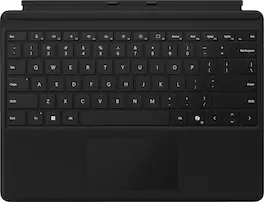
For a full keyboard and comfortable typing experience anywhere, pair this Surface Pro keyboard with Surface Pro (11th Edition), Pro 9 and Pro 8.* Sleek, compact and adjustable, it includes a complete mechanical keyset and a large trackpad for precise navigation and control.

Next-level versatility comes in the perfect pair — Surface Slim Pen (2nd Edition) stores securely and recharges in the premium keyboard, featuring a large glass touchpad and luxurious, Alcantara material covering. Ready to pair with Surface Pro (11th Edition), Surface Pro 9 and Surface Pro 8.*

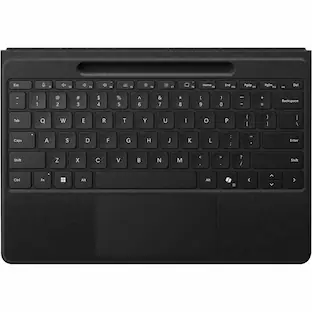
Inclusive by design — Surface Pro Flex Keyboard with Slim Pen is designed with inclusivity in mind, featuring a precision haptic touchpad that allows you to use it with different parts of your limbs, including your palm or residual limbs. Surface Pro Flex Keyboard with Slim Pen also empowers you to work more comfortably by placing your device and keyboard where it feels most natural to you.
| Pros for Microsoft - Surface Pro Keyboard for Pro 13" (11th Edition), Pro 9, and Pro 8 with Pen Storage - Platinum | |||
|---|---|---|---|
| Keyboard Quality, Portability, Connectivity, Weight, Color | Portability, Weight, Design, Overall Performance | Keyboard Quality, Design, Connectivity, Weight, Ease of use | Keyboard Quality, Portability, Connectivity, Pen, Battery Life |
| Cons for Microsoft - Surface Pro Keyboard for Pro 13" (11th Edition), Pro 9, and Pro 8 with Pen Storage - Platinum | |||
| There were no cons for this product— | Connectivity | There were no cons for this product— | Price, Charging |
Specs
Customers often buy these together
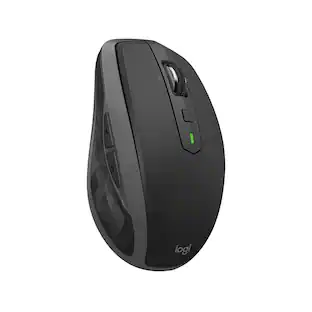 $48.99The price was $59.99
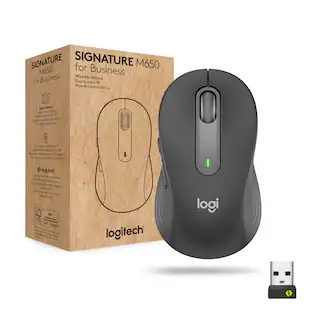 $35.99The price was $39.99
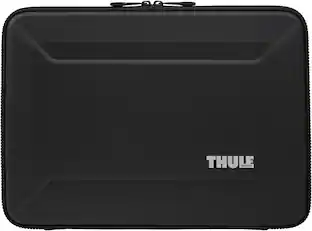 Top Deal$24.48The price was $69.95


Customers ultimately bought
 $439.99The price was $499.98
 $339.99The price was $399.99
 $93.99The price was $100.49
Explore tech essentials Sponsored
Discover related products
 $249.00The price was $275.00
 $12.99The price was $13.99