Black Friday is hereNew Doorbusters added. Ends 11/29.Shop now

Main Content

Microsoft - Surface Slim Pen (2nd Edition) and Pro Keyboard for Pro 13" (11th Edition), Pro 9, and Pro 8 - Sapphire

Model: 8X6-00191
SKU: 6583055
$209.99
Save $70
Comp. Value: $279.99
or
Finance OptionsView your offers
Get it for lessWays to save on this item
Accidental Geek Squad Protection
Availability
Fulfillment Options
Pickup at
Act fast - Only 2 left at your store!
Sold by Best Buy

More Buying Options

About This Item

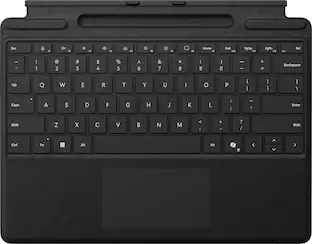
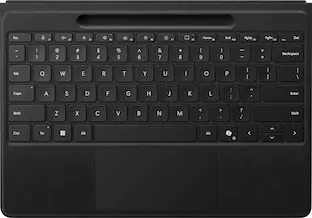
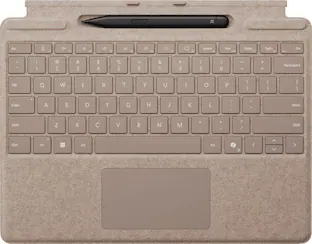
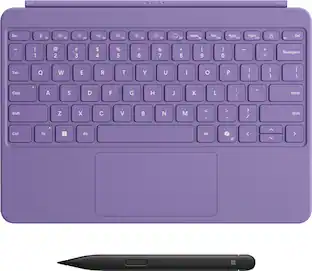
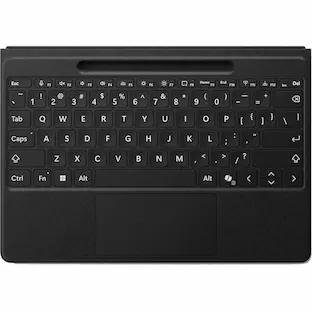
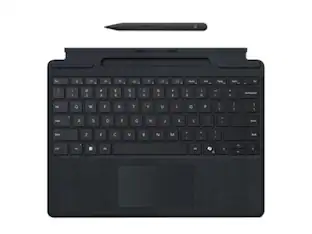
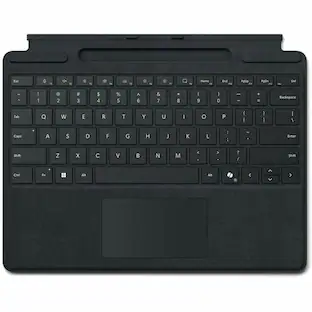
Next-level versatility comes in the perfect pair — Surface Slim Pen (2nd Edition) stores securely and recharges in the premium keyboard, featuring a large glass touchpad and luxurious, Alcantara material covering. Ready to pair with Surface Pro (11th Edition), Surface Pro 9 and Surface Pro 8.*
  • Key Specs
    • Model Compatibility: Microsoft Surface Pro (11th Edition), Microsoft Surface Pro 9, Microsoft Surface Pro 8
    • Operating System Compatibility: Windows
    • Interface(s): Bluetooth (Refers to the types of connections that devices use to interact and communicate with each other.)
    • Illuminated: true
  • General
    • Brand: Microsoft
    • Model Number: 8X6-00191
    • Product Name: Surface Slim Pen (2nd Edition) and Pro Keyboard for Pro 13" (11th Edition), Pro 9, and Pro 8
    • Color: Sapphire
    • Material: Alcantara
  • Compatibility
    • Brand Compatibility: Microsoft
    • Model Compatibility: Microsoft Surface Pro (11th Edition), Microsoft Surface Pro 9, Microsoft Surface Pro 8
    • Operating System Compatibility: Windows
    • Maximum Compatible Display Size: 13 inches
  • Connectivity
    • Wireless: true
    • Number of USB Port(s): 0
    • Interface(s): Bluetooth (Refers to the types of connections that devices use to interact and communicate with each other.)
  • Features
    • Plug and Play Operation: true
    • Touchpad: true
    • Adjustable Tilt: false
    • Illuminated: true
  • Power
    • On/Off Switch: false
  • Included
    • Number Of Keys: 78
    • Palm Rest Included: true (null)
  • Dimensions
    • Product Height: 0.21 inches (The out of box height of the item. Height is measured as the vertical distance from the bottom of the item to the top as it would be primarily used or placed.)
    • Product Width: 8.71 inches (The out of box width of the item. Width is measured as the horizontal distance from one side of the item to the other as it would be primarily used or placed.)
    • Product Depth: 11.38 inches (The out of box depth of the item. Depth is measured as the distance from the front of the item to the back as it would be primarily used or placed.)
    • Product Weight: 12 ounces (The out of box weight of the item.)
  • Warranty
    • Warranty - Parts: 1-year limited hardware warranty
    • Warranty - Labor: None
  • Other
    • UPC: 196388357093

Next-level versatility comes in the perfect pair — Surface Slim Pen (2nd Edition) stores securely and recharges in the premium keyboard, featuring a large glass touchpad and luxurious, Alcantara material covering. Ready to pair with Surface Pro (11th Edition), Surface Pro 9 and Surface Pro 8.*

  • Instant Copilot: Unlock new possibilities with the dedicated Copilot key, which gives you instant access to experiences that can enhance your productivity¹.
  • Enhance your experience: With the new microphone mute key and snipping key
  • Always at your fingertips: Transform Surface Pro (11th Edition), Surface Pro 9 or Surface Pro 8* into a full laptop with this premium keyboard. And with Surface Slim Pen (2nd Edition) stored, charged and close at hand, it delivers typing and on-screen writing in one.
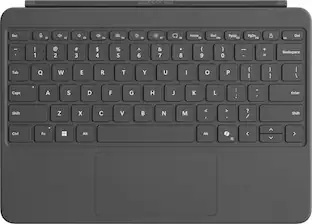
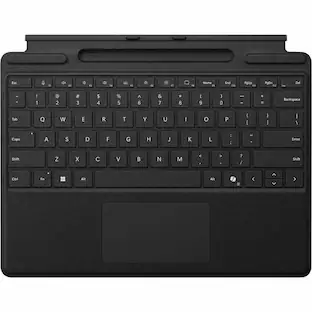
  • An exceptional typing experience: Type in comfort with Surface Pro Keyboard. Sleek and compact, it performs like a traditional laptop keyboard, complete with a large trackpad for precise control and navigation.
  • Fast, fluid, and perfect with your Surface: Our best performing pen yet, with real-time writing, pin-point accuracy, and incredible shading thanks to a sharper pen tip and improved design.
  • Choose your color: Available in rich colors,¹ Surface Pro Keyboard adds a warm, comfortable touch to everyday tasks. Covered with luxurious Alcantara material.
  • Instant Copilot: Unlock new possibilities with the dedicated Copilot key, which gives you instant access to experiences that can enhance your productivity¹.
  • Enhance your experience: With the new microphone mute key and snipping key
  • Always at your fingertips: Transform Surface Pro (11th Edition), Surface Pro 9 or Surface Pro 8* into a full laptop with this premium keyboard. And with Surface Slim Pen (2nd Edition) stored, charged and close at hand, it delivers typing and on-screen writing in one.
  • An exceptional typing experience: Type in comfort with Surface Pro Keyboard. Sleek and compact, it performs like a traditional laptop keyboard, complete with a large trackpad for precise control and navigation.
  • Fast, fluid, and perfect with your Surface: Our best performing pen yet, with real-time writing, pin-point accuracy, and incredible shading thanks to a sharper pen tip and improved design.
  • Choose your color: Available in rich colors,¹ Surface Pro Keyboard adds a warm, comfortable touch to everyday tasks. Covered with luxurious Alcantara material.
Whats Included
  • Surface Pro Keyboard
  • Surface Slim Pen
  • Surface Pro Keyboard
  • Surface Slim Pen
Disclaimers
  • [1] Use Copilot key with supported Windows 11 devices; feature availability varies by device and market, see http://aka.ms/KeySupport.
  • *Some software, accessories, and devices sold separately. App availability may vary by market.
  • Surface Slim Pen (2nd Edition) can charge with Surface Slim Pen Charger, Surface Pro Keyboard, Surface Pro 9 Keyboard, Surface Laptop Studio, and Surface Duo 2 Pen Cover. All are sold separately.
  • ¹Available colors may vary by market.
  • ²Tactile signals in Surface Slim Pen (2nd Edition) can be experienced on some applications on Surface Laptop Studio and Surface Pro 8 running Windows 11. Surface Laptop Studio and Surface Pro 8 sold separately.
  • ³Microsoft’s Limited Warranty is in addition to your consumer law rights.
  • ⁴Zero force inking will only be work when Surface Slim Pen 2 is used with Surface Pro 9, Surface Pro 8, Surface Pro X, Surface Laptop Studio, and Surface Duo 2. Additional compatibility details can be found at aka.ms/SurfaceSlimPenCompatiblity.
  • ⁵Surface Slim Pen 2 tilt functionality is available with Surface Laptop Studio, Surface Pro 3-Pro 9; Surface Pro X; Surface Go 1-Go 3; Surface Laptop 1-4; Surface Studio 1,2; Surface Book 1-3. Additional compatibility details can be found at aka.ms/SurfaceSlimPenCompatibility.
  • ⁶Pairing functionality requires Windows 10, Windows 11, or Android with the latest updates
  • ⁷Battery life varies significantly based on usage, network and feature configuration, signal strength, settings and other factors. See aka.ms/SurfaceBatteryPerformance for details.
  • ⁸The USB-C Charging Base that came in-box with Surface Slim Pen 1 requires a firmware update through Windows Update to charge Surface Slim Pen 2. Visit aka.ms/SurfaceSlimPenChargerUpdate for more information.
  • [1] Use Copilot key with supported Windows 11 devices; feature availability varies by device and market, see http://aka.ms/KeySupport.
  • *Some software, accessories, and devices sold separately. App availability may vary by market.
  • Surface Slim Pen (2nd Edition) can charge with Surface Slim Pen Charger, Surface Pro Keyboard, Surface Pro 9 Keyboard, Surface Laptop Studio, and Surface Duo 2 Pen Cover. All are sold separately.
  • ¹Available colors may vary by market.
  • ²Tactile signals in Surface Slim Pen (2nd Edition) can be experienced on some applications on Surface Laptop Studio and Surface Pro 8 running Windows 11. Surface Laptop Studio and Surface Pro 8 sold separately.
  • ³Microsoft’s Limited Warranty is in addition to your consumer law rights.
  • ⁴Zero force inking will only be work when Surface Slim Pen 2 is used with Surface Pro 9, Surface Pro 8, Surface Pro X, Surface Laptop Studio, and Surface Duo 2. Additional compatibility details can be found at aka.ms/SurfaceSlimPenCompatiblity.
  • ⁵Surface Slim Pen 2 tilt functionality is available with Surface Laptop Studio, Surface Pro 3-Pro 9; Surface Pro X; Surface Go 1-Go 3; Surface Laptop 1-4; Surface Studio 1,2; Surface Book 1-3. Additional compatibility details can be found at aka.ms/SurfaceSlimPenCompatibility.
  • ⁶Pairing functionality requires Windows 10, Windows 11, or Android with the latest updates
  • ⁷Battery life varies significantly based on usage, network and feature configuration, signal strength, settings and other factors. See aka.ms/SurfaceBatteryPerformance for details.
  • ⁸The USB-C Charging Base that came in-box with Surface Slim Pen 1 requires a firmware update through Windows Update to charge Surface Slim Pen 2. Visit aka.ms/SurfaceSlimPenChargerUpdate for more information.
Sponsored

Reviews

Customers are saying

Customers often highlight the comfort and ease of typing on the Pro Keyboard, as well as the slim and sleek design of the Surface Slim Pen (2nd Edition). The magnetic connection and long battery life of the pen are also appreciated. However, some customers find the price of the bundle to be a bit high.

This summary was generated by AI based on customer reviews.

Customer Images

The vast majority of our reviews come from verified purchases. Reviews from customers may include My Best Buy members, employees, and Tech Insider Network members (as tagged). Select reviewers may receive discounted products, promotional considerations or entries into drawings for honest, helpful reviews.

Compare similar products

Microsoft - Surface Slim Pen (2nd Edition) and Pro Keyboard for Pro 13" (11th Edition), Pro 9, and Pro 8 - Sapphire
4.6(74)

Next-level versatility comes in the perfect pair — Surface Slim Pen (2nd Edition) stores securely and recharges in the premium keyboard, featuring a large glass touchpad and luxurious, Alcantara material covering. Ready to pair with Surface Pro (11th Edition), Surface Pro 9 and Surface Pro 8.*

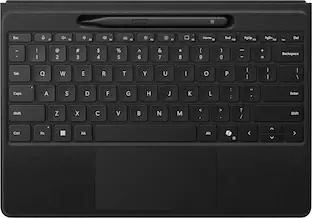
Microsoft - Surface Slim Pen (2nd Edition) and Pro Flex Keyboard for Pro 13" (11th Edition), Pro 9, Pro 8 - Sapphire

Inclusive by design — Surface Pro Flex Keyboard with Slim Pen is designed with inclusivity in mind, featuring a precision haptic touchpad that allows you to use it with different parts of your limbs, including your palm or residual limbs. Surface Pro Flex Keyboard with Slim Pen also empowers you to work more comfortably by placing your device and keyboard where it feels most natural to you.
Microsoft - Surface Slim Pen (2nd Edition) and Pro Keyboard for Pro (11th Edition), Pro 9, and Pro 8 - Dune

Next-level versatility comes in the perfect pair — Surface Slim Pen (2nd Edition) stores securely and recharges in the premium keyboard, featuring a large glass touchpad and luxurious, Alcantara material covering. Ready to pair with Surface Pro (11th Edition), Surface Pro 9 and Surface Pro 8.*

Microsoft - Surface Pro Keyboard for Pro 13" (11th Edition), Pro 9, and Pro 8 with Pen Storage - Sapphire
4.5(50)

Next-level versatility comes in the perfect, premium keyboard, featuring a large glass trackpad and luxurious, Alcantara material covering. Ready to pair with Surface Pro (11th Edition), Surface Pro 9 and Surface Pro 8.*

Pros for Microsoft - Surface Slim Pen (2nd Edition) and Pro Keyboard for Pro 13" (11th Edition), Pro 9, and Pro 8 - Sapphire
Keyboard Quality, Ease of use, Connectivity, Design, WeightKeyboard Quality, Ease of use, Design, Pen, Battery LifeKeyboard Quality, Ease of use, Connectivity, Design, WeightKeyboard Quality, Weight, Portability, Color, Comfort
Cons for Microsoft - Surface Slim Pen (2nd Edition) and Pro Keyboard for Pro 13" (11th Edition), Pro 9, and Pro 8 - Sapphire
PricePrice, Connectivity, ChargingPriceConnectivity

Specs

No content
Sponsored

Similar products from outside of Best Buy

sponsored

Finance Options

My Best Buy® Credit Card
10% back in rewardson your first day of purchases when approved for the My Best Buy® Credit Card.
Buy Now, Pay Later
4 payments starting at $56.00
Lease to own
Apply today with no credit needed and enjoy flexible payment options.

Get it for less

Save $25 with Plus or Total