Rating 4.3 out of 5 stars with 20 reviews
4.3- Speed (12)
- Setup (7)
- Ease of use (4)
- Security (4)
- App (5)
- Ethernet Ports (5)
Customer Images
The vast majority of our reviews come from verified purchases. Reviews from customers may include My Best Buy members, employees, and Tech Insider Network members (as tagged). Select reviewers may receive discounted products, promotional considerations or entries into drawings for honest, helpful reviews.
- Rated 4 out of 5 stars
Motorola’s best router could be the best!
Motorola has been synonymous with communication for as long as I can remember. I have owned several SURFboard modems and even more recently the MG8702 Gigabit Cable Modem Router. Their latest offering q14 WiFi 6E Mesh Router System follows on the heels of legendary reliability and stable performance. The q14 is a mesh system which means it operates via devices/nodes that operate as one network. It essentially expands coverage and throughput by broadcasting your network from the various nodes. By placing them strategically around your home or office, dead zones or reduced speeds and increased latency associated with increased distance from your router can become a thing of the past. My three-device setup can cover up to 5400 sqft; my townhouse is about 1700 sqft for reference. The q14 also has tri-band connectivity; it operates on the 2.4, 5 and 6Ghz frequencies capable of speeds up to 574, 2,400 and 2,400 Mbps respectively. My current internet service is up to 800 Mbps and the q14 reports speeds of around 555 Mbps. WiFi6 is the newest IEEE 802.11 standard (ax) which is also backwards compatible with devices employing previous standards a, b, g, n and ac. My laptop, running Windows 10, alerted when it connected to the newer standard. Besides the higher speeds, operating on the newest standard, assuming you have compatible devices, reduces the likelihood of interference (until your neighbors catch up). My connection range has also drastically improved; I am able to stay connected to about 150ft outside the house. This was tested with my Samsung Note20 Ultra while connected via Wifi6. For the mesh setup, one of the nodes connects directly to the router while the remaining two act as extenders. All three devices are identical and can function as either the Router or Extender. Each node weighs approximately 24 oz with dims of 6.3” x 6.1” x 4.75” (H x D x W). Their unobtrusive design is to help blend in with existing décor although that may be subject to debate based on individual preferences. I rather like them; my eight-year-old thought it was a speaker which is not so farfetched considering the fabriclike material that wraps majority of the device. Behind each device, from top to bottom is a WPS button (one touch connectivity for compatible devices), a 2.5GbE Ethernet WAN/LAN port, a 1GbE Ethernet LAN port, an AC power port and a reset button (10 second depression for factory reset). The front has a single status indicating LED (white, blue and amber). The light can be distracting at night in case you are wondering. The minimalist packaging consists of three identical boxes with each box containing: • q14 WiFi 6E Mesh device (x1) • 1.5m Cat 6 Ethernet white cable (x1) • Quick start guide (x1) Setup is fairly straight forward. After downloading the moto sync (powered by MINIM) app, prompts literally walk you through the entire process. Each device has a QR code beneath it as well as a default SSID name and password. After the first device is connected as the Router, the subsequent devices are cleverly added as the Extenders. I am particularly pleased by the thought of adding additional devices in the future. For my setup in a three-level townhouse, I had my Router located in the middle floor with an Extender at upstairs and downstairs floors. In my previous setup with a Wifi5 tri-band router, I had two separate SSIDs: one for the 2.4Ghz and another for the two 5Ghz. I discovered that the q14 does not provide an option to separate the frequencies per SSID, meaning the two SSIDs I previously had each now has 2.4, 5 and 6Ghz frequencies. My rationale in the past was to separate the frequencies by SSID to ensure I had capable devices connecting to their optimal standards. With the three-level setup, the q14 attempts to, rather cleverly “follow” devices around the house; it connects and disconnects for optimal performance. There have been instances where my cellphone would stay connected to the Downstairs node while I may be closer to the Upstairs or Middle nodes but I have come to realize that if connectivity is still okay, there is nothing to worry about. The app also has ability to optimize frequencies based on your home type (i.e., apartment, townhouse or single family). I was able to get all my old devices to connect except an older HP 8620 printer. I am not sure if it has to do with the WPA2/WPA3 security or not but I have tried every trick to no avail. I intend to either replace it or eventually get another node in the future to hardwire the printer. The moto sync app has potential but also has some quirks such as the lack of an exhaustive category list. I have a connected water heater and a refrigerator which all get categorized under appliance (microwave symbol); there is also only a “Computer” category with no distinction for laptops or all-in-ones. Some competitors have icons for almost all commonly used smart devices (i.e., locks, doorbells, cameras, refrigerators etc.) and I hope this can be accomplished in the future via updates. While the app makes setup and networking easy, it would be very much welcomed if there was an option to setup via the web for example in order to configure beyond the app. For example, I am not sure if the WPA3 protection could be the reason my older HP printer cannot connect; I would like the ability to turn that off if that would help? An option to assign specific bands to my SSIDs would also be great. On the plus side, moto sync can effectively pause devices, block sites and even brief you on content being accessed by connected devices. I have owned several routers from other manufacturers that promised and failed miserably at blocking devices. It can also provide connection speeds for each device via the “run speed test” button. I see a whole lot of potential with the robust hardware and future improvements to the app. The devices are even touted to have some inbuilt surge protection according to Motorola. Standard warranty is two years which may potentially never be used given the brand’s reputation. In summary, I am very happy with the q14 WiFi 6E Mesh system thus far. Fast, stable and far-reaching all describe its performance very well and I wholeheartedly recommend.
Posted by Knivels
- Rated 5 out of 5 stars
The true tri-band router!
This is my first tri-band (2.4GHZ, 5GHZ & 6GHZ) mesh router that supports Wi-Fi 6E (i.e. supports 6GHZ spectrum) which is the latest standard that enables faster speeds and lower latency than previous Wi-Fi standards. This is a perfect mesh router if you have several devices and I have 40+ devices (smart TVs, Blu-ray players, smart cameras, gaming systems, home security and lighting system, robo vacuum, etc.) connected to this main and child nodes across 3 floors (2400 sqft) with no dead zones. I did a quick Wi-Fi signal strength test using a phone app and the signal was strong on all floors, in all rooms, and in the yard. This is a great upgrade given the number of connected devices I have, and it supports internet speeds greater than 1Gbps which is great for VR gaming while you have other smart devices running/streaming in the background. The spec says you can cover 5000 sqft with 3 nodes which is great multi-floor homes. Set-up and Features: Small footprint, light weight with visible LED indicator for router status (connected/connecting/weak signal). Each node has one 1GbE LAN port which is good if you want to connect your home security router, smart device router, etc. Set-up was super easy with Motorola app, just had to scan the QR code on each node and follow the instructions on the app. I had issues trying to get it to connect to my cable modem initially, but after several attempts it finally did connect to the cable modem. Ran a firmware update as soon as it connected to the modem. The app has tons of features and options to customize the settings to meet your needs. You can also create profiles and customizable features/filters such as safe mode (to block adult content), ad privacy, security plus, bedtime settings that disables Wi-Fi on certain devices, etc. I had a bunch of them set to optimize and prioritize internet access among various devices. The WPS button on the back allows you to connect wireless devices without needing to enter password and it worked perfectly to connect my robo vacuums and printer with just one click. My only two complaints are it doesn't have any USB ports and each device has only one LAN port. I wish it came with two additional ethernet ports as I have 3 smart device routers that I wanted to connect to the parent node in the living room. Overall, the performance is great and worth the upgrade given the number of smart devices I have, and I can see myself adding more devices in coming years without having to upgrade my router!
Posted by TechGeek
- Rated 4 out of 5 stars
Great... but not the best
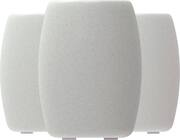
THIS is the Motorola Q14 mesh system, sold in a two and three-pack variety and expandable for your coverage needs. Covered in white speaker-esque fabric, the Q14 is easy to hide or have sit on a shelf as its modern frame seamlessly blends into just about any background. With one ethernet port out and one in (as one of the Q14s will need to be ethernet plugged into the modem) and power, there aren’t many ports available - this is a trend that will continue moving forward. The Q14 has Wifi 6E which is the new 6ghz band available for devices as the 2.5 and 5ghz bands have become increasingly crowded. While this may be an excellent option for a router, is it the best in a tight marketplace where aesthetics, features, and the mobile app are all highly contested? Let's dive into it. Aesthetic - The Q14 as stated before is covered in white speaker-esque fabric. The Q14 is easy to hide or have sat on a shelf its off-white fabric blend is easy to look past. I personally think other designs are more attractive and will be easier to clean as dust is attracted to the fabric easily. I would have liked to see a plastic exterior, but, that being said, it is hard to make the same item look different between brands. I mean, aren't they all white spheres of some similar shape essentially? I feel like this is Motorola's attempt at standing out and I can’t sin them for that. Ports - The Q14 has one ethernet in (from the modem, as this mesh system doesn’t include one built-in), and one ethernet out and power in. I was disappointed to see that this didn't have USB-C, especially for being new AND other brands switching over to USB-C power. I was also quite let down that it only had one usable ethernet port per tower, as several other brands have two or even three in the same price range and is something I would want as I have a PS5 and Xbox One in my gaming room and having to switch or pick one or the other to have ethernet is just annoying. App - I have had routers from several brands…Netgear, Xfinity, Att, Asus, etc. The Motorola app is by far the BEST app I have used for any router/modem. Period. It is insanely quick, snappy, and loads everything almost instantly (even off-network). The layout is very clean and I can see just about everything I could want in one or just a few touches that are easily played out. I have to say, after my prior encounters with other brands, I had almost completely written off the app as a feature but Motorola killed it with this one. Truly a tip of the hat! Setup - Going off of my last point, setup was a breeze! The app flowed easily and thanks to the QR codes you can scan on the bottom, pairing each new expansion was almost effortless and easily explained. In total it took me probably 25/30 minutes total to set up the routers but only 5/10 minutes of the actual time was spent actively setting the Q14s up as the rest of the time is filled with updates and the routers all syncing together. Super easy and by far the easiest I have encountered thus far. How it stacks up - While it doesn’t quite have as many features as some of its competition, what it does have included, it executes on quite well. It’s range is enormous (I would challenge to say more than 5,000sqft of range), its app is quick and flawless and it does operate on the Wi-Fi 6E band which is nice to see. If you can get past the cloth possibly getting dusty and the lack of ports available on the product, and no modem included - Then this is quite a good setup! I knocked a star off for the lack of features but if they aren’t what you are looking at anyways then I would probably challenge you to look cheaper but this isn’t an inherently inferior product, just a little pricy at $650. That being said, if you just want a seamless experience where you turn it on and set it up and forget about it, this is a great option as, again, its app and setup is near flawless. As always, bestbuy has a great return program so there isn’t a reason to not test it out as they have a quite generous return program.
Posted by Exander
- Rated 4 out of 5 stars
Managed high end security with limited flexibility
It might not be clear from the description but this is not simply another Wi-Fi router. While yes, this router performs excellent with Wi-Fi6 and Wi-Fi 6E radios, wireless/wired mesh networking, 2.5 Gb uplink port, the star is the managed security functionality. This is a long review to explain exactly how this works. I'm a software engineer which worked on network and appliance designs for years, so take it as an informed review: Background The Motorola Networks brand is licensed by Minim, which is the company that actually produces this router. I know this because it's a New England company (Where I live). It was started by one of the Dyn networks founders (Dynamic DNS provider) and the company also provides remote management of WiFi networks for ISPs (Internet providers) and for business that needs these solutions. Late in 2020, they merged with another Boston area company Zoom Telephonics, which has been making networking products since the late '70s (Modems, Cable Modems, Wi-Fi, etc.) So it seems like a good combination of a hardware company with a long history and a modern management system for a Mesh Wi-Fi. They've been licensing the Motorola name for several years now. The routers have no local management: There is no web page to configure it, and all has to be done from a mobile app: Moto sync. There is a very good onboarding that walks you through setting this up in mere minutes. It's very straightforward, except that I'm using Verizon Fios and I had to wait for the DHCP lease from my old router to expire so I could continue the set up. Regardless once the Wi-Fi router connects it's straightforward, and one can start using it. There is a QR code on the bottom of the router and a big sync button on the bottom of each router to connect right away. Once connected, the routers use the MINIM service DNS servers that act as a filter for malicious sites. The level of filters and other restrictions can be set from the app. There is no way to change the DNS servers the router will use because many of the security features would stop working. There is no manual override of this. The router will also detect each device connected to it, analyze its MAC address and profile the traffic determining exactly what type of device it is, including in my case the specific model of Apple laptop, the iOS version running on iPhones, the model of Alexa speakers, models of Bose and Sonos speakers, PC maker, Windows version, different Wi-Fi lights and so on. It will also profile and record bandwidth utilization and each web site visited (or DNS address). It does this by inspecting DNS queries. It does not seem to snoop on URLs or context (and most is encrypted nowadays so it wouldn't be practically possible). Every device is then assigned to a common pool, and through the app one can create profiles (ie, users in the house or office) and assign individual devices to each profile. So then the app allows to apply filters and blocks per profile. This is very neat. The app can also push notifications on events like someone connecting a new device. The app allows to rename the Wi-Fi network and change from the default password, and also create different networks on the router, but it does not allow to change the IP range from the default 192.168.1.0 and it also does not allow to reserve IP addresses. It does allow UPnP and port forwarding although since it does not allow IP reservations, the app lets one set up forwarding based on the name of the device. For example if I want to expose the Plex Media server port I have to do it based on the computer running it, not its IP address. I find this is clever and user friendly, although not what I expected. One device did not work, and it's a fairly new LIFX lightbulb, and figured out it does not work because the router only provides WPA3 security (which is the latest in Wi-Fi security and what everyone should be using), but this Wi-Fi light did not support it. So there's a caveat that if someone has some older devices or some appliances that happen to support Wi-Fi, they might not work. The workaround is to connect an older Wi-Fi router dedicated to these one-off devices, that just need connection but not the latest in Wi-Fi. Also note that Wi-Fi 6E (the new 6Ghz band) has limited range. One new All-in-one desktop with Intel 12th gen CPU and Wi-Fi 6E radio was not able to reach the router in the 6Ghz frequency but it connected fine using the 5Ghz Wi-Fi 6. Also as I had technical questions I contacted support via the chat feature on the app and the rep was very knowledgeable and provided straight answers and did not have to wait long at all. At this rate their support seems excellent. Overall, I would heartily recommend this to someone that is not very involved and just want things to work, like 99% of us. For someone more technical that needs more flexibility, this might not be for them. Too bad because those are basic things that could be added to these routers but in fact it's currently not possible. Also I have to say that all the included security features come included, there are no extra fees. There are no upsells on the app. It just works with all the security features enabled. It's a great deal in this regard.
Posted by emiliosic
- Rated 5 out of 5 stars
Good design, Fast performance and Easy!!
The first thing that I noticed after installing this mesh system, how good a coverage it provides in every part of our house. So, full marks on that and here are more details: The setup was easy without any glitches (my experience with other mesh systems have been mixed so it was a welcome change). I simply downloaded the Motosync mobile app, connected the router node to my modem and then followed the instructions on the app. I think it took me around 15 mins to complete the setup. After the setup, I tested the performance of the router in different parts of my house and I was pleased to see the results. I have 1 Gbps internet connection and I was able to get 800-900 Mbps speeds in the close proximity while the farthest areas were showing up to 200 Mbps speeds. This is good enough for our household and probably for most of us. It also has good amount of parental controls built in (block website, internet time limits, block ads and ads tracking) and also have a good network security software. Overall, it is a good mesh system which supports all the latest WiFi techs (OFDMA, QAM, MU-MIMO etc) and provides good data rates on all the wifi bands (as per manual 574 Mbps on 2.4 GHz and 2400 Mbps on 5 and 6 GHz each). It is a little bit on the expensive side but hopefully you will be able to get it on sale during the holiday season :)
Posted by Shail