Novation - Launchkey 25 [MK4] MIDI Controller - Black
About this product
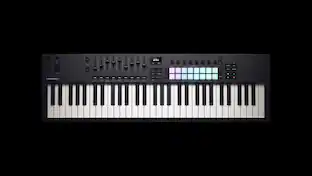
Launchkey 25 is a powerful DAW controller with a suite of onboard creation tools. Every element has been designed to feel musical, expressive, and razor focused on creative flow; from the synth-action keybed and 16 pads with polyphonic aftertouch, to the carefully laid out control surface with in-depth DAW integration. Play instruments and drums, launch clips and scenes, and get instant hands-on control of your DAW’s mixer, devices, and effects. Launchkey also has a unique, editable Arpeggiator, three Chord Modes to quickly create musical progressions, a Scale Mode that keep you in the right key, and a Chord Detector that shows what chord is currently being played on the OLED display.
In-depth DAW control
Powerful control of Ableton Live, Logic Pro, FL Studio, Cubase, Reaper, Reason and more, with no set-up required.
Tweak your software
Eight encoders deliver instant control over DAW mixers, virtual instruments, and effects; user mappings can also be created for customised control.
Perform with a high-quality keyboard
The 25-note synth-style keyboard is sensitive and expressive.
Play drums and instruments
16 velocity-sensitive pads with polyphonic aftertouch for playing drums and instruments, as well launching clips and working with grids.
Powerful tools for creating chords and patterns
Powerful built-in Arpeggiator and three Chord Modes to easily create musical progressions: Fixed Chord, User Chord, and Chord Maps.
Always stay in key
Scale Mode locks notes on the keyboard into right key, and Chord Detector shows what chord is currently being played, with visual representation on the OLED display.
Connect to other instruments
Launchkey 25 can be connected directly to synths and other MIDI hardware with its full-size MIDI out port; it also works with your iPhone or iPad.
Create your own control surfaces
Launchkey is fully customisable; map MIDI parameters to pads and controls of your choice with Novation’s easy-to-use components software.
Additional software
Comes with Ableton Live Lite and a collection of pro-grade virtual instruments.
- BrandNovationModel NumberAMS-LAUNCHKEY-25-MK4Product NameLaunchkey 25 [MK4] MIDI ControllerColorBlackController TypeKeyboardNumber of Keys25
Reviews
Rating 5 out of 5 stars with 2 reviews
The vast majority of our reviews come from verified purchases. Reviews from customers may include My Best Buy members, employees, and Tech Insider Network members (as tagged). Select reviewers may receive discounted products, promotional considerations or entries into drawings for honest, helpful reviews.
Compare similar products
![Novation - Launchkey 25 [MK4] MIDI Controller - Black](https://pisces.bbystatic.com/image2/BestBuy_US/images/products/fd19a869-05fc-42ab-bacf-6fc36bd09469.png;maxHeight=422;maxWidth=264?format=webp)
Launchkey 25 is a powerful DAW controller with a suite of onboard creation tools. Every element has been designed to feel musical, expressive, and razor focused on creative flow; from the synth-action keybed and 16 pads with polyphonic aftertouch, to the carefully laid out control surface with in-depth DAW integration. Play instruments and drums, launch clips and scenes, and get instant hands-on control of your DAW’s mixer, devices, and effects. Launchkey also has a unique, editable Arpeggiator, three Chord Modes to quickly create musical progressions, a Scale Mode that keep you in the right key, and a Chord Detector that shows what chord is currently being played on the OLED display.
![Novation - Launchkey 37 [MK4] MIDI Controller - Black](https://pisces.bbystatic.com/image2/BestBuy_US/images/products/c2d2a188-a47d-431b-bc01-fb906449b7a8.png;maxHeight=422;maxWidth=264?format=webp)
Add inspiration to your setup with Launchkey 37 – a compact, all-in-one DAW controller with three octaves of full-size, synth-action keys, and 16 patented FSR pads for finger drumming, clip launching, and more. The next generation of Launchkey also gives you new ways to get creative in your DAW, with hardware synths, or on iPhone and iPad. Chord, Scale, and Arpeggio Modes have each been expanded to help you stay in key and perform in even more expressive ways – all with detailed feedback from the crisp, new OLED display.
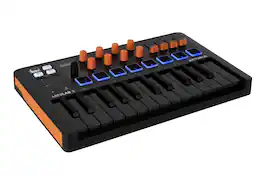
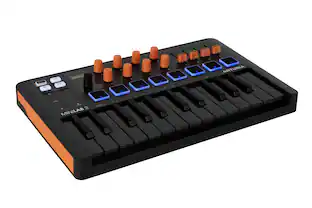
Arturia MiniLab 3 Orange is a compact USB MIDI controller designed for music production and performance. It features 25 velocity-sensitive slim keys, two banks of 8 velocity- and pressure-sensitive RGB pads, eight rotary encoders, four faders, and capacitive touch pitch and modulation sensors for hands-on control. The controller includes smart performance features such as a built-in arpeggiator, chord mode, hold function, octave and semitone controls. MiniLab 3 integrates with Arturia software, Analog Lab, major DAWs, NKS, and MCU/HUI protocols, offering up to 5 customizable user presets. Lightweight and portable, it connects via USB-C to computers and iPads, provides MIDI output for external instruments, and is made with over 50% recycled plastic and comes with fully recyclable packaging.
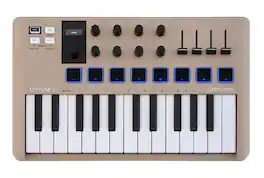
Arturia MiniLab 3 is a compact MIDI controller designed for music production, live performance, and mobile setups. It features a 25-note velocity-sensitive slim keyboard, 16 RGB-backlit pressure-sensitive pads, eight rotary encoders, four sliders, and touch-sensitive pitch and modulation controls for hands-on parameter adjustments. The controller includes a built-in arpeggiator, chord mode, hold function, octave and semitone controls, and pre-mapped DAW integration with NKS and MCU/HUI support. Connectivity options include USB-C, MIDI DIN output, and pedal inputs for sustain, expression, or footswitch. MiniLab 3 comes with a full production-ready software suite, a mini display with a clickable browsing knob, and a lightweight, portable design suitable for studio, home, or stage use.
Specs
More to consider


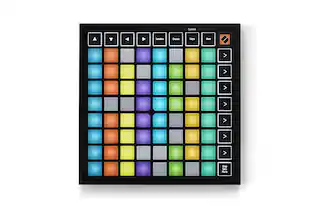
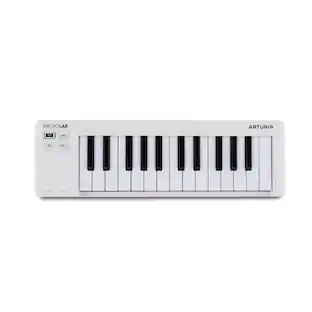
Immerse yourself in sound Sponsored
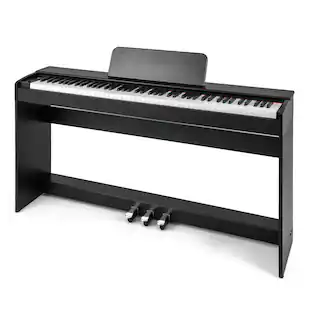 $299.99The price was $539.98
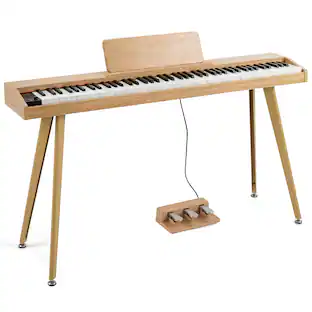 $149.99The price was $269.99
 $159.99The price was $289.98
 $74.99The price was $139.98