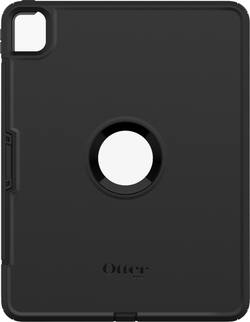
Defend your Apple iPad Pro from damage with this OtterBox Defender series case. The built-in screen protector helps safeguard the display against scuffs and scratches, while port covers keep out dust and dirt. This OtterBox Defender series case has a polycarbonate and synthetic rubber construction that offers durability and absorbs and deflects bumps and drops.
A: Yes. This case allows your iPhone full visibility and access to the iPhone’s entire screen.
A: It has a a long door I guess you could call it on the side, you just open it up and put your pencil on the magnetic charging port.
A: IF you purchase the one that has the "cellular package" then yes or you can download 3rd party apps that have phone options and use in app service.
A: I don’t have this case yet so can’t say with this specific otterbox case. However, I have owned one otterbox for my iPad Air and another for my IPad Pro 1st generation. With both of those, the built in screen protector was awful. I have no idea if this particular ottterbox has a good screen protector or not. I’m assuming not and have seen one review where the person said they took off the screen protector. With my two previous otterboxes, I was able to remove the screen protector pretty easily. I then bought a tempered glass screen protector for both my iPad’s and it worked fine. The otterbox fit on it with no difference. The tempered glass is so thin I can’t tell it is on. I have never used an Apple Pencil, so have no clue if it works with the otterbox screen protector or a tempered glass protector. Tip for putting on a tempered glass-get everything as ready as you can and all the things laid out in your bathroom. Don’t open the tape package or screen cleaner though, Then take a very long, hot, steamy shower. Don’t turn on the fan or open a window and keep the door closed. Yes, it is miserable and you will fell like you need another shower, but this should get every speck of dust out of the air. I could see the moisture in the air. I have found no other way of not getting some tiny dust particle in between the glass and the screen protector. I discovered this tip by googling, so others have done it. I googled how to remove the otterbox screen protector and found several videos and articles that said to use a blow dryer to warm up the glue and to just push the screen out. I’m not saying this will work for you and am not recommending it. So try it at your own risk. Definitely do some googling before.
Q: Will this OtterBox work with the iPad Pro 12.9 inch third generation iPad?
A: Yes this specific case is for the 12.9 iPad 3rd and 4th gen