OWC - Travel Dock USB C 5-Port Docking Station, 100W Charging, 4K Resolution, Thunderbolt 3, HDMI 2.0, and SD Card
Reviews coming soon
About this product
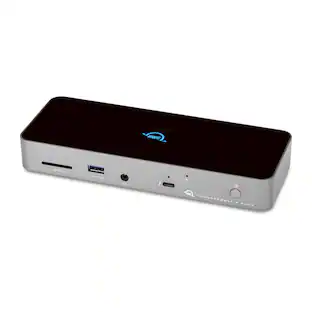
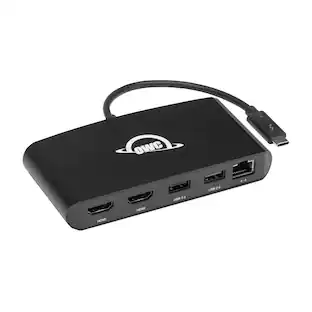
With 5 essential ports, up to 100W of pass-through charging, and just one cable, the USB-C Travel Dock is ready to display, charge, connect, and import while you're on the move. Palm-sized and lightweight, it slips easily into your bag and stays neat and tidy with built-in cable storage. Catch your inspiration The USB-C Travel Dock helps lighten your load of adapters and dongles while expanding your connectivity options – USB-C, USB-A, SD Card, and HDMI ports. With minimal gear, you can find inspiration anywhere, download your SD card quickly, and keep covering the moment. In addition to USB Type-C connectivity, the OWC USB-C Travel Dock is also fully compatible with Thunderbolt 3 equipped Macs and PCs as well as iOS, Android, and Chrome OS devices, and may be connected directly through a Thunderbolt 3 port on a computer or Thunderbolt 3 device. Powerful options When you're on the go, having power and charging options can help keep your work flowing. The USB-C Travel Dock can be used via bus power when you don't have access to a power outlet. Or use your notebook's USB-C adapter to deliver up to 100W of pass-through power and use the open port on your computer to connect another device.
Features
WHAT YOU NEED TO KNOW
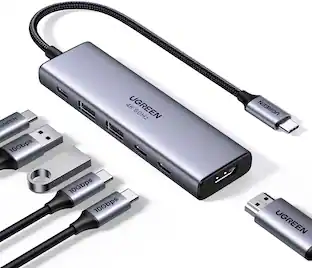
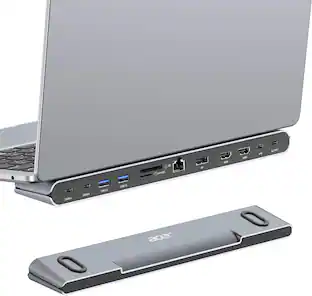
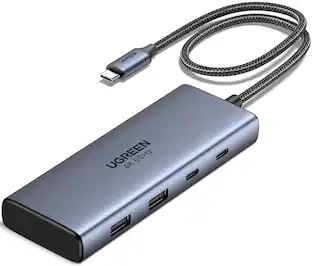
Device Ports - This Universal Docking Station includes 2 USB 3.2 Gen 1 Type-A ports with speeds up to 600MB/s, 1 USB Type-C power pass-through port, 1 HDMI port, and 1 Secure Digital (SD) card slot.
Display Support - The USB-C Travel Dock includes an HDMI 2.0 port for easy connections to displays, supporting up to one 4K display at 60Hz, ensuring smooth and sharp presentations.
Charging - This laptop dock is bus-powered with no AC adapter needed, and you can use your notebook's USB-C power adapter to deliver up to 100W pass-through power while keeping the open port free for another device. The dock typically draws 8W but switches to an external power adapter when connected.
Compatibility - Compatible with all Macs, PCs, tablets, and phones equipped with USB-C or Thunderbolt 3, including full compatibility with Thunderbolt 3 Macs, PCs, iPadOS, Android, and Chrome OS devices.
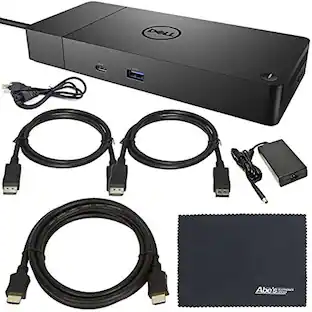
Contents - Includes an OWC USB-C Travel Dock with an integrated cable, a Quick Start Guide, a User Guide, and the OWC Dock Ejector software for Mac and Windows (available for download), along with its corresponding User Guide. The usbc docking station is backed by a 2-year OWC limited warranty.
Specifications
- Maximum Number of Displays Supported1Number of DisplayPort Outputs (Total)0
Reviews
This product doesn't have any reviews yet.





Compare similar products
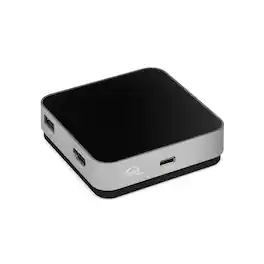
With 5 essential ports, up to 100W of pass-through charging, and just one cable, the USB-C Travel Dock is ready to display, charge, connect, and import while you're on the move. Palm-sized and lightweight, it slips easily into your bag and stays neat and tidy with built-in cable storage. Catch your inspiration The USB-C Travel Dock helps lighten your load of adapters and dongles while expanding your connectivity options – USB-C, USB-A, SD Card, and HDMI ports. With minimal gear, you can find inspiration anywhere, download your SD card quickly, and keep covering the moment. In addition to USB Type-C connectivity, the OWC USB-C Travel Dock is also fully compatible with Thunderbolt 3 equipped Macs and PCs as well as iOS, Android, and Chrome OS devices, and may be connected directly through a Thunderbolt 3 port on a computer or Thunderbolt 3 device. Powerful options When you're on the go, having power and charging options can help keep your work flowing. The USB-C Travel Dock can be used via bus power when you don't have access to a power outlet. Or use your notebook's USB-C adapter to deliver up to 100W of pass-through power and use the open port on your computer to connect another device.

Even with its huge workflow benefits, the OWC Thunderbolt 3 mini Dock is small enough to fit discreetly on your desktop or inside a gear bag for mobile use. The lightweight, bus-powered aluminum housing and its 7.2-inch tethered Thunderbolt 3 cable eliminate the typical dock’s separate connection cable and power adapter. Nothing to lose or forget, no agonizing over which device to disconnect from your port-limited machine, no extra bulk...the OWC Thunderbolt 3 mini Dock truly lets you work at your best anywhere. The OWC Thunderbolt 3 mini Dock harnesses the full potential of your laptop’s Thunderbolt 3 port—fast data transfers, dual 4K display support, and small device charging power—creating a hub of powerful connections. Built by the world’s largest producer of Thunderbolt devices, OWC follows the highest standards in engineering and manufacturing, so you can use the Thunderbolt 3 mini Dock with full confidence in its compatibility and precision performance. The OWC Thunderbolt 3 mini Dock effectively utilizes your computer’s Thunderbolt 3 bandwidth potential (up to 40Gb/s) to support two 4K at 60Hz displays without any performance impact. Transform your notebook’s single display into a three-screen multiplex and increase your productivity with extended or mirrored modes. Experience, crystal-clear vibrant 4K video and high-fidelity audio in gaming and uncompressed video streaming in high action sports and movies. From perfect pixels to smooth streaming, the OWC Thunderbolt mini dock helps you see what you’ve been missing. Through its USB 3 and USB 2 ports, the OWC Thunderbolt 3 mini Dock opens up a world of convenience and functionality wherever you work. Control your workspace with the ease of a full-sized keyboard or mouse. Back up work to an external drive. Import files from a flash drive, card reader, or optical drive. Send files to a printer. Charge up small mobile devices. With extra connections, it’s easy to keep up with your potential.

The USB-C to 4-port HDMI Multi-Monitor Adapter functions as an external video card for your MacBook or personal computer. It allows you to add four additional monitors/displays through your USB-C port. This is the perfect alternative to a costly video card. With the JCA366, you can quickly install the driver with a simple USB-C plug-in. Afterwards, connect your device to your monitors using HDMI cables and you have just created a new visual environment in seconds. With this multi-monitor adapter, you can extend your desktop across multiple displays, clone one screen onto another, and have individual applications displayed on each monitor. You can also enable additional features with the Multi-Monitor Assistant Application for your Windows devices.
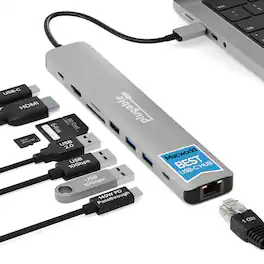
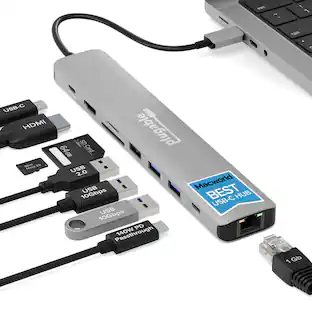
Whether you’re working in a cushy office, a cramped home workspace, or on the go, the Plugable USBC-9IN1E is the preferred USB C hub for productive people. This versatile USB dock expands your laptop’s capabilities by offering a 4K 60Hz HDMI port, a high-speed 10Gbps USB-C port, two 10Gbps USB-A ports (one with BC 1.2 charging), a dedicated USB 2.0 port for input devices, SD and MicroSD (UHS-II) card readers, Gigabit Ethernet, and an impressive 140W (125W to host) EPR pass-through charging, all in a portable package. Designed for maximum flexibility, this USB-C hub works with most USB-C, USB4, and Thunderbolt laptops including MacBook Pro/Air, Dell XPS, Lenovo, HP, Surface, and Chromebooks. As a powerful MacBook dock, it offers reliable charging, data, and display support when connected to compatible MacBooks and other leading devices. For full charging and 4K video, your laptop’s USB-C port must support Power Delivery and DisplayPort Alt Mode.
| Pros for OWC - Travel Dock USB C 5-Port Docking Station, 100W Charging, 4K Resolution, Thunderbolt 3, HDMI 2.0, and SD Card | |||
|---|---|---|---|
| There were no pros for this product— | There were no pros for this product— | Overall Performance, Ease of use, HDMI, Connectivity, Size | There were no pros for this product— |
| Cons for OWC - Travel Dock USB C 5-Port Docking Station, 100W Charging, 4K Resolution, Thunderbolt 3, HDMI 2.0, and SD Card | |||
| There were no cons for this product— | There were no cons for this product— | Heat, Compatibility, Driver Installation, Lag, Mac Compatibility | There were no cons for this product— |
Specs
Be the first to ask a question.
We’ll try to get your question answered within 24 hours by a Best Buy customer or brand representative.
Find more like this
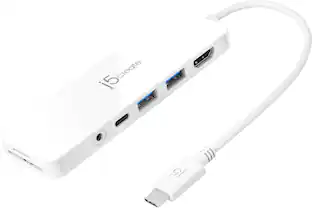
j5create Flexible Ports USB-C® 4K144 HDMI™ Hub - Slim 8 in 1 for Windows, macOS, Chrome OS
$49.99The price was $59.99



More to consider



Explore tech essentials Sponsored


Keep exploring
Plugable USB 3.0 and USB-C Universal Laptop Docking Station for Windows, Mac, ChromeOS | Dual HDMI
$99.84The price was $119.99