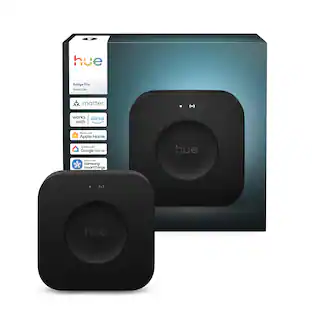
Philips - Hue Bridge - White
Customers are saying
Customers regard this product highly for its exceptional ease of use, seamless compatibility with mobile devices, and reliable overall performance. Users also appreciate the straightforward setup process, effective connectivity, and the versatility offered by the wide range of color options and smart home integration. While the product is well-received, some customers have expressed concerns regarding the premium price point and the necessity of using a bridge for operation. Additionally, a small number of users noted minor frustrations with the mobile application and the effective range of the device.
Includes one Philips Hue Bridge
Unlock the power of Hue and enjoy the full suite of features for a premium smart lighting experience.
Secure and stable connection
Advanced Zigbee technology ensures a reliable connection and won't put a strain on your Wi-Fi.
Control lights from anywhere
Enjoy out of home control anywhere you have an internet or cellular connection.
Control indoor and outdoor lights
Add up to 50 lights and accessories to your Hue smart lighting system, inside and outside your home.
Surround lighting
Make your lights dance, flash, dim, and brighten along to your favorite movies, TV shows, PC or console games, and music.
Supports Matter
The Bridge allows you to connect your lights and accessories to other smart home devices with Matter.
Remembers all your settings
Enjoy multi-room control, set up zones, create custom automations and more; the Bridge remembers your settings for instant control.
- Works WithHue, Amazon Alexa, Apple Home, SmartThings, Google Home, SmartThings, SmartThingsPower SourcePlug-in
Reviews
Rating 4.7 out of 5 stars with 2500 reviews
- Ease of use (937)
- Compatibility (220)
- Overall Performance (213)
- Connectivity (137)
- Setup (95)
- Price (85)
- App (9)
- Range (8)
- Hub (4)
Customer Images
The vast majority of our reviews come from verified purchases. Reviews from customers may include My Best Buy members, employees, and Tech Insider Network members (as tagged). Select reviewers may receive discounted products, promotional considerations or entries into drawings for honest, helpful reviews.
Compare similar products

The Philips Hue Bridge is the brain behind the Hue system. With a secure and stable connection, the Bridge uses the Zigbee mesh to provide instant control of your Hue lights and accessories without putting a strain on your Wi-Fi. Get the full suite of smart lighting features, including automations, the ability to control up to 50 lights and accessories inside and outside your home, and smart control from anywhere in the world. Level up your home entertainment when you add a Bridge. Integrations with other smart home brands and products are made possible with the Bridge. Control your lights from anywhere that you have an internet or cellular connection. The Bridge lets you set geofencing that turns the lights on when you arrive home. When you add smart switches and sensors to your Bridge, you enjoy even more convenient ways to control your Hue lights in addition to using the app or your voice. The Hue Bridge supports Matter.
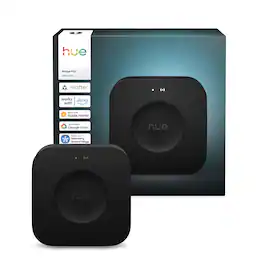
The next generation of the Hue smart hub. Powered by a chip that’s capable of running complex algorithms and AI-powered features, it’s faster and stronger than ever. Turn your lights into motion sensors with MotionAware™, use your security and lights together, and more.

Discover an outdoor ambiance you'll love with our RGBIC outdoor spotlights. Customize your lighting effects with multiple scene modes, music mode, and DIY mode for color combinations that are unique to your yard or patio.

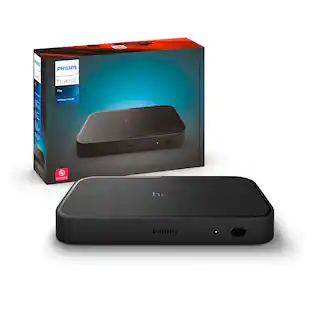
The Hue Play HDMI sync box 8K adds premium surround lighting to your home theater by syncing your Hue smart lights with video games, movies, and music. Play, watch and listen with more excitement as your lights flash, dim and brighten with your screen. This sync box delivers real-time syncing with superior color accuracy. The effects are always in sync with your TV because the sync box receives data directly from the source before it reaches your screen, unlike devices that react to the screen itself. This gives you a premium ambient lighting experience with no delays or mismatched colors. Use the Hue app to personalize your settings, like brightness and speed of effects, or define a default setting. Control via the app, on-product control button, or by programming your TV remote with custom commands. Enhance your entertainment center with any combination of Hue color lights: Hue Play gradient light strips, light tubes, light bars, Hue bulbs and more. The Hue sync box 8K works only with Hue lights to ensure color consistency and the premium experience you expect from Hue. The Hue sync box 8K won't block your screen and is designed to fit discreetly on a shelf or cabinet near your TV and HDMI devices. The sync box stays out of the way so you can see the action on your screen with no distracting peripherals. Setting up surround lighting with the sync box is simple: 1) Download the free Hue app, 2) Connect your Hue lights and Bridge, 3) Connect up to 4 HDMI devices, 4) Follow the instructions to set up the sync box and start syncing. The Hue sync box 8K requires a Hue Bridge. Unlock the full power of Philips Hue smart home lighting with the Bridge and enjoy benefits like multi-room control, automations and smart control from anywhere in the world. Philips Hue is the smart lighting system that lights your home inside and out, all without straining your Wi-Fi.
| Pros for Philips - Hue Bridge - White | |||
|---|---|---|---|
| Ease of use, Overall Performance, Compatibility, Connectivity, Setup | Performance | There were no pros for this product— | Overall Performance, Ease of use, HDMI, Immersion, Sync |
| Cons for Philips - Hue Bridge - White | |||
| Price, App, Range, Hub | There were no cons for this product— | There were no cons for this product— | Price, App, Connectivity, Lag |
Specs
Customers often buy these together
Customers ultimately bought
Control, Comfort, Convenience Sponsored
 Clearance$158.99The price was $197.99
 $48.99The price was $69.99
Discover related products


Keep exploring
 $205.90The price was $257.99
 $102.99The price was $128.99