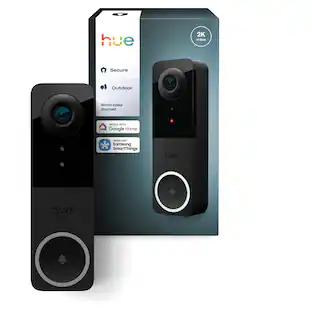
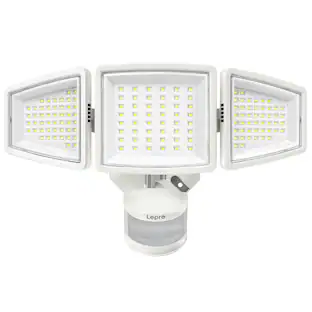
Philips - Hue Outdoor Floodlight Camera - Black
About this product
Get powerful, colorful light, an integrated 1080p camera with night vision, and the ability to see what’s going on and control the light right from the Philips Hue app. Mount it outside to monitor your home in real time — and then trigger an alarm to warn off potential intruders.
All-in-one security
By combining Philips Hue floodlights and Secure cameras, you get a suite of smart home security features in one fixture.
Two-way talk
Warn off a potential intruder — or just say hello to a friendly face with camera's microphone and speaker.
Live view
Check your camera's live view in the Philips Hue app — made even clearer by the outdoor security floodlight's powerful, high-lumen light — to see who's there.
Powerful, colorful light
The color-capable light offers up to 2250 lumens, meaning it can easily illuminate larger areas, such as a driveway or backyard.
*It can be connected to your existing Hue bridge to enjoy all features, such as away from home control and scheduling and truly welcomes you home with powerful light. The Hue bridge is not included.
- BrandPhilipsModel Number583146Product NameHue Outdoor Floodlight CameraColorBlackInstallation RequiredYesBulb Type RequiredLED
Reviews
Rating 3.8 out of 5 stars with 32 reviews
Customer Images
The vast majority of our reviews come from verified purchases. Reviews from customers may include My Best Buy members, employees, and Tech Insider Network members (as tagged). Select reviewers may receive discounted products, promotional considerations or entries into drawings for honest, helpful reviews.

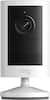
Compare similar products

Get powerful, colorful light, an integrated 1080p camera with night vision, and the ability to see what’s going on and control the light right from the Philips Hue app. Mount it outside to monitor your home in real time — and then trigger an alarm to warn off potential intruders.

Nest Cam with floodlight has built-in intelligence that can tell the difference between a person, a vehicle, and an animal. It alerts you when there’s important activity,* and lights up automatically so you can see what’s happening. With 24/7 live view and free event video history, you never miss a thing, day or night. Swap out your existing basic floodlight and use the same wires for power. Nest Cam with floodlight requires the Google Home app and a Google Account – it’s not compatible with the Nest app or the home.nest.com site.

Upgrade to dual camera home protection and keep an eye over large areas with the eufy Security E340 Floodlight Dual Camera. View vivid images with the dual camera system: a telephoto lens camera that takes detailed shots from up to 50 ft (15 m) away and a second integrated wide-angle lens camera that captures large areas in 3K resolution. The dual cameras work together to achieve up to 8X digital zoom. Know who is around your home and reduce false notifications with on-device AI. It detects when a person is present then utilizes 360 pan and tilt coverage to track and alert you. See detailed images in the dark with full color night vision. Communicate with guests or a delivery person using the integrated two-way audio. Ward off unwanted visitors in late evenings or when you’re away with the motion-activated 2,000-lumen floodlight and smart alarm. It handles rain or extreme heat with IP65 weatherproof rating.

Night Owl is excited to offer our U.S. designed and engineered Wi-Fi IP 4K HD dual spotlight camera. Each camera has 2-way audio (talk & listen) as well as a built-in siren and preset voice alerts. From within the app, you can easily activate the built-in siren, startling intruders and sending them packing. Have a guest but can’t get to them? Use a preset voice alert to let them know! Smart detection technology including human detection, facial capture and vehicle alerts reduce the risk of false alarms, keeping you safe and well protected. Facial capture lets you see who is on your property by snapping a photo and sending the image to your smart device. Motion-activated dual spotlights flood your yard with bright lights when human motion is detected, instantly warding off trespassers.
| Pros for Philips - Hue Outdoor Floodlight Camera - Black | |||
|---|---|---|---|
| There were no pros for this product— | Camera Quality, Ease of use, Overall Performance, Light Brightness, Installation | Camera Quality, Overall Performance, Ease of use, Setup, Storage | Camera Quality |
| Cons for Philips - Hue Outdoor Floodlight Camera - Black | |||
| There were no cons for this product— | App Compatibility, Battery Life, Price, Connectivity, Compatibility | There were no cons for this product— | There were no cons for this product— |
Specs
Customers often buy these together
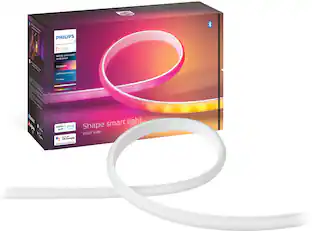 Clearance$158.99The price was $197.99
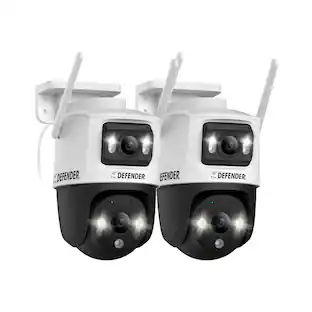 $139.99The price was $234.99
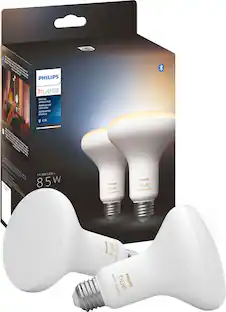
More to consider
 Top Deal$29.99The price was $39.99
 Top Deal$99.99The price was $149.99
 $149.99The price was $249.99
Control, Comfort, Convenience Sponsored
 Top Deal$199.99The price was $299.99
 Top Deal$399.99The price was $499.99
 Top Deal$139.99The price was $219.99