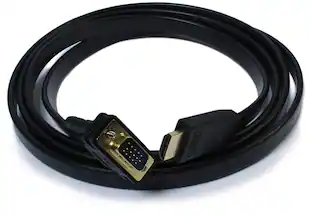
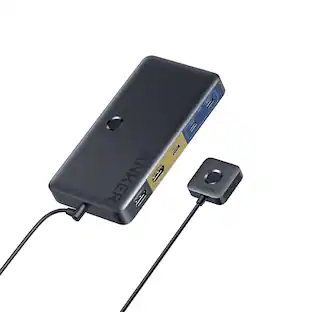
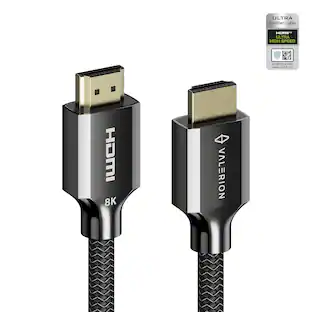
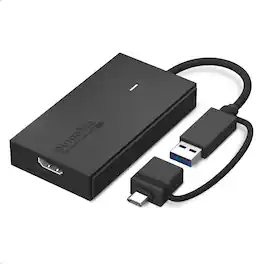
Plugable - Universal Video Graphics Adapter for USB 3.0 and USB-C for Macs Windows - Extend HDMI Monitor up to 1440p@60Hz - Black
Related Item

About This Item
- Key Specs
- Connector Type (End 1): USB-C
- Gender (End 1): Male
- Connector Type (End 2): HDMI Type A
- Gender (End 2): Female
- General
- Brand: Plugable
- Model Number: UGA-HDMI-S
- Product Name: Universal Video Graphics Adapter for USB 3.0 and USB-C for Macs Windows - Extend HDMI Monitor up to 1440p@60Hz
- Color: Black
- Quantity: 1
- Compatibility: Windows 7 and Above|macOS 10.14 (Mojave) or later|All versions of ChromeOS
- Connectivity
- Cable Type: Monitor
- Product Type: Adapter
- Connector Type (End 1): USB-C
- Gender (End 1): Male
- Connector Type (End 2): HDMI Type A
- Gender (End 2): Female
- Environmental
- Indoor Or Outdoor Use: Indoor (Indicates the appropriate environment product was designed to be used in.)
- Warranty
- Warranty - Parts: 2 year limited
- Warranty - Labor: 2 year limited
- Other
- UPC: 819927012641
Extend Your Monitor the fast, simple, and affordable way. The Plugable UGA-HDMI-S makes it easy to add an HDMI display to almost any laptop or desktop without the cost or complexity of a full docking station. With a hybrid 2-in-1 cable that works with both USB 3.0 Type-A and USB-C ports, including USB4 and Thunderbolt 3/4, you never need to worry about carrying multiple adapters or matching the right connector to your computer. It works with the ports you have today and the devices you’ll upgrade to in the future. Add a 2560x1440 at 60Hz Quad HD display to enhance clarity and expand your workspace for productivity tasks like spreadsheets, presentations, dashboards, and creative work. Because the HDMI to USB cable adds a dedicated HDMI port, your other USB ports remain free for peripherals. And if you need even more screen space, the HDMI to USB adapter for monitor can scale to large multi-monitor setups by using multiple adapters. Windows and ChromeOS systems can support up to eight extended displays, while macOS supports up to four, making it ideal for professionals who need multiple screens for analysis, development, design, remote work, or research. Powered by Silicon Motion (SMI) technology, the adapter provides dependable performance across operating systems. Windows users benefit from automatic driver installation through Windows Update, while macOS users complete a simple one-time InstantView driver installation. Compatible with Windows 10 and 11, macOS 10.14 and later (including M1, M2, M3, M4 and M5 systems), and ChromeOS 100 and newer. Not compatible with DisplayLink software or HDCP-protected content such as Netflix or Hulu. Designed to work with a wide range of laptops including MacBook Pro/Air, Dell XPS, HP Spectre, Lenovo ThinkPad, Microsoft Surface, and many more, this adapter is a reliable solution for expanding screen real estate in home offices, classrooms, and corporate environments. Corporate users should note that some IT-managed systems may restrict driver installation. The adapter may use a small amount of CPU resources under heavy load, but this is typically not noticeable in normal use. The UGA-HDMI-S includes the adapter with hybrid cable, a quick start guide, a two-year warranty, and support from Plugable’s US-based technical team. If you're looking for an easy, affordable way to add a high-quality display to your computer, the UGA-HDMI-S provides a flexible and dependable solution for everyday productivity.
- USB-C or USB 3.0 to HDMI Adapter: Featuring a hybrid 2-in-1 cable, this USB to HDMI adapter connects to USB 3.0 or USB-C ports, including USB4, Thunderbolt 4, and Thunderbolt 3 on your laptop, desktop, or docking station. Because the connection adapts to your port, you’ll never be left searching for a separate dongle.
- Universal Compatibility: This USB to HDMI adapter for monitor is compatible with Windows 10/11, macOS 10.14+ (including M1/M2/M3/M4/M5 systems), and ChromeOS 100+. This USB A to HDMI adapter uses Silicon Motion (SMI) drivers, automatic installation on Windows, manual installation on macOS via InstantView. Not compatible with DisplayLink software or drivers.
- Single 1440p Display Support: Add a sharp 2560×1440 @ 60Hz display to expand your desktop for multitasking and productivity. Perfect for spreadsheets, meetings, browsers, and dashboards. A reliable USB 3.0 to HDMI adapter solution for extending or mirroring a single monitor.
- Expand Your Setup Even Further: Windows and ChromeOS users can combine multiple adapters to build multi-monitor layouts with up to 8 displays, while macOS supports up to 4 displays (one per adapter). Create a customized workspace tailored to your workflow.
- Lifetime Support: This device has been designed with reliability at its core and was built to meet the deployment demands of IT departments and the ease of use necessary for home offices. Includes lifetime support from our North American team of connectivity experts
Whats Included
- Quick Start Guide
Reviews
This product doesn't have any reviews yet.
Compare similar products
Extend Your Monitor the fast, simple, and affordable way. The Plugable UGA-HDMI-S makes it easy to add an HDMI display to almost any laptop or desktop without the cost or complexity of a full docking station. With a hybrid 2-in-1 cable that works with both USB 3.0 Type-A and USB-C ports, including USB4 and Thunderbolt 3/4, you never need to worry about carrying multiple adapters or matching the right connector to your computer. It works with the ports you have today and the devices you’ll upgrade to in the future. Add a 2560x1440 at 60Hz Quad HD display to enhance clarity and expand your workspace for productivity tasks like spreadsheets, presentations, dashboards, and creative work. Because the HDMI to USB cable adds a dedicated HDMI port, your other USB ports remain free for peripherals. And if you need even more screen space, the HDMI to USB adapter for monitor can scale to large multi-monitor setups by using multiple adapters. Windows and ChromeOS systems can support up to eight extended displays, while macOS supports up to four, making it ideal for professionals who need multiple screens for analysis, development, design, remote work, or research. Powered by Silicon Motion (SMI) technology, the adapter provides dependable performance across operating systems. Windows users benefit from automatic driver installation through Windows Update, while macOS users complete a simple one-time InstantView driver installation. Compatible with Windows 10 and 11, macOS 10.14 and later (including M1, M2, M3, M4 and M5 systems), and ChromeOS 100 and newer. Not compatible with DisplayLink software or HDCP-protected content such as Netflix or Hulu. Designed to work with a wide range of laptops including MacBook Pro/Air, Dell XPS, HP Spectre, Lenovo ThinkPad, Microsoft Surface, and many more, this adapter is a reliable solution for expanding screen real estate in home offices, classrooms, and corporate environments. Corporate users should note that some IT-managed systems may restrict driver installation. The adapter may use a small amount of CPU resources under heavy load, but this is typically not noticeable in normal use. The UGA-HDMI-S includes the adapter with hybrid cable, a quick start guide, a two-year warranty, and support from Plugable’s US-based technical team. If you're looking for an easy, affordable way to add a high-quality display to your computer, the UGA-HDMI-S provides a flexible and dependable solution for everyday productivity.
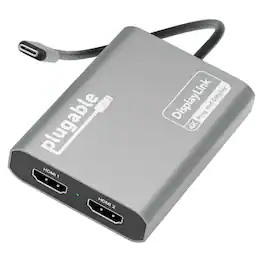
Add two 4K 60Hz HDMI displays to your MacBook M1 through M5, Windows laptop, or ChromeOS device from a single USB-C port. The Plugable USBC-6950M uses DisplayLink technology to extend your workspace beyond native display limits, making it a practical solution for multitasking, hybrid work, creative projects, and productivity-focused desk setups. Powered by the proven DL-6950 DisplayLink chip, this MacBook dual monitor adapter compresses and transmits video over USB-C to support dual external HDMI displays. On Macs, DisplayLink helps bypass Apple’s native single external display limitation on many base-model M-series systems, enabling expanded screen real estate for more flexible workflows. Setup is simple. On Mac, download DisplayLink Manager, connect the adapter, approve the required macOS display-access permission, and your displays will appear. Windows 10 and newer and ChromeOS 100+ systems are plug-and-play with no driver installation needed. The USBC-6950M is compatible with macOS 11 and newer, Windows 10 and newer, and ChromeOS 100 and newer systems with Thunderbolt, USB4, or USB-C. For best results on MacBook Air and MacBook Pro systems with M1 through M5 base chips, connect directly to the MacBook’s USB-C port rather than through a hub or dock. Please note that DisplayLink based adapters are not designed for HDCP-protected streaming apps such as Netflix, Disney+, Hulu, or Prime Video. These services may show a black screen on connected displays. For entertainment or gaming use, a standard display adapter is recommended instead. During extended use, the adapter may run warm. This is normal for DisplayLink technology. Use with clear airflow on all sides or elevate the adapter for long sessions. The aluminum body helps dissipate heat during operation. Backed by Plugable lifetime North American support and a 2-year limited warranty, the USBC-6950M is designed for dependable everyday productivity, with real help from real humans for as long as you own it

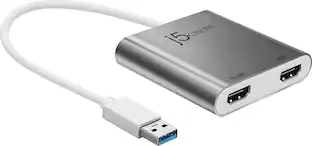
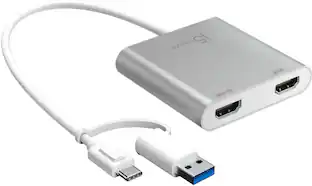
This USB 3.0 to Dual HDMI Multi-Monitor Adapter acts as an external video card for your MacBook or Windows computers. It allows you to add two additional displays through your USB 3.0 port, boosting your productivity by giving you more screen space to work from. One of the HDMI ports can output resolutions up to 4K, while the other can output resolutions up to 2048 x 1152. This is the perfect alternative to a costly video card. With this USB 3.0 Multi-Monitor Adapter, you can quickly install the driver with a simple USB plug-in. Afterwards, connect the device to your monitors using HDMI cables and then you will have a dual-display workstation!

The JUA254 USB to HDMI Multi-Monitor Adapter works as an external video card, instantly allowing users to attach additional displays via HDMI connection without the hassle of a lengthy setup or having to install additional hardware. The USB 3.0 Display Adapter can support up to four displays running on the same computer, turning your workstation into a fully-functioning, multi-display powerhouse. This USB adapter works as an external video card, instantly allowing additional displays without the hassle of opening the computer casing and installing an external graphics card. You can have a second monitor with an extended display, a mirrored display, a rotational display (rotation mode not available for Mac), or make it your primary monitor. Now enjoy true 1080p HD resolution through any Windows or Mac computer with a USB 3.0 port. These adapters are also backwards compatible with USB 2.0 resolutions and playback, which are ideal for office applications. The simple plug-and-play function allows you to connect your computer to a second monitor or projector within seconds to create a new visual environment on Windows 10.
| Pros for Plugable - Universal Video Graphics Adapter for USB 3.0 and USB-C for Macs Windows - Extend HDMI Monitor up to 1440p@60Hz - Black | |||
|---|---|---|---|
| There were no pros for this product— | There were no pros for this product— | Overall Performance, Ease of use, HDMI, Compatibility, Connectivity | Overall Performance, Functionality |
| Cons for Plugable - Universal Video Graphics Adapter for USB 3.0 and USB-C for Macs Windows - Extend HDMI Monitor up to 1440p@60Hz - Black | |||
| There were no cons for this product— | There were no cons for this product— | Price, Driver, Lag, Resolution, Heat | There were no cons for this product— |
Specs
Customers often buy these together




Customers ultimately bought

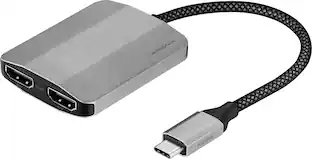
Explore tech essentials Sponsored
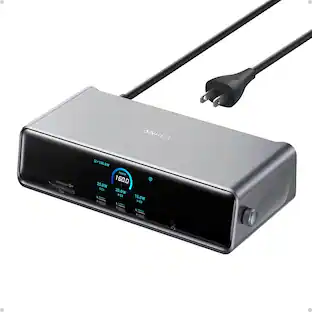
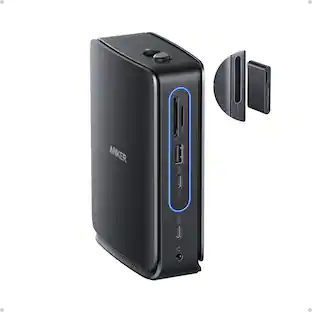
Anker - Prime Docking Station (DL7400), 14-Port Triple Display with DisplayLink, 140W Max USB-C Port
$227.99The price was $299.99
Discover related products

Acer - 5 in 1 USB C Hub with 4K HDMI, 100W Power Delivery, 3 USB A Data Ports, USB C to HDMI Adapter
$14.99The price was $16.99



Keep exploring
 $10.99The price was $12.99