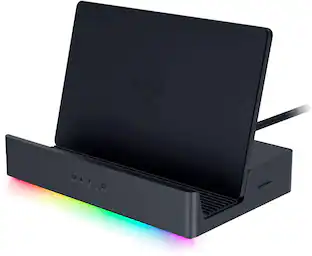
Razer - USB 4 Dock Station with 14 Ports for Windows 10 or later (PC with USB‑C); macOS 10.13 or later (Mac) - Black
Customers are saying
Customers are positive about the device's extensive connectivity options, specifically praising the dual monitor support, efficient power delivery, and high-quality HDMI and DisplayPort outputs. Users also appreciate the compact, well-designed layout that saves desk space while providing reliable overall performance. While the product is highly regarded, some customers have noted minor concerns regarding the refresh rate capabilities and a tendency for the unit to run warm during operation.
Color
BlackUltra-Fast USB 4 Connectivity
Discover the new USB standard for data transfer rates, display output support and device charging that is backwards compatible with all your USB 2.0 & 3.0 devices.
14-Port Design
From external HDDs and displays, to speakers and peripherals, free up your PC ports and minimize cable clutter by running all your devices through a single USB C connection.
Dual-Monitor Support
Create a display setup that offers the best of both worlds. Experience stunning visuals on your primary 4K 120 Hz display and still have the space you need to multitask on a secondary monitor.
Dedicated Laptop Charging & Power Delivery
With the included 180 W adapter enjoy 100 W of laptop charging, while simultaneously powering all other connected devices, be ready to go at any time.
Durable & Lightweight All-Metal Casing
On top of its compact footprint and portable design, the Razer USB 4 Dock is resistant to everyday wear and tear and ensures minimal heat buildup, making it ideal for extended use.
Windows & Mac Compatible
With tons of port connectivity for almost any device, the Razer USB 4 Dock is the perfect complement to both desktop setups and mobile workstations.
- Maximum Number of Displays Supported2Maximum Supported Resolution4K (2160p), 8K (4320p)Number of DisplayPort Outputs (Total)1Number of Thunderbolt Ports (Total)0Passthrough PowerYes
Reviews
Rating 4.7 out of 5 stars with 85 reviews
Customer Images
The vast majority of our reviews come from verified purchases. Reviews from customers may include My Best Buy members, employees, and Tech Insider Network members (as tagged). Select reviewers may receive discounted products, promotional considerations or entries into drawings for honest, helpful reviews.
Compare similar products

Transform your workspace into the ultimate place for gaming and productivity with the Razer USB 4 Dock. Powered by ultra-fast USB 4 connectivity, unify your desktop or mobile setup with a 14-port design featuring dual display output, continuous power delivery, and ultra-low latency for all your devices.
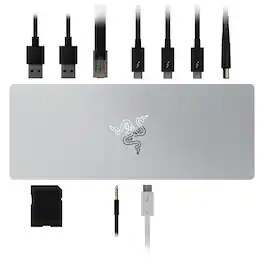
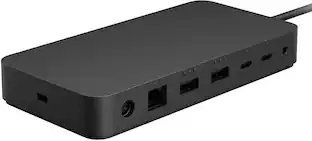
Rewire the rules with the Razer Thunderbolt 4 Dock —a sleek, customizable hub that ushers in a new era of connectivity for your ideal setup. Packed with 10 ports, lightning-fast data transfer rates, and dual 4K or single 8K video output, you’ll always be primed to make the right connections.
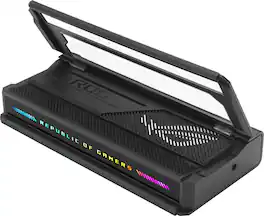
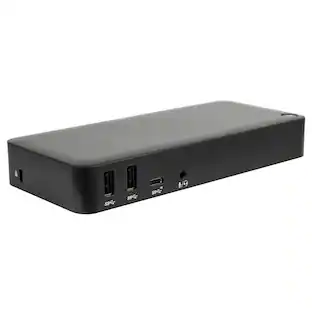
The ROG Bulwark Dock DG300 is a compact, sleek, 7-in-1 docking station that offers 4K at 144Hz and 8K at 30Hz output via HDMI 2.1, 1 x USB-C and 3 x USB-A for superfast up to 10 Gbps file transfers, gigabit Ethernet, audio jack and up to 100 watt USB Power Delivery to laptops and mobile devices.
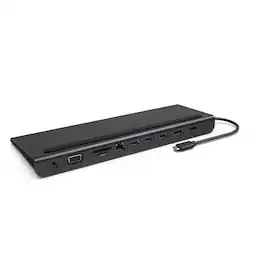
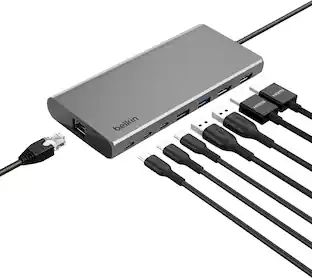
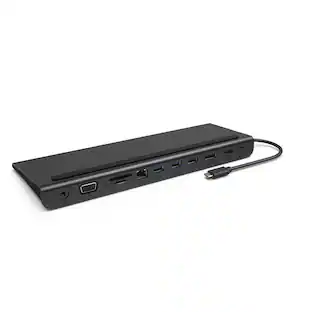
The Belkin Connect Universal USB-C 11-in-1 Pro Dock adds power and productivity to your setup with Silicon Motion technology, Mac, Windows, and Chromebook compatibility, and expansion up to 3 monitors. Get more done with 10Gbps transfer speeds and up to 100W of PD. Sustainably made, this Belkin USB-C hub's housing is made with a minimum of 72% post-consumer recycled content, while a 2-year limited warranty ensures your dock and other devices are safe and protected.
| Pros for Razer - USB 4 Dock Station with 14 Ports for Windows 10 or later (PC with USB‑C); macOS 10.13 or later (Mac) - Black | |||
|---|---|---|---|
| There were no pros for this product— | RGB Lighting, Thunderbolt 4, Build Quality, Power, Charging | Overall Performance, Connectivity, Portability, Charging Speed, Design | Overall Performance, Connectivity, Ease of use, HDMI, Ports |
| Cons for Razer - USB 4 Dock Station with 14 Ports for Windows 10 or later (PC with USB‑C); macOS 10.13 or later (Mac) - Black | |||
| There were no cons for this product— | Price, HDMI, Ports | Included Accessories, Port Quantity | Price, Cable Length, Power Supply |
Specs
Customers often buy these together
 $125.99The price was $169.99
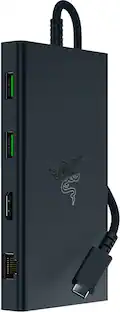 $79.99The price was $129.99
 $59.99The price was $72.99
 Top Deal$119.99The price was $149.99
 $79.99The price was $89.99
 Top Deal$119.99The price was $129.99


Customers ultimately bought
- $79.99The price was $129.99
 Top Deal$124.99The price was $139.99






Explore tech essentials Sponsored
 Top Deal$44.99The price was $49.99
- Top Deal$124.99The price was $139.99



Discover related products
 $9.99The price was $17.99
 $12.99The price was $13.99
 $249.00The price was $275.00









Keep exploring
 $38.99The price was $45.99
 $34.99The price was $49.99