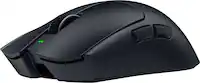
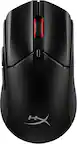
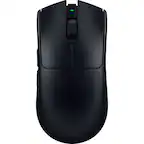
Razer - Viper V3 HyperSpeed Lightweight Optical Gaming Mouse with 280 Hour Battery Life - Wireless - Black
Key Accessories:
- Razer - Huntsman V3 Pro Full Size Wired Analog Optical Linear Switch Gaming Keyboard with Snap Tap - Black$199.99The price was $249.99

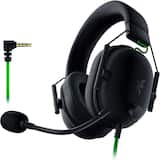
More Buying Options

Specifications
- Lighting TypeNoneMaximum Sensitivity30000 dots per inchNumber of Buttons (Total)6Connection TypeWireless
Compare similar products
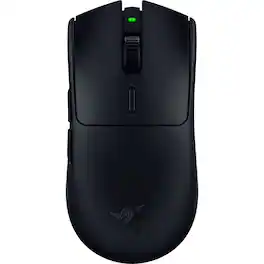
The shape that inspired an esports revolution returns with a new evolution—the Razer Viper V3 HyperSpeed. Featuring our best-in-class technologies and optimized for claw or fingertip grip styles, shake up the meta with a wireless, lightweight mouse that thrives in top-flight competitive play.

The GOAT of esports mice returns in true winning form. All hail the Razer DeathAdder V3 HyperSpeed. From its ultra-lightweight ergonomics to top-tier wireless response, go for glory with a mouse that’s the winning pick for the world’s best players.

With the Razer Basilisk V3 X HyperSpeed, there are no limits on how you choose to play. Armed with 9 programmable controls, dual-mode wireless connectivity, and customizable Razer Chroma RGB, it is made to answer to only one master—you.

Enjoy hyper-fast movement with this CORSAIR Harpoon RGB wireless gaming mouse. The contoured shape makes it easy to grip during gameplay, and it offers up to 60 hours of battery life to keep you slaying dragons and firing on the enemy longer. This CORSAIR Harpoon RGB wireless gaming mouse lets you easily customize sensitivity and DPI settings.
| Pros for Razer - Viper V3 HyperSpeed Lightweight Optical Gaming Mouse with 280 Hour Battery Life - Wireless - Black | |||
|---|---|---|---|
| Overall Performance, Battery Life, Weight, Ergonomics, Shape | Weight, Battery Life, Ergonomics, Responsiveness, Size | Overall Performance, Battery Life, Weight, Comfort, Connectivity | Battery Life, Overall Performance, Wireless, Ease of use, RGB |
| Cons for Razer - Viper V3 HyperSpeed Lightweight Optical Gaming Mouse with 280 Hour Battery Life - Wireless - Black | |||
| Left Click, Connectivity | Scroll Wheel, USB Cable | Lag, Size, Scrolling, Thumb Button | Size, Scroll Wheel, Lag, Side Buttons, Software |
Specs
Reviews
Customers are saying
Customers regard the Viper V3 HyperSpeed Lightweight Optical Gaming Mouse as a high-performing product with excellent battery life and a lightweight design. Users appreciate its comfortable shape, ergonomic design, and reasonable price. However, some customers have reported issues with the left click button and expressed a desire for a USB charger instead of a battery. Overall, the mouse is considered easy to use and offers a high DPI for precise control.
- Overall Performance (50)
- Battery Life (48)
- Weight (47)
- Left Click (6)
- Connectivity (3)
Customer Images
The vast majority of our reviews come from verified purchases. Reviews from customers may include My Best Buy members, employees, and Tech Insider Network members (as tagged). Select reviewers may receive discounted products, promotional considerations or entries into drawings for honest, helpful reviews.
- Rated 5 out of 5 stars
Flawless Wireless Performance with Insane Battery
I’ve used a lot of gaming mice over the years, and the Razer Viper V3 HyperSpeed is easily one of the best in its price range. The performance is immediately noticeable—tracking is extremely precise, and clicks feel fast and consistent with no delay. It genuinely feels like your movements translate 1:1 on screen, which is huge for FPS games. The wireless connection is flawless. There’s no lag or interference at all, and it honestly feels no different than using a wired mouse. Battery life is another standout—getting up to 280 hours on a single AA battery means you basically never have to think about charging or downtime. The shape is simple but very effective. It’s lightweight without feeling cheap, and the balance is solid, so flicks and tracking feel controlled instead of floaty. The build quality is also great—buttons are crisp, the scroll wheel is smooth, and the feet glide really well across a mousepad. Overall, this mouse focuses on what actually matters: performance, reliability, and comfort. If you’re looking for a no-nonsense wireless gaming mouse that just works and performs at a high level, this is an easy recommendation.
ChristianS Posted
- Rated 5 out of 5 stars
Mouse Review
I use this mouse for everything from gaming to browsing the web. Works very well, is super lightweight, and holds the battery super well. There is never a lag. Highly recommend for the price.
Ryan Posted
- Rated 4 out of 5 stars
Lightweight mouse, worth it so far
Been a great mouse so far, have been using it for a few months now. Charged like once twice and I siwtch between pc and xbox a lot. I honestly keep forgetting to set them up, but it has 2 buttons on the left side and one under the scroll wheel that is auto set to switch dpi settings. Overall very good affordable mouse that I would recommend for anyone for all your mouse needs.
JoeH Posted