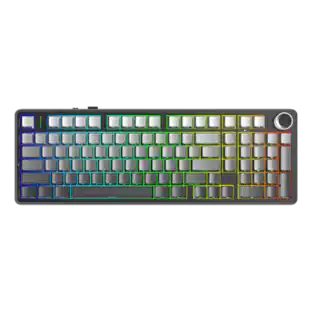
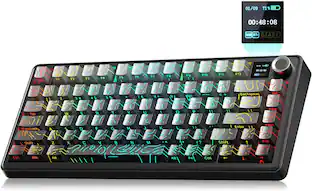
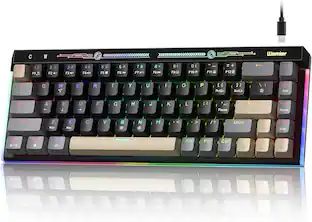
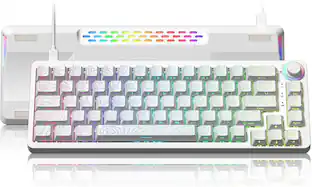
REDRAGON - K762 PRO Wireless 104-Key Gasket Gaming Keyboard, Screen & Knob - Black
Reviews coming soon
About this product
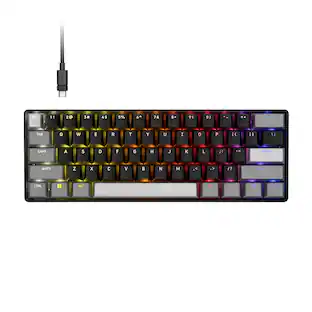
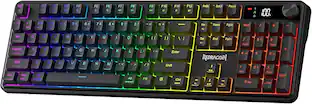
The mechanical gaming keyboard features a built-in TFT display that shows battery level, connection mode, and typing status, with support for custom GIFs and memes for a personalized setup. A multifunction control knob provides quick access to backlight brightness and media playback without extra key combinations. Tri-mode connectivity with USB-C, Bluetooth, and 2.4GHz wireless lets you switch between a PC, laptop, tablet, and other compatible devices without re-pairing. Gasket-mounted construction, thick-lubed custom linear switches, and five layers of noise-dampening material deliver a soft, smooth, and quiet typing feel, while the hot-swappable socket supports a wide range of compatible mechanical switches. Fade-resistant round PBT keycaps help maintain their texture and finish over time while pairing with adjustable RGB backlighting for a customizable gaming setup. Dedicated software lets you create custom RGB lighting effects, program advanced macros, and assign personalized keybindings for gaming, work, and everyday use.
Color
BlackFeatures
Info Screen Personalization Plus One-Knob Control
The built-in TFT display shows battery, connection mode and typing status while supporting custom GIFs or memes, and a single knob handles backlight brightness and media playback with no extra key combos.
Switch Devices Without Re-Pairing, Zero Lag
Tri-mode connectivity jumps between USB-C, Bluetooth, and 2.4GHz wireless, so you can move from PC to laptop to tablet without sacrificing speed.
Creamy Cushioned Typing Feel, Swap-Ready Anytime
Gasket-mounted construction with thick-lubed custom linear switches and 5-layer noise dampening gives a soft, silky, quiet bounce, and the upgraded socket accepts almost any switch.
Fade-Resistant Round PBT Keycaps Meet Vibrant RGB
Unlike ABS that turns glossy within months, PBT keeps its texture and color, paired with adjustable RGB lighting.
Pro Software for Even Deeper Customization
Design your own lighting effects and program advanced macros with custom keybindings, so the board adapts to how you work or play.
Specifications
- Form FactorFull-sizeConnection TypeWireless
Reviews
This product doesn't have any reviews yet.

Compare similar products
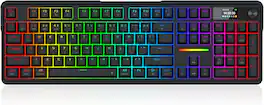
The mechanical gaming keyboard features a built-in TFT display that shows battery level, connection mode, and typing status, with support for custom GIFs and memes for a personalized setup. A multifunction control knob provides quick access to backlight brightness and media playback without extra key combinations. Tri-mode connectivity with USB-C, Bluetooth, and 2.4GHz wireless lets you switch between a PC, laptop, tablet, and other compatible devices without re-pairing. Gasket-mounted construction, thick-lubed custom linear switches, and five layers of noise-dampening material deliver a soft, smooth, and quiet typing feel, while the hot-swappable socket supports a wide range of compatible mechanical switches. Fade-resistant round PBT keycaps help maintain their texture and finish over time while pairing with adjustable RGB backlighting for a customizable gaming setup. Dedicated software lets you create custom RGB lighting effects, program advanced macros, and assign personalized keybindings for gaming, work, and everyday use.
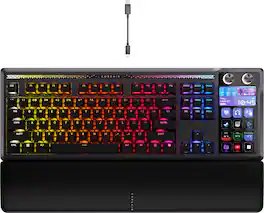
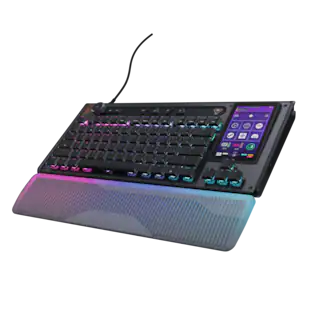
GALLEON 100 SD fuses iconic Stream Deck technology into a high-performance mechanical keyboard, giving you precise, real-time command of your entire gaming setup all from one device. Customizable shortcut keys and dials help you react faster without breaking focus, whether you're executing complex in-game combos or controlling apps like Discord and Spotify. Keep tabs on everything from hardware stats to your favorite Twitch channels on a fullcolor 5" LCD screen. The keyboard also delivers serious gaming performance with lightning-fast 8,000Hz hyperpolling, FlashTap SOCD, and smooth MLX Pulse switches. It’s more than just a keyboard—it’s a new era of input.
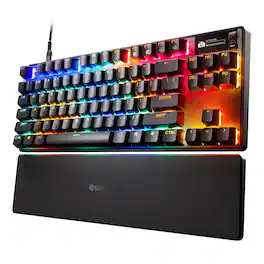
Triple Threat Powered by QuickSet gives Apex Pro TKL Wireless Gen 3 a decisive edge with Rapid Trigger, Rapid Tap, and Protection Mode (patent pending), all activated in seconds. Auto-loaded game presets using QuickSet, an onboard OLED display, and OmniPoint 3 analog magnetic switches deliver pro-level speed, precision, and control with fully adjustable actuation.
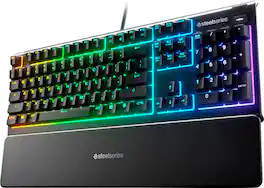
The Apex 3 gaming keyboard was built for the needs of gamers, with water and dust resistance for protection against spills and accidents, as well as premium features like low friction whisper quiet gaming switches, 10-zone RGB customization, a premium magnetic wrist rest, multimedia controls, and gaming-grade keys.
| Pros for REDRAGON - K762 PRO Wireless 104-Key Gasket Gaming Keyboard, Screen & Knob - Black | |||
|---|---|---|---|
| There were no pros for this product— | Key Feel, Noise Level, Build Quality, Customization, Stream Deck Integration | Overall Performance, Response Time, RGB Lighting, Comfort, Key Responsiveness | Key Feel, Noise Level, Keyboard Quality, RGB Backlighting, Wrist Rest |
| Cons for REDRAGON - K762 PRO Wireless 104-Key Gasket Gaming Keyboard, Screen & Knob - Black | |||
| There were no cons for this product— | There were no cons for this product— | There were no cons for this product— | Size, Connectivity, Software |
Specs
Be the first to ask a question.
We’ll try to get your question answered within 24 hours by a Best Buy customer or brand representative.
Customers often buy these together

Logitech - MK270 Full-size Wireless Membrane Keyboard and Mouse Bundle for PC - Black
$26.99The price was $29.99
Logitech - MK540 Full-size Advanced Wireless Membrane Keyboard and Mouse Combo for PC - Black
$56.58The price was $59.99

![esc 1 ! 2 @ 3 # 4 $ 5 % 6 ^ 7 & 8 * 9 ( 0 ) - = | F1 F2 F3 F4 F5 F6 F7 F8 F9 F10 F11 F12 tab Q W E R T Y U I O P [ ] { } | caps A S D F G H J K L : : enter shift Z X C V B N M , < > ? shift ctrl alt fn ctrl](https://pisces.bbystatic.com/image2/BestBuy_US/images/products/bc5bce35-ca08-45da-bcc3-8d6fb215154b.jpg;maxHeight=232;maxWidth=233?format=webp)



![Sure, here is the corrected and grouped text from the image:
**Top Row:**
- ESC
- F1
- F2
- F3
- F4
- F5
- F6
- F7
- F8
- F9
- F10
- F11
- F12
- PRTSC
- DEL
**Number Row:**
- 1
- 2
- 3
- 4
- 5
- 6
- 7
- 8
- 9
- 0
- -
- =
- \
**Letter Row:**
- TAB
- Q
- W
- E
- R
- T
- Y
- U
- I
- O
- P
- [
- ]
- \
**Letter Row:**
- CAPS
- A
- S
- D
- F
- G
- H
- J
- K
- L
- ;
- '
**Letter Row:**
- SHIFT
- Z
- X
- C
- V
- B
- N
- M
- ,
- .
- /
**Function Row:**
-](https://pisces.bbystatic.com/image2/BestBuy_US/images/products/9be10b95-8e90-4a5d-b85f-cbc6a7d8e8df.png;maxHeight=232;maxWidth=233?format=webp)




![Esc F1 F2 F3 F4 F5 F6 F7 F8 F9 F10 F11 F12 Print Screen Scroll Lock Pause Break 1 2 3 4 5 6 7 8 9 0 - + = Backspace Insert Home H Page Up A Num Look 1 I Tab Q W E R T Y U I o P { [ } ] I I Delete End IN Page Down 7 Home 8 9 Pg Up Caps A Lock A S D F G H J K L ; : DE g Enter 4 5 6 Shift Z X C V N M < > ? I Shift 1 End 2 3 Pp Dn Enter Ctrl Alt Alt Ctrl 0 Ins Del](https://pisces.bbystatic.com/image2/BestBuy_US/images/products/a588d446-5678-40ae-86b8-1f15e0026e66.jpg;maxHeight=232;maxWidth=233?format=webp)
![Sure, here is the corrected and grouped text:
```
ESC F1 F2 F3 F4 F5 F6 F7 F8 F9 F10 F11 F12 1 2 3 logitech - - 1 2 # $ 4 % 5 6 & 7 8 9 0 - - back insert home page up num lock clear / . tab Q W E R T Y U I O P { [ } ] / delete end page down 7 home 8 A 9 P9 up + caps lock A S D F G H J K L : ; a enter 4 5 6 shift Z X C V B N M < > ? shift 1 end 2 3 pg dn enter ctrl fn start alt opt alt crnd x alt cmd x fn ctrl alt opt 0 ins del 1 logitech
```](https://pisces.bbystatic.com/image2/BestBuy_US/images/products/5761/5761911_sd.jpg;maxHeight=232;maxWidth=233?format=webp)

More to consider
 Techtober Deal$299.99The price was $349.99
Explore tech essentials Sponsored
- Techtober Deal$299.99The price was $349.99
 Techtober Deal$129.99The price was $159.99