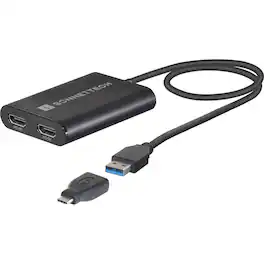
Sonnet Technologies - Sonnet DisplayLink USB Type-A to Dual HDMI Adapter for M1 Macs
Reviews coming soon
About this product
Connect Two 4K HDMI Displays Using Only One Port on Your M1 MacDisplayLink Dual HDMI Adapter for M1 Macs and Other Mac/Windows ComputersTwo HDMI Displays from a Single USB or Thunderbolt PortApple M1 Mac computers offer outstanding overall performance but have a limit to the number of external displays you can connect to them. If you're using an M1 MacBook Air or MacBook Pro, that number is one. Featuring DisplayLink technology, Sonnet's DisplayLink Dual HDMI Adapter for M1 Macs beats the limit, enabling you to connect two 4K (3840 x 2160) @ 60Hz; or two 1440p or 1080p @ 144Hz HDMI displays to a single port on your computer.Efficiency Booster. Expand Your Applications WorkspacePerfect for use with productivity software such as Microsoft Office, this Sonnet adapter enables you to work more efficiently by expanding your workspace. Whether you need to open multiple applications on their own screens, edit code or view a spreadsheet in detail on a large display, or mirror your notebook's display on a larger monitor, the Sonnet DisplayLink Dual HDMI Adapter for M1 Macs makes it possible.Go Full Screen. Browse the Web. Watch Videos.Even when you're not using productivity software, your notebook's screen can constrain your view. Go big-the Sonnet DisplayLink Dual HDMI Adapter for M1 Macs enables you to connect your computer to your large monitor or big screen TV to browse the web and watch videos on YouTube and other content at a distance.Key FeaturesConnects Two 4K Displays to Macs or PCsEnables connection of two 4K HDMI displays to a single Thunderbolt or USB port on your computer.Connect to a Thunderbolt or USB PortIncludes a USB-A female to USB-C male adapter.Expands Your Onscreen Work and Play AreaOpen multiple applications on different displays, view your work on larger screens, browse the web, and watch videos.Easy Setup. Bus Powered.Just download/install DisplayLink Manager software, connect the bus-powered adapter and displays, and then configure your desktop on the connected displays.Use with Thunderbolt HubsConnects to an open port on a Thunderbolt hub connected to your computer.Supports Higher Refresh RatesSupports 1440p and 1080p displays @ 144Hz.Supports AudioPasses audio through the cable connecting your display.Perfect for M1 Mac NotebooksBest for use with M1 MacBook Air and M1 MacBook Pro.Mac and Windows CompatibleAlso compatible with other Mac and Windows computers.Connect Four Displays to Your M1 Mac mini. Simple to Set Up and UseJust download and install the DisplayLink Manager software, connect two displays to the Sonnet adapter, and plug the adapter into your computer. Connect the third display to the Mac mini's built-in HDMI port and the fourth display to a Thunderbolt port. Finally, configure settings to extend your desktop on the connected displays. And because your computer powers the Sonnet adapter, there's no need to connect an additional power supply.Accessory for Thunderbolt Hubs. The Perfect Connection CompanionOur Thunderbolt hub includes a USB port. If your computer is short on ports, simply connect the Sonnet DisplayLink Dual HDMI Adapter for M1 Macs to the USB or Thunderbolt port on your hub and save a port on your computer.Not Just for 4K Displays. Supports Full HD (1080p) Displays and Audio OutWhile the Sonnet DisplayLink Dual HDMI Adapter for M1 Macs supports two monitors at up to 4K resolutions (3840 x 2160), you can also use it to connect monitors with lower resolutions, like full HD 1080p (1920 x1080) @ 60Hz-this makes it great for use for different home and work applications. Because audio support is built into the Sonnet adapter, you don't have to plug in a separate cable to hear sound from connected displays.Compatible with all Macs (macOS 10.15+) and Windows 11 or 10 ComputersSonnet's DisplayLink Dual HDMI Adapter is ideal for M1 Macs, and Intel-based Mac or Windows computers with USB 3 or USB-C interfaces. Although the adapter is compatible with all Macs running macOS 10.15+, and all PCs running Windows 11 or 10, we recommends Sonnet's Thunderbolt Dual HDMI Adapter for Mac or Windows computers with Thunderbolt 4 or 3 interfaces.
Features
DUAL 4K DISPLAY
Connect two 4K HDMI monitors to your Mac, Windows, or Ubuntu computer through a single USB port, boosting productivity and multitasking capabilities effortlessly.
WIDE COMPATIBILITY
Compatible with macOS 10.15+, Windows 10/11, and Ubuntu 20.04, this adapter supports various systems, ensuring seamless integration across different platforms.
HIGH
RESOLUTION SUPPORT - Experience stunning visuals with support for 4K @ 60Hz, 1440p @ 144Hz, and 1080p @ 144Hz, delivering crisp and fluid images for diverse applications.
PLUG
AND-PLAY - This adapter features a USB 3.2 Gen 1 interface and captive cable for easy setup, allowing you to quickly extend your display without complicated installations.
COMPACT DESIGN
With dimensions of 2.4 x 3.1 x 0.6", the adapter is portable and space-saving, making it ideal for both desktop and on-the-go use, ensuring convenience.
Specifications
- Connector Type (End 1)ToslinkConnector Type (End 2)Toslink
Reviews
This product doesn't have any reviews yet.
Compare similar products
Connect Two 4K HDMI Displays Using Only One Port on Your M1 MacDisplayLink Dual HDMI Adapter for M1 Macs and Other Mac/Windows ComputersTwo HDMI Displays from a Single USB or Thunderbolt PortApple M1 Mac computers offer outstanding overall performance but have a limit to the number of external displays you can connect to them. If you're using an M1 MacBook Air or MacBook Pro, that number is one. Featuring DisplayLink technology, Sonnet's DisplayLink Dual HDMI Adapter for M1 Macs beats the limit, enabling you to connect two 4K (3840 x 2160) @ 60Hz; or two 1440p or 1080p @ 144Hz HDMI displays to a single port on your computer.Efficiency Booster. Expand Your Applications WorkspacePerfect for use with productivity software such as Microsoft Office, this Sonnet adapter enables you to work more efficiently by expanding your workspace. Whether you need to open multiple applications on their own screens, edit code or view a spreadsheet in detail on a large display, or mirror your notebook's display on a larger monitor, the Sonnet DisplayLink Dual HDMI Adapter for M1 Macs makes it possible.Go Full Screen. Browse the Web. Watch Videos.Even when you're not using productivity software, your notebook's screen can constrain your view. Go big-the Sonnet DisplayLink Dual HDMI Adapter for M1 Macs enables you to connect your computer to your large monitor or big screen TV to browse the web and watch videos on YouTube and other content at a distance.Key FeaturesConnects Two 4K Displays to Macs or PCsEnables connection of two 4K HDMI displays to a single Thunderbolt or USB port on your computer.Connect to a Thunderbolt or USB PortIncludes a USB-A female to USB-C male adapter.Expands Your Onscreen Work and Play AreaOpen multiple applications on different displays, view your work on larger screens, browse the web, and watch videos.Easy Setup. Bus Powered.Just download/install DisplayLink Manager software, connect the bus-powered adapter and displays, and then configure your desktop on the connected displays.Use with Thunderbolt HubsConnects to an open port on a Thunderbolt hub connected to your computer.Supports Higher Refresh RatesSupports 1440p and 1080p displays @ 144Hz.Supports AudioPasses audio through the cable connecting your display.Perfect for M1 Mac NotebooksBest for use with M1 MacBook Air and M1 MacBook Pro.Mac and Windows CompatibleAlso compatible with other Mac and Windows computers.Connect Four Displays to Your M1 Mac mini. Simple to Set Up and UseJust download and install the DisplayLink Manager software, connect two displays to the Sonnet adapter, and plug the adapter into your computer. Connect the third display to the Mac mini's built-in HDMI port and the fourth display to a Thunderbolt port. Finally, configure settings to extend your desktop on the connected displays. And because your computer powers the Sonnet adapter, there's no need to connect an additional power supply.Accessory for Thunderbolt Hubs. The Perfect Connection CompanionOur Thunderbolt hub includes a USB port. If your computer is short on ports, simply connect the Sonnet DisplayLink Dual HDMI Adapter for M1 Macs to the USB or Thunderbolt port on your hub and save a port on your computer.Not Just for 4K Displays. Supports Full HD (1080p) Displays and Audio OutWhile the Sonnet DisplayLink Dual HDMI Adapter for M1 Macs supports two monitors at up to 4K resolutions (3840 x 2160), you can also use it to connect monitors with lower resolutions, like full HD 1080p (1920 x1080) @ 60Hz-this makes it great for use for different home and work applications. Because audio support is built into the Sonnet adapter, you don't have to plug in a separate cable to hear sound from connected displays.Compatible with all Macs (macOS 10.15+) and Windows 11 or 10 ComputersSonnet's DisplayLink Dual HDMI Adapter is ideal for M1 Macs, and Intel-based Mac or Windows computers with USB 3 or USB-C interfaces. Although the adapter is compatible with all Macs running macOS 10.15+, and all PCs running Windows 11 or 10, we recommends Sonnet's Thunderbolt Dual HDMI Adapter for Mac or Windows computers with Thunderbolt 4 or 3 interfaces.

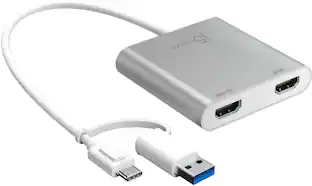
The USB-C to Dual HDMI Multi-Monitor Adapter acts as an external video card for your MacBook or Windows laptops. It allows you to add two additional displays through your USB-C port, boosting your productivity by giving you more screen space to work from. One of the HDMI ports can output resolutions up to 4K, while the other can output resolutions up to 2048 x 1152. Simply install the driver for the USB-C to Dual HDMI Multi-Monitor Adapter by plugging-in the adapter and then connect your monitors using HDMI cables for a dual-display workstation!

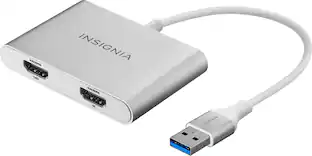
The Insignia USB-A 3.0 to Dual HDMI video adapter can mirror or extend your computer display to any HDMI-enabled monitor, TV, or projector. The HDMI-1 port can transfer up to 4K@30Hz resolution. The HDMI-2 port can transfer up to 1920x 1080P@60Hz. This adapter is compatible with Windows 10 or 11, but can’t support the Mac OS, Chrome OS, Android OS, Linux OS, Game OS. The driver can be installed automatically when computers internet connection is available, and Windows Update is enabled.

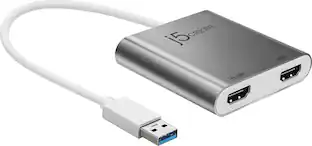
This USB 3.0 to Dual HDMI Multi-Monitor Adapter acts as an external video card for your MacBook or Windows computers. It allows you to add two additional displays through your USB 3.0 port, boosting your productivity by giving you more screen space to work from. One of the HDMI ports can output resolutions up to 4K, while the other can output resolutions up to 2048 x 1152. This is the perfect alternative to a costly video card. With this USB 3.0 Multi-Monitor Adapter, you can quickly install the driver with a simple USB plug-in. Afterwards, connect the device to your monitors using HDMI cables and then you will have a dual-display workstation!
| Pros for Sonnet Technologies - Sonnet DisplayLink USB Type-A to Dual HDMI Adapter for M1 Macs | |||
|---|---|---|---|
| There were no pros for this product— | Ease of use, Overall Performance, Connectivity, Multi-Monitor, Price | Ease of use, HDMI, Compatibility, Performance, Dual Monitors | Ease of use, Overall Performance, HDMI, Compatibility, Connectivity |
| Cons for Sonnet Technologies - Sonnet DisplayLink USB Type-A to Dual HDMI Adapter for M1 Macs | |||
| There were no cons for this product— | Compatibility | Heat, Driver Installation, Cord Length | Heat, Price, Driver, Lag, Resolution |
Specs
Be the first to ask a question.
We’ll try to get your question answered within 24 hours by a Best Buy customer or brand representative.
Customers often buy these together
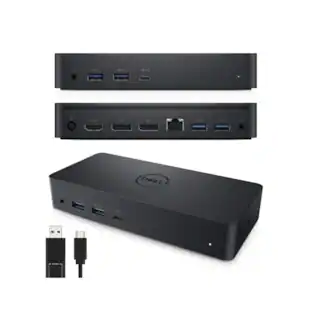
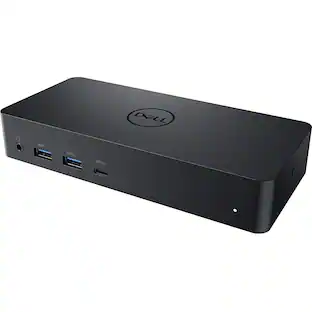
Dell D6000 Universal Laptop Dock – USB-C & USB-A, 65W Power Delivery, 3 Monitors
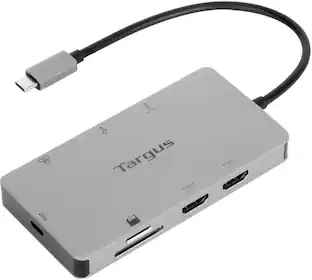
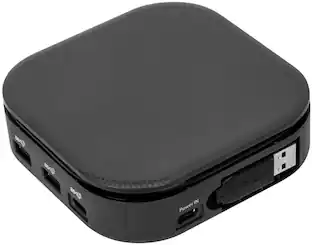
$219.89The price was $249.99Targus USB-C Universal Dual HD Docking Station with 80W PD Pass-Thru
Clearance$34.99The price was $69.99

More to consider
Explore tech essentials Sponsored

Keep exploring
UGREEN USB to Ethernet Adapter, 1Gbps Gigabit Network Adapter for Laptop, Nintendo Switch, and More
$12.99The price was $14.99Miro U5 Type C to USB Charger Cable Adapter USB C Female to Male Charger Converter
$4.99The price was $7.99StarTech.com 3.5mm 4 Position to 2x 3 Position 3.5mm Headset Splitter Adapter - F/M
$24.10The price was $28.02