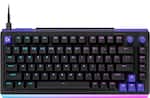
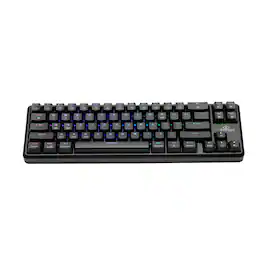
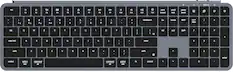
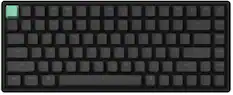
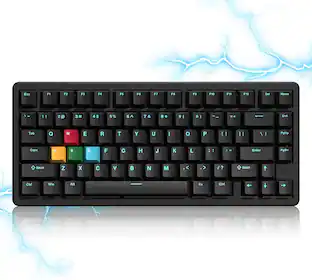
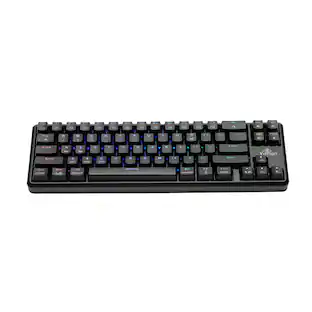
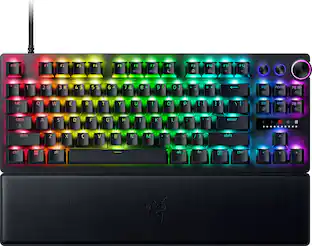
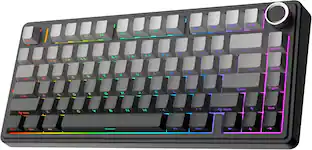
Developed with Fnatic for pro-caliber play, this 75% keyboard pairs a machined aluminum chassis with Rapid Trigger switches and 8000Hz polling for ultra-fast, accurate input. A gasket mount softens each press for control that feels as good as it performs.
Q: Can the actuation point of the keys be adjusted?
A: Yes, you can adjust the actuation point from 0.1mm to 3.4mm.
Q: What is the polling rate of this keyboard?
A: This keyboard has an ultra-fast 8000Hz polling rate.
Q: Is there a way to control the volume using the keyboard?
A: Yes, the keyboard has a convenient volume control dial.
Q: Are the keycaps durable on this keyboard?
A: Yes, the keycaps are made with double-shot molding for durability.
Q: What is the keyboard layout?
A: This is a 75% compact gaming keyboard with Rapid Trigger.
Q: Does the keyboard allow for customized lighting?
A: Yes, you can create your own RGB lighting profile on the keyboard.
Q: What type of connection does this gaming keyboard use?
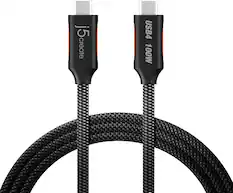
A: This gaming keyboard uses a wired connection with USB-C.

Developed with Fnatic for pro-caliber play, this 75% keyboard pairs a machined aluminum chassis with Rapid Trigger switches and 8000Hz polling for ultra-fast, accurate input. A gasket mount softens each press for control that feels as good as it performs.

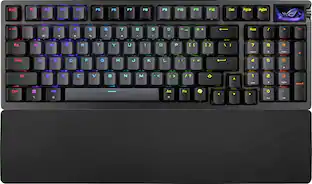
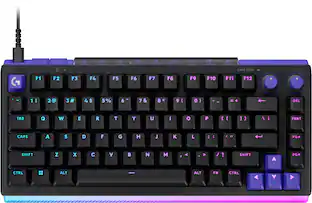
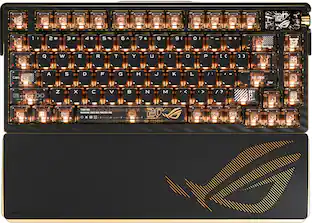
ROG Azoth X is a 75% wireless gaming keyboard with DIY-level customization and premium features keyboard. It features a metal top cover, south-facing PCB, silicone gasket mount, FR4 positioning plate, and five-layer dampening for a smooth, cushioned keystroke feel. Hot-swappable, pre-lubed ROG NX switches V2 ensure consistent, responsive typing, while three-sided translucent keycaps enhance aesthetics.

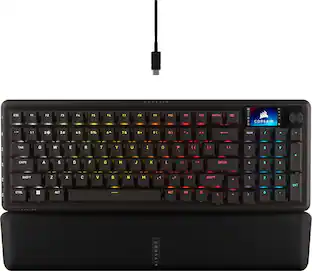
CORSAIR’s VANGUARD 96 pulls off the astonishing feat of shrinking a full keyboard with arrow keys, a tenkey pad, an LCD screen, rotary dial, and 6 programmable G-keys into a super-compact frame. Featuring wobble-free pre-lubricated CORSAIR MLX switches, it’s also hotswappable, supporting compatible 3-pin and 5-pin switches. The stunning LCD screen takes keyboard personalization to the next level with animations, stats, and game integration support. Quadlayer sound dampening provides satisfying keypress acoustics, and 8,000Hz hyper-polling delivers lightning-fast inputs. VANGUARD 96 also features Elgato Virtual Stream Deck integration, FlashTap SOCD handling, and easy customization via our web-based utility, CORSAIR Web Hub.

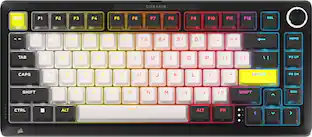
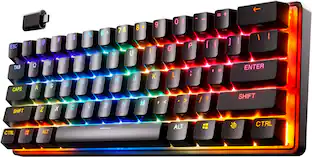
Stand out from the crowd with superior skill and distinctive design. The CORSAIR K65 PLUS WIRELESS is a 75% gaming keyboard that maxes out on performance and personality. Step up your switch game with pre-lubricated CORSAIR MLX Red linear switches that make each keystroke silky smooth and responsive. Integrated sound dampening tempers annoying clacks and pings, so you can enjoy subtle, pleasant acoustics as you play and type. Easily connect to PC, Mac, and other devices via ultra-fast 2.4GHz wireless or Bluetooth, and power through your playing sessions for longer than ever – up to 266 hours on a single charge. On the K65 PLUS WIRELESS, skill meets style.
| Pros for Sony - INZONE KBD-H75 75% Wired Aluminum Chassis Gaming Keyboard with Rapid Trigger - Black | |||
|---|---|---|---|
| Cons for Sony - INZONE KBD-H75 75% Wired Aluminum Chassis Gaming Keyboard with Rapid Trigger - Black | |||
| There were no cons for this product— |
Customers enjoy the INZONE KBD-H75 gaming keyboard for its solid build quality and customizable features, including fully customizable RGB lighting. Users appreciate the comfortable typing feel, quiet operation, and rapid trigger functionality. The high polling rate and smooth switch performance due to the hall effect mechanism are also well-received.
The vast majority of our reviews come from verified purchases. Reviews from customers may include My Best Buy members, employees, and Tech Insider Network members (as tagged). Select reviewers may receive discounted products, promotional considerations or entries into drawings for honest, helpful reviews.

It was only a matter of time until Sony started releasing gaming PC peripherals and their first go at a gaming keyboard really hit the mark for me as a casual gamer and in my work profession. The KBD-H75 is a 75% keyboard, so no ten-key is present, and the only piece of flare is the addition of an aluminum volume knob. The chassis bezel is made out of aluminum and the bottom of the keyboard is made out of plastic, so it’s not quite all aluminum if you were wondering. It has those standard feet that you can extend to increase the keyboard angle and rubber feet to keep the keyboard from moving around when you type. From a plug-and-play start, the typing experience from this keyboard has been one of the best I’ve used in awhile. There’s just a premium feel when you first type on the keyboard, and the mechanical clicking from it is extremely satisfying. Sony advertises that the keyboard switches have a double-rail stabilizer helping to minimize key wobble, and other stabilizers to keep long key presses smooth and consistent when pressed at any angle. From a construction standpoint, this keyboard is definitely impressive. But you don’t buy a keyboard like this just for the “feels”. A lot of the R&D is in each switch and the software that drives them. Each key has the ability to adjust the actuation point, allowing you a level of customization that could be advantageous during gaming sessions. You can set actuation on and off points as small as 0.1mm and up to 3.4mm, and you can set them for specific keys. Other manufacturers do offer adjustable key actuation points, but not at this customization level. Each key offers Rapid Trigger, which offers what I can only describe as a “quick reload” of a key. So once a key is activated from a cold press, you can customize the “release” of that key to a point to where it resets itself for another key press without allowing the key to fully extend back to its rest position. These changes can only be done in the Sony INZONE Hub, which you’ll have to download and install onto your PC. These settings can be found under the “Performance Settings” tab. As far as key polling: the keyboard is rated for 8000Hz and cannot be changed. I mean, there’s really zero reason to change as it is a full-time USB cable connected keyboard. Aside from the key press performance settings, there are your key behavior settings themselves. Each key can be customized to a different purpose other than its default behavior such as a macro or a shortcut, or even a mouse button. They can even be set at the Fn layer so the key press can serve two purposes. INZONE is very good about isolating which key you’re updating so that you don’t get confused about what’s changing. The macro recording is very easy to use as well as the shortcut creation. Because we sometimes play more than one game, a profile can be saved specific to a game or setup. You just simply name the profile you’ve just created based on a game or games that benefit from your customization. If you mess up, you can always undo the customization on that key. These settings can be found in the “Allocation Settings” tab. Finally, there’s RGB in the “Lighting Settings” tab. Here you can select preset modes or customize your own RGB layout. Maybe you only want certain keys illuminated; you can certainly do that on INZONE. Brightness and speed settings are customizable as well. Yes, I do love this keyboard. I fell in love with it right when I started putting it through its paces. It performs amazing during my gaming sessions given the customizations I’ve done thus far, and when I’m not gaming I can switch back to my “Work” profile so that I can have my heavy hands on the keyboard while I work. This feature has won me over because I do own a keyboard that is masterful for gaming, but when it comes to work I get a lot…A LOT…of unintentional key presses. Finally, there is the elephant in the room: MSRP. At its price point, we’re venturing into full customizable keyboards, also with aluminium bodies and hot swappable components. But here’s my take on Sony’s solution: you get multiple keyboards rolled into one chassis, and it’s a very nice one at that. The keys can be whatever you want them to be with a simple switch of a profile. And INZONE makes that possible and easy. It all depends on what you’re looking for in a keyboard. The KBD-H75 is a solid, well built keyboard with an amazing feel and a trove of performance customization without taking it apart. Value for the price? I think so.
Posted by softwareEngineer
I have always preferred to type on mechanical keyboards. Even before they became popular and became gaming keyboards. I love the sound they make and how the keys fell when you press them. The Sony KBD-H75 feels really good to type on. It is much quieter than the other mechanical keyboards I have. The size is good. The desk I use it on is cluttered – I call it organized confusion, and it fits nicely. You do lose the numeric key pad but that is the cost of a smaller keyboard. The keys themselves are a good size. There is not much adjustment except those times I reach to the right think I have the numpad there. I am glad there is a volume dial to control my music sounds. You will need to install the software if you want to do customization with the lighting. You can also disable certain key combos like Alt+Tab, Alt+F4, and the Windows key. Under the Performance Settings, you can set things like Actuation Point and Rapid Trigger, for EACH key. You can have up to 4 profiles also. There are many color display modes. My favorite is reactive. It displays the color on the key you press as well as the keys around it. You can set the brightness and speed. There are two things I wish it did. The first is I wish it had the option to be wireless and rechargeable since my desk has a lot of clutter. The other is it would be nice if it came with a wrist pad. The one I have is a little higher than the keyboard itself so rather than it being helpful it is not as comfortable. Other than that, I like the keyboard. I like how it feels typing on it. The keyboard is solid and feels very durable. The software is easy to use and supports other Sony peripherals.
Posted by sherwinmdev
The Sony INZONE KBD-H75 is Sony’s first foray into the keyboard market. This is a 75% form factor wireless keyboard, and Sony aimed straight for the premium end of the market. I have used several premium end keyboards over the years, and they all have their strengths and weaknesses. For the most part I had a good experience with the keyboard and so did my partner’s son. This is my second 75% form factor keyboard – the other is a Razer Blackwidow V4 Pro Wireless, which occupies the same price point. I am on the fence when it comes to 75% and the slightly larger TKL boards as I generally prefer a fullsize keyboard with a numberpad. However, when desktop space is a premium, or when using a pullout keyboard tray the smaller form factors are appreciated. This is my first keyboard to employ Hall Effect switches, so I was curious to see how they felt and reacted when used. The switches themselves are a linear profile with adjustable actuation points for press and depress. Compared to typing on my other mechanical keyboards with linear switches – these feel very smooth, and have a nicely dampened sound. You won’t annoy a cubicle neighbor typing on this board. My biggest gripe is listening to my kids hammering away on my other keyboards playing Geometry Dash – it echoes through the house. Actuation force is a little lower than my other boards (~50g) at around 40-45g. That makes the switch nice and light, which is necessary if you want to dial in a narrow actuation window or use the rapid trigger mode. Design The layout is a tenkeyless design with full sized keys, but the spacing on the keys doesn’t feel cramped. The keycaps are doubleshot PBT with LED passthrough for easy legibility. The keycaps have a good feel – not too slick but with a light texture. The switches are made by Gateron, but I can’t tell what model or if this is a custom model for Sony. Speaking of the keycaps – they are borderline impossible to remove without a keycap puller. The chassis is a sandwich of a machined aluminum top with a gasket damper middle, and the textured plastic chassis. The gasket damper softens the sound of the keyboard, which is much quieter than other mechanical setups I have used. The gasket also takes the sharpness out of the bottom of the keystroke, so the key feels a little softer on the landing. The top right of the board has the only non-key feature, which is the volume wheel. The volume wheel is pretty limited in what it can do – system volume, chat mixer, mute/unmute. It would be nice to see this have expanded functionality for anything from macros to song controls. As far as the construction of the board it feels very solid. The machined aluminum topshell wraps down the sides before meeting the plastic underside. Since this is a wired keyboard it does have a cord. Thankfully it is a detachable USB-C cord, so you can switch the keyboard between systems fairly easy as long as you have a spare cord. With the 75% size there are no long reaches for keys. The keyboard, like most has a slight angle with the feet closed (2.5°), but opened up the board has a comfortable tilt (7.5°). What is surprising is that there is no palm wrest included with the board. I wouldn’t mind that, but unfortunately the keyboard is thick enough that I really feel like I want the the extra support. I ended up pulling a wrist pad from another board to supplement. This won’t be an issue for everyone, but the ergonomics of my setup kind of dictate the need for a palm rest. Adjustments, Lighting, and Software Fresh out of the box the keyboard is plug and play with default settings. In order to customize anything you need to install the INZONE software to adjust lighting, or actuation profiles. The software, once installed is easy to navigate. There’s not a whole lot to dive into since it’s the menu is well laid out and there isn’t a myriad of settings to dig through. You have a macro assigning function, keypress actuation point customization, and lighting settings. For lighting you can do the normal presets like a color wave, breathing, etc, or opt to do custom per-key assignments. The macro tool is easy to use as well, so you aren’t going to fully miss out on the macro-buttons of a fullsize keyboard. The actuation settings are where you can get more involved. The settings can be applied across the whole board or customized on a per-key basis. The default actuation point is 2.2mm, but it can be made as shallow as 0.1mm or as deep as 3.4mm. You can also enable rapid trigger on individual keys, which gives you the option to set a separate reset point. That allows you to keep the control how much you let the key come back up before its ready to trigger the next keypress registration. This isn’t something I have found a tone of use for in the games I play, but it is certainly an impressive feature. The lighting on the board is really solid. The backlight shows through easily on each key. The switch allows a good amount of underglow lighting as well. Customizing the lighting profile is straightforward. The presets work well, and I typically like the wave on everything I use – I just like a good color cycle. Speaking of colors – the RGB range is excellent, and vibrant. If you really like a crisp RGB look, this keyboard checks that box. Usage I started out using it for general work and typing to get used to the feel of the board and how the keys reacted. It’s really not a bad feeling keyboard, and I typically don’t like linear switches for this type of usage. I had very few fat-fingering moments so the actuation force isn’t too light. I can easily see myself using this for day to day office work – unfortunately as an engineer I do need a numberpad for work. Switching over to games I played a few games and then turned it over to my partner’s son as he is a big PC gamer and has far more free time to really try this out. My casual game for relaxation is Portal 2 and it’s what I always jump to when trying out a new keyboard or mouse. Playing some of the extra user created levels requires fast/accurate movement or you are mired in failure due to a mistimed movement. The weight of the keys provides enough resistance to help me avoid miskeys. I had no problem jumping around in the levels and the variable actuation depth let me dial in how fast I wanted the keys to respond. For me that was a successful first test. Handing it over to my partner’s teenage son I jumped right in and played his favorite games – Geometry Dash, TF2, and Minecraft. He went through and created profiles in the software for his macros/shortcut keys in TF2 and Minecraft. He really fiddled with the actuation depth for Geometry Dash since speed and accurate timing are crucial for that game. It was nice to not hear the clacking of the board as he played. He put in about 25 hours on the keyboard, and had positive things to say about it. He also mentioned the lack of palm rest to be a negative, but that the performance of the keyboard was excellent. He said it was a toss-up for him between this keyboard and our existing Blackwidow V4 Pro Wireless. Not having the a wireless option wasn’t a big deal for him, and it doesn’t bother me either. I like my mice wireless, but keyboards are less critical in that regard. After I played a few other games I turned the reins over to my partner’s teenage son. He plays quite a bit of TF2 and Geometry dash with the latter being a lot of rapid hammering on the space bar. From a parent’s perspective, the quieter keys were greatly appreciated. The volume of noise is massively reduced, and all without taking a performance hit. I am also thankful for the hot swappable switches in case he blows out another switch. He did note the higher actuation force and shallower actuation point caused him to adjust his timing a bit in Geometry Dash. He liked the softer landing on the FR4 plate, and said it was a welcome improvement and made for a better overall feel. Overall The INZONE KBD-H75 is a really well made and high performing keyboard. I have always been a fan of the gear Sony puts out as I have rarely come across a bad product from them. This keyboard really aims for the top end right out of the gate, which might be a tough market to break into with some well-established brands operating in the space already. With that being said this is a really good keyboard, and I think I like their take on the 75% form factor over my Razer’s. For me the only negative I have is the lack of palm rest. It really should come with something at this price range. I thankfully had a spare palm rest, so I was able to be comfortable while using the keyboard.
Posted by DaveW