Staples TECH - Wireless Comfort Keyboard - Black
About this product
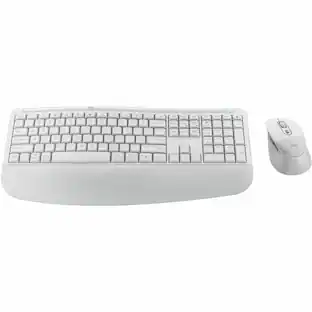
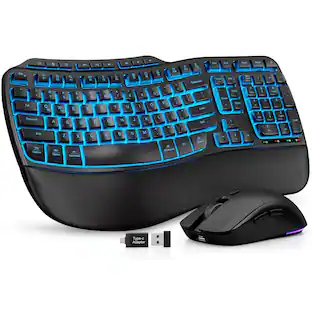
Feel support all day long with the Staples TECH Wireless Comfort Keyboard, featuring a built-in wrist rest to soften the hard edges and adjustable tilt legs to help you find the best typing angle. This plug-and-play USB wireless keyboard gives you lag-free input and features quiet typing, bold key characters and a numeric keypad. Built to last and withstand up to 5 million keystrokes, with a AA battery and a low battery indicator, this black keyboard is perfect in any workspace.
Features
Lag-free plug-and-play USB wireless connectivity
Numeric keypad and number lock indicator light
One AA Battery powered with low battery power indicator
Built-in wrist rest and adjustable tilt legs for added comfort, plus handrest option
Low profile keys, quiet typing
Bold key characters
Comes in Black
1-year limited warranty
Specifications
- Form FactorFull-sizeConnection TypeWireless
Reviews
This product doesn't have any reviews yet.





Compare similar products
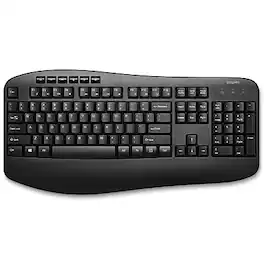
Feel support all day long with the Staples TECH Wireless Comfort Keyboard, featuring a built-in wrist rest to soften the hard edges and adjustable tilt legs to help you find the best typing angle. This plug-and-play USB wireless keyboard gives you lag-free input and features quiet typing, bold key characters and a numeric keypad. Built to last and withstand up to 5 million keystrokes, with a AA battery and a low battery indicator, this black keyboard is perfect in any workspace.

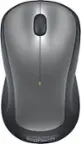
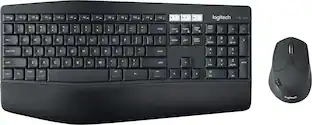
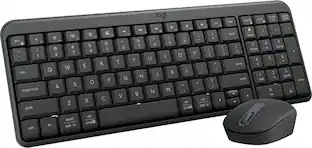
MK540 Advanced is an instantly familiar wireless keyboard and mouse combo built for precision, comfort and reliability. The full-size keyboard features a familiar key shape, size, and feeling – optimized for precision and noise reduction. The palmrest and adjustable tilt legs keep you comfortable for long stretches and the contoured mouse is designed to fit perfectly into either palm. Plug and play your keyboard and mouse with one tiny USB receiver with Logitech Unifying technology. You’ll get a reliable – and encrypted – wireless connection up to 32.8 ft away with virtually no delays or dropouts.
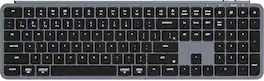
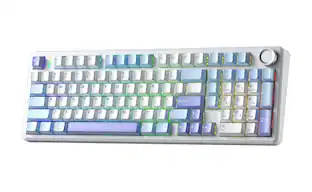
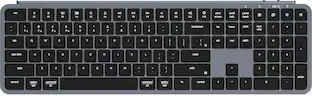
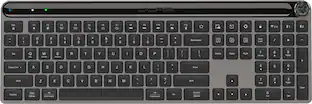
The B6 Pro is a lightweight, ultra-thin and full-size wireless keyboard with a 1,200-hour long battery life. It supports 2.4GHz wireless, Bluetooth, and wired modes, easily connecting to phones, tablets, PCs, and Macs. With ZMK customization, it offers tailored settings for home, office, or travel.
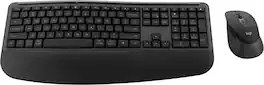
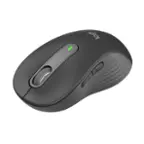
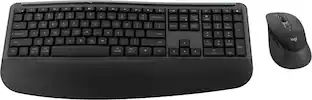
Feel the comfort all day with the Signature Comfort Plus MK880 bundle. Enjoy a keyboard with adjustable tilt legs and a curved palmrest and dual-foam support, keeping your hands relaxed even on busy days. The right-handed mouse is shaped for comfort, featuring a palm cushion and cozy side grips, plus quiet clicks and SmartWheel scrolling. Switch between up to three devices in a tap with Easy-Switch and Bluetooth—no dongle needed. Customizable shortcuts with Logi Options+ and dedicated AI launch key and video meeting keys make every workflow smarter. With long battery life and universal compatibility, MK880 fits every workspace and workday.
| Pros for Staples TECH - Wireless Comfort Keyboard - Black | |||
|---|---|---|---|
| There were no pros for this product— | Battery Life, Keyboard Quality, Ease of use, Wireless, Price | Connectivity, Overall Performance, Battery Life, Noise Level, Typing Feel | Overall Performance, Connectivity, Ergonomics |
| Cons for Staples TECH - Wireless Comfort Keyboard - Black | |||
| There were no cons for this product— | Lag, Size | Backlighting | There were no cons for this product— |
Specs
Be the first to ask a question.
We’ll try to get your question answered within 24 hours by a Best Buy customer or brand representative.
Customers often buy these together
More to consider
 $49.99The price was $59.99
 $37.99The price was $39.99
 $79.99The price was $99.99

Explore tech essentials Sponsored

Discover related products
 $249.00The price was $275.00
 $12.99The price was $13.99
 $149.99The price was $169.99
 $1,377.99The price was $1,409.33








Keep exploring
 $23.99The price was $25.99
 $37.99The price was $40.00