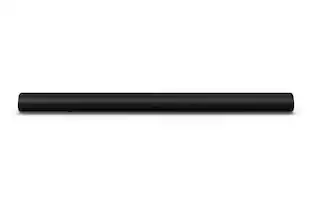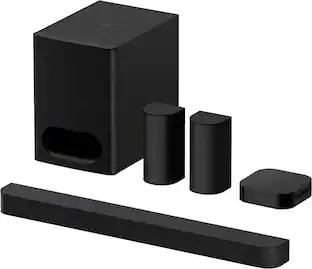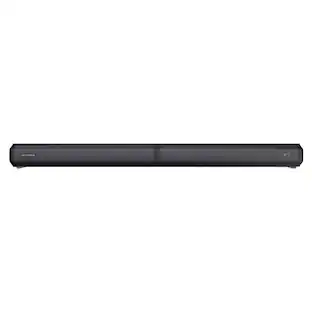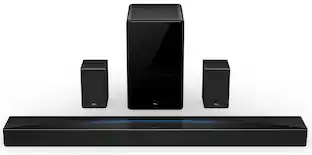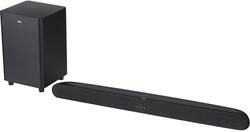
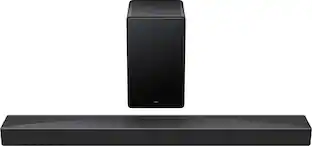
TCL - Alto 6+ 2.1 Channel Home Theater Sound Bar with Wireless Subwoofer and Bluetooth – TS6110, 31.5-inch - Black
- Key Specs
- Wireless Connectivity: Bluetooth (The manner in which a device sends data to another device over a short distance without the use of wires or cables.)
- Wall Mountable: true (The product is able to be secured to a wall. Some products are designed ready to mount, while others may require additional hardware/accessories for installation.)
- General
- Brand: TCL
- Model Number: TS6110-NA
- Product Name: Alto 6+ 2.1 Channel Home Theater Sound Bar with Wireless Subwoofer and Bluetooth – TS6110, 31.5-inch
- Color: Black
- Audio
- Number of Channels: 2.1 (The number of discrete channels of sound output. This can be a single number or multiple numbers separated by decimal(s). The first number is the primary, horizontally directed audio channels. The number after the first decimal, if applicable, is the number of subwoofer outputs or channels. The number after the second decimal, if applicable, is the number of height or atmospheric channels designed to immerse the listener by producing overhead sound effects.)
- Connectivity
- Wireless Connectivity: Bluetooth (The manner in which a device sends data to another device over a short distance without the use of wires or cables.)
- Number of HDMI Inputs (Total): 1
- Number of USB Inputs: 1
- Number of HDMI Outputs (Total): 0
- Features
- Wall Mountable: true (The product is able to be secured to a wall. Some products are designed ready to mount, while others may require additional hardware/accessories for installation.)
- Speaker
- Subwoofer: Included
- Dimensions
- Product Height: 2.5 inches (The out of box height of the item. Height is measured as the vertical distance from the bottom of the item to the top as it would be primarily used or placed.)
- Product Width: 31.5 inches (The out of box width of the item. Width is measured as the horizontal distance from one side of the item to the other as it would be primarily used or placed.)
- Product Depth: 4.2 inches (The out of box depth of the item. Depth is measured as the distance from the front of the item to the back as it would be primarily used or placed.)
- Product Weight: 4 pounds (The out of box weight of the item.)
- Subwoofer Height: 12.8 inches
- Subwoofer Width: 7.9 inches
- Subwoofer Depth: 7.9 inches
- Subwoofer Weight: 7.2 pounds
- Included
- Remote Control Included: true
- Mounting Hardware Included: true
- Certifications Listings & Approvals
- ENERGY STAR Certified: false (Devices carrying the ENERGY STAR service mark, such as computer products and peripherals, kitchen appliances, and other products, generally use 20% to 30% less energy than required by federal standards.)
- Warranty
- Warranty - Parts: 1 year limited
- Warranty - Labor: 1 year limited
- Other
- UPC: 846042017046
The TCL Alto 6+ sound bar is the perfect way to immerse yourself in your favorite entertainment with bigger, clearer sound. It’s Roku TV Ready and designed to work seamlessly with your TCL Roku TV, so you’ll enjoy smooth setup and easy access to sound settings. Dolby Digital decoding maximizes sound clarity and creates incredible room-filling virtual surround sound. Experience deep, rich bass with the wireless subwoofer to make movies and music truly come to life. Stream all your favorite music and podcasts from apps like Pandora, Spotify, TuneIn, and more, wirelessly from your smartphone, tablet, or laptop with Bluetooth® wireless technology. Alto 6+ lets you enjoy your favorite entertainment even more with three specialized sound modes for Movies, Music, and TV. The Movie mode lets you hear the dialogue with precise clarity and feel the impact of punches or explosions in intense action scenes. Music mode enables you to hear instruments, vocals, and bass with pristine accuracy. Finally, TV mode isolates ambient sound from speech, enabling you to focus on content without getting distracted by background noise.
- Roku TV Ready: Enjoy smoother setup, easy access to sound settings, and compatibility with your TCL Roku TV remote.
- Dolby Digital: Dolby Digital decoding maximizes sound clarity and creates incredible room-filling virtual surround sound.
- Wireless subwoofer for pulse-pounding bass: Experience deep, rich bass to make movies and music truly come to life. Feel the beats in music and the impact of an action scene in movies. And because it’s wireless, you can place the subwoofer virtually anywhere to adjust your exposure to bass.
- Stream Music Wirelessly: Stream all your favorite music and podcasts from apps like Pandora, Spotify, TuneIn, and more, wirelessly from your smartphone, tablet, or laptop with Bluetooth® wireless technology.
- Loud, clear sound in a compact design: Enjoy your favorite movies, TV shows, and music with enhanced sound quality.
- Specialized Sound Modes: Bring movies, music, and TV to life. Sound modes are fine-tuned to deliver content-adapted entertainment.
- Quick, Hassle-free Setup: Connect your TV via HDMI ARC with a single cable, or if your TV isn’t compatible with HDMI, you can connect using the optical input.
- Included Wall Mounting Kit: Provides a step-by-step guide for easy mounting and includes a mounting template to ensure that you get it right the first time.
Whats Included
- Warranty Info
- Quick Start Guide
- Power Cord
- Optical Cable
- Remote Control
- Wall Mount Kit
- HDMI Cable
A: I had this problem with mine. The Quick Start Guide provided in the box does not include the manual pairing instructions - you have to get the full user manual from the TCL website. Here are the instructions for manually pairing the Alto 6+ subwoofer: 1. Make sure the sound bar and wireless subwoofer are properly connected to the power supply. Turn on the sound bar. 2. Press and hold the Input Select button (the one with the square with the arrow going into it) on the sound bar main unit or the remote control, until the 4 LEDs on the front of the sound bar start flashing. 3. Press the Pair button on the back of the subwoofer until the amber light starts to flash quickly. 4. The amber light on the subwoofer should go solid after a few seconds and the four lights on the sound bar should stop flashing. Once this happens they will be properly paired. 5. If the amber light on the subwoofer doesn't go solid after two minutes, pairing has failed. Unplug both units for 3 minutes, plug them back in, and repeat the process. 5. Once pairing is successful, power cycle the sound bar a couple of times to make sure that the subwoofer stays paired to the main unit. The amber light on the back of the subwoofer should go from solid to slow blink when the sound bar powers off, and then from slow blink back to solid when the sound bar powers on.
A: This TCL Alto soundbar can connect to most TVs via HDMI ARC, Optical, AUX, or Bluetooth. For further assistance, please reach out to us at [email protected] with your contact information and a description of what you need help with. Hope this helps! Thank you, TCL Customer Support
Q: Does this Alto 6 +2 1 come with cables
A: This TCL Alto 6+ comes with 2 x power cords (one for sound bar one for wireless sub), 1 x HDMI, and 1 x optical. Hope this helps! Thank you, TCL Customer Support
Q: How many watts is the tcl alto 6+ 2.1 sound bar ?
A: The soundbar is 20W and the subwoofer is 25W. Hope this helps! Thank you, TCL Customer Support
A: This TCL Alto 6 soundbar does indeed feature an AUX input. Hope this helps! Thank you, TCL Customer Support
A: Any soundbar can be mounted to the TV with the proper bracket. Best Buy may not sell them idk? But i got one off of Amazon so i know for sure they sell them. You bolt it into the back of the swivel/wall mounting bracket.
Q: Can i pair wireless headphones with TCL 6+2.1Channel soundbarwith dolbyaudio wireless subwoofer
A: Currently, our TCL Alto soundbars are not designed to pair with headphones or other speakers. The Bluetooth feature can be used to pair with audio sources that also support Bluetooth, like a phone, tablet, etc. Hope this helps! Thank you, TCL Customer Support
Q: How many watts does the sound bar output? also for the sub?
A: The soundbar is 20W and the subwoofer is 25W. Hope this helps! Thank you, TCL Customer Support
People also viewed
 $249.00The price was $279.99
 $139.99The price was $159.99
 $299.99The price was $399.99