Everything for Back to School — and then someShop now

Skip to contentGo to Product Search
Main Content

TCL - R94 27" QD Mini LED 4K UHD 165Hz 1ms AMD FreeSync Premium Gaming Monitor with DisplayHDR 1400 (USB C, DisplayPort, HDMI) - Black and White

Model: 27R94
SKU: 6650394
Sold byBest Buy
$704.99
Save $95
The comparable value is $799.99
or
$43.89/mo.
suggested payments with 18-Month Financing
Show me how
Standard Geek Squad Protection
Warranty Protection Plans
Availability
Order now for pickup on Fri, Aug 7 at
Sold by
Best Buy

Highlights

  • Key Specs
    • Refresh Rate: 165Hz (The number of frames per second the device can produce natively without enhancement. Higher rates help produce smooth, seamless pictures.)
    • Maximum Resolution: 3840 x 2160 (Maximum resolution refers to the highest number of pixels that a screen can process and display. Higher resolution signals produce more detailed images.)
    • Response Time: 1 milliseconds (The speed at which pixels can change colors is called response time. It is measured in milliseconds (ms).)
    • Panel Type: QLED (Technology that affects response time and image quality.)
    • Synchronization Technology: FreeSync Premium (AMD Adaptive Sync) (Generally, these technologies allow syncing between a computer/console game's frame rate and the device's refresh rate for a smoother display without tearing.)
    • Screen Size: 27 inches (Size of the screen, measured diagonally from corner to corner.)
    • Display Connector(s): 1 x DisplayPort 1.4 (The number and type of connectors used to connect to an external display.)
  • General
    • Brand: TCL
    • Model Number: 27R94
    • Product Name: R94 27" QD Mini LED 4K UHD 165Hz 1ms AMD FreeSync Premium Gaming Monitor with DisplayHDR 1400 (USB C, DisplayPort, HDMI)
    • Color: Black and White
    • Operating System Compatibility: Not Applicable
  • Display
    • Refresh Rate: 165Hz (The number of frames per second the device can produce natively without enhancement. Higher rates help produce smooth, seamless pictures.)
    • Maximum Resolution: 3840 x 2160 (Maximum resolution refers to the highest number of pixels that a screen can process and display. Higher resolution signals produce more detailed images.)
    • Native Resolution: 3840 x 2160 (Native resolution of a screen refers to its single, fixed resolution. Sometimes screens must scale an image up or down in order to fit the native resolution. This can cause a loss of resolution or detail.)
    • Contrast Ratio: 3000:1 (Measured difference between a displayed image's brightest whites and darkest blacks. The larger the first number, the more detail and color that can be displayed.)
    • Response Time: 1 milliseconds (The speed at which pixels can change colors is called response time. It is measured in milliseconds (ms).)
    • Display Type: LED
    • Panel Type: QLED (Technology that affects response time and image quality.)
    • Synchronization Technology: FreeSync Premium (AMD Adaptive Sync) (Generally, these technologies allow syncing between a computer/console game's frame rate and the device's refresh rate for a smoother display without tearing.)
    • Aspect Ratio: 16:9 (The measurement of the width of a screen compared to the height of a screen, expressed as a ratio.)
    • Curved Screen: false
    • Brightness: 1400 candela per square meter (A measure of the total light output.)
    • Screen Size: 27 inches (Size of the screen, measured diagonally from corner to corner.)
    • High Dynamic Range (HDR): true (An HDR-compatible 4K TV or other HDR-compatible product displays HDR video content when it's available from sources like 4K Ultra HD Blu-ray Discs and 4K streaming services.)
    • High Dynamic Range Format: HDR 10 (There are a few HDR formats that tell the TV or other HDR-compatible product how to best utilize its capabilities to display HDR content. HDR technology can support one or multiple formats, each with various benefits to picture quality.)
    • Horizontal Viewing Angle: 178 degrees (The maximum angle at which the display can be viewed with acceptable visual performance from either side.)
    • Vertical Viewing Angle: 178 degrees (The maximum angle at which the display can be viewed with acceptable visual performance from above or below.)
    • Touch Screen: false (Touch-screen devices make navigating more intuitive. Using a touch-screen display, you can do things such as tap to select, hold and drag to move items, swipe to scroll, and pinch to zoom.)
    • On-Screen Display Languages: Multilingual On–Screen–Display (The available language options for displayed text.)
    • Display Surface: Anti-glare, Anti-reflective
    • Color Gamut (NTSC): 95 percent
    • Color Gamut (Standard RGB): 99 percent
  • Connectivity
    • Number of DisplayPort Inputs (Total): 1
    • Number of HDMI Inputs (Total): 2
    • Display Connector(s): 1 x DisplayPort 1.4 (The number and type of connectors used to connect to an external display.)
    • Number of USB Ports (Total): 4
    • USB Ports: 2 x USB-A, 1 x USB-B, 1 x USB-C (The number and type of USB ports the product has.)
    • Headphone Jack: true (The device features an interface that allows for the connection of headphones.)
  • Compatibility
    • Wall Mountable: true (The product is able to be secured to a wall. Some products are designed ready to mount, while others may require additional hardware/accessories for installation.)
    • VESA Wall Mount Standard: 100mm x 100mm (VESA wall mount standards refer to the spacing of screw holes built into a TV in order to fit with standard TV wall mounts. These standards are implemented into most TVs and monitors.)
  • Features
    • Tiltable: true
    • Adjustable Stand Height: true
    • Built-In Webcam: false
    • Integrated Speaker(s): true
  • Dimensions
    • Product Height With Stand: 20.63 inches
    • Product Height Without Stand: 14.13 inches
    • Product Width: 25.24 inches (The out of box width of the item. Width is measured as the horizontal distance from one side of the item to the other as it would be primarily used or placed.)
    • Product Depth (With Stand): 11.48 inches
    • Product Depth Without Stand: 2.87 inches
    • Product Weight: 16.03 pounds (The out of box weight of the item.)
    • Stand Included: true
  • Certifications Listings & Approvals
    • ENERGY STAR Certified: false (Devices carrying the ENERGY STAR service mark, such as computer products and peripherals, kitchen appliances, and other products, generally use 20% to 30% less energy than required by federal standards.)
    • EPEAT Qualified: false (The Electronic Product Environmental Assessment Tool (EPEAT) was designed to provide an environmental assessment tool for purchasers. In order to qualify for EPEAT, a product must meet all 23 required criteria.)
  • Warranty
    • Warranty - Parts: 1 year limited
    • Warranty - Labor: 1 year limited
  • Other
    • UPC: 846042044400

The TCL 27R94 QD-Mini LED Gaming Monitor is ideal for next level gaming with TCL’s Halo Control System that includes the Powerful Light-emitting Microchip, Condensed Micro Lens, Micro OD Reduced Optical Distance, High Contrast HVA Panel, QLED, and Dynamic Light Algorithm for Stunning “Halo-Free” Images. Get sharp, 4K UHD resolution and see all the details. The LD2304 Precise Dimming Series, HDR1400 Brightness, 165Hz native panel refresh rate, and 1ms GTG provides deep contrast, vibrant highlights, and smooth, responsive gameplay. Stutter-free gaming and ultra-smooth frame transitions with AMD FreeSync Premium and NVIDIA G-SYNC. The built-in Crosshair Aim Guide provides enhanced targeting precision in any game. On-board USB-C Power Delivery provides charging and video, all with one cable. TÜV Low Blue Light certification ensures reduced eye strain and more comfortable viewing.

  • 27” Gaming Monitor with 4K UHD (3840x2160) Resolution: Crisp and clear visuals with lifelike detail on a spacious 27″ screen—perfect for gaming, streaming, or everyday use.
  • QD-Mini LED: TCL’s QD-Mini LED delivers brilliant brightness and pinpoint precision — perfect for deep, immersive gameplay.
  • TCL Halo Control System: An advanced Technology Suite that includes the Powerful Light-emitting Microchip, Super Condensed Micro Lens, Micro-OD Reduced Optical Distance, and High Contrast HVA Panel for Stunning “Halo-Free” Images.
  • 165Hz Native Refresh Rate: Smooth, responsive motion that keeps up with every move—perfect for fast-paced games and fluid visuals.
  • LD2300 Precise Dimming Series: Scene-by-scene backlight control for deeper blacks, brighter highlights, and beautifully balanced contrast in every frame.
  • HDR1400 Brightness: Ultra-bright highlights and breathtaking contrast bring every scene to life—whether the room is pitch black or full of sunlight.
  • 1ms (GTG): Lightning-fast responsiveness for ultra-smooth gameplay and competitive edge.
  • AMD FreeSync Premium: Enjoy fluid, tear-free gameplay even during fast, high-intensity action—built for smooth competitive performance.
  • QLED: Rich, vibrant colors across nearly the full DCI-P3 spectrum—bringing images to life with stunning realism.
  • Crosshair Aim Guide: Four on-screen reticles to help you aim faster and more precisely—your competitive edge, built-in.
  • TÜV Low Blue Light Certification: Engineered for eye comfort—reduced strain during long sessions, without sacrificing image quality.
  • High Contrast HVA Panel: TCL’s leading HVA panel technology delivers exceptional contrast and rich detail, elevating every scene.
  • USB-C Power Delivery: Power up and stay connected with USB-C Power Delivery – one cable for charging and video.
  • 2 HDMI Inputs and 1 DisplayPort: Fast, flexible connections for your PC, console, and more—everything you need, ready to plug in.
  • Built-In Stereo Speakers: Enjoy easy audio with built-in speakers that deliver clear, powerful sound.
  • Fully Adjustable Stand: Find your perfect viewing angle with a fully adjustable stand for customized comfort and ergonomics.
Whats Included
  • Quick Start Guide (QSG)
  • Warranty Info
  • Power Cord Adapter
  • DisplayPort Cable
  • HDMI Cable
Product Manuals

Q: Does this monitor have low blue light certification?

A: Yes, this monitor has TÜV Low Blue Light certification.

Q: Can I mount this monitor to the wall?

A: Yes, this monitor is wall mountable.

Q: Does this monitor support AMD FreeSync Premium?

A: Yes, this monitor supports AMD FreeSync Premium.

Q: What type of panel is used in this monitor?

A: This monitor uses a high contrast HVA panel.

Q: Does this gaming monitor have built-in speakers?

A: Yes, this gaming monitor has built-in stereo speakers.

Q: Is the stand height adjustable for this monitor?

A: Yes, the stand is fully adjustable for customized comfort.

Q: What is the native refresh rate of this monitor?

A: The native refresh rate of this monitor is 165Hz.

Sponsored

Compare similar products

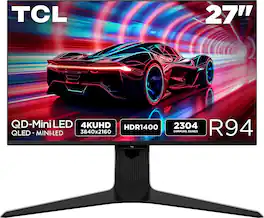
TCL - R94 27" QD Mini LED 4K UHD 165Hz 1ms AMD FreeSync Premium Gaming Monitor with DisplayHDR 1400 (USB C, DisplayPort, HDMI) - Black and White
4.7(15)

The TCL 27R94 QD-Mini LED Gaming Monitor is ideal for next level gaming with TCL’s Halo Control System that includes the Powerful Light-emitting Microchip, Condensed Micro Lens, Micro OD Reduced Optical Distance, High Contrast HVA Panel, QLED, and Dynamic Light Algorithm for Stunning “Halo-Free” Images. Get sharp, 4K UHD resolution and see all the details. The LD2304 Precise Dimming Series, HDR1400 Brightness, 165Hz native panel refresh rate, and 1ms GTG provides deep contrast, vibrant highlights, and smooth, responsive gameplay. Stutter-free gaming and ultra-smooth frame transitions with AMD FreeSync Premium and NVIDIA G-SYNC. The built-in Crosshair Aim Guide provides enhanced targeting precision in any game. On-board USB-C Power Delivery provides charging and video, all with one cable. TÜV Low Blue Light certification ensures reduced eye strain and more comfortable viewing.

TCL - G64 32" QD Mini LED QHD 180Hz 1ms AMD FreeSync Premium Gaming Monitor with HDR600 (DisplayPort, HDMI) - Black and Gray
4.6(36)

The TCL 32G64 QD-Mini LED Gaming Monitor is ideal for next level gaming with TCL’s Halo Control System that includes the Powerful Light-emitting Microchip, Condensed Micro Lens, Micro OD Reduced Optical Distance, High Contrast HVA Panel, QLED, and Dynamic Light Algorithm for Stunning “Halo-Free” Images. Get sharp, QHD resolution and see all the details. The LD336 Precise Dimming Series, HDR600 Brightness, 180Hz native panel refresh rate, and 1ms GTG provide deep contrast, vibrant highlights, and smooth, responsive gameplay. Stutter-free gaming and ultra-smooth frame transitions with AMD FreeSync and NVIDIA G-SYNC Compatible. The built-in Crosshair Aim Guide provides enhanced targeting precision in any game. TÜV Low Blue Light certification ensures reduced eye strain and more comfortable viewing.

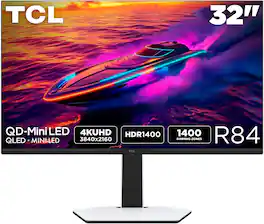
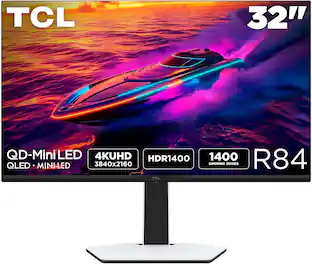
TCL - R84 32" QD Mini LED 4K UHD 165Hz 1ms AMD FreeSync Premium Gaming Monitor with DisplayHDR 1400 (USB C, DisplayPort, HDMI) - Black and White
4.7(22)

The TCL 32R84 QD-Mini LED Gaming Monitor is perfect for next level gaming with TCL’s Halo Control System that includes the Powerful Light-emitting Microchip, Condensed Micro Lens, Micro OD Reduced Optical Distance, High Contrast HVA Panel, QLED, and Dynamic Light Algorithm for Stunning “Halo-Free” Images. Get sharp, 4K UHD resolution and see all the details. The LD1400 Precise Dimming Series, HDR1400 Brightness, 165Hz native panel refresh rate, and 1ms GTG provide deep contrast, vibrant highlights, and smooth, responsive gameplay. Stutter-free gaming and ultra-smooth frame transitions with AMD FreeSync Premium and NVIDIA G-SYNC Compatible. The built-in Crosshair Aim Guide provides enhanced targeting precision in any game. On-board USB-C Power Delivery provides charging and video, all with one cable. TÜV Low Blue Light certification ensures reduced eye strain and more comfortable viewing.

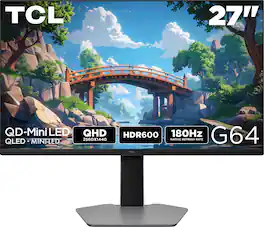
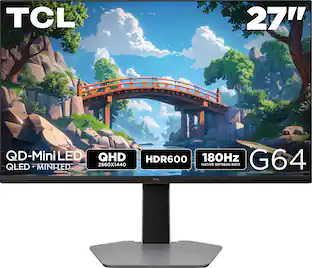
TCL - G64 27" QD Mini LED QHD 180Hz 1ms AMD FreeSync Premium Gaming Monitor with HDR600 (DisplayPort, HDMI) - Black and Gray
4.7(29)

The TCL 27G64 QD-Mini LED Gaming Monitor is ideal for next level gaming with TCL’s Halo Control System that includes the Powerful Light-emitting Microchip, Condensed Micro Lens, Micro OD Reduced Optical Distance, High Contrast HVA Panel, QLED, and Dynamic Light Algorithm for Stunning “Halo-Free” Images. Get sharp, QHD resolution and see all the details. The LD180 Precise Dimming Series, HDR600 Brightness, 180Hz native panel refresh rate, and 1ms GTG provide deep contrast, vibrant highlights, and smooth, responsive gameplay. Stutter-free gaming and ultra-smooth frame transitions with AMD FreeSync and NVIDIA G-SYNC Compatible. The built-in Crosshair Aim Guide provides enhanced targeting precision in any game. TÜV Low Blue Light certification ensures reduced eye strain and more comfortable viewing.

Pros for TCL - R94 27" QD Mini LED 4K UHD 165Hz 1ms AMD FreeSync Premium Gaming Monitor with DisplayHDR 1400 (USB C, DisplayPort, HDMI) - Black and White
Brightness, Build Quality, Black Level, Connectivity, Port SelectionPicture Quality, Refresh Rate, Brightness, HDR Performance, Black LevelsBrightness, Connectivity, Picture Quality, Refresh Rate, Black LevelBuild Quality, Refresh Rate, Black Levels, HDR Performance, Local Dimming
Cons for TCL - R94 27" QD Mini LED 4K UHD 165Hz 1ms AMD FreeSync Premium Gaming Monitor with DisplayHDR 1400 (USB C, DisplayPort, HDMI) - Black and White
Stand Size, Viewing AngleThere were no cons for this productThere were no cons for this productConnectivity

Specs

Reviews

Rating 4.7 out of 5 stars with 15 reviews

93% would recommend to a friend
Customers are sayingCustomers value the 27" R94 Series 4K UHD HDR QD-Mini LED Gaming Monitor for its brightness, solid build quality, and impressive black levels. The monitor also offers great connectivity, including USB-C, and an excellent port selection. Some customers find the stand to be large and have concerns about the viewing angles.
This summary was generated by AI based on customer reviews.
  • Brightness (12)
  • Build Quality (9)
  • Black Level (5)
  • Connectivity (4)
  • Port Selection (3)
  • Stand Size (5)
  • Viewing Angle (3)

Customer Images

The vast majority of our reviews come from verified purchases. Reviews from customers may include My Best Buy members, employees, and Tech Insider Network members (as tagged). Select reviewers may receive discounted products, promotional considerations or entries into drawings for honest, helpful reviews.

  • Rated 5 out of 5 stars

    I wanted an OLED alternative and I found one!

    Let me start by saying I own a 32‑inch OLED from LG. It’s a gaming monster, but for everything else I was left wanting more. I spend a few hours each day in Excel and Tableau, and the text rendering on OLED was something I never truly loved. Not to mention the constant anxiety of image retention. Coming from OLED, I feel like I’m missing nothing in image quality or gaming performance, and gaining a lot everywhere else. Text is crisp and clear across both Windows and macOS on the TCL, and I now have zero anxiety about image retention when leaving Excel open for hours. For me, this is the perfect dual‑purpose monitor. For gaming, the panel is very responsive—nearly as fast as OLED. In practice, I don’t notice a difference while playing. Colors are extremely vibrant once set up correctly (disable Auto Color Management in Windows), and the local dimming does an excellent job keeping contrast deep and rich. I’ve been playing Dead Space on this TCL recently, and I’m loving how the shadows stay truly dark while highlights finally have real, usable brightness. Coming from OLED, I had forgotten what actual full‑screen brightness looks like. It’s honestly too bright for me, so I keep local dimming on High and brightness at 50. My one negative is the speakers—they’re abysmal. Easily the worst I’ve encountered on a monitor. They produce worse audio than my phone or the built‑in speaker on my Mac Mini. No idea why TCL cut corners this hard. Also, full disclosure: the coating is definitely matte, despite what some advertisements suggest. It’s not overly aggressive—somewhere between a strong Dell office monitor and a light semi‑gloss. In closing, I’ve always felt TCL TVs offered great picture quality and value, and that extends to the 27R94. The image quality is phenomenal in my opinion, and being Mini‑LED makes it far better suited for office work and gaming without the risk of image retention.

    Posted by DennisD

  • Rated 5 out of 5 stars

    Good Value and Good Real HDR Alternative to OLED

    In terms of gaming monitors, it’s tough to match the inky blacks and near infinite contrast you get from OLED, but as an LCD alternative the 27R94 performs well in both SDR and HDR with its many dimming zones, high brightness, and good value. You also do not need to worry about static images or panel care routines either, so it’s also a good candidate for a mixture of gaming and productivity. The package includes the monitor and its stand, a power adapter, and USB/display cables. The stand comes in to pieces and the base attaches to the main column via a thumbscrew. The power adapter is a large 260W external brick, which provides power for the monitor itself as well as up to 90W PD charging via the USB-C port. Speaking of ports, there are 2 HDMI 2.1, 1 DisplayPort 1.4, 2 USB-A 3.0, and USB-B 3.0 upstream, and the aforementioned USB-C port that supports display and Power Delivery for compatible devices. The stand has the full range of movement and supports height, swivel, and tilt adjustments. It also has a cable channel built in that does a good job of hiding the cables behind the stand. The monitor can be tilted 90 degrees with the included stand for a portrait orientation. I like the stand, though it is quite wide. I’m not a huge fan of the black/white color scheme on the back and I think the ‘Inspire Greatness’ text on the stand is a bit gaudy, though none of that really gets seen when viewing the monitor from the front. There’s also a plastic piece on the right side of the monitor that pulls out - I assume this is meant to be a hanger for headphones, but I didn’t find it mentioned anywhere in the documentation. I used this monitor with my PC through the DisplayPort connection, had the resolution set at the native 3840x2160, 165Hz refresh rate, G-Sync enabled, and I alternated between SDR and HDR depending on the content. The 165Hz refresh rate is technically overclocked from 144Hz native, though 165Hz is enabled by default and I didn’t notice any issues running with this refresh rate. I set the local dimming to the highest possible setting. This is the first LCD monitor with HDR that I’ve used where the HDR feels like true HDR. So many other monitors advertise HDR, but don’t really deliver on due to either a lack of brightness, lack of local dimming, or both. This monitor struggles in neither of those departments. Using the Windows HDR calibration app, I was able to hit the stated 1400 nits at full screen. The 2304 dimming zones packed into this 27” display made it hard to spot any halo-ing effects or transitions and I had to pull up a test video to see it. It still doesn’t match OLED and the overall black levels are a little raised by comparison, but overall it looks great for an LCD. Gaming is smooth and the screen is responsive. Windows is still not well optimized for HDR, so I tended to keep that disabled unless the game/video explicitly supported it. The OSD can be accessed via the single button/joystick and is easy to navigate, though the settings adjustments are minimal and it’s a bit laggy. I also connected my laptop to the USB-C PD port and it worked as expected. Overall, I think this is a great LCD gaming monitor that actually supports real HDR. It’s also a good value for what it offers.

    Posted by SamG

  • Rated 5 out of 5 stars

    Bright, Sharp, and Built Like a Tank

    I’ve been using TCL's 27" R94 Series QD-Mini LED monitor for a little over a week now, mostly for gaming and some light work stuff, and so far it's been pretty solid experience. The first thing that stood out to me was the brightness and contrast. I was messing around in Call of Duty, and I could actually notice better detail in the darker indoor spots without everything looking gray or washed out. The color is just plain great — vibrant without being over the top. As far as motion goes, everything looks real smooth. I haven’t noticed any blur or lag, but to be fair, I’m more of a patient camper than someone who’s running around all wild. I’ll test it with some racing games soon, but so far, so good. The build quality feels solid. It’s not cheap or flimsy. That said, the stand has some pretty big feet — way bigger than I expected. I actually had to change where I was gonna put it because it just took up more space than I planned for. Not ugly or anything, just… a lot. On the bright side, the cable management is great. Everything tucks in really clean behind the monitor. The tilt is a bit stiff, but the swivel works smooth — only thing missing is that little “click” when it hits center. I like having that, but it’s not a big deal. One thing I really love is the USB-C. Being able to plug in my laptop or tablet and get video and power from one cable? That’s a game changer. I honestly wouldn’t want to go back to anything without it. The built-in speakers are okay — not super loud or full, but clear enough if you’re not trying to fill a room with sound. Mostly likely you're betting off listening with external speakers or your headphones anyway. As for extras — the crosshair thing is kind of a gimmick. It’s easy to turn off, so no harm there, but I probably won’t be using it. A remote would’ve been nice to have, though. Would’ve made it easier to flip through settings without having to use the joystick under the screen. All in all, I think TCL did a good job. It looks great, runs smooth, and has some really useful features — especially that USB-C port. If you’re looking for a 4K monitor for gaming that checks a lot of boxes, this one’s worth a look.

    Posted by Farns

  • Rated 5 out of 5 stars

    Persuasive performance ... Outstanding value

    TCL 27" R94 Series 4K UHD HDR QD-Mini LED Gaming Monitor: You may need to reconsider what you’ve heard about computer monitors. Whether it’s the preferred technology or the go-to brand, TCL has entered the field of high performance and gaming monitors with this impressive challenge to the status quo. The value in this beautiful monitor was not achieved by cutting corners or leaving anything out. Every feature, adjustment, end-user control, or useful input is here. Above all else, TCL has built in seriously impressive performance specifications. And, they even included the calibration report achieved with these monitors. Check out the rear panel light display for the fun side of the TCL, and you’ll be convinced. What a great monitor. SETUP: I plugged in the heavy power brick, used the HDMI cable (one of 3 connection types included), and the screen lit up with my Apple Mini M4 display output. I prefer to mount my screens on a mobile monitor stand, so that’s what is in my accompanying photos. The TCL monitor stand included is supportive and allows for screen height and tilt. Simple and attractive. TCL is ready for whatever PC you have, or whether it uses HDMI, Display Port, or USB-C, with all of them able to deliver a 165Hz refresh, 3840 x 2160 resolution, FreeSync premium, and 1400 Nits, HDR10, and near-perfect color gamut across every standard. Connectivity is complete. One (1) Display Port 1.4, 2 HDMI, 4 USB ports (2 USB-A, 1 USB-B, 1 USB-C), a headphone jack, and the 100mm x 100mm VESA Wall Mount pattern. The stand is adjustable by height and it tilts. There are built-in speakers. SETTINGS: TCL provides a convenient, accessible menu toggle (bottom center of screen frame) that reveals layers of options and choices that give the serious gamer, professional photographer, amateurs and anyone in between the ability to modify the complete suite of image parameters or even the sound. The toggle is so convenient and predictable that you will use it. I discovered I can quickly change settings to reflect my preferred photography parameters, video watching, or gaming performance. You may want to have the monitor calibrated for your purposes or simply adjust it to your liking. I can predict this monitor will become very desirable and attract forums where end users will share their ideal settings. PERFORMANCE: My first comment will be confusing. It is my observation that the very best audio and video equipment is often boring. Perfection is matter-of-fact. It is rarely attention-grabbing because it is so very natural. On this TCL 27R94, viewing an image is like looking through a glass. The TCL 27R94 MiniLED gets out of the way of the image, colors are richly saturated, with contrast that is wide with deep blacks and sparkling bright whites (up to 1600 nits). Flesh tones are naturally variable, and strands of hair and fur are subtly detailed. I couldn’t see blooming, and object edges were just clean. SD programming, right out of the box, was perfectly calibrated for my Mac Mini M4. Those 2304 dimming zones contribute to a great image, easily mimicking OLED, but potentially brighter. Text was so easy to discern at the smallest font sizes. I need to test some more, but for me, with everyday use, brightness at 25 and contrast at 50 worked well; local dimming off, while in the OFFICE MODE. The image retains color accuracy until you shift off axis too far. But my computer use is a one-person activity and it doesn’t bother me. A general comment about the anti-glare coating is that I like it, mostly. While the benefit of a gloss finish for purity of color and contrast is valid, the persistent problems with reflections in all but full dark room viewing is not worth the trouble for me. The MOVIE Mode invited Brightness at 50, medium or high local dimming. I watched several UltraHD movies, being sure to switch to the default resolution and both my wife and I were struck by how brilliant, and cinematic, very life-like, the richly natural images were on selected movies. My fairly new, highly regarded OLED Tv playing the same feature on a larger screen in the background could not match the slightly brighter more saturated picture on the TLC. Size is a difference maker but the picture on the TLC viewed from a couple of feet away was beautiful. GAMES played on my Mac Mini M1 or connected to my gaming PC laptop were wonderful to view. I saw no screen tearing, and like the movies I viewed, colors were spectacular, blooming was not apparent, and game action moved at expected speeds without trailing. There are GAME MENU (and mode) choices for FPS, RCG, and RPG games. TCL even has an adjustment for crosshair changes in shooting scenarios. There is Dark Field Control that identifies and brightens deep shadows. I can turn on Frame Rate readouts so I know how or why screen and computer is performing as they are. MINOR ISSUES: Speakers were just OK, as expected, but at least they were available. As long as I didn’t make extreme movie demands on them, they were perfectly suitable for watching informational or instructional videos. Get a soundbar or external speakers or use earbuds for serious sound quality. That wonderful toggle-controlled menu is great. But who decided to shut it off automatically at approximately 7 seconds? Too short for me to assess the settings I’m fussing with. Maybe I just haven’t found how to vary that. SUMMARY: The TCL 27" R94 Series 4K UHD HDR QD-Mini LED Gaming Monitor can fulfill the needs of many photographers and video media creators, serve as a versatile workstation that you won’t feel uneasy about having on all day, and then become a media delivery station for TV, movie, or game programming. This is premium-tier video quality that competes with the best monitors I’ve been able to survey. This TCL monitor should be on any computer gamer’s shopping list, but for more reasons than you might first consider.

    Posted by TECHBEENGOOD

  • Rated 5 out of 5 stars

    Near Perfection: Incredible Display, Awkward Stand

    For the last week, I’ve been testing the TCL 27" R94 Series 4K UHD HDR QD-Mini LED Gaming Monitor. Overall, this is a fantastic monitor that delivers all the best features I would expect from a flagship display. My only dislike is the wide-legged base. Assembling the monitor is convenient. It comprises three parts, requires no tools, and takes less than five minutes to complete. The stand is nice and sturdy and allows for multiple points of adjustment: it can be raised, lowered, swiveled, and tilted. However, due to the wide-legged stand, the proportions of the monitor look unbalanced and bottom-heavy. The wide stand also prevents me from placing my gaming laptop completely under the screen and interferes with rotating the monitor into portrait mode. To end on a positive note, the wing-shaped RGB lighting on the back of the monitor and stand looks really cool—especially when the back is visible and not placed against a wall. The R94 has excellent IO. Usually, I use DisplayPort to ensure I have the best picture, but this monitor also features two HDMI 2.1 ports and USB-C. All of these inputs are able to provide 165Hz at 4K resolution. While on the topic of USB-C, I love that it provides my laptop with up to 90 watts of power, which is more than enough to ensure full performance and keep the battery charged for most laptops. The built-in speakers are also a welcome feature. Albeit the sound is not the best, it is good enough to get by without needing external speakers. I prefer having built-in speakers over having none at all. As for the display performance, the QD-Mini LED looks gorgeous. The colors are bright and vivid. The contrast levels are excellent, and when local dimming is set to medium or high, the display can easily be mistaken for OLED. Blooming or halo effects are minimal; I had to try really hard to see them. Also, the matte coating on the display does an excellent job of preventing any reflections. While gaming, the monitor performed excellently—I noticed no tearing, artifacts, or ghosting. With all that said, I really like this monitor and wouldn't hesitate to recommend it. Great job TCL.

    Posted by buckbabes

  • Customer reviews from tcl.com

    Syndicated rating, 4.4 out of 5 stars with 5 reviews on tcl.com.

    See all tcl.com reviews
No content

Customers often buy these together

Ask BlueAI

Finance Options

My Best Buy® Credit Card
Choose a benefit:Or
Buy Now, Pay Later
Lease to own

Special Offers

Top Offers
Included with Purchase