60th Anniversary SaleEnds Sunday. Exclusions, terms and conditions apply.Shop now

Skip to contentGo to Product Search
Main Content
Let's make sure this product fits your vehicle.
Installation available

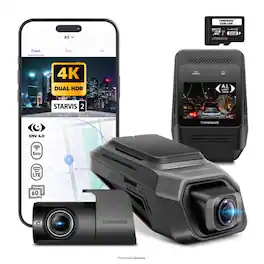
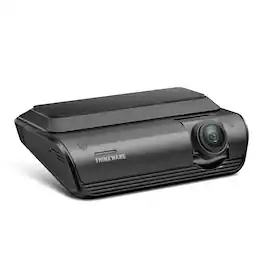
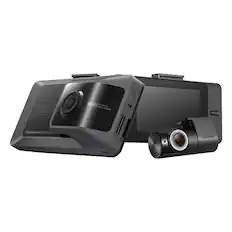
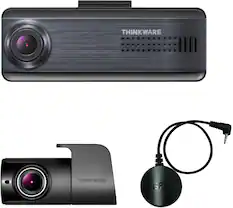
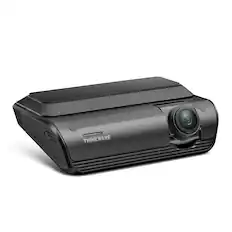
THINKWARE - ARC800 4K UHD Front and Full HD Rear Dash Cam with Built-In GPS and Wi-Fi, Compatible with iOS, Android, MacOS, Windows - Black

Model: TW-ARC800DCH
SKU: 6680869
Sold byBest Buy

About this product

Drive smarter and see more with the THINKWARE ARC 800, a premium 4K dash cam built to capture every moment with exceptional clarity and confidence. Featuring a Sony STARVIS 2 IMX678 image sensor, HDR recording, and AI-powered Night Vision (available during Parking Mode), the ARC 800 delivers sharp, balanced footage in virtually any lighting condition. The responsive 2.3” IPS display makes reviewing footage and adjusting settings effortless, while built-in GPS and dual-band Wi-Fi keep you connected on the go. Advanced Parking Surveillance modes, THINKWARE CONNECTED compatibility, Safety Camera Alerts, and Traffic Light Change Alerts provide enhanced awareness whether you’re driving or parked. With support for up to 512GB microSD cards and everything needed for installation included in the box, the ARC 800 is engineered for drivers who demand premium protection without compromise.

Features
  • 4K UHD Front & Full HD Rear Recording

    Capture breathtaking 4K UHD front footage at 30fps with the high-performance Sony STARVIS 2 IMX678 sensor for exceptional detail, vibrant color, and enhanced low-light performance. The rear camera records in crisp Full HD 1080p HDR, delivering reliable front and rear coverage day or night. For smoother playback of fast-moving scenes, the front camera also supports QHD recording at 60fps.

  • 146.4° Wide Viewing Angle

    Enjoy expansive road coverage with a wide 146.4° front viewing angle and 160° rear lens, helping minimize blind spots while reducing edge distortion

  • 2.3” IPS Touchscreen Display

    Easily review footage, adjust settings, and navigate menus directly on the vivid 2.3” IPS display designed for clear visibility from virtually any angle.

  • AI Night Vision

    Advanced AI-powered Night Vision technology enhances brightness, improves contrast, and reduces image noise in dark environments for clearer nighttime recordings and parked surveillance.

  • Easy Device Pairing with THINKWARE Dash Cam Link App

    Connect compatible Android or iOS devices through built-in dual-band 2.4GHz/5GHz Wi-Fi to quickly transfer footage, manage recordings, and customize settings directly from your smartphone.

  • Built-in GPS with Safety Camera Alerts

    The ARC 800’s integrated GPS provides real-time alerts for upcoming speed and red-light cameras while embedding speed, time, and location data directly into recorded footage.

  • THINKWARE CONNECTED Compatible

    Unlock cloud-based connectivity features including impact notifications, remote vehicle status, emergency SOS, and location tracking through THINKWARE CONNECTED. Optional LTE module required.

  • Built-in G-Sensor

    Automatically detects impacts and saves a protected 20-second event clip (10 seconds before and after the incident) for secure storage and easy retrieval later.

  • Built-in Microphone and Speaker

    Capture clear in-cabin audio alongside your video recordings for added context and evidence.

  • Parking Surveillance Mode*

    Protect your vehicle even while parked with advanced parking protection modes designed to capture impacts, motion events, and suspicious activity around your vehicle.

  • Motion & Impact Detection Mode*

    Monitors the surroundings of your vehicle and automatically records a buffered 20-second clip whenever motion or impact is detected.

  • Time Lapse Mode*

    Records continuously at 2fps during Parking Mode, maximizing recording duration while minimizing power consumption.

  • Energy Saving Mode*

    Reduces battery usage by recording only when impacts are detected, extending Parking Surveillance coverage for longer periods.

  • Smart Parking Mode*

    Automatically shifts to low-power protection when cabin temperatures rise too high, helping prevent overheating while maintaining essential impact monitoring.

  • Traffic Light Change Alerts (US & Canada Only)

    Stay more aware at intersections with real-time alerts notifying you when traffic lights change.

  • Front Vehicle Departure Warning

    Get alerted when the vehicle ahead starts moving, helping you stay attentive in traffic and at intersections.

  • Loop Recording

    Ensures uninterrupted video capture by automatically overwriting older footage once storage becomes full, so you never miss critical moments.

  • Anti-File Corruption Technology

    THINKWARE’s advanced file management technology minimizes corruption and fragmentation, reducing the need for frequent formatting while helping extend memory card lifespan.

  • Integrated Supercapacitors & Thermal Protection

    Built-in thermal sensors actively monitor internal temperatures to protect the dash cam in extreme heat, while integrated supercapacitors ensure stable performance and secure file saving during sudden power interruptions.

  • 32GB MicroSD Memory Card Included

    Includes a high-endurance 32GB microSD card engineered for reliable continuous recording and tested with THINKWARE’s Sudden Power Off Recovery (SPOR) technology. Supports microSD cards up to 512GB.

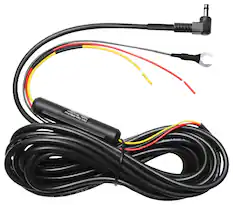
  • *Requires installation with hardwiring cable that comes included (professional installation recommended).

See all features
Specifications
  • Field of View
    146.4 degrees
    Automatic Incident Detection
    Yes
    G-Sensor
    Yes
    Compatibility
    Compatible with iOS, Android, MacOS, Windows
    Wi-Fi Built-in
    Yes
    Camera Mounting Location
    Windshield, Rear window
Sponsored

Reviews

Rating 4.1 out of 5 stars with 7 reviews

5 star rating. 3 reviews4 star rating. 2 reviews3 star rating. 2 reviews
86% would recommend to a friend

Customer Images

The vast majority of our reviews come from verified purchases. Reviews from customers may include My Best Buy members, employees, and Tech Insider Network members (as tagged). Select reviewers may receive discounted products, promotional considerations or entries into drawings for honest, helpful reviews.

  • Rated 4 out of 5 stars

    Monitors with Crisp and Clear Videos

    I have had several dash cams so far and this is one of my favorites in terms of design and video quality. The videos are highly detailed, and the app loads them up right away. The downsides are some issues with app connectivity and low audio if that is important to you. The dash cam included a 32GB mirco-SD but does not include a car adapter. Luckily I was able to use one from my previous dash cam, but you will have to hardwire this one with the included cables or purchase a car adapter separately. *Quality* The dash cams are well designed and easy to install. I really like the slanted design because it looks more discreet and visually integrated into the car. The wire for the back camera is extremely long. I definitely think it is enough for an SUV or van, it was far too much for my small car and took some work to hide it all. *Video* The cameras record at high quality, so the details are crisp and clear. The videos show up as lowly lit when I view them though, but I can edit and up their exposure and everything is clear. I do think this is preferable compared to recording at too high in exposure and risk clipping out whites – license plates in particular – due to it. *Audio* The audio recording is clear but very low. The volume must be set to the highest level to hear it well. *It talks/TTS* The camera talks by default and lets you know when it is recording what it perceived to be an “event.” It also tells you to have a safe drive every time you start the car. I found it annoying to have a robotic voice talking every time I started the car, so I muted it. *Touch Screen* The touch screen is responsive and intuitive once you get the hang of it. You wipe down to find the Wi-Fi and voice setting, swipe up for the other settings. *App* The app is simple and easy to navigate plus worked well up until the most recent update. The camera updated almost every time I connected to it, but the last one failed. Ever since then the Wi-Fi connection drops almost immediately after connecting. I can still access the videos via the micro-SD but certain settings can only be access through the app so hopefully the issue resolves soon. *Conclusion* Thus far, I have not had a dash cam with a stable app, so I can’t even detract too much from that issue. It is still by far the best app experience I have had. Overall, the videos are crisp and detailed, the camera has not failed to record while I drive, and it is sleek and low profile while still having a touch screen. This is by far my favorite one and I recommend it.

    Posted by Akire

  • Rated 5 out of 5 stars

    Easy to Install & Use, Wide Angle 4K View!

    I’ve been wanting to get an automated dashcam for our vehicle, as there have been multiple cases where having a video from the drive would have been a huge help with the mess that followed. I wanted something that was easy to install and just worked while driving, I saw the Thinkware ARC800 that came with everything in the box! No buying an extra SD card or cable, it was all included. So, I decided to give it a try. Pros: - Easy to install & use. - Automatically captures footage. - Wide Angle & High-quality video. Cons: - Cannot automatically backup Recordings. - Included 32GB of storage quickly fills up & beings overwriting prior recordings. Included in the Box: Thinkware includes everything you need to get started in the box; Front and Rear cameras, pre-installed 32GB microSD card, 2 power cord options: USB-C or Hardwired, Micro USB cable for between main unit and rear camera, spare adhesive pads, and pry tool for getting the cameras off your windshield. I was glad to see there were spare adhesive pads in case I need to realign or swap vehicles. The packaging was well thought out and secure, ensuring nothing got damaged while being easy to unpack. Both the camera lens and touch screen had protective films to prevent scratches during packing and installation. Install & Setup: Honestly, the install was much simpler than I had expected. I downloaded the app and set up the front and rear camera before attaching them to ensure each worked properly first. The app is very simple, just download and open, then select your dashcam model and follow the guided steps. I had no issues connecting to the device or accessing the settings. Honestly, the hardest thing was climbing in and out of the vehicle to route the cables to the back. The cable clips included were nice to have, but the adhesive wouldn’t work too well for fabric ceilings, so I tucked the cable under the edge of the center light and edging of the ceiling. The rear camera is small enough that it doesn’t get in the way of viewing out of the rear window, I barely notice now. I chose to use the USB power method for now, as we usually park in a garage when not using the vehicle. Included in the box are two power options for the ARC800; USB-C or Hardwired. The benefit of USB-C is ease of install and use, as most USB plugs will work to power the system. The downside is that often the USB will not provide power when the car is turned off. Depending on your vehicle's make and model, you might have a built in USB port that can be used, otherwise you can use an adapter for the cigarette plug but, in most cases, these will not provide power when the vehicle is off. To enable continuous power even when the vehicle is off you will want to choose the Hardwired power method, which is simple to install but does require some knowledge of your car and spark plugs. App: The Thinkware Dash Cam Link app is very simple as apps come. After the system has been setup, to connect to the dashcam with the app, swipe down on the touch-screen on the front camera and enable the WiFi which will display a QR code. Open the app and select connect to dash cam, then scan the QR code. This will take a couple of seconds to connect, but then you will be able to view all the recordings for both the front and rear camera, with the app listing them from newest to oldest. The only downside is that you must go through these steps every time you want to review any recordings on the dash cam, as your phone disconnects from the system as soon as you close the app. It is easy to identify when an event worth checking occurred as the app adds a labeling of “Incident” to the recording, though this can be as simple as a car passing too close or a quick movement out of the corner of the view. Overall, the app is easy to use and navigate, while being nothing more than a portal to the dash cam recordings. My biggest complaint is that there isn’t a way to automatically sync recordings off the dash cam or backup the videos from the local SDcard except for manually downloading the video. Depending on how much you drive, this might mean you will start to overwrite prior videos within a single day as 4K footage fills up the provided 32GB storage quickly. Thinkware estimates 32GB can store 61 mins of recordings, which backs up what I’ve found through my week of testing, with my initial video clips being overwritten roughly a week later. If want to be able to review your recordings or back them up for your records, you will want to do so often and regularly to avoid the recordings being overwritten. Recordings: The front camera records by default at 4K 30fps, which is amazing quality for a dash cam. The 146 degrees of view from the wide-angle lens captures the full front of the vehicle, from edge to edge. This is very helpful because if you get hit on the side of the front, the only part that doesn’t have any coverage is the sides of the vehicle where the doors are. The front camera can be reduced to 2K resolution which offers a higher frame rate of 60fps. This offers smaller sized clips at a faster rate, that will be smoother for higher speeds where quick motion capture might be more important, think highway driving over city streets. The rear camera captures 1080 at 30fps, with a smaller angle of 125 degrees. This is plenty to capture any actual impacts or motion near the rear of the vehicle, while also not triggering on every single motion behind the vehicle. At first, I found the angle of the rear lens to not be very helpful, until I realized I could reposition further. Just rotate it firmly if you feel it stops, try moving the cable around as the resistance for me was caused by the angle of the cable and not the camera housing. Alongside the video recording, the system captures audio within the vehicle which helps add context to what is happening within the car where the camera cannot see. The audio is clear enough to understand even with music going or a noisy background, though it does sound far off and not sharp. But for the purpose of reviewing an event from a drive, it’s plenty fine. Conclusion: Overall, I’m impressed with the Thinkware ARC800, being easy to install and use, and providing amazing quality recordings. The wide viewing angle of the front camera captures everything in front of the vehicle, with the 4K resolution keeping it clear enough to make out. The rear camera works great in conjunction with the front camera, while being out of the way. The only drawback is that there is no automatic backing up of the recordings and the provided 32GB storage card fills up quickly, so you’d want to check the recording list often.

    Posted by BradfordBT

  • Rated 3 out of 5 stars

    Great camera app could be better!

    I urgently needed a dash cam since I have two young adults driving, so I’m glad I found this Thinkware Dash Cam. It comes with everything you need to get started and gives me some peace of mind when the kids are behind the wheel. The installation was quite straightforward. I mounted both cameras and ran the power cord around the trim using the provided tool. The hardest part was removing the trim to hide the cable, but other than that, it was a breeze. I opted to power both cameras using the USB-C port. You can also do the hardwire installation but that was too much for me and I went for the easy one. When I powered on the camera, it prompted me to download the app and scan the QR code to connect. This part was a little frustrating because my phone couldn’t read the QR code. Thankfully, there was an option to connect through Wi-Fi, and that worked smoothly. Once connected, I was able to set up both the camera and the app to my preferences. One thing I found frustrating is that I have to be connected to the camera to view the recorded videos. Otherwise, I can’t access the recordings through the app. You have the option to remove the sd card and play the videos on a computer, but thats insane. I would have preferred a more convenient way to access the recordings. The recordings are good, with clear and crisp picture quality. The nighttime recordings are also quite good, which is important to me since a lot of driving happens after dark. As soon as I power on the car, the camera starts recording and gives me a “have a safe drive” sound. The camera comes with a 32GB microSD card, which I plan to upgrade for additional storage. I recommend keeping your back windshield clean, especially if you’re using the rear camera, to ensure you get the clearest recordings possible. Overall, I’m happy with the camera so far. Installation was easy, the video quality is good, and knowing I have both front and rear cameras gives me some extra peace of mind with my young drivers.

    Posted by Ivette0930

  • Rated 4 out of 5 stars

    Good dash cam.

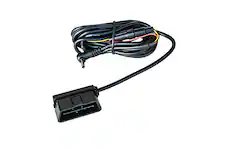
    The Thinkware Arc800 is a great dash cam and a great extra insurance policy in the event the unfortunate happens. Or maybe you catch that once in a lifetime thing on video... Like a cool meteor or UFO flying by. Setting this up is fairly straight forward and will depend on your desired configuration. I use the provided USB-C cable as I have an adapter that draws power from my powered rearview mirror. You could use the optional OBD II cable or have it hardwired. Biggest pain will be routing your cable for the rear view camera. Not difficult but will take some effort. The app works well. It is simple, allows you to view recorded video and connect to the dashcam. Once you get everything dialed in you will be able to hop into the app and save videos as needed. The video quality is great thanks to the Sony Starvis 2 sensor. Night video is great. The AI night vision actually works pretty good and I have been pleased with it so far. I run QHD mode at 60 frames per second. I personally like the higher frame rate over the higher resolution. Makes for a smoother video and better overall clarity. The touch screen works as intended. It was a bit tricky for me to figure out the perfect placement on the windshield where I could get the best viewpoint but also access the touch screen. The included SD card is a very nice touch. Although I have several lying around, it's nice to have one included. 32 gb is plenty of space and it will just write over existing video as space is needed. Overall, a great dash cam that provides a bit of piece of mind. Everyone should have a dash cam these days.

    Posted by joel125

  • Rated 5 out of 5 stars

    Nice Features, Great 4k Video

    SETUP / INSTALLATION The setup process was not difficult. I installed it myself and did not hardwire it directly to the fuse box. Instead, I used an OBD power adapter, which made running the power cable much simpler as it connected to the port under the steering wheel. The included trim tool was useful. It helped pull back the panels and weather stripping so I could tuck the wire cleanly out of sight. Running the rear camera wire was not difficult, just a little time consuming. I routed it along the floorboard trim and weather stripping, and with the trim tool, it was simple enough to manage. Connecting the cam to the app was also pretty easy. I was able to pair the camera, view the video, and access recordings without much trouble. The file transfer feature is a nice touch, especially being able to play back video directly on your phone. The transfer did feel a little slow, but I am not sure if that is the normal connection speed or if it is because the front video files are 4K and larger in size. BUILD / FEEL The camera feels solid and well built. It does not have a cheap plastic feel, and there is no flex when handling it. The front camera feels sturdy, and the overall system gives the impression that it is a quality product. The screen is small but clear. It gives you a quick way to check settings, camera placement or review what the camera is seeing without always needing your phone. That said, I do wish the front camera was a little smaller. Since the camera already allows wireless file transfer to your phone, I do not think the screen is completely necessary. In my opinion, removing the screen would have made the front camera more streamlined and cleaner looking on the windshield. VIDEO QUALITY The front camera records in 4K, and this is where the dash cam performs very well. The video is clear enough to read license plates, street signs, and see people’s faces as they cross in front of the car. The wide-angle view is also good. It captures enough of the road without creating that peephole or fishbowl distortion I have seen on some other dash cams. Some cameras try to capture too much and end up making the image look warped, but I did not notice that issue here. NIGHT VIDEO The night video is decent. The footage does not get completely washed out by streetlights or headlights, when it comes to seeing faces at night, it is a little harder to make out fine details because of the black-and-white look, but the overall quality is still good. You can still see vehicles, movement, and what is happening around the car. It is not perfect at night, but it does the job. For me, that is what matters. I do not need night footage to look like daytime footage. I need it to be clear enough to show what happened. APP / WI-FI The THINKWARE app connects easily to the camera and is simple to use. I did not experience freezing, lag, or major connection issues while accessing recordings. The app is easy to maneuver, and finding saved videos is straightforward. Being able to view and transfer clips wirelessly from the camera to your phone is one of the better features of this system. The only drawback is that transferring video can feel slow. Again, that may be because of the size of the 4K files, but it is something to be aware of. The feature is still useful, but larger clips may take a little patience. GPS / ALERTS I keep the alerts on, and embarrassingly enough, the "front vehicle moving" alert has actually helped me. It does not seem like a feature that would be very useful, but when you are distracted at a light or in traffic, it does help by letting you know the vehicle in front of you started moving. I know the camera has GPS and safety camera alerts, but I have not used those features much. These days there are speed cameras and red-light cameras everywhere, and I do not want constant alerts while driving. For me, the front vehicle moving alert is useful, but I do not need every alert feature turned on. HONEST NEGATIVE The biggest thing I would change is the size and design of the front camera. I would prefer a more streamlined front camera without the screen. Since the camera has Wi-Fi transmission and allows access through the app, I do not really need a screen on the unit. Removing it would make the camera look cleaner and less bulky. I also wish it came with a larger memory card. The included card works, but 4K video files are large, and a larger memory card would make more sense for a camera system like this. The multiple wires coming out of the back also make the front camera look a little bulkier than I would like. It is not a dealbreaker, but if someone wants the cleanest and most minimalist look possible, this may not be the best fit.The screen's box(y) design, and multiple wires make it a little more noticeable than I would prefer. I wish they could streamline the wiring to something similar to a powered ethernet cable...power and video thru one cable. OVERALL The THINKWARE ARC800 is a very good dash cam system for someone who wants clear 4K front video, rear camera coverage, and easy access to recordings through a phone app. Overall, this is a nice, accessible camera system that performs well where it matters most: clear footage, solid build quality, and easy access to your recordings.

    Posted by veritech13

Compare similar products

THINKWARE - ARC800 4K UHD Front and Full HD Rear Dash Cam with Built-In GPS and Wi-Fi, Compatible with iOS, Android, MacOS, Windows - Black
4.1(7)

Drive smarter and see more with the THINKWARE ARC 800, a premium 4K dash cam built to capture every moment with exceptional clarity and confidence. Featuring a Sony STARVIS 2 IMX678 image sensor, HDR recording, and AI-powered Night Vision (available during Parking Mode), the ARC 800 delivers sharp, balanced footage in virtually any lighting condition. The responsive 2.3” IPS display makes reviewing footage and adjusting settings effortless, while built-in GPS and dual-band Wi-Fi keep you connected on the go. Advanced Parking Surveillance modes, THINKWARE CONNECTED compatibility, Safety Camera Alerts, and Traffic Light Change Alerts provide enhanced awareness whether you’re driving or parked. With support for up to 512GB microSD cards and everything needed for installation included in the box, the ARC 800 is engineered for drivers who demand premium protection without compromise.
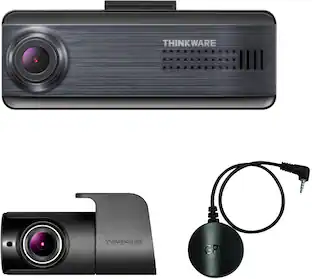
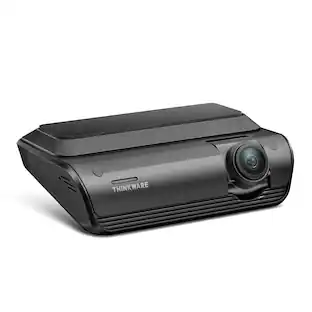
THINKWARE - U3000 PRO 4K UHD Front and 2K QHD Rear Dash Cam w/ Built-in GPS, Dual RADAR, Wi-Fi, Compatible with iOS and Android - Black
4.7(42)

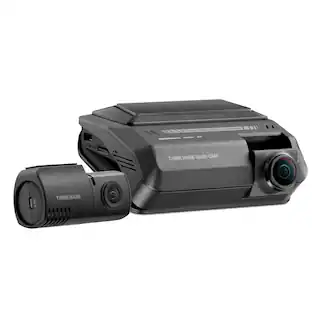
Experience next-level protection and clarity with the THINKWARE U3000 PRO. Featuring 4K UHD front and 2K QHD rear recording with Dual STARVIS 2 sensors and Dual HDR, it captures every detail in stunning quality, day or night. Dual built-in 60GHz RADAR sensors deliver smart, energy-efficient parking surveillance, while Super Night Vision 4.0 ensures bright, noise-free footage in low light. Stay connected anywhere with the THINKWARE CONNECTED App (via optional LTE) for live monitoring, impact alerts, and vehicle tracking. Dash cam set includes the U3000 PRO dash cam, rear camera unit, 3M adhesive windshield mount with extra 3M tape, CPL filter, heat blocking film, adhesive cable holders, OBD II cable, trim tool, and 64GB MicroSD card.

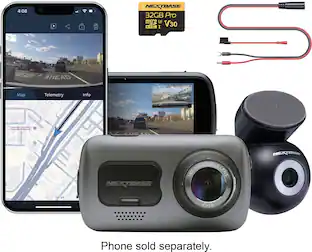
Nextbase - 4K 622GW Dual Channel Front & Rear Cam with 32GB SD, GPS, WiFi, Bluetooth & Night Vision, Image Stabilization, SOS - Black

Awarded Consumer Reports Editor’s Choice for Best Dash Cam, the Nextbase 622GW Dash Cam is a popular choice for everyday drivers who demand the very best in road safety. With ultra-detailed 4K resolution, it captures every license plate, sign, and street detail—making 4K a must-have for drivers who want total confidence behind the wheel. This premium bundle includes the 622GW Dash Cam, Rear Window Camera, 32GB U3 microSD card, and a Hardwire Kit—everything you need for full high-definition coverage of your vehicle, front and rear. The 622GW sets the standard with crystal-clear 4K video at 30fps, advanced Image Stabilization, what3words location tracking, and built-in Emergency SOS Response—all packed into a sleek, compact design. The Rear Window Camera connects directly to the 622GW and records in 1080p HD, making it ideal for capturing tailgaters and rear-end incidents. The included 32GB U3 microSD card ensures up to 1 hour of front and rear recording before looping, while the Hardwire Kit provides a clean, hidden install and powers the dash cam even when your vehicle is parked enabling Intelligent Parking Mode. Whether you’re commuting daily, driving for work, or hitting the road for a weekend trip, the 622GW Bundle offers complete protection, smart features, and industry-leading performance—every time you drive.

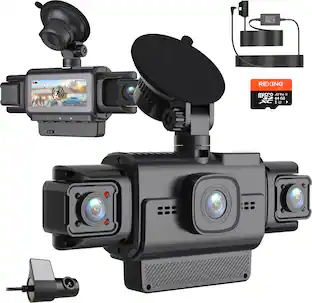
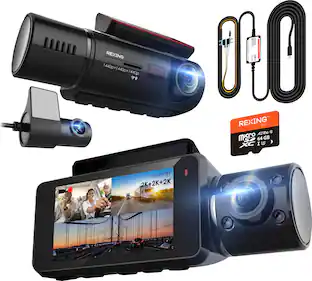
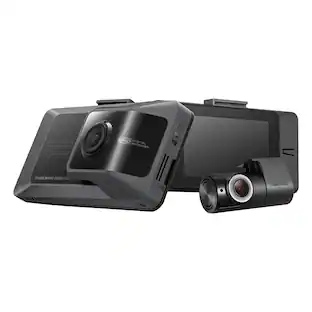
Rexing - R88 4K Front + 4K Rear Dual Sony STARVIS Dash Cam with 5.8GHz WiFi GPS - Black

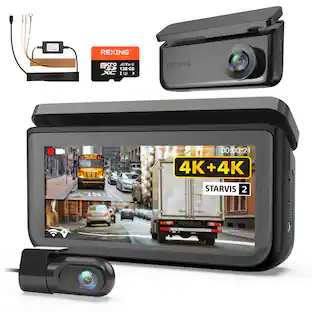
Capture ultra-clear 4K front and 4K rear footage with the Rexing R88 Dual Sony STARVIS 2 Dash Cam. Featuring parking mode for continuous monitoring, it ensures enhanced security. Loop recording and G-sensor impact detection safeguard your vehicle by capturing crucial moments both on the road and while parked. The 5.8GHz WiFi enables seamless video transfer and app control.

Pros for THINKWARE - ARC800 4K UHD Front and Full HD Rear Dash Cam with Built-In GPS and Wi-Fi, Compatible with iOS, Android, MacOS, Windows - Black
There were no pros for this productVideo Quality, Parking Mode, Night Vision, Motion Detection, GPS PerformanceVideo Quality, Overall Performance, Size, Ease of Use, Included AccessoriesVideo Quality, Overall Performance, Size, Installation Ease, Connectivity
Cons for THINKWARE - ARC800 4K UHD Front and Full HD Rear Dash Cam with Built-In GPS and Wi-Fi, Compatible with iOS, Android, MacOS, Windows - Black
There were no cons for this productApp Usability, Installation DifficultyConnectivity, Battery LifeFrame Rate, Heat Dissipation

Specs

Questions & Answers
  • Is rearview camera solar chargeable and wireless connected to front camera?

    Hi, our rear camera is plugged into the front camera by using the rear camera cable.

    Answered by Thinkware Product Expert
    Thinkware Product Expert response
No content

Customers often buy these together
Sponsored

Finance Options

My Best Buy® Credit Card
Choose a benefit:Or
Buy Now, Pay Later
Lease to own

Finance Options

My Best Buy® Credit Card
Choose a benefit:Or
Buy Now, Pay Later
Lease to own