Timex - Alarm Clock with Wireless Charger (TW14) - Black
About this product
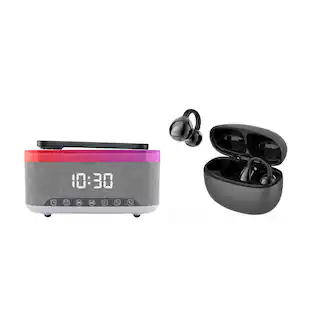
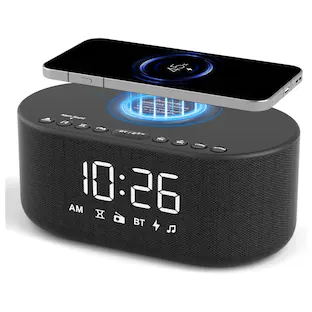
The TW14 Timex Alarm Clock with Wireless Charger is the perfect bedside companion for a clutter-free nightstand. Set an alarm to wake to buzzer, and use the 15W wireless charging pad to power up your iPhone or AirPods while you sleep. The compact and space-saving design will complement any bedroom or office décor.
Timex digital alarm clock
Compact and space-saving design
Wireless Charger
Includes 15W wireless charging pad to power up your iPhone or AirPods
Battery Backup System
Maintains clock and alarm settings in the event of a temporary power failure
- BrandTimexModel NumberTW14B.EXV24Product NameTimex Alarm Clock with Wireless Charger (TW14)ColorBlackWarranty - Parts1 year limitedWarranty - Labor1 year limited
Reviews
Rating 1 out of 5 stars with 1 review
The vast majority of our reviews come from verified purchases. Reviews from customers may include My Best Buy members, employees, and Tech Insider Network members (as tagged). Select reviewers may receive discounted products, promotional considerations or entries into drawings for honest, helpful reviews.
Compare similar products

The TW14 Timex Alarm Clock with Wireless Charger is the perfect bedside companion for a clutter-free nightstand. Set an alarm to wake to buzzer, and use the 15W wireless charging pad to power up your iPhone or AirPods while you sleep. The compact and space-saving design will complement any bedroom or office décor.

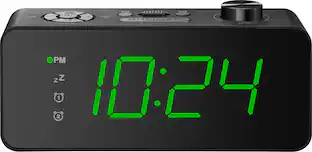
Keep your phone out of the bedroom at night by going “old school” with a traditional alarm clock. The Insignia NS-ALCL24 Digital AM/FM Dual Alarm Clock with 4-Level Dimmer has all the essentials you need. Program up to two different alarms, setting the volume and alarm sound (standard alarm or radio) for each. The green LED display is easy to read in the dark with a 4-level dimmer to customize the display’s brightness to your space. The integrated AM/FM radio can store up to 20 presets for easy listening as you get ready for the day. Your simple solution for getting up on time is just a click away.
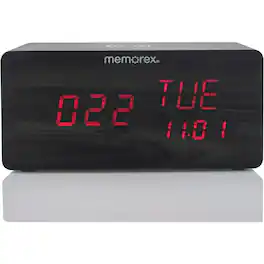
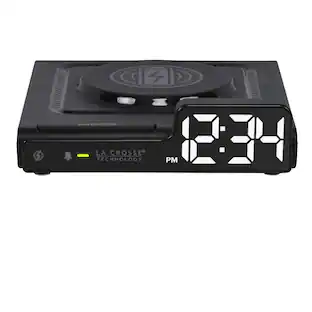
Equipped with a fast-speed wireless charger, the MX-CRBT250 supports 10W EPP+PPDE charging, with an input voltage of DC 9V and a charging voltage of 5V. The charging pad has a working distance of 6mm and achieves a charging efficiency of 70%. The alarm clock also features a speaker with an output of 1.5W x 2 for clear sound. Included in the package are an AC/DC adapter and a user manual.
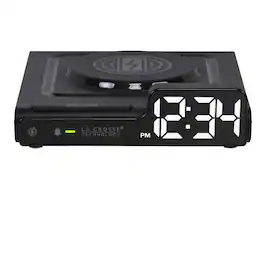
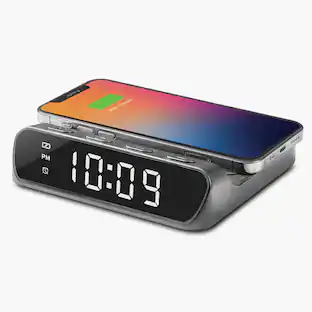
Untangle your nightstand. The Amp Mini is a compact wireless charging pad and LED alarm clock in one—a place to set your phone down at the end of the day and let it recharge out of reach. Your devices get a break from your thumbprint, and you get a break from the 11 p.m. scroll. The Crescendo Alarm handles the wake-up so your phone doesn't have to, while a 0.70-inch white LED display keeps time, alarm, and charging status in view. The integrated charging pad works with most modern wireless-charging devices, a 10-minute snooze eases the morning, and adjustable brightness with auto-dim options keeps the glow in check. Plug in the included USB-C cord and let your nightstand do less, better.
| Pros for Timex - Alarm Clock with Wireless Charger (TW14) - Black | |||
|---|---|---|---|
| There were no pros for this product— | Ease of Use, Overall Performance, Size, Brightness, Readability | There were no pros for this product— | There were no pros for this product— |
| Cons for Timex - Alarm Clock with Wireless Charger (TW14) - Black | |||
| There were no cons for this product— | Button Layout | There were no cons for this product— | There were no cons for this product— |
Specs
Does this clock have auto dst
Answered by Timex Customer SupportHello, Despy. Thank you for your inquiry. For questions regarding this clock, including whether it has an automatic Daylight Saving Time (DST) feature, please contact SDI Technologies, Inc. customer service using the following link: https://timexaudio.com/support/contact/. They’ll be happy to assist you further.

Customers often buy these together
 $84.99The price was $94.95
 $139.99The price was $159.99

More to consider
Your sound, your style Sponsored


Keep exploring
 $38.99The price was $39.99
 $145.00The price was $170.00