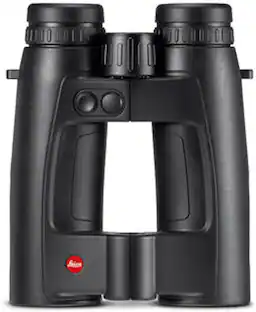
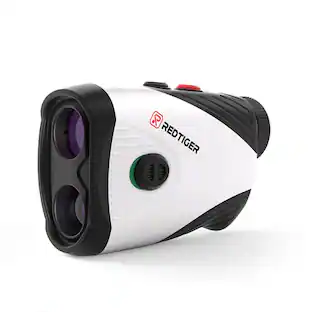
VoiceCaddie - SL3 True Hybrid GPS and Laser Range Finder with Dual Color OLED, Course Layout Undulation, and Pin Tracer Technology - Black
About this product
The VoiceCaddie SL3 captures the highest essence of technology in one, state-of-the-art laser rangefinder. An active hybrid GPS laser rangefinder, the SL3 integrates a high-resolution touchscreen, dynamic and detailed green undulation data, and course layout graphics (with eagle eye overview), putt view with elevation/distance measurement, and GPS distance readings. In its scope is a bright multi-color OLED display with best-in-class optical clarity. The SL3 integrates slope compensation, pin tracer with GPS pin assist for advanced stabilization, a ultra-high-speed processor, and high propensity noise filtration. The SL3 is the only device ever to integrate a fully hybrid GPS for maximum filtering and stability, illustrative course layout and green views, and putt distance measurement into a laser rangefinder.
360° Precision
The Voice Caddie SL3 golfing range finder combines GPS and laser technology for precise distance measurements to any point on the course.
Strategic Insight
Gain a tactical advantage of the course layout and green undulation with your laser golf range finder, allowing you to strategize and plan your shots effectively.
Enhanced Visibility
The adjustable dual-color OLED display of the SL3 golf laser range finder ensures optimal visibility in various lighting conditions, so you can focus on your game without any visual distractions.
Pin-Tracing Precision
Effortlessly lock onto the pin with vibration and alert features from any range finder angle, ensuring accurate targeting and minimizing the chances of missing your mark.
Putt with Confidence
Utilize the Putt View function from your SL3 angle range finder to gauge the elevation and distance, helping you make confident and informed decisions for those critical putts.
- BrandVoiceCaddieModel NumberSL3_LaserProduct NameSL3 True Hybrid GPS and Laser Range Finder with Dual Color OLED, Course Layout Undulation, and Pin Tracer TechnologyColorBlackProduct Height3.25 inchesProduct Width4.25 inches
Reviews
Rating 4.8 out of 5 stars with 20 reviews
Customer Images
The vast majority of our reviews come from verified purchases. Reviews from customers may include My Best Buy members, employees, and Tech Insider Network members (as tagged). Select reviewers may receive discounted products, promotional considerations or entries into drawings for honest, helpful reviews.

- Antigravity - A1 8K 360 Remote Control Drone - Explorer Bundle - Under 249g - White$1,419.00The price was $1,899.00
- Antigravity - A1 8K 360 Remote Control Drone - Infinity Bundle - White$1,599.00The price was $1,999.00
- Antigravity - A1 8K 360 Remote Control Drone - Standard Bundle - Under 249g - White$1,279.00The price was $1,599.00

Compare similar products

The VoiceCaddie SL3 captures the highest essence of technology in one, state-of-the-art laser rangefinder. An active hybrid GPS laser rangefinder, the SL3 integrates a high-resolution touchscreen, dynamic and detailed green undulation data, and course layout graphics (with eagle eye overview), putt view with elevation/distance measurement, and GPS distance readings. In its scope is a bright multi-color OLED display with best-in-class optical clarity. The SL3 integrates slope compensation, pin tracer with GPS pin assist for advanced stabilization, a ultra-high-speed processor, and high propensity noise filtration. The SL3 is the only device ever to integrate a fully hybrid GPS for maximum filtering and stability, illustrative course layout and green views, and putt distance measurement into a laser rangefinder.

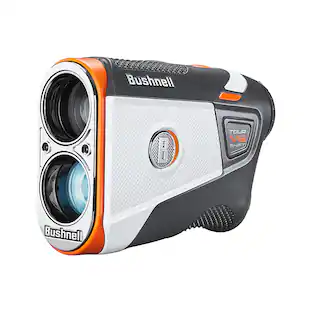
Utilizing new and improved electronics, along with our patented, Tour-trusted Slope technology, Tour V6 Shift is the most accurate, consistent and longest ranging Tour series laser Bushnell Golf has ever released.
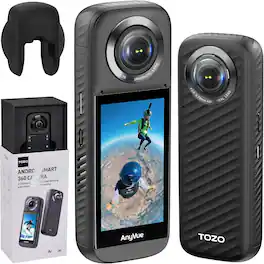
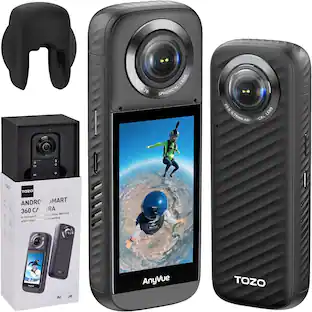
TOZO AnyVue is a professional 360 action camera powered by an Android 10–based system with a Qualcomm AI 5nm processor and 6GB DDR4 memory for fast stitching and smooth operation. Dual 1/2'' 48MP CMOS sensors capture immersive 5.7K panoramic video and high-resolution photos. With 4K live streaming, built-in GPS, FlowSteady stabilization, Horizon Lock, invisible third-person view, long battery life, and intelligent app editing, it is ideal for action, travel, and creative content creation.

The Blue Tees Series 4 Ultra is our new high end, premium laser rangefinder. S4 Ultra boasts our most advanced technology to date, unparalleled flag lock capability up to 350 Yards, industry leading electronics and construction, an OLED display and an IP54 weather resistant rating.
| Pros for VoiceCaddie - SL3 True Hybrid GPS and Laser Range Finder with Dual Color OLED, Course Layout Undulation, and Pin Tracer Technology - Black | |||
|---|---|---|---|
| There were no pros for this product— | Accuracy, Build Quality | Video Quality | Overall Performance |
Specs
Customers often buy these together

More to consider
Capture the moments Sponsored
 $99.99The price was $110.99
 $186.99The price was $229.90
 $1,299.99The price was $1,499.99
Discover related products
 $12.99The price was $14.99
 $329.99The price was $384.49
 $49.99The price was $69.99


Keep exploring
 $139.99The price was $169.99
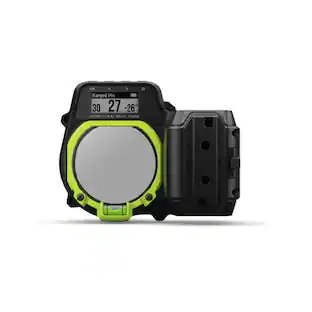 $699.99The price was $799.99
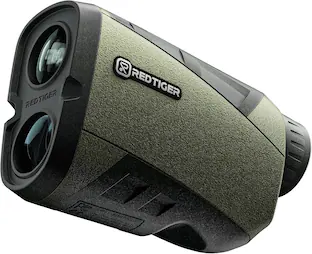 $109.99The price was $119.99
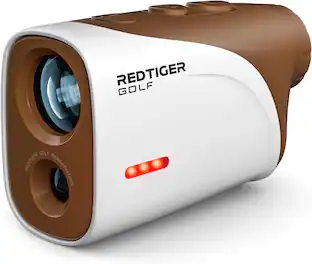 $169.99The price was $199.99